Agi FX1 EA V1.0 MT4: What Traders Need to Know Before Buying
Many traders reach a point where watching charts for hours, second-guessing entries, and fighting emotions becomes exhausting. They look for a structured, rules-based way to handle EUR/USD without sitting in front of the screen all day. Agi FX1 EA V1.0 MT4 is one of the automated options that appears in those searches.
This article explains what the EA is, what is known about how it operates, its practical benefits and limitations, who it suits, and exactly what to verify before deciding whether to buy it. Information is limited to confirmed details; anything else should be checked with the seller or through your own testing.
What Is Agi FX1 EA V1.0 MT4?
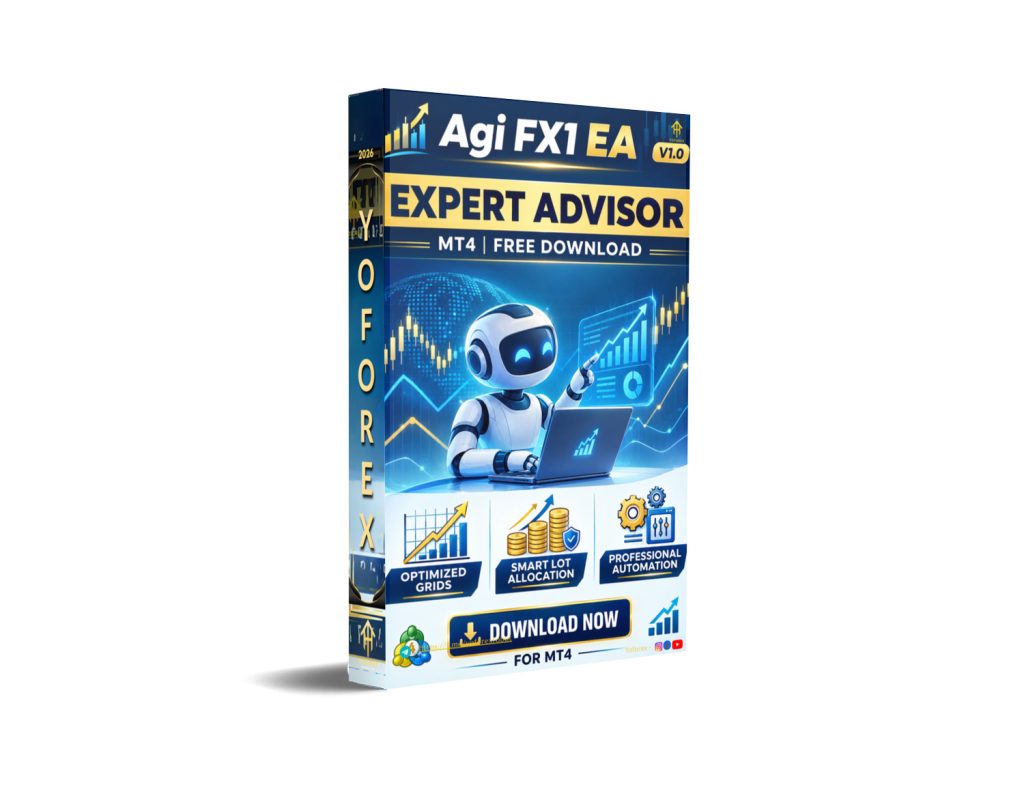
Agi FX1 EA V1.0 is an Expert Advisor designed for the MetaTrader 4 platform. It is a fully automated trading robot that can open, manage, and close positions according to its programmed logic once attached to a chart and enabled.
According to available information, it is intended to work on EUR/USD with a recommended timeframe of M15. The goal is to remove constant manual monitoring and emotional decision-making by following a consistent set of rules.
You can find related discussions and listings through resources such as the YoForex blog and main site when researching MT4 EAs and Forex bots.
How Does Agi FX1 EA Work?
Like most MT4 Expert Advisors, Agi FX1 EA follows a basic automated flow:
- It continuously analyzes the chart data on the attached timeframe.
- When its internal conditions are met, it generates an entry signal.
- It places the trade with the lot size and risk parameters defined in the settings.
- It manages the open position (stop-loss, take-profit, or other exit rules if programmed).
- It closes the trade when exit conditions are reached and prepares for the next opportunity.
Exact indicator combinations, entry filters, and position-management logic are not publicly detailed in a verifiable way. Traders should treat the internal strategy as a black box until they run their own tests or receive clear documentation from the provider.
Agi FX1 EA Strategy Explained
Publicly available descriptions refer to indicator-based analysis and pattern recognition. No independent, detailed breakdown of the precise strategy (trend-following, mean-reversion, breakout, scalping rules, etc.) has been confirmed for version 1.0.
Because the strategy logic is not fully transparent, the only reliable way to understand its behavior is through rigorous backtesting on quality data and forward testing on a demo account under realistic spread and slippage conditions.
Key Features
- Platform: MetaTrader 4 (MT4)
- Version: V1.0
- Recommended instrument: EUR/USD
- Recommended timeframe: M15
- Fully automated trade execution once enabled
- Risk presets reported in some seller materials (standard and higher-risk options) – confirm current availability
- Designed for systematic, emotion-free operation
Any additional claimed features (specific indicators, martingale/grid usage, trailing stops, news filters, etc.) should be verified directly with the provider or by inspecting the inputs after installation.
Quick Specifications
| Feature | Details |
|---|---|
| Platform | MT4 |
| Strategy | Indicator-based (details limited) |
| Trading Style | Automated |
| Instruments/Pairs | EUR/USD (confirmed focus) |
| Timeframe | M15 recommended |
| Risk Management | Configurable (verify presets) |
| Automation | Full once enabled |
| VPS | Recommended for 24/5 reliability |
| Best For | Traders seeking systematic EUR/USD automation on M15 |
Main Benefits
The primary practical advantages of a well-tested EA like Agi FX1 are:
- Consistent rule-based execution without emotional interference
- Reduced screen time compared with manual chart watching
- Ability to trade around the clock when paired with a reliable VPS
- Systematic application of the same logic every time market conditions match the programmed rules
These benefits only materialize if the strategy itself has an edge under real market conditions (spreads, slippage, news events, and changing volatility).
Limitations & Risks
Every automated system carries real risks:
- Drawdowns can and will occur; the size depends on risk settings and market regime.
- Performance can degrade when market conditions shift away from those the EA was optimized for.
- Spread, slippage, and broker execution quality directly affect results, especially on lower timeframes.
- Incorrect settings, overly aggressive risk, or running without a stable VPS can lead to larger losses.
- Backtests, even multi-year ones, do not guarantee future live performance.
- Limited public transparency on exact strategy logic makes independent verification harder.
Never risk money you cannot afford to lose. Always start on demo.
Who Is Agi FX1 EA For?
This EA is most suitable for:
- Traders who already understand basic MT4 operation and risk management
- Those specifically interested in automated EUR/USD trading on the M15 timeframe
- Users willing to run proper demo and forward tests before going live
- Traders who prefer systematic execution over discretionary decision-making
Who Should Avoid It?
Avoid or approach with extreme caution if you:
- Expect guaranteed profits or “set and forget” wealth
- Have no experience with MT4, EAs, or basic risk control
- Cannot tolerate drawdowns or lack capital to withstand normal losing periods
- Are unwilling to monitor performance and adjust or stop the EA when conditions change
- Plan to run it on a free or unstable connection without a VPS
Agi FX1 EA vs Manual Trading
| Aspect | Agi FX1 EA (Automated) | Manual Trading |
|---|---|---|
| Execution | Instant, rules-based | Depends on trader reaction |
| Screen time | Minimal once running | High |
| Consistency | High (same rules every time) | Variable |
| Emotional interference | Low | Often high |
| Speed | Fast | Limited by human reaction |
| Flexibility | Limited to programmed logic | High (can adapt instantly) |
| Monitoring | Periodic checks + VPS | Constant attention required |
| Risk management | Pre-defined settings | Discretionary |
What To Check Before Buying
Use this practical checklist:
- Confirm the exact strategy description and any available documentation
- Review risk parameters and maximum expected drawdown under different settings
- Verify full MT4 compatibility (build number if specified)
- Test broker compatibility (spreads, execution, symbol naming for EUR/USD)
- Plan for a reliable VPS if you intend to run it 24/5
- Examine all input settings and available presets
- Perform your own backtests and at least several weeks of demo forward testing
- Clarify license terms (number of accounts, updates, support duration)
- Confirm current pricing and what is included
- Check support responsiveness and refund policy if offered
Resources on the YoForex site covering EA installation, backtesting, VPS setup, and risk management can help with the technical side.
Agi FX1 EA Settings
Specific default or optimized settings are not publicly detailed for version 1.0 beyond the general mention of risk presets in some materials. After installation, review every input carefully. Start with the most conservative risk option available and never increase risk until you have live or extended demo data.
Agi FX1 EA Backtesting & Performance
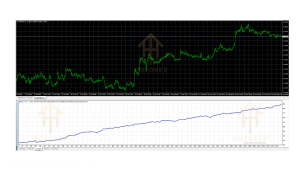
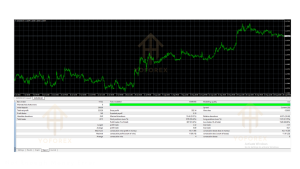
Some seller materials reference multi-year backtesting periods and real-time testing windows. These should be treated as marketing claims until you independently reproduce results using high-quality tick data, realistic spreads, and commission models.
Always distinguish clearly between:
- Historical backtests
- Demo forward tests
- Live account results
Past performance is never a guarantee of future results. Focus on maximum drawdown, recovery time, and robustness across different market regimes rather than peak profit figures.
How To Get Started
- Confirm your MT4 terminal and broker support EUR/USD with acceptable spreads on M15.
- Obtain the EA and carefully review all settings and documentation.
- Install it correctly (Experts folder → refresh Navigator → attach to EUR/USD M15 chart).
- Enable AutoTrading and allow the necessary permissions.
- Run extensive demo testing under realistic conditions.
- Monitor closely, keep a trading journal of results and observations.
- Only consider a small live allocation after you fully understand the risk profile and are comfortable with the drawdowns observed.
Is Agi FX1 EA Worth Buying?
It depends on your goals, risk tolerance, and willingness to test thoroughly.
If you want a fully automated EUR/USD system on M15, understand that the strategy details are limited, and you are prepared to verify everything yourself through backtesting and demo trading, it may be worth evaluating.
If you need full strategy transparency, proven multi-year live track records from independent sources, or a hands-off “guaranteed” solution, this EA (like most retail EAs) will not meet those expectations.
The decision should be based on your own testing results, not marketing claims.
FAQs
What is Agi FX1 EA V1.0 MT4?
It is a MetaTrader 4 Expert Advisor designed for automated trading, focused on EUR/USD with a recommended M15 timeframe.
Is it MT4 or MT5?
It is built for MT4 (version 1.0).
How does it work?
It analyzes the chart and executes trades automatically according to its programmed rules once enabled.
What strategy does it use?
Public details are limited to indicator-based analysis. Exact logic should be verified through testing.
Can it be backtested?
Yes, on MT4 Strategy Tester. Use quality data and realistic conditions.
Is it suitable for beginners?
Only if the beginner is willing to learn MT4 basics, risk management, and proper testing procedures first.
What broker is required?
Any MT4 broker offering EUR/USD with reasonable spreads and reliable execution. Low-spread ECN-style accounts are generally preferable for automated systems.
How do I buy and install it?
Purchase from a trusted source, download the .ex4 file, place it in the MQL4/Experts folder, restart or refresh MT4, and attach it to the EUR/USD M15 chart.
Conclusion
Agi FX1 EA V1.0 MT4 is a straightforward automated option for traders focused on EUR/USD on the M15 timeframe who value systematic execution over discretionary trading. Its main strengths are platform compatibility and the potential reduction of emotional interference and screen time.
Important considerations remain: limited public strategy transparency, the universal risks of automated trading, and the absolute necessity of independent testing. It is not a set-and-forget money machine.
If after reviewing the details, running your own tests, and confirming suitability for your risk profile, you decide to proceed, the next step is to examine the current offering, documentation, and licensing terms carefully.
View Agi FX1 EA V1.0 MT4 details, verify the latest information, and decide based on evidence rather than hope. Responsible testing and risk control always come first.
Support & Disclaimer
Support:
If you need help installing or configuring your EA, or face any kind of bug, feel free to reach out on:
WhatsApp: Click here
Telegram Group: Join our community
Disclaimer:
Forex and gold trading involve risk. Past performance doesn’t guarantee future results. Always test robots on demo before live trading and use proper risk management.
REFERRAL
Join the VIP Signals Telegram Channel for real-time expert trading signals and stay ahead in the forex market. Get personalized strategies by becoming a part of our Real Account Management Telegram Channel and optimize your trading experience. If you’re aiming to Pass PropFirm Challenges , join our dedicated channel for tips and proven methods. Start managing your capital effectively with expert advice from our Funded Account Management Telegram Channel. For advanced traders, our HFT EA / Passing Telegram Channel offers high-frequency trading insights and strategies to boost your performance.