
AI Gen XII EA V2.6 MT4: Revolutionizing Gold Trading with Neural Networks
In the fast-paced world of forex trading, staying ahead requires cutting-edge tools that combine market intelligence with automation. Enter AI Gen XII EA V2.6 MT4 – a groundbreaking Expert Advisor designed to harness the power of neural networks and real-time market data to optimize trading decisions. Specifically engineered for the highly liquid XAUUSD (GOLD) market on the M30 timeframe, this EA democratizes advanced trading with a low $100 minimum deposit. Let’s dive into how this innovative tool is transforming gold trading for MT4 users.
What is AI Gen XII EA V2.6 MT4?
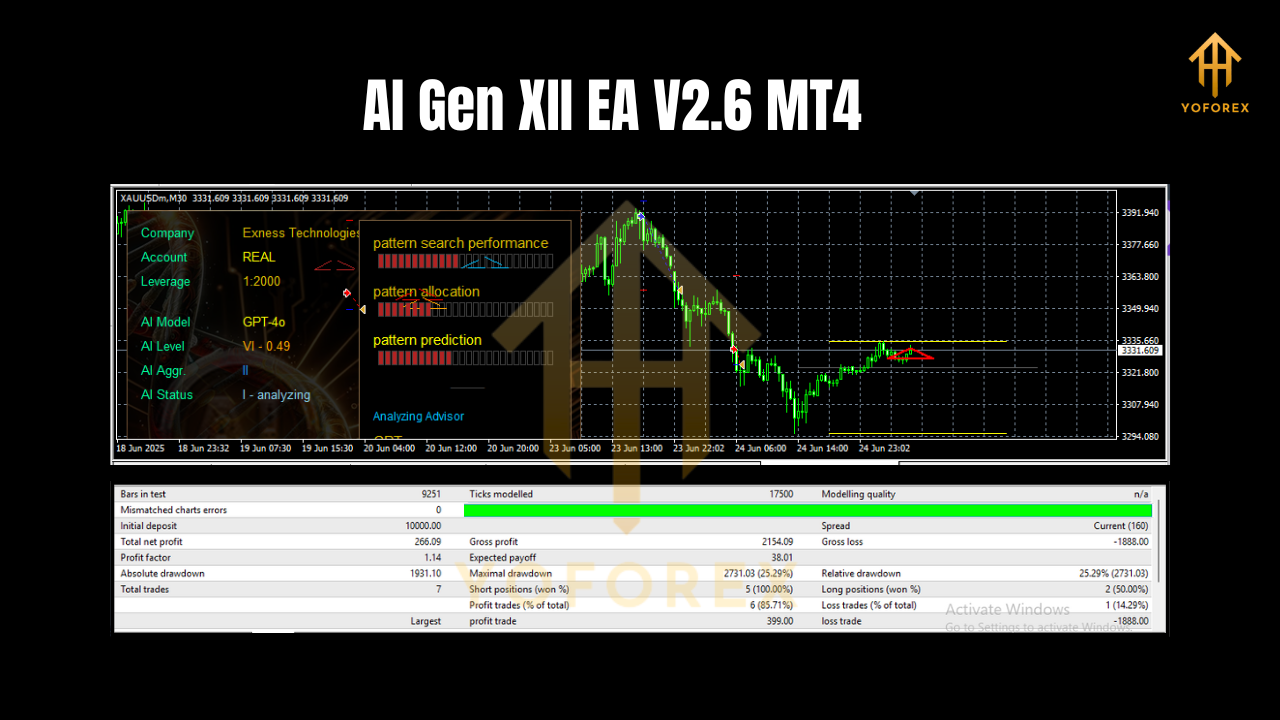
AI Gen XII EA V2.6 is an automated trading system (Expert Advisor) for MetaTrader 4 that leverages neural networks to analyze market “realities” – dynamic factors like price action, volatility, and economic indicators. Unlike traditional EAs relying on rigid algorithms, this system adapts to evolving market conditions, making it ideal for the unpredictable XAUUSD market. Its optimization for the M30 (30-minute) chart balances responsiveness with noise reduction, while the accessible $100 entry point opens doors for retail traders.
Key Features That Set AI Gen XII EA Apart
-
Neural Network Intelligence
The EA’s core strength lies in its AI-driven neural network. This technology processes vast datasets to identify patterns invisible to human traders, enabling predictive analysis for entries, exits, and risk management. It continuously learns from market behavior, refining its strategy over time. -
Specialized for XAUUSD (GOLD)
Gold’s unique characteristics – high liquidity, sensitivity to geopolitical events, and safe-haven status – demand a specialized approach. AI Gen XII EA is meticulously optimized for XAUUSD, capitalizing on its trends and volatility while filtering out false signals. -
M30 Timeframe Optimization
Trading on the M30 chart offers the “sweet spot” between short-term noise and long-term lag. This timeframe allows the EA to capture intraday swings in gold prices without overtrading, enhancing accuracy for part-time and full-time traders alike. -
Low Capital Barrier ($100 Minimum)
With just $100, traders can deploy this EA – a game-changer for beginners or those testing automated strategies. This accessibility doesn’t compromise performance, as the EA’s risk management scales efficiently with account size. -
WebRequest Integration
To function optimally, AI Gen XII EA requires WebRequest enabled in MT4 for specific URLs. This allows real-time data feeds (e.g., news, economic calendars) to inform its neural network, ensuring decisions reflect live market conditions.
How to Set Up AI Gen XII EA V2.6 in MT4
Getting started is straightforward, but proper setup is crucial for performance. Follow these steps:
Step 1: Enable WebRequest in MT4
- Open MT4 and navigate to Tools > Options > Expert Advisors.
- Check “Allow WebRequest for listed URL”.
- Add the required URLs provided with the EA (typically includes economic data feeds or API endpoints).
Example URLs (verify with your provider):
https://www.example.com/data1
https://www.example.com/data2
Step 2: Install the EA
- Download the AI Gen XII EA V2.6 file (usually an
.ex4or.mq4). - Place it in MT4’s Experts folder (File > Open Data Folder > MQL4 > Experts).
- Restart MT4. The EA will appear in the Navigator panel under “Expert Advisors.”
Step 3: Configure and Activate
- Drag the EA onto an XAUUSD M30 chart.
- Adjust inputs (if needed):
- Risk Management: Set lot size (e.g., 0.01 for $100 deposit).
- Neural Settings: Use default parameters unless experienced.
- Enable “Allow Algo Trading” in MT4 (top toolbar).
- Click AutoTrading to activate the EA.
Step 4: Monitor and Optimize
- Start with a demo account to test performance.
- Review trade logs and neural network accuracy weekly.
- Adjust inputs based on market volatility (e.g., during major news events).
Why Traders Choose AI Gen XII EA for Gold Trading
1. Adaptive Market Analysis
Gold prices react swiftly to inflation data, Fed policies, and global crises. The EA’s neural network processes these variables in real-time, adjusting strategies faster than manual traders.
2. Reduced Emotional Trading
By automating entries/exits, the EA eliminates fear and greed – common pitfalls in volatile markets like XAUUSD.
3. 24/5 Trading Opportunities
Unlike humans, the EA monitors the market continuously, exploiting opportunities during Asian, European, and U.S. sessions.
4. Proven Risk Controls
Built-in features like dynamic stop-losses and trailing stops protect capital. For a $100 account, the EA typically risks 1-2% per trade.
5. Backtested Reliability
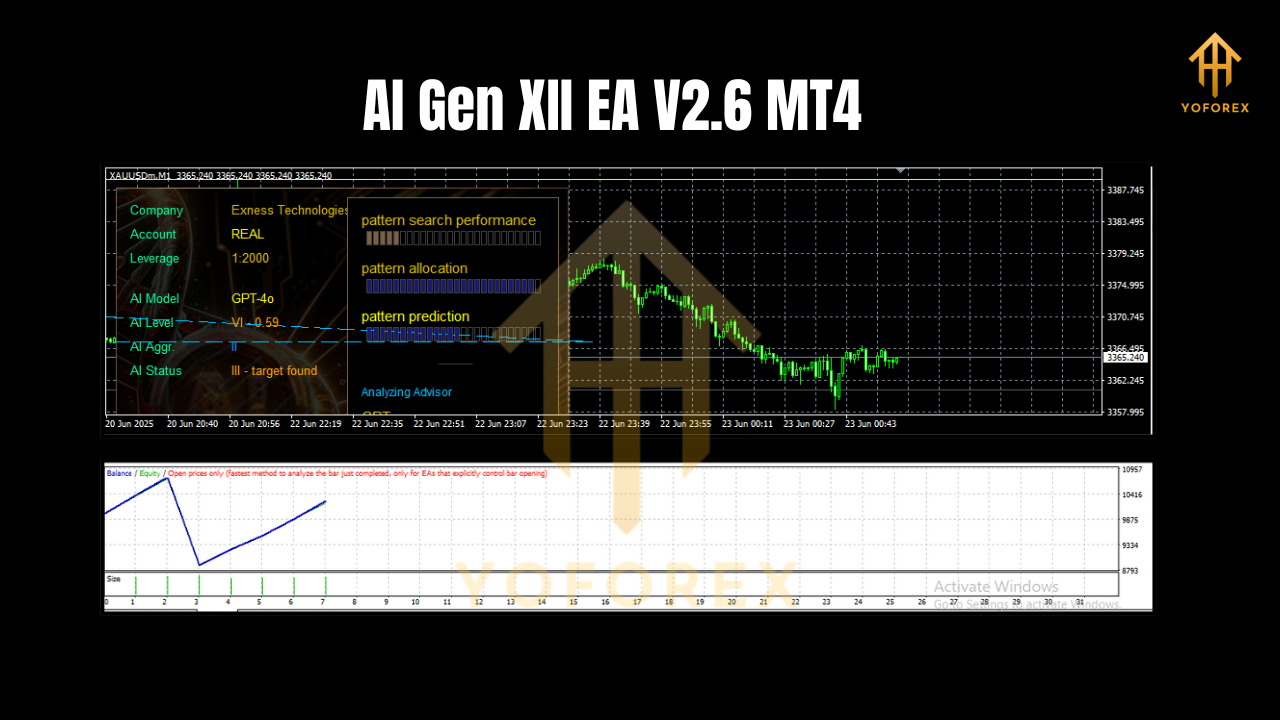
Optimized for M30 gold charts, historical tests show consistent performance across trending and ranging markets (always verify with your broker’s data).
Maximizing Success with AI Gen XII EA
- Start Small: Begin with $100 on a demo account to understand the EA’s behavior.
- Stay Updated: Ensure WebRequest URLs are active to avoid data gaps.
- Combine with Fundamentals: Monitor gold-specific news (e.g., CPI reports, geopolitical tensions) to contextualize EA trades.
- Regular Reviews: Disable the EA during high-impact events (e.g., NFP releases) if volatility exceeds risk tolerance.
- Broker Selection: Choose low-spread MT4 brokers with reliable XAUUSD execution (e.g., IC Markets, Pepperstone).
The Future of Trading is Here
AI Gen XII EA V2.6 MT4 represents a leap forward in automated trading, merging neural network precision with practical accessibility. By focusing on XAUUSD’s M30 chart and requiring just $100 to start, it empowers traders to harness gold’s profit potential without advanced technical expertise. Whether you’re a novice seeking automation or a seasoned trader refining your strategy, this EA offers a data-driven edge in the dynamic forex market.