

Introduction
Choosing a Ghost Scalper EA V5.20 MT5 is not simply about finding a bot that can open and close trades automatically. Traders also need to understand its trading structure, position sizing, exit management and potential risks before connecting it to a live MT5 account.
Ghost Scalper EA V5.20 MT5 is an automated trading system featuring four independently configurable strategy modules. Its design allows traders to manage different trading components, BUY and SELL directions, position sizing and exit configurations from a single MetaTrader 5 chart.
For traders comparing automated Gold trading solutions, understanding how these controls work is an important part of the buying decision. This review explores the available product information, practical considerations, limitations and checks to complete before purchasing.
What Is Ghost Scalper EA V5.20 MT5?
Ghost Scalper EA V5.20 MT5 is an Expert Advisor designed for automated trading on MetaTrader 5. Its documented structure includes four separate strategy modules named Ghost A, Ghost B, Ghost C and Ghost D.
Each module has independent configuration options, allowing traders to manage its trading directions, position sizing, trading schedule and exit settings.
The system is designed to reduce the need for manual trade execution and position management. However, automated execution does not remove market risk or guarantee profitable results.
Traders should review the actual trading logic, supported instruments and default configuration before using the EA with real capital.
How Does Ghost Scalper EA Work?
Ghost Scalper uses a multi-module architecture. Instead of treating the entire EA as one indivisible trading component, it provides separate configuration controls for its four strategy modules.
Its general operating structure can be understood through the following stages:
- Strategy activation: Traders configure which of the four modules are enabled.
- Trading direction: BUY and SELL permissions can be managed separately.
- Position sizing: Supported sizing modes determine the volume used for trades.
- Position management: Configurable exit profiles manage stop loss, take profit and trailing controls.
- Trading restrictions: Available time-based and news-related filters can restrict new trading activity.
- Account monitoring: Optional account-level controls provide additional monitoring settings.
The exact entry signals and internal calculations should be checked in the product documentation rather than assumed from the EA’s name.
Ghost Scalper EA V5.20 Strategy Explained
One of the main characteristics of Ghost Scalper is its four-module structure.
The four modules are:
- Ghost A
- Ghost B
- Ghost C
- Ghost D
Each module has separate activation controls and magic numbers. This allows traders to distinguish trades generated by different modules.
The product documentation also describes separate BUY and SELL configuration options.
Although the product is marketed as a scalping EA, the precise entry methodology should be verified before assigning it a specific strategy classification. Its internal entry logic should not automatically be described as a moving-average, RSI, breakout or grid strategy without supporting documentation.
For buyers, understanding how each module enters the market is more important than relying on the product name alone.
Key Features of Ghost Scalper EA V5.20
The available product documentation describes these configuration features:
- Four independent modules: Ghost A, B, C and D.
- Separate BUY/SELL controls: Configure trading directions independently.
- Individual magic numbers: Identify trades generated by different modules.
- Flexible position sizing: Fixed Lot, Risk Percent and Risk per Balance modes.
- Custom exit profiles: Configure stop loss, take profit and trailing controls.
- Trading schedule controls: Configure supported trading windows and restrictions.
- News filtering: Optional high-impact USD news filter.
- Scheduled filters: Includes documented FOMC-week, US election, bank-holiday and fixed-holiday restrictions.
- Account protection settings: Optional daily and overall drawdown, prospective-risk and daily-profit-target controls.
These features provide configuration flexibility, but their effectiveness depends on the settings, broker conditions and market environment.
Ghost Scalper EA V5.20 Quick Specifications
| Feature | Details |
|---|---|
| Platform | MetaTrader 5 |
| Version | V5.20 |
| Product type | Expert Advisor |
| Architecture | Four independent modules |
| Module names | Ghost A, B, C and D |
| Trading directions | BUY and SELL controls |
| Trading style | Market entry methodology requires verification |
| Instruments | Verify supported instruments; XAUUSD is the documented reference setup |
| Timeframe | H1 is the documented reference setup |
| Position sizing | Fixed Lot, Risk Percent, Risk per Balance |
| Exit management | Stop loss, take profit and trailing controls |
| News filter | Optional high-impact USD filter |
| Automation | Automated trading and position management |
| VPS | Dedicated VPS requirement not confirmed |
| Best for | MT5 traders evaluating configurable multi-module automation |
Main Benefits of Ghost Scalper EA
1. Independent Strategy Configuration
Four separately configurable modules provide more control over the EA’s operating structure. Traders can enable or disable individual modules instead of treating all components as a single configuration.
2. Flexible Position Sizing
The available Fixed Lot, Risk Percent and Risk per Balance modes allow traders to choose how trade volume is calculated.
Position sizing should always be selected according to account size and acceptable risk.
3. Automated Trade Management
Stop loss, take profit and trailing controls help automate important parts of position management.
This can reduce the need to manage every trading action manually.
4. Trading Schedule Controls
Scheduled restrictions and news filters provide additional control over when the EA can initiate trades.
However, traders should understand the time zones and restrictions used by these filters.
5. Separate BUY and SELL Settings
Independent direction controls allow traders to configure which trading directions are permitted for each module.
Limitations & Risks
Ghost Scalper EA should be evaluated like any other automated trading system.
Market volatility: Sudden Gold price movements can produce rapid losses, especially when several modules are active.
Drawdown: Risk-based sizing and account monitoring controls do not guarantee a maximum loss. Actual drawdown can exceed expectations.
Spread and slippage: Wider spreads and poor execution can affect entry prices and exit results.
Broker compatibility: Symbol specifications, execution conditions, minimum lot sizes and trading restrictions may affect operation.
Incorrect settings: Activating several modules with aggressive position sizing can increase combined account exposure.
News restrictions: Scheduled filters may prevent entries during extended periods. Traders should review their configured calendars and time zones.
VPS and connectivity: Internet interruptions, terminal shutdowns and VPS problems can interrupt automated execution.
Backtesting limitations: Historical testing cannot reproduce every aspect of live market execution. News-filter and execution-slippage behaviour may also differ between testing and live operation.
Who Is Ghost Scalper EA For?
Ghost Scalper EA may be worth evaluating for:
- Traders who already use MetaTrader 5.
- Gold traders interested in automated trading.
- Users who prefer independently configurable trading modules.
- Traders who want separate BUY and SELL controls.
- Users who understand position sizing and automated trading risks.
- Traders willing to perform demo testing before live deployment.
Who Should Avoid It?
This EA may not be appropriate for:
- Traders expecting guaranteed returns.
- Users who do not understand automated trading risks.
- Beginners unwilling to learn position sizing and drawdown management.
- Traders who cannot monitor their trading terminal or VPS.
- Users who expect every trading module to perform consistently in every market condition.
Ghost Scalper EA vs Manual Trading
| Comparison | Ghost Scalper EA | Manual Trading |
|---|---|---|
| Execution | Automated | Trader-controlled |
| Screen time | Lower routine involvement | Usually higher |
| Consistency | Follows programmed rules | Depends on trader discipline |
| Emotional interference | Reduces some emotional decisions | More exposed to emotions |
| Speed | Automated execution | Depends on reaction speed |
| Flexibility | Limited by configuration and logic | More adaptable |
| Monitoring | Requires technical monitoring | Requires personal monitoring |
| Risk management | Uses configured controls | Depends on trader decisions |
Neither method is automatically superior. The better choice depends on the trader’s experience, strategy and ability to manage risk.
What to Check Before Buying Ghost Scalper EA
Before purchasing Ghost Scalper EA V5.20 MT5, review the following:
- Confirm that the purchased file is compatible with MT5.
- Understand the entry logic behind Ghost A, B, C and D.
- Review the default lot size and risk calculation.
- Check the BUY and SELL exit configurations.
- Understand the trading schedule and news restrictions.
- Confirm that your broker supports the intended instrument and settings.
- Check spreads, commissions and execution quality.
- Review historical backtests and their testing conditions.
- Run forward testing on a demo account.
- Confirm the purchase format, license terms, update policy and technical support.
A careful evaluation is more useful than choosing an EA based solely on its advertised features.
Ghost Scalper EA V5.20 Settings
The documented configuration includes three position-sizing modes:
- Fixed Lot
- Risk Percent
- Risk per Balance
The product guide uses XAUUSD on H1 as a reference configuration, with all four modules and both trading directions enabled by default. The documented default fixed lot is 0.01 per module.
These are reference defaults, not universally suitable trading recommendations.
The EA also provides standard or custom exit profiles, trading-window controls and optional account-level restrictions.
There is no reason to assume that default settings will work equally well across different brokers, account sizes or market conditions. Review the user guide and conduct your own testing before changing to a live account.
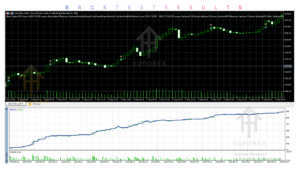
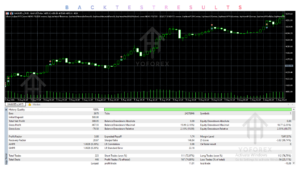
Ghost Scalper EA Backtesting & Performance
Backtesting is an important step when evaluating an MT5 Expert Advisor.
For Ghost Scalper, traders should examine:
- Total number of trades.
- Maximum balance and equity drawdown.
- Profit factor.
- Average profit and loss per trade.
- Consecutive losing trades.
- Exposure from multiple active modules.
- Spread, commission and slippage assumptions.
- Testing period and historical data quality.
Do not confuse a historical simulation with forward testing or live trading.
A Strategy Tester report measures performance under specified historical conditions. Demo forward testing provides additional information about real-time execution, while live trading introduces actual financial risk.
No independently verified performance figures are included in this review.
How To Get Started
Follow a cautious installation and testing process:
- Check compatibility: Confirm that you have MetaTrader 5 and a compatible broker account.
- Review the documentation: Understand each module and its configuration.
- Install the EA: Place the appropriate EA file in the MT5 Experts directory and refresh or restart the terminal.
- Configure settings: Review position sizing, trading directions and exit controls.
- Backtest: Evaluate historical behaviour using suitable data and realistic trading costs.
- Demo test: Observe the EA under live market conditions without risking real money.
- Monitor: Check execution, drawdown, connectivity and account exposure regularly.
A VPS can be considered if continuous terminal operation is required, but the EA’s specific VPS requirements should be verified.
Is Ghost Scalper EA V5.20 MT5 Worth Buying?
Ghost Scalper EA V5.20 has an interesting configuration structure for traders who want multiple independently managed strategy modules within one MT5 Expert Advisor.
Its four-module architecture, separate BUY/SELL controls, flexible position sizing and configurable exit management are useful features to evaluate.
However, the purchasing decision should not be based on feature count alone. The exact entry methodology, independently reproducible testing results, broker compatibility, licensing and support arrangements should also be considered.
For traders interested in automated Gold trading, it may be a product worth investigating further. Those who require verified long-term live performance should seek additional evidence before committing real capital.
Frequently Asked Questions
1. What is Ghost Scalper EA V5.20 MT5?
It is an automated MetaTrader 5 Expert Advisor featuring four independently configurable modules: Ghost A, B, C and D.
2. Is Ghost Scalper EA compatible with MT4?
The reviewed edition is identified as an MT5 product. MT4 compatibility has not been confirmed.
3. What strategy does Ghost Scalper EA use?
It uses a four-module trading architecture. Its precise entry methodology should be verified through the official documentation.
4. Does Ghost Scalper EA support automated risk management?
It provides Fixed Lot, Risk Percent and Risk per Balance sizing, along with optional account-level monitoring controls.
5. Can Ghost Scalper EA be backtested?
Yes. MT5 Expert Advisors can be evaluated using Strategy Tester, provided the EA and its required components support the testing environment.
6. Is Ghost Scalper EA suitable for beginners?
Beginners can study and demo-test it, but they should understand position sizing, drawdown and automated trading risks before considering live use.
7. Does Ghost Scalper EA require a VPS?
A dedicated VPS requirement has not been confirmed. A VPS may help maintain continuous terminal operation.
8. How can I buy Ghost Scalper EA V5.20 MT5?
Visit YoForex EA, locate the Ghost Scalper EA product listing, review its compatibility, price and license conditions, and follow the available purchase instructions.
Conclusion
Ghost Scalper EA V5.20 MT5 offers a configurable four-module architecture with separate trading-direction controls, position-sizing options and automated exit management.
Its main attraction is the ability to manage several independent trading components within one MT5 Expert Advisor.
Nevertheless, traders should investigate its underlying entry strategy, test its settings and understand the risks of running multiple modules together.
If you are comparing MT5 Expert Advisors for automated Gold trading, Ghost Scalper EA V5.20 is worth examining as part of your research. Make the final decision only after reviewing the documentation, testing conditions and purchase terms.
Support & Disclaimer
Support:
If you need help installing or configuring your EA, or face any kind of bug, feel free to reach out on:
Telegram Group: Join our community
Disclaimer:
Forex and gold trading involve risk. Past performance doesn’t guarantee future results. Always test robots on demo before live trading and use proper risk management.
REFERRAL
Join the VIP Signals Telegram Channel for real-time expert trading signals and stay ahead in the forex market. Get personalized strategies by becoming a part of our Real Account Management Telegram Channel and optimize your trading experience. If you’re aiming to Pass PropFirm Challenges , join our dedicated channel for tips and proven methods. Start managing your capital effectively with expert advice from our Funded Account Management Telegram Channel. For advanced traders, our HFT EA / Passing Telegram Channel offers high-frequency trading insights and strategies to boost your performance.