Tired of missing profitable trades ‘coz of emotions or bad timing? You’re not alone. Every trader—especially beginners—struggles with the pressure of decision-making in volatile forex markets. That’s exactly why GPlus EA V1.14 MT4 was built. This automated trading bot does all the heavy lifting—analyzing data, identifying setups, and executing trades on your behalf.
Whether you’re managing a small account or scaling up, GPlus EA ensures that every trade aligns with your risk tolerance and strategy. It’s not just another plug-and-play robot—it’s a smart assistant crafted to deliver structure, accuracy, and consistency across sessions. Let’s dig deeper into what makes this EA stand out and why so many traders are switching to GPlus for automation.
What Is GPlus EA V1.14 MT4?
GPlus EA V1.14 is an automated trading system designed for the MetaTrader 4 (MT4) platform. Instead of manually staring at the charts for hours, this EA scans the market for high-probability opportunities based on pre-coded logic. Once conditions are met, it can:
-
Open trades
-
Manage stop loss and take profit
-
Adjust trailing levels
-
Close positions automatically
The main goal is to remove emotional interference and enforce a disciplined trading plan. It’s especially useful for traders who:
-
Overtrade because of fear of missing out (FOMO)
-
Exit early because of fear of losing
-
Enter late after the move is already gone
-
Struggle to stick to a fixed risk-per-trade model
With GPlus EA, these decisions are handled by rules—not emotions.
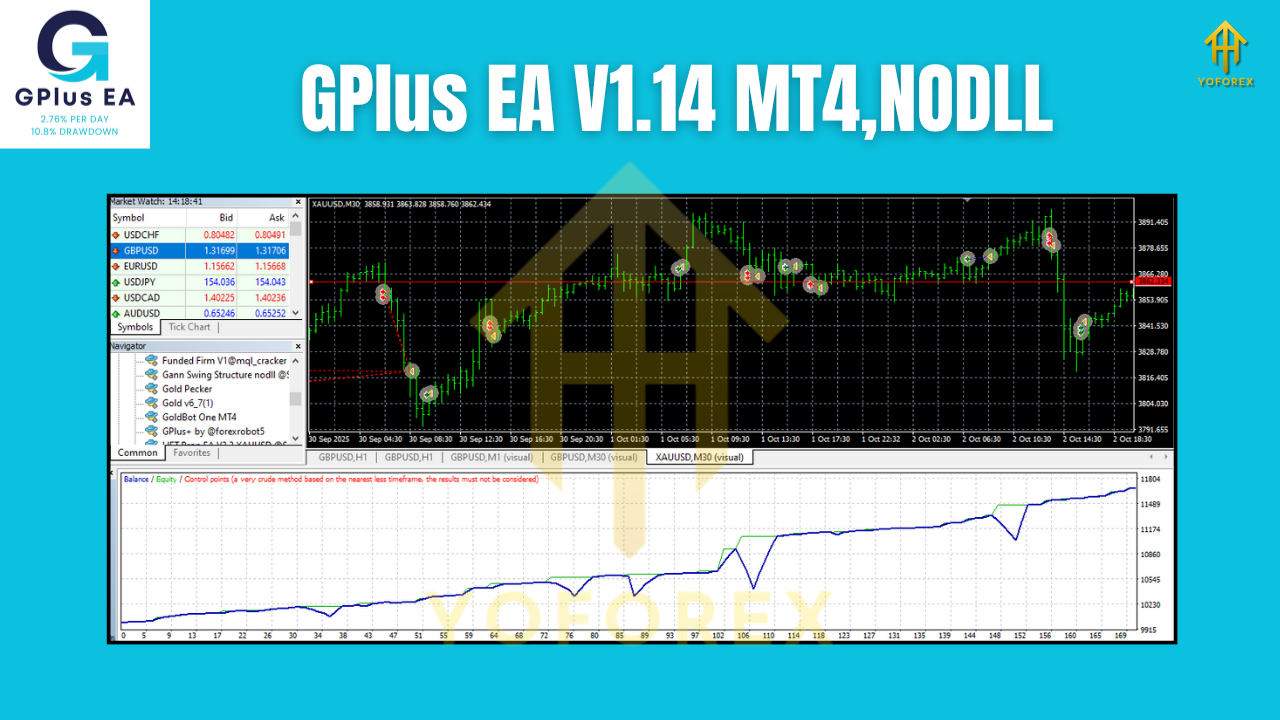
How GPlus EA V1.14 Trades the Market
While every EA has its own internal logic, GPlus EA V1.14 is built around three key pillars: trend bias, filtered entries, and structured exits.
-
Trend Bias Detection
The EA first defines whether the market is bullish, bearish, or ranging using technical factors like moving averages, momentum filters, or volatility levels. It avoids fighting the trend and typically aligns its trades with the dominant move. -
Filtered Entry Zones
Instead of blindly entering every candle, GPlus EA looks for “sweet spots” where price is more likely to react. This can be pullbacks into key zones, breakouts after consolidation, or momentum-based triggers. The goal is to avoid noise and concentrate on cleaner setups. -
Rule-Based Exits
Once in a trade, the EA manages risk using:-
Fixed stop loss
-
Dynamic take profit or partial take profit
-
Break-even shift after a certain profit level
-
Optional trailing stop to lock in gains
-
This combination helps create structured, repeatable trades, which is the foundation of consistent results over time.
Key Features of GPlus EA V1.14 MT4
Here are some of the standout features that make this EA practical for real-world usage:
1. Fully Automated Trading
Once installed and configured, GPlus EA can run 24/5 without needing manual intervention. It watches the charts, calculates entries, checks conditions, and fires trades while you focus on analysis or other work.
2. Risk-Percent Money Management
Instead of random lot sizes, the EA can calculate position sizes based on risk percentage per trade. For example, you can tell it to risk 1% or 2% per position, and it will adjust lot size according to your account balance. This helps:
-
Protect small accounts from oversized trades
-
Maintain consistency when equity grows
-
Prevent emotional “revenge trading” with huge random lot sizes
3. Multi-Pair Compatibility
GPlus EA works on multiple currency pairs (and often metals or indices, if allowed by your broker and recommended by the strategy). You can attach it to several charts simultaneously, spreading risk and opportunity across the market instead of depending on a single pair.
4. Intelligent Trade Filtering
The EA can be configured to skip trading during:
-
High-impact news windows
-
Extremely low-volatility sessions
-
Certain time frames (like rollover hours)
This is especially helpful if you want to avoid erratic spikes or spreads widening.
5. User-Friendly Inputs
Even if you’re not a coder, you can still tweak the EA’s behavior using simple inputs like:
-
Max spread
-
Risk per trade (%)
-
Allowed trading sessions
-
Take-profit and stop-loss distance
-
Maximum number of open trades
This makes GPlus EA flexible for both conservative and aggressive traders.
Recommended Usage: Pairs, Timeframes, and Deposit
While the exact settings can vary, here is a practical starting point for most traders using GPlus EA V1.14:
-
Best Timeframes:
M15, M30, or H1 – a good balance between noise and reliability. -
Suggested Pairs:
-
Major pairs like EURUSD, GBPUSD, USDJPY, XAUUSD (if supported by the strategy)
-
Stick with low-spread, highly liquid pairs for smoother execution.
-
-
Minimum Deposit:
-
For cent accounts, you can start smaller to test the EA.
-
For a standard account, a starting balance of $300–$500 with low risk (0.5–1% per trade) is generally more realistic.
-
Always start on demo first, then move to live with risk you are comfortable with.
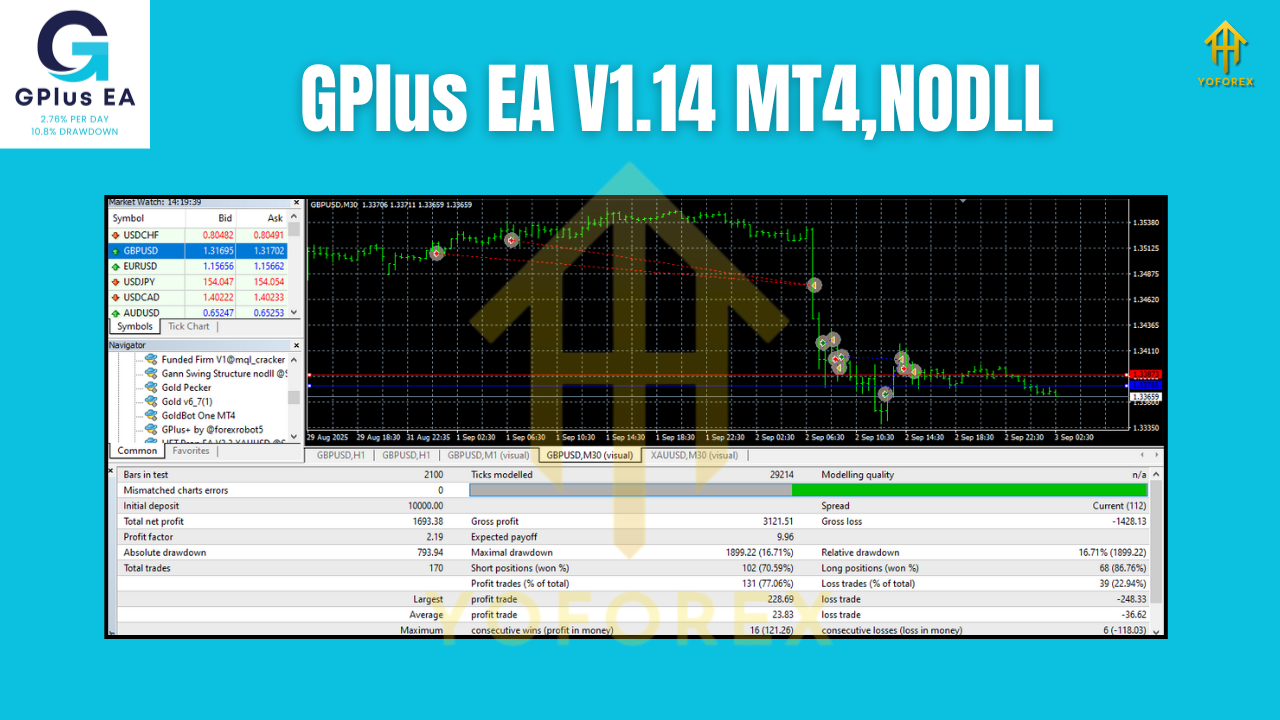
Risk Management and Drawdown Control
No EA is “zero risk”, and any strategy that claims you will “never lose” is dangerous. GPlus EA’s strength lies in its risk management structure, not in promising magic profits.
Some of the risk features you can use:
-
Max Daily Loss: Stop trading for the day after a certain percentage drawdown.
-
Max Number of Trades: Cap how many trades the EA is allowed to open simultaneously.
-
Per-Trade Risk Cap: Limit per-trade risk to keep drawdowns manageable.
Used correctly, these tools help protect your account from emotional explosions and unexpected market events. Remember: an EA is a tool, not a license to over-risk.
Who Is GPlus EA V1.14 Ideal For?
GPlus EA fits different trader profiles:
-
Busy Professionals
If you have a full-time job or business and can’t watch charts all day, the EA can handle execution while you focus on higher-level planning. -
Beginners Who Struggle With Emotions
New traders often know what they “should” do—but can’t execute it because of fear or greed. GPlus EA executes the plan as written, not as felt. -
Intermediate Traders Wanting Structure
If you already understand price action but want consistent implementation of your rules, this EA can become your execution engine. -
Prop Firm Aspirants
Traders trying to pass or maintain funding challenges can use the EA with strict risk rules, provided they adapt settings to the firm’s requirements.
Tips to Get the Best Results from GPlus EA
To make GPlus EA V1.14 truly work for you, treat it like a trading partner, not a magic button.
-
Backtest Thoroughly
Run backtests on your preferred pairs and timeframes. This helps you understand:-
Typical drawdown
-
Average monthly return
-
Number of trades per week/month
-
-
Forward Test on Demo
Demo testing helps you see how the EA behaves in live, real-time conditions including spreads, slippage, and broker execution. -
Start Small on Live
When you go live, begin with smaller lot sizes and lower risk until you develop trust in the system. -
Avoid Constant Parameter Tweaking
Over-optimizing settings every few days can ruin an otherwise solid system. Make changes slowly and based on enough data. -
Combine With a Trading Plan
Decide in advance:-
Your monthly risk tolerance
-
How many pairs you’ll run
-
What to do after a losing streak
-
The EA is powerful—but you remain the risk manager.
Pros and Cons of GPlus EA V1.14 MT4
To keep it real, let’s look at both sides.
Pros:
-
Removes emotional bias from entries and exits
-
Enforces consistent risk management
-
Saves time and effort monitoring charts
-
Flexible settings for different account sizes
-
Suitable for both small and growing accounts
Cons:
-
Still subject to market risk and losing streaks
-
Requires proper setup and testing—no instant plug-and-profit
-
Performance can vary by broker, spread, and execution quality
-
Needs a stable internet connection and ideally a VPS for 24/5 uptime
Understanding these pros and cons will help you approach GPlus EA with realistic expectations instead of fantasies.
Final Thoughts: Is GPlus EA V1.14 MT4 Worth Using?
If you’re tired of emotional mistakes, late entries, and inconsistent execution, GPlus EA V1.14 MT4 can be a game-changer. It’s built to:
-
Automate your strategy
-
Enforce discipline
-
Maintain structured risk
-
Run continuously, even when you’re offline
However, like any serious trading tool, it demands responsible usage. Take time to backtest, demo test, and fine-tune risk settings before going all-in on a live account.