The H4 H1 Trend Indicator for MetaTrader 4 (MT4) is a powerful tool designed to help traders identify and follow market trends across multiple timeframes, specifically the 4-hour (H4) and 1-hour (H1) charts. By combining trend analysis from these two timeframes, the indicator provides a clearer picture of market direction, enabling traders to make informed decisions. Whether you’re a beginner or an experienced trader, this indicator can enhance your trading strategy by offering insights into trend strength and potential reversals. In this blog, we’ll explore the H4 H1 Trend Indicator, its features, how to use it effectively, and tips for integrating it into your MT4 trading setup.
What is the H4 H1 Trend Indicator?
The H4 H1 Trend Indicator is a custom technical analysis tool for the MT4 platform. It analyzes price action on both the H4 and H1 timeframes to determine the prevailing trend and signal potential entry and exit points. Unlike single-timeframe indicators, this tool leverages the longer-term perspective of the H4 chart and the shorter-term signals of the H1 chart to provide a balanced view of market dynamics. It typically displays trend direction through visual cues like arrows, color-coded lines, or histograms, making it easy to interpret even for novice traders.
The indicator is particularly popular among forex traders because it aligns with the principle of multi-timeframe analysis (MTFA), which is widely used to confirm trends and reduce false signals. By combining the broader trend context from the H4 chart with the more immediate signals from the H1 chart, traders can better time their entries and exits while minimizing the risk of trading against the dominant trend.
Key Features of the H4 H1 Trend Indicator
- Multi-Timeframe Analysis: The indicator simultaneously evaluates the H4 and H1 charts, providing a comprehensive view of market trends.
- Clear Trend Signals: It uses visual signals like arrows or color changes to indicate bullish (uptrend) or bearish (downtrend) conditions, simplifying decision-making.
- Customizable Settings: Traders can adjust parameters such as signal sensitivity, moving average periods, or alert settings to suit their trading style.
- Alerts and Notifications: Many versions of the indicator include pop-up alerts, email notifications, or sound alerts when a trend change is detected, ensuring traders don’t miss opportunities.
- Compatibility with MT4: Designed specifically for MetaTrader 4, it integrates seamlessly with the platform’s charting tools and can be used alongside other indicators.
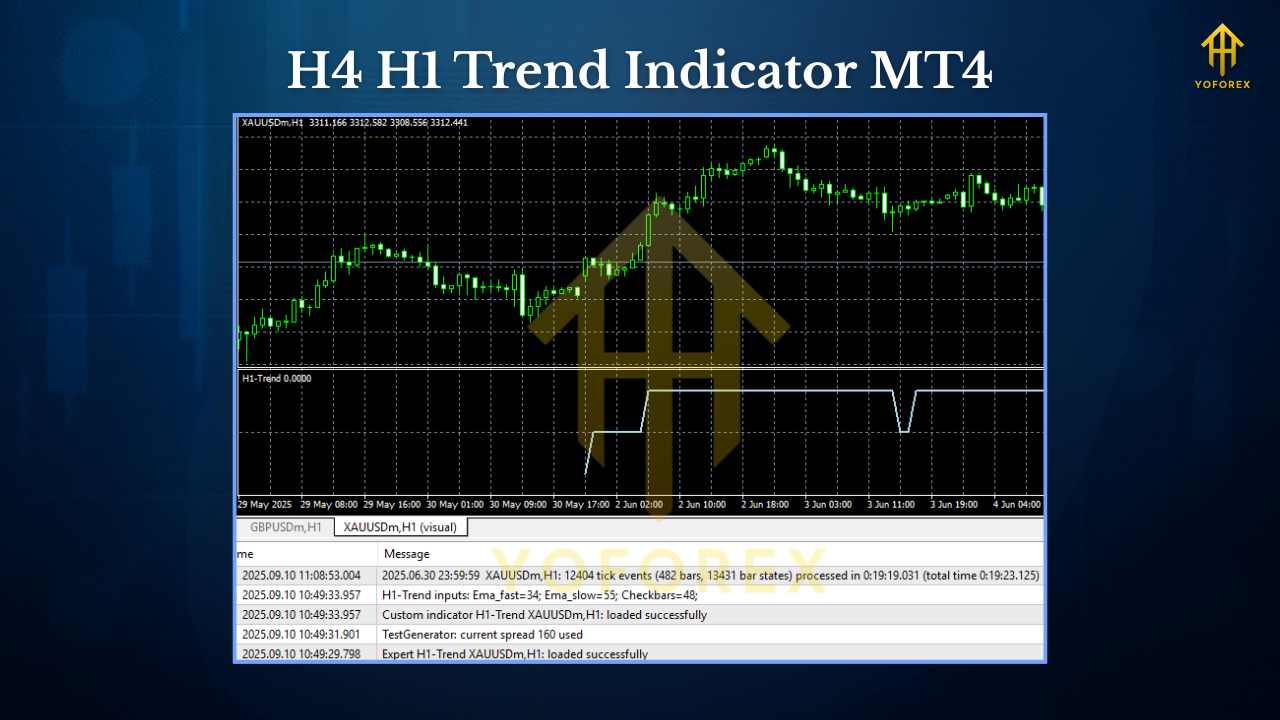
How to Install the H4 H1 Trend Indicator on MT4
- Download the Indicator: Obtain the indicator file (usually in .ex4 or .mq4 format) from a reputable source, such as a trading forum or indicator marketplace.
- Open MT4: Launch your MetaTrader 4 platform.
- Access the Data Folder: Go to “File” > “Open Data Folder” in MT4.
- Install the Indicator: Navigate to the “MQL4” folder, then the “Indicators” subfolder. Copy the indicator file into this folder.
- Restart MT4: Close and reopen MT4 to load the indicator.
- Apply to Chart: Open a chart (preferably H4 or H1), right-click, select “Indicators List,” and add the H4 H1 Trend Indicator. Adjust settings as needed.
How to Use the H4 H1 Trend Indicator
Step 1: Identify the Trend
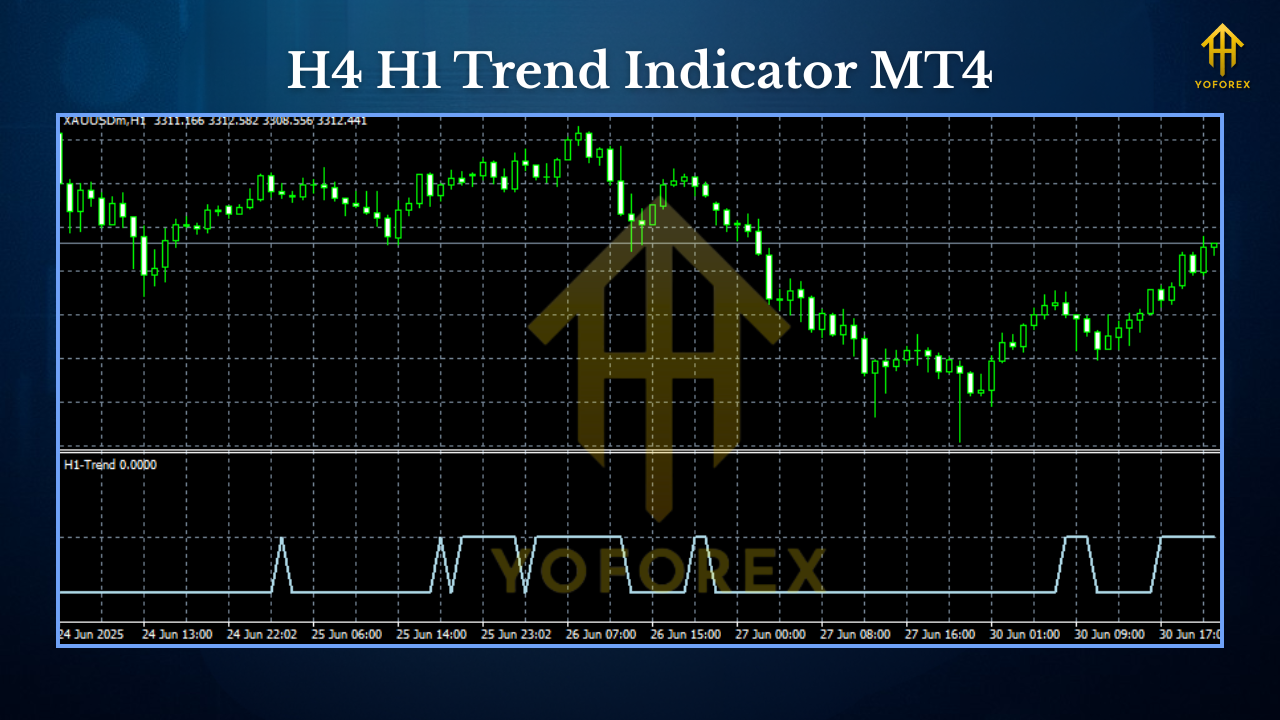
The primary function of the H4 H1 Trend Indicator is to identify whether the market is in an uptrend, downtrend, or ranging. On the H4 chart, look for the broader trend direction. For example, if the indicator shows green arrows or lines, it suggests a bullish trend, while red signals indicate a bearish trend. Then, switch to the H1 chart to confirm shorter-term signals that align with the H4 trend.
Step 2: Confirm Entry Points
Use the H1 chart for precise entry points. For instance, in a bullish H4 trend, wait for a green signal on the H1 chart to enter a long position. This ensures you’re trading in the direction of the dominant trend, increasing the likelihood of success.
Step 3: Set Stop-Loss and Take-Profit
To manage risk, place a stop-loss below the most recent swing low (for long trades) or above the swing high (for short trades). Use the indicator’s signals to set take-profit levels at key support or resistance zones identified on the H4 chart.
Step 4: Monitor Alerts
If the indicator includes alert features, enable them to stay updated on trend changes without constantly monitoring the charts. This is especially useful for traders who can’t dedicate full time to trading.
Strategies for Using the H4 H1 Trend Indicator
- Trend-Following Strategy: Combine the indicator with moving averages (e.g., 50-period and 200-period) to confirm trends. Enter trades when the H1 signal aligns with the H4 trend and the moving averages confirm the direction.
- Pullback Trading: In a strong H4 trend, wait for a pullback on the H1 chart. Use the indicator’s signals to enter trades when the price resumes the broader trend.
- Breakout Trading: Use the indicator to identify consolidation periods on the H1 chart within an H4 trend. Enter trades when the price breaks out in the direction of the H4 trend, confirmed by the indicator’s signal.
Tips for Success
- Avoid Overtrading: The indicator is most effective in trending markets. Avoid using it in choppy, sideways markets, as false signals are more likely.
- Combine with Other Tools: Pair the indicator with support/resistance levels, Fibonacci retracements, or RSI to filter signals and improve accuracy.
- Backtest First: Before using the indicator in live trading, backtest it on historical data to understand its performance in different market conditions.
- Adjust Settings: Experiment with the indicator’s settings to match your trading style, such as tweaking sensitivity for scalping or swing trading.
Common Mistakes to Avoid
- Ignoring the H4 Trend: Trading against the H4 trend based on H1 signals can lead to losses. Always prioritize the higher timeframe.
- Over-Reliance on the Indicator: No indicator is foolproof. Use the H4 H1 Trend Indicator as part of a broader strategy, not as the sole decision-making tool.
- Not Testing Settings: Default settings may not suit all markets or trading styles. Test and optimize the indicator for your preferred currency pairs and timeframes.
Benefits of the H4 H1 Trend Indicator
- Simplifies Multi-Timeframe Analysis: Combines H4 and H1 signals for a clear, unified view of the market.
- Reduces Noise: Filters out short-term fluctuations by focusing on higher-timeframe trends.
- User-Friendly: Easy-to-read signals make it accessible for traders of all levels.
- Versatile: Suitable for forex, commodities, and other markets available on MT4.
Conclusion
The H4 H1 Trend Indicator for MT4 is a valuable tool for traders seeking to capitalize on trends while minimizing false signals. By leveraging multi-timeframe analysis, it provides a robust framework for identifying market direction and timing entries and exits. Whether you’re a trend follower, pullback trader, or breakout enthusiast, this indicator can enhance your strategy when used correctly. Install it, test it, and combine it with other tools to maximize its potential.