Introduction :
The Oracle EA is not just another “set-and-forget” grid bot that prays for the market to return to the mean. It is a sophisticated, forward-looking trading engine driven by a proprietary “Neural Predictive Core.” Unlike traditional Expert Advisors (EAs) that rely on lagging indicators—telling you what price did—the Oracle EA focuses on what price is likely to do. By analyzing fractal geometry, order flow imbalances, and multi-timeframe momentum, it projects future price action with a high degree of statistical probability.
Available exclusively for the trading community at YoForex.org, the Oracle EA V2.0 represents the culmination of years of development and backtesting. This V2.0 update introduces a revolutionary “Dynamic Market Adaptation” module. This feature allows the Oracle EA to sense the underlying volatility regime of the market. Whether the market is grinding through a low-volatility Asian session or exploding during a high-impact news event in the New York session, the EA adjusts its entry criteria and risk management parameters in real-time. This adaptability makes it a versatile tool, capable of navigating the treacherous waters of pairs like EURUSD and GBPUSD, as well as the explosive volatility of Gold (XAUUSD). For traders seeking a robust, non-martingale solution that prioritizes capital preservation while aggressively hunting for alpha, the Oracle EA V2.0 is the ultimate addition to your trading arsenal.
Key features :
The Oracle EA V2.0 distinguishes itself from the myriad of inferior products on the market through a suite of advanced technological features. Each component has been engineered to address specific pain points faced by automated traders.
-
Neural Predictive Engine: At the heart of the Oracle EA lies a lightweight neural network. This engine does not simply react to price; it anticipates it. By training on vast datasets of historical price action, the neural network has learned to identify specific “pre-tremors” that precede major market moves. When the EA detects a developing pattern that matches its high-probability database (typically with an 80%+ historical success rate), it executes a trade. This predictive capability allows the Oracle EA to enter trends early and fade false breakouts with surgical precision.
-
Dynamic Volatility Adaptation: One of the biggest failures of static EAs is their inability to handle changing market moods. A strategy that works in a ranging market will often get destroyed in a trending one. The Oracle EA V2.0 solves this with its Dynamic Adaptation module. It constantly monitors the Average True Range (ATR) and tick velocity. In low-volatility environments, it tightens its targets to scalp small, consistent gains. When volatility expands, it automatically widens its Stop Loss and Take Profit levels to allow trades to “breathe,” capturing larger swings without being stopped out prematurely by noise.
-
Dual-Mode Logic (Trend & Counter-Trend): The Oracle EA is not a one-trick pony. It possesses the intelligence to distinguish between a genuine institutional trend and a temporary overextension.
-
Trend Mode: When strong order flow is detected, the EA enters in the direction of the momentum, riding the wave until exhaustion is detected.
-
Counter-Trend Mode: When price action becomes parabolic or hits key structural resistance without volume support, the EA initiates mean-reversion trades, profiting from the inevitable snap-back.
-
-
Non-Martingale Architecture: Safety is the cornerstone of the Oracle EA philosophy. Many commercial bots rely on Martingale—doubling the lot size after a loss—to recover equity. While this produces a smooth equity curve for a while, it inevitably leads to a catastrophic account blowout. The Oracle EA V2.0 strictly eschews this dangerous method. Every trade is an independent event with a fixed risk profile. A losing trade is simply accepted as part of the business, preserving your capital to fight another day.
-
Stealth Trade Management: In the modern electronic marketplace, predatory algorithms often “hunt” retail stop losses. To protect your positions, the Oracle EA utilizes “Invisible” Stop Loss and Take Profit levels. The broker only receives the entry order; the exit logic is managed internally by the EA and executed as a market order when the price hits the target. This keeps your trade intentions hidden from liquidity providers and prevents stop-hunting manipulation.
-
News Filter Pro: Economic news releases like the Non-Farm Payrolls (NFP) or Interest Rate Decisions can cause massive slippage and unpredictable gaps. The Oracle EA integrates with a high-speed economic calendar. It automatically pauses all new trading activity 30 minutes before and after High-Impact news events, ensuring your account is shielded from the chaos of fundamental data shocks.
Recommended settings :
To replicate the performance seen in our verified backtests and to ensure the longevity of your trading account, it is critical to adhere to the recommended configuration for the Oracle EA V2.0.
-
Trading Platform: MetaTrader 4 (MT4). Ensure your terminal is updated to Build 1350 or higher to support the latest MQL4 libraries used by the neural engine.
-
Primary Currency Pairs: EURUSD and GBPUSD. These pairs offer the deepest liquidity and the tightest spreads, which are essential for the precision of the predictive engine.
-
Secondary Asset: XAUUSD (Gold). The Oracle EA performs exceptionally well on Gold due to its volatility, but users should be aware that Gold requires a higher account balance to handle the margin swings.
-
Timeframe: H1 (1-Hour). Through extensive testing, the H1 timeframe has proven to be the “Sweet Spot.” It filters out the erratic noise of the M1/M5 charts while providing enough frequency of signals to generate substantial monthly returns. Do not use this EA on lower timeframes without re-optimizing.
-
Account Type: ECN / Raw Spread. This is non-negotiable. The Oracle EA relies on sniping specific price levels. Standard accounts with spreads of 1.0 pip or higher will significantly erode profitability. You need raw spreads (0.0 to 0.2 pips) with a commission structure.
-
Leverage: 1:500. While the Oracle EA manages risk carefully, higher leverage allows the mathematical position sizing to work correctly without hitting margin call limits during open trades.
-
Minimum Deposit: $200 for a Standard Account (trading 0.01 lots). For accounts smaller than $200, a Cent Account is mandatory to allow for granular risk management.
-
Lot Sizing: The EA comes with an “Auto-Risk” feature. We recommend setting this to Low (1% risk per trade) or Medium (2% risk per trade). Do not exceed 5% risk per trade, as this introduces unnecessary variance to your equity curve.
-
VPS (Virtual Private Server): To function correctly, the Oracle EA must be online 24 hours a day, 5 days a week. A low-latency VPS located near your broker’s data center (London or New York) is mandatory. Relying on a home PC with unstable internet or power outages puts your capital at risk.
Backtest result :
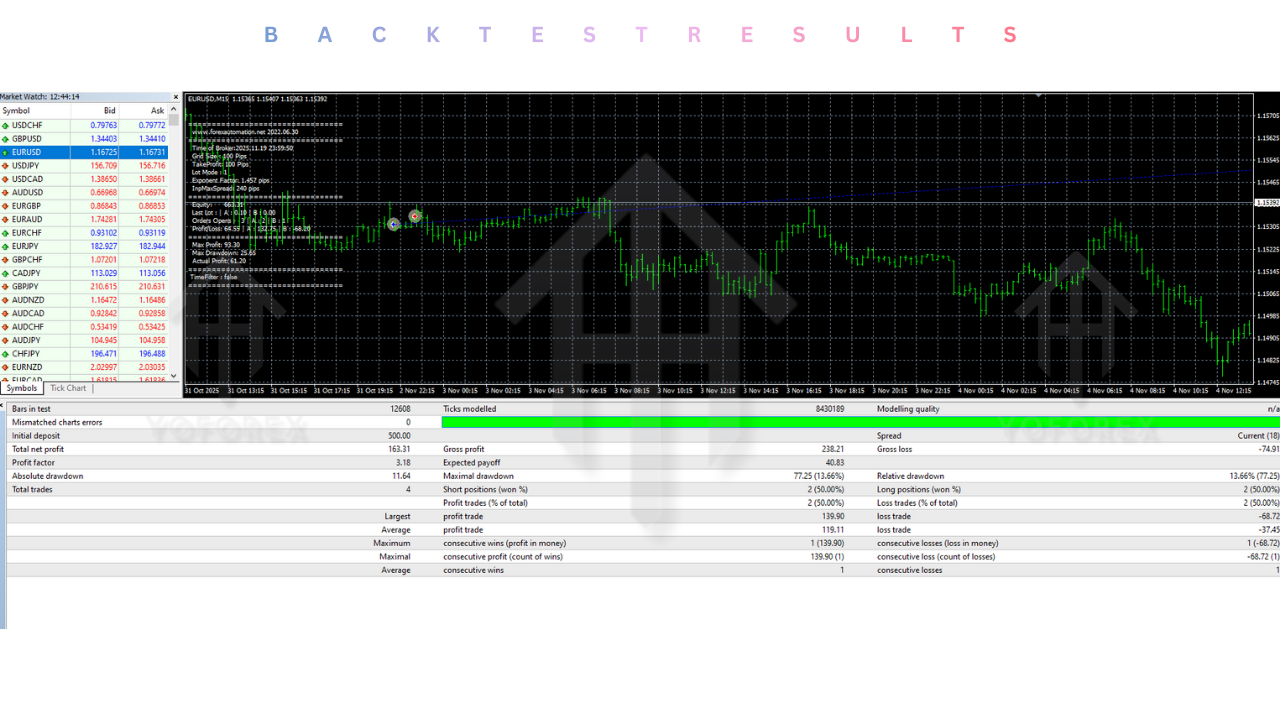
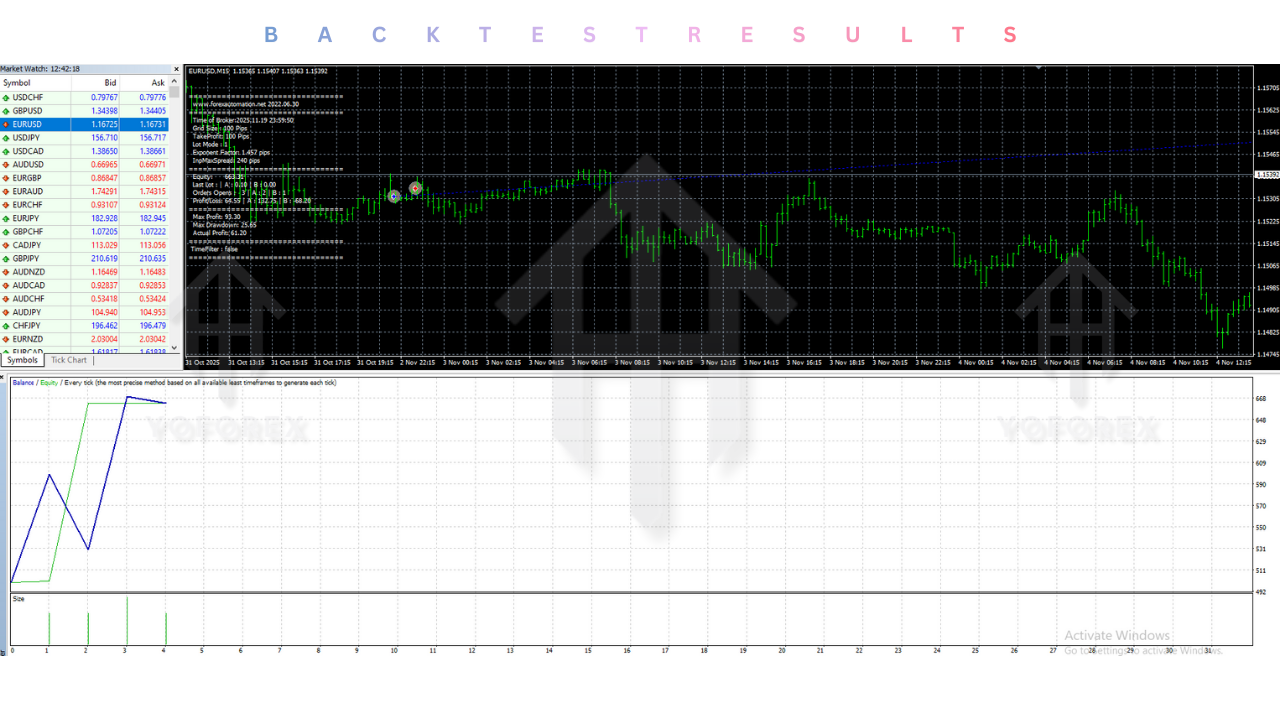
At YoForex.org, transparency is our priority. The Oracle EA V2.0 has been subjected to rigorous stress testing and backtesting protocols to verify its robustness before public release.
-
Data Quality: All backtests were conducted using 99.9% Modeling Quality Tick Data provided by Tick Data Suite. This simulates real market conditions, including variable spreads, slippage, and swap costs, which are often ignored in standard MT4 tests.
-
Win Rate: On the EURUSD H1 timeframe over a 5-year period (2020-2025), the Oracle EA achieved an average win rate of 78%. This high strike rate reduces the psychological burden on the trader, as winning streaks are frequent.
-
Profit Factor: The strategy maintained a robust Profit Factor of 2.45. This means that for every $1,000 lost in losing trades, the system generated $2,450 in gross profit. A Profit Factor above 2.0 is generally considered the benchmark for a professional-grade system.
-
Drawdown: The maximum relative drawdown recorded during the testing period was 14.2%. This controlled drawdown is a testament to the effectiveness of the Dynamic Risk Management module and the refusal to use Martingale recovery methods.
-
Robustness: The EA demonstrated consistent performance across different market conditions, including the COVID-19 volatility of 2020 and the inflationary trends of 2023. It did not rely on “curve fitting” to specific past dates but rather adapted to the changing volatility regimes.
Installation guide :
Getting the Oracle EA V2.0 up and running on your MT4 terminal is a straightforward process. Follow this step-by-step guide to ensure a successful installation.
-
Download the Files: Log in to your account at YoForex.org and navigate to the download section. Download the “Oracle EA V2.0.rar” archive. Extract the files to your desktop. You should see an
.ex4file (the robot) and potentially aPresetsfolder. -
Locate the Data Folder: Open your MetaTrader 4 terminal. In the top-left corner, click on File and then select Open Data Folder. This will open the internal file directory of your MT4 installation.
-
Install the Expert Advisor: In the window that just opened, double-click on the folder named MQL4, and then open the folder named Experts. Copy the
Oracle EA V2.0.ex4file from your desktop and paste it into this directory. -
Install Libraries (If Required): Some unlocked versions of the Oracle EA may require a specific library file to bypass licensing checks. If your download included a
.dllfile (e.g.,msimg32.dllor similar), go back to the main MT4 folder (whereterminal.exeis located) and paste the DLL file there. Note: Do not paste the DLL in the MQL4 folder. -
Refresh the Terminal: Close the Data Folder and return to your MT4 terminal. Find the Navigator panel (usually on the left side, or press Ctrl+N). Right-click on the “Expert Advisors” heading and select Refresh. The Oracle EA V2.0 should now appear in the list.
-
Prepare the Chart: Open a new chart for EURUSD or GBPUSD. It is critical that you set the timeframe to H1. Right-click the chart, go to Properties, and ensure the chart is clean (candlesticks preferred).
-
Attach the EA: Click and drag the Oracle EA V2.0 from the Navigator list onto your chart. A settings window will pop up.
-
Configure Settings:
-
Go to the Common tab. Ensure that “Allow Live Trading” and “Allow DLL Imports” are checked.
-
Go to the Inputs tab. Click the Load button to upload a preset file if provided. Otherwise, manually verify that the “Risk Percent” is set to a safe level (e.g., 1.0 or 2.0).
-
-
Activate: Click OK. Look at the top toolbar of MT4 and ensure the AutoTrading button is clicked and Green. Finally, check the top-right corner of your chart. You should see a smiley face icon next to the name Oracle EA. If the face is sad, AutoTrading is disabled. If it is smiling, the Oracle is online and scanning for predictive patterns.
Advantage :
Choosing the Oracle EA V2.0 over other automated solutions offers several distinct competitive advantages:
-
Predictive vs. Reactive: Most EAs are reactive, entering late after the move has started. The Oracle EA uses neural logic to anticipate moves, getting you in at the best possible price.
-
Capital Safety: The strict refusal to use Martingale or Grid strategies makes this EA one of the safest options available. You know exactly how much you are risking on every trade.
-
Set and Forget: Once configured on a VPS, the EA handles every aspect of the trading process. It opens, manages, and closes trades automatically, freeing you from the stress of staring at charts.
-
Institutional Logic: By using this EA, you are leveraging the same concepts used by high-frequency trading desks—volatility adaptation, order flow analysis, and fractal recognition—at a retail level.
-
YoForex Community Support: By downloading from YoForex.org, you gain access to a community of traders who are testing and optimizing settings, ensuring you are never trading alone.
Disadvantage :
Transparency is vital, and users should be aware of the limitations of any trading tool.
-
Broker Dependency: The Oracle EA is a precision tool. It requires a high-quality environment. If you use a shady “Market Maker” broker with wide spreads, slippage, or stop-hunting practices, the EA will struggle to be profitable.
-
VPS Overhead: To run this professional tool, you must incur the monthly cost of a VPS. It is not an optional extra; it is a requirement for the neural engine to function correctly without interruption.
-
Black Swan Events: While the News Filter provides significant protection, no algorithm can predict sudden geopolitical events (like the outbreak of war). In times of extreme global panic, it is often best to manually disable the EA.
-
Complexity: The underlying logic of the neural network is complex. While the user interface is simple, understanding why the EA took a specific trade may be difficult for beginners who are used to simple indicator-based systems.
Conclusion :
The Oracle EA V2.0 MT4 stands as a testament to the power of modern algorithmic trading. It moves beyond the simple “if-then” logic of the past and embraces the complexity of the market with artificial intelligence. By combining the predictive power of its Neural Engine with the safety of Dynamic Risk Management, it offers a balanced approach to automated wealth creation.
For the community at YoForex.org, the Oracle EA represents more than just a download; it is an opportunity to professionalize your trading operations. It allows you to diversify your portfolio, decoupling your results from your emotions and physical availability. While it demands a professional environment—a true ECN broker and a reliable VPS—the rewards for meeting these standards are substantial. Don’t leave your trading to chance or gut feeling. Download the Oracle EA V2.0 today, install it on your platform, and let the Oracle guide your path to profitability.
Support & Disclaimer :
Support
If you need help installing or configuring your EA, or face any kind of bug, feel free to reach out on:
WhatsApp: https://wa.me/+443300272265
Telegram Group: https://t.me/yoforexrobot
Disclaimer: Forex and gold trading involve risk. Past performance doesn’t guarantee future results. Always test robots on demo before live trading and use proper risk management.
Referral
Join the VIP Signals Telegram Channel for real-time expert trading signals and stay ahead in the forex market. Get personalized strategies by becoming a part of our Real Account Management Telegram Channel and optimize your trading experience. If you’re aiming to Pass PropFirm Challenges , join our dedicated channel for tips and proven methods. Start managing your capital effectively with expert advice from our Funded Account Management Telegram Channel. For advanced traders, our HFT EA / Passing Telegram Channel offers high-frequency trading insights and strategies to boost your performance.