Introduction
Trading Gold manually can be demanding. XAUUSD can move quickly, market conditions can change within minutes, and traders must manage entries, exits, and risk without allowing emotions to influence decisions.
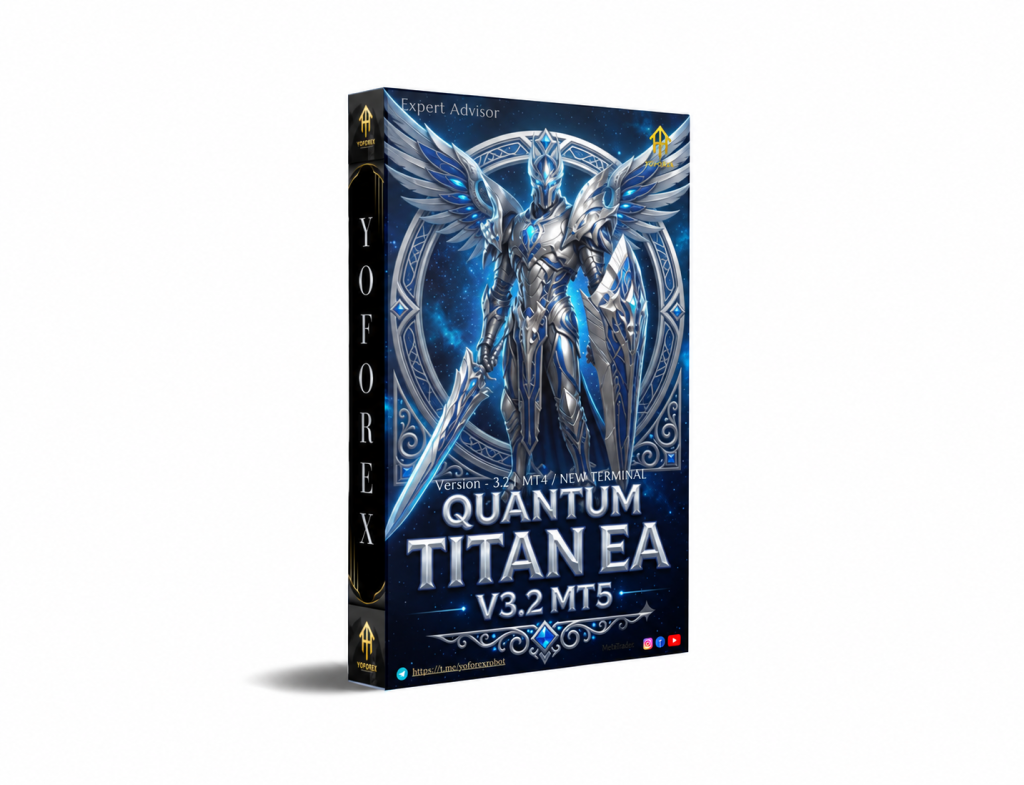
Quantum Titan EA V3.2 MT5 is designed to automate this process with a selective approach to XAUUSD trading. Rather than constantly opening positions, the Expert Advisor monitors Gold and waits for conditions that match its predefined trading logic.
With M15 as the recommended timeframe, Quantum Titan is aimed at traders looking for an automated intraday Gold-trading solution with structured position and risk management.
This review explains what Quantum Titan does, how its trading approach works, its key features, requirements, limitations, and what traders should consider before using it.
What Is Quantum Titan EA V3.2 MT5?
Quantum Titan EA V3.2 MT5 is an automated Expert Advisor developed specifically for XAUUSD (Gold) on the MetaTrader 5 platform.
The EA is built around a selective trading architecture. Instead of remaining permanently exposed to the market, Quantum Titan continuously monitors Gold and waits for conditions that satisfy its predefined rules.
When a qualifying opportunity appears, the EA can automatically execute the trade and subsequently manage the position according to its programmed logic.
The recommended timeframe is M15, making Quantum Titan suitable for traders looking for a structured short-term approach to Gold.
The supplied product information also states that Quantum Titan was tested under real-market conditions, including real execution, spreads, slippage, and capital. However, actual results can vary depending on the broker, account, market conditions, and execution environment.
How Does Quantum Titan EA Work?
The basic operating process can be summarized as:
Market Analysis → Selective Entry → Risk Protection → Position Management → Exit
Quantum Titan continuously analyzes the XAUUSD market and waits for its required trading conditions.
When those conditions are aligned, the EA can enter a position automatically.
After entry, the position is managed using the system’s predefined risk and trade-management rules.
Confirmed management features include:
- Predefined Stop Loss protection
- Intelligent profit protection
- Dynamic Trailing Stop
- Independent position management
- Automated trade execution
- Automatic monitoring of open positions
The exact technical formula used to generate the entry signal has not been provided. Therefore, it would be inaccurate to claim that Quantum Titan relies on a specific indicator such as RSI, MACD, EMA, or a particular price-action pattern without confirmation from the official documentation.
Quantum Titan EA V3.2 Strategy Explained
Quantum Titan is best described as a selective automated XAUUSD trading system.
The EA does not aim to trade continuously. Instead, it monitors the market and waits for conditions that fit its internal strategy.
One of the important characteristics of Quantum Titan is that it does not use a Grid strategy.
The recommended default configuration also does not use Martingale.
This means the system is not designed around continuously adding larger positions against a losing market move or relying on unlimited recovery cycles.
Instead, each position is managed independently with its own predefined risk structure.
Selective Trading
Quantum Titan does not measure its effectiveness simply by the number of trades it opens.
Some trading sessions may produce opportunities, while other periods may result in few or no trades.
This selective behavior is intentional. The system is designed to wait for conditions that meet its trading criteria rather than forcing entries when the market does not provide a suitable setup.
Recommended M15 Timeframe
The recommended timeframe for Quantum Titan is M15 (15-minute).
Traders using the EA should initially follow the recommended timeframe rather than changing it without understanding how the underlying trading logic responds to different chart structures.
Key Features
Quantum Titan EA V3.2 MT5 provides a range of features designed around automated XAUUSD trading:
- MT5 Expert Advisor
- Designed specifically for XAUUSD/Gold
- M15 recommended timeframe
- Selective trading architecture
- Automated market monitoring
- Predefined Stop Loss
- Intelligent profit protection
- Dynamic Trailing Stop
- Independent position management
- Fully automated execution
- Multiple money-management methods
- Eight predefined automatic risk levels
- Maximum drawdown protection
- Plug-and-play installation
- Optimized default settings
- Short-duration trading approach
- No Grid strategy
- No Martingale in the recommended default configuration
- Designed for ECN/RAW/low-spread trading environments
- VPS-based 24/5 operation
Quick Specifications
| Feature | Details |
|---|---|
| Product | Quantum Titan EA V3.2 MT5 |
| Platform | MetaTrader 5 |
| Strategy | Selective automated XAUUSD trading |
| Trading Style | Short-duration, selective trading |
| Instrument | XAUUSD / Gold |
| Recommended Timeframe | M15 |
| Risk Management | Stop Loss, trailing/profit protection and drawdown protection |
| Automation | Fully automated |
| Money Management | Multiple methods + 8 automatic risk levels |
| Grid | No |
| Martingale | Not used in recommended default configuration |
| Account Type | Hedging |
| VPS | Mandatory for uninterrupted 24/5 operation |
| Recommended Broker Type | ECN / RAW / low-spread environment |
Main Benefits
Automated XAUUSD Trading
One of the biggest advantages of Quantum Titan is that it automates the trading process.
Instead of manually monitoring Gold throughout the trading session, traders can allow the EA to analyze the market and execute its predefined rules automatically.
This can reduce routine screen time and help maintain consistency in execution.
Selective Market Participation
Quantum Titan is designed to wait for suitable conditions instead of constantly entering the market.
For traders who prefer fewer, condition-based opportunities rather than continuous trading, this can be an important characteristic.
Predefined Risk Protection
The EA uses a predefined Stop Loss when a position is opened.
This provides a defined risk-control mechanism from the beginning of the trade rather than leaving the position without an automated protective level.
Dynamic Trade Management
Quantum Titan includes trailing and profit-protection functionality.
When a position moves favorably, the EA can manage the trade automatically according to its programmed rules.
Independent Position Management
Positions are handled individually rather than relying on a large basket of trades for recovery.
This gives the system a different structure from Grid or Martingale-based EAs.
Limitations & Risks
Automated trading does not eliminate market risk.
XAUUSD Volatility
Gold can move sharply during major economic announcements, changes in market sentiment, geopolitical developments, and periods of increased liquidity or volatility.
These movements can affect entries, Stop Loss execution, and overall drawdown.
Spread and Slippage
Broker execution conditions can significantly affect automated trading.
Differences in spreads, commissions, liquidity, and slippage can cause results to differ between brokers.
Drawdown
Quantum Titan includes maximum drawdown protection, but drawdown and trading losses remain possible.
Risk settings should therefore be selected according to the trader’s account size and tolerance for potential losses.
VPS Requirement
A VPS is stated as mandatory for uninterrupted 24/5 operation.
A stable VPS helps keep MetaTrader running when the trader’s personal computer is switched off or disconnected.
Broker Compatibility
Quantum Titan is intended for environments offering ECN, RAW, or low-spread conditions.
Traders should verify the broker’s XAUUSD contract specifications, spread conditions, execution quality, and hedging-account support before deployment.
Selective Trading Frequency
The EA is not designed to trade continuously.
There may be periods when it opens few or no positions. This is consistent with its stated selective approach and should be understood before using the system.
Who Is Quantum Titan EA V3.2 MT5 For?
Quantum Titan may be suitable for traders who:
- Want automated Gold trading on MT5
- Trade XAUUSD
- Prefer the M15 timeframe
- Want selective rather than continuous trading
- Prefer individual position management
- Want predefined Stop Loss protection
- Want automated trailing and profit protection
- Have access to a reliable VPS
- Understand Gold-market volatility
- Prefer systematic execution
- Want multiple money-management options
- Are willing to test an EA before live deployment
Who Should Avoid It?
Quantum Titan may not be appropriate for traders who:
- Prefer manual trading exclusively
- Specifically want Grid trading
- Want a Martingale recovery system
- Expect the EA to trade continuously
- Do not have access to a reliable VPS
- Are unfamiliar with Gold volatility
- Are unwilling to monitor automated trading
- Expect identical results across different brokers
- Want guaranteed trading outcomes
- Intend to use aggressive risk settings without adequate testing
Quantum Titan EA vs Manual Trading
| Factor | Quantum Titan EA | Manual Trading |
|---|---|---|
| Execution | Automated | Trader executes manually |
| Screen Time | Lower routine monitoring | Usually higher |
| Consistency | Rules-based | Depends on trader |
| Emotional Interference | Reduced | Can influence decisions |
| Speed | Automated | Depends on trader |
| Flexibility | Limited to programmed logic | High |
| Monitoring | VPS-based operation | Direct trader monitoring |
| Risk Management | Automated according to programmed rules | Trader controlled |
Manual trading provides greater flexibility because the trader can interpret changing circumstances.
An EA, by contrast, provides systematic execution according to its programmed rules.
Neither approach eliminates risk, and the better choice depends on the trader’s objectives, experience, and preferred trading workflow.
What To Check Before Using Quantum Titan
Before deploying Quantum Titan EA V3.2 MT5, traders should check:
1. MT5 Compatibility
Confirm that the broker and trading account support MetaTrader 5.
2. XAUUSD Availability
Make sure Gold is available and verify the broker’s exact symbol specification.
3. Recommended Timeframe
Use the M15 timeframe as the recommended starting configuration.
4. Broker Conditions
Review spreads, commissions, execution speed, liquidity and slippage.
5. Account Type
The supplied requirements specify a hedging account.
6. VPS
Ensure a reliable VPS is available for uninterrupted operation.
7. Risk Settings
Review the available money-management methods and eight automatic risk levels.
8. Drawdown Protection
Understand how the account-protection mechanism operates and how it interacts with the selected risk level.
9. Testing
Run the EA on a demo account first and evaluate its behavior under the broker conditions you intend to use.
10. Support and Documentation
Review the current installation instructions, settings documentation and technical support information before deployment.
Quantum Titan EA V3.2 Settings
The supplied product information confirms several configuration characteristics:
- Multiple money-management methods
- Eight predefined automatic risk levels
- Optimized default configuration
- Maximum drawdown protection
- M15 recommended timeframe
The exact numerical values for individual parameters have not been provided.
Therefore, traders should not assume specific lot sizes, Stop Loss distances, trailing distances, trading-session settings, or indicator parameters without checking the current product documentation.
Quantum Titan EA V3.2 Backtesting & Performance
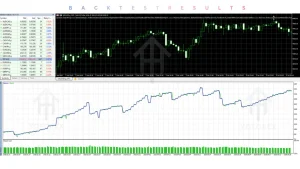
Quantum Titan was reportedly deployed on a €50,000 live trading account before its broader release.
The stated objective was to evaluate the system under real-market conditions involving real execution, spreads, slippage and capital.
This provides useful development and testing context, but it should not be interpreted as a promise of future results.
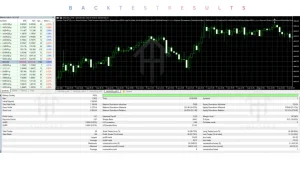
No verified numerical backtest statistics have been supplied here for:
- Win rate
- Total return
- Profit factor
- Maximum drawdown percentage
- Number of trades
- Recovery factor
Those figures should therefore not be presented as confirmed performance data.
When evaluating the EA, traders should distinguish between historical backtests, forward testing and live trading results. Different brokers and market conditions can produce substantially different outcomes.
How To Get Started
Step 1: Check compatibility
Confirm MT5, XAUUSD and hedging-account compatibility.
Step 2: Use M15
Start with the recommended M15 timeframe.
Step 3: Review broker conditions
Choose a suitable low-spread or ECN/RAW trading environment and check execution conditions.
Step 4: Set up a VPS
Use a reliable VPS for continuous automated operation.
Step 5: Review risk settings
Select the money-management method and risk level appropriate for your account.
Step 6: Install the EA
Attach Quantum Titan to the appropriate XAUUSD M15 chart and enable automated trading.
Step 7: Demo test
Run the EA under realistic conditions before considering live deployment.
Step 8: Monitor
Review trading activity, spread, execution, drawdown, margin usage and VPS stability.
Step 9: Consider live deployment
Only use real capital after you understand the EA’s behavior and associated risks.
Is Quantum Titan EA V3.2 MT5 Worth Using?
Quantum Titan EA V3.2 MT5 has a clear focus: automated, selective XAUUSD trading on the M15 timeframe.
Its notable characteristics include:
- Dedicated Gold trading
- M15 recommended timeframe
- Selective market participation
- No Grid strategy
- No Martingale in the recommended default configuration
- Predefined Stop Loss
- Dynamic Trailing Stop
- Profit protection
- Independent position management
- Multiple money-management methods
- Eight automatic risk levels
- Maximum drawdown protection
- Automated execution
These features may make it interesting for traders looking for a structured Gold EA rather than a Grid or recovery-based system.
However, buyers should evaluate the system realistically. Gold remains volatile, broker execution can differ, and automated trading still involves the possibility of losses and drawdown.
The exact entry methodology is also not disclosed in the supplied information, so traders should avoid assuming that Quantum Titan uses any particular technical indicator or signal system.
FAQs
What is Quantum Titan EA V3.2 MT5?
Quantum Titan EA V3.2 MT5 is an automated Expert Advisor designed for XAUUSD Gold trading on MetaTrader 5.
What timeframe is recommended for Quantum Titan?
The recommended timeframe is M15, or 15 minutes.
What strategy does Quantum Titan use?
It uses a selective automated XAUUSD trading approach. The exact entry formula is not specified in the supplied product information.
Does Quantum Titan use Grid?
No. Quantum Titan is specifically described as not using a Grid strategy.
Does Quantum Titan use Martingale?
The recommended default configuration does not use Martingale.
Does Quantum Titan require a VPS?
Yes. A VPS is mandatory for uninterrupted 24/5 operation.
What does Quantum Titan trade?
The EA is designed specifically for XAUUSD/Gold.
Is Quantum Titan suitable for beginners?
It may be considered by beginners interested in automated trading, but users should understand MT5, Gold volatility, broker execution, VPS operation and risk management. Demo testing is recommended before live use.
Conclusion
Quantum Titan EA V3.2 MT5 is designed for traders seeking a selective automated solution for XAUUSD Gold trading on the M15 timeframe.
Its core strengths are its dedicated Gold focus, selective execution model, predefined Stop Loss, independent position management, dynamic trailing functionality, profit protection and configurable risk-management options.
The system also clearly separates itself from Grid trading and Martingale in its recommended default configuration.
At the same time, automation does not remove trading risk. Market volatility, spreads, slippage, liquidity, broker execution, VPS reliability and risk settings can all influence real-world results.
For traders considering Quantum Titan, the sensible process is:
Understand the strategy → Verify MT5 and broker compatibility → Use M15 → Review risk settings → Set up a VPS → Demo test → Monitor execution → Consider live deployment carefully.
Quantum Titan EA V3.2 MT5 is therefore best suited to traders looking for a Gold-focused MT5 Expert Advisor with selective automated execution and structured position management.
Support & Disclaimer
Support:
If you need help installing or configuring your EA, or face any kind of bug, feel free to reach out on:
Telegram Group: Join our community
Disclaimer:
Forex and gold trading involve risk. Past performance doesn’t guarantee future results. Always test robots on demo before live trading and use proper risk management.
REFERRAL
Join the VIP Signals Telegram Channel for real-time expert trading signals and stay ahead in the forex market. Get personalized strategies by becoming a part of our Real Account Management Telegram Channel and optimize your trading experience. If you’re aiming to Pass PropFirm Challenges , join our dedicated channel for tips and proven methods. Start managing your capital effectively with expert advice from our Funded Account Management Telegram Channel. For advanced traders, our HFT EA / Passing Telegram Channel offers high-frequency trading insights and strategies to boost your performance.