
Introduction
Managing several trading strategies across different markets can become complicated for MT5 traders. Running multiple Expert Advisors often requires separate charts, individual settings, additional monitoring and careful management of account margin.
Superbot by Mingtrader EA V1.42 MT5 takes a different approach by combining 28 automated trading strategies into one Expert Advisor. It is designed to manage exposure across forex, gold, stock indices and WTI oil from a single chart.
For traders researching a multi-strategy MT5 trading robot, Superbot offers an interesting alternative to operating multiple independent EAs. However, understanding its strategy portfolio, account requirements, risk controls and historical testing is essential before purchasing.
What Is Superbot by Mingtrader EA?
Superbot by Mingtrader is a multi-strategy automated trading system developed for MetaTrader 5.
Instead of relying on one trading method, it combines 28 individual strategies into one EA. Each strategy focuses on its own market and trading approach, while a central dashboard provides information about the overall portfolio.
The system covers several trading styles, including:
Trend following
Mean reversion
Breakout trading
Dip buying
Session-based trading
The main purpose is to simplify multi-market automated trading. Traders can attach the EA to one chart, select a preset and manage multiple strategies through one interface.
The product is listed on the MQL5 Market as version 1.42, with a published launch price of $399 at the time of research.
How Does Superbot by Mingtrader Work?
Superbot uses a portfolio-based trading structure. Its 28 strategies operate across different instruments and timeframes rather than depending on a single market signal.
Its general workflow is:
1. Market Analysis
The individual strategies monitor their assigned instruments and trading conditions.
2. Trading Signal
Each strategy follows its own logic, including breakout, trend pullback, reversal and session-based approaches.
3. Trade Execution
When a strategy identifies an eligible opportunity, it can execute trades automatically.
4. Position Management
The system manages the different strategies through a central portfolio structure. Some strategies also add positions under predefined conditions.
5. Risk Monitoring
The dashboard displays equity, drawdown, margin usage and estimated open risk if stop losses are triggered.
This approach allows traders to monitor several trading systems without managing a separate EA installation for every strategy.
Superbot by Mingtrader Strategy Explained
The main attraction of Superbot is its combination of 28 trading strategies.
According to the developer’s published description, the portfolio is distributed as follows:
| Market | Number of strategies |
|---|---|
| Stock indices | 18 |
| Forex | 6 |
| Gold | 2 |
| WTI oil | 2 |
| Total | 28 |
The forex coverage includes USDJPY, GBPUSD, AUDCAD, EURJPY and an eight-pair basket.
The strategies use different approaches, including:
Breakout trading to identify movements beyond established price ranges.
Trend pullbacks to participate in continuing market movements.
Dip buying during established upward trends.
Mean reversion to trade potential returns towards average prices.
Stop-run reversals to identify possible changes after liquidity-driven movements.
Opening-range breakouts to trade movements beyond session ranges.
Weekly carry holding for longer-duration positions.
The supported strategy timeframes range from M1 to D1.
Important risk distinction: The developer states that Superbot does not use martingale lot multiplication. However, seven of its 28 strategies can add positions. These include dip-buying and pullback entries, as well as capped mean-reversion grid-style positioning with an emergency stop. Therefore, buyers should not interpret the absence of martingale as the absence of averaging or position accumulation.
Key Features
The main confirmed features of Superbot EA V1.42 include:
28 Trading Strategies: Multiple automated trading approaches in one EA.
Multi-Market Coverage: Forex, gold, stock indices and WTI oil.
Single-Chart Installation: Run the portfolio from one chart.
Three Operating Modes: Low-Leverage, Growth and Custom.
Automatic Position Sizing: Account-balance-based sizing.
Custom Strategy Controls: Enable or disable individual strategies.
Master Size Control: Scale the overall portfolio exposure.
Live Dashboard: View equity, profit, drawdown and margin information.
Market Monitoring: Check strategy status and upcoming trading sessions.
Broker Checks: Automatic checks for market availability and broker server time.
Set Files: Preset files for common account sizes and configurations.
Quick Specifications
| Feature | Details |
|---|---|
| Product | Superbot by Mingtrader |
| Version | 1.42 |
| Platform | MetaTrader 5 |
| Strategy | Multi-strategy portfolio |
| Trading Style | Trend, breakout, reversal, dip buying and session trading |
| Instruments | Forex, gold, indices and WTI oil |
| Timeframes | M1–D1 across individual strategies |
| Strategies | 28 |
| Risk Management | Portfolio sizing, master scaling and risk monitoring |
| Automation | Automated multi-market trading |
| Presets | Low-Leverage, Growth and Custom |
| Account Type | Hedging |
| Account Currency | USD |
| VPS | Strongly recommended |
| Broker Time | Approximately GMT+2/+3 |
| Current Listed Price | $399 |
Main Benefits of Superbot EA
1. Multiple Strategies in One Installation
Managing 28 strategies separately would require considerably more setup and monitoring. Superbot combines them into one EA, reducing installation complexity.
2. Different Market Opportunities
The portfolio covers several asset classes and trading styles. This provides exposure to different market environments instead of relying on one instrument or strategy.
3. Flexible Risk Configuration
The Low-Leverage, Growth and Custom modes allow traders to select a portfolio configuration according to their account and risk preferences.
4. Centralized Monitoring
The dashboard displays important account and strategy information, including equity, drawdown, margin usage and recent trading activity.
5. Reduced Manual Monitoring
Once configured and running correctly, the EA handles its automated trading operations without requiring the trader to manually execute every signal.
These features are useful for traders who prefer systematic portfolio management over operating individual robots on separate charts.
Limitations and Risks
Despite its extensive feature set, Superbot has important considerations.
Position accumulation: Seven strategies can add positions. Some use capped grid-style mean reversion, which introduces additional exposure during adverse market movements.
Drawdown: Portfolio diversification does not eliminate losses. Multiple strategies may experience unfavourable conditions at the same time.
Market correlation: Different instruments do not always behave independently. Correlated positions can increase total account exposure.
Spread and slippage: Different brokers can produce different execution prices, spreads and swap costs.
Margin requirements: Running multiple strategies simultaneously can increase margin usage. Traders must monitor free margin and leverage.
Broker compatibility: The EA requires a USD-denominated hedging account, a suitable GMT+2/+3 server clock and access to the required instruments.
VPS dependency: A VPS is strongly recommended to maintain continuous MT5 operation.
Backtest limitations: Historical testing cannot guarantee similar live performance. Real trading costs and market conditions can change results.
Account size: The developer warns that accounts below approximately $10,000 may experience oversized positions in some strategies because of minimum lot-size constraints.
Who Is Superbot by Mingtrader For?
Superbot may be worth investigating for:
Traders who already use MetaTrader 5.
Traders interested in automated portfolio trading.
Users who want exposure to multiple markets.
Traders comfortable monitoring several strategies simultaneously.
Users who understand leverage, margin and position accumulation.
Traders who can maintain a stable VPS environment.
Who Should Avoid It?
Superbot may not be appropriate for:
Traders who require MT4 compatibility.
Users who only want a single-pair trading robot.
Beginners who do not understand margin and portfolio drawdown.
Traders who cannot meet the USD hedging-account requirement.
Users with very small accounts who cannot accommodate minimum position sizes.
Prop-firm traders who have not checked their firm’s restrictions on grid or averaging strategies.
The developer’s dedicated prop-firm profile was still under testing in the published development update, so buyers should verify its current availability and suitability before using it on a funded account.
Superbot EA vs Manual Trading
| Comparison | Superbot EA | Manual Trading |
|---|---|---|
| Execution | Automated | Trader-controlled |
| Screen Time | Lower after setup | Usually higher |
| Consistency | Follows programmed rules | Depends on trader discipline |
| Emotional Interference | Reduces manual decision-making | Can be significant |
| Speed | Automated execution | Depends on reaction speed |
| Flexibility | Limited to configured logic | High |
| Monitoring | Dashboard and MT5 | Manual chart monitoring |
| Risk Management | Programmed portfolio controls | Trader-managed |
Neither method guarantees better results. Superbot provides automation and portfolio monitoring, while manual trading offers more direct control over individual decisions.
What to Check Before Buying Superbot EA
Before purchasing Superbot by Mingtrader V1.42, review the following:
Confirm that your trading platform is MetaTrader 5.
Check whether your broker offers a USD hedging account.
Verify that the required forex, gold, index and oil symbols are available.
Confirm that the broker server time is compatible.
Understand the difference between Low-Leverage and Growth presets.
Review the seven strategies that can add positions.
Check the required account balance and margin.
Read the supplied set-file guide.
Confirm the licence and WebRequest requirements.
Arrange a stable VPS.
Test the EA on a demo account before live deployment.
These checks are particularly important because a multi-strategy system can have different execution requirements from a single-instrument EA.
Superbot by Mingtrader Settings
The product provides three main operating modes.
| Setting | Purpose |
|---|---|
| Low-Leverage | Designed for accounts using approximately 1:30 leverage |
| Growth | Designed for higher-leverage accounts, approximately 1:200 or above |
| Custom | Allows individual strategy configuration |
| Master Size | Scales overall portfolio exposure |
| Individual Bot Controls | Enable, disable and configure strategy size and symbol |
| Panel Toggle | Controls dashboard display |
| Log Toggle | Controls logging |
Ready-made .set files are supplied for common presets and account sizes.
The Growth preset is designed for larger swings and higher leverage. It should not automatically be considered suitable simply because a broker offers high leverage.
The Custom mode is useful for experienced traders who want to select individual strategies and adjust their exposure.
Superbot Backtesting and Performance
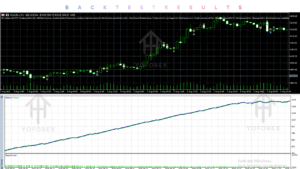
The developer has published historical MT5 Strategy Tester results for the Low-Leverage preset.
The reported testing process included individual strategy retesting using real tick data, followed by portfolio testing across calendar years from 2018 to October 14, 2026.
The developer also reports comparing the rebuilt strategies with their original versions.
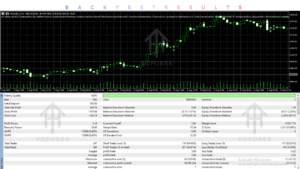
Published Low-Leverage backtest figures:
| Metric | Developer-reported result |
|---|---|
| Approximate trades | 14,200 |
| Win rate | 58% |
| Profit factor | 1.74 |
| Positive calendar years | 9 out of 9 |
| Largest reported equity fall | 6.6% |
| Longest period below previous equity high | 83 days |
The developer also reported approximately 97 positive months out of 106 tested months.
These figures require careful interpretation.
They are historical backtest results, not verified live-account performance.
The strategies were developed and tested using the same historical period.
Actual spreads, slippage and swaps can reduce performance.
The reported figures should not be treated as expected future returns.
The Growth preset has a different risk profile and should be evaluated separately.
The developer explicitly recommends demo testing before using the EA with real money.
How to Get Started
Follow these steps before running Superbot on a live account.
Check Compatibility: Confirm MT5, USD account currency, hedging mode and broker requirements.
Review Settings: Understand the available presets and portfolio exposure.
Install the EA: Copy the supplied
SuperBot.ex5file into the MT5 Experts directory and restart the terminal.Configure WebRequest: Allow the licence-validation address specified in the product instructions.
Attach to One Chart: Select a suitable preset and use only one Superbot instance per account.
Enable AutoTrading: Check the dashboard for successful market detection and broker-clock status.
Demo Test: Monitor trade execution, margin and drawdown before considering live trading.
Continue Monitoring: Keep MT5 running and use a VPS for operational stability.
A Quick Start guide is supplied with the product.
Is Superbot by Mingtrader EA Worth Buying?
Superbot by Mingtrader EA V1.42 is an interesting option for traders looking for a multi-strategy automated trading system rather than a conventional single-strategy Forex robot.
Its biggest strengths include:
28 strategies managed through one EA.
Coverage across forex, gold, indices and WTI oil.
Low-Leverage, Growth and Custom configurations.
Centralized portfolio monitoring.
Individual strategy controls and adjustable exposure.
However, buyers should carefully consider the account requirements, position-adding strategies, broker compatibility and VPS requirements.
The current MQL5 listing price is $399. Whether this represents good value depends on your account size, trading experience and ability to manage portfolio-level risk.
Frequently Asked Questions
1. What is Superbot by Mingtrader EA?
Superbot is an automated MetaTrader 5 Expert Advisor that combines 28 trading strategies across forex, gold, stock indices and WTI oil.
2. Is Superbot available for MT4 or MT5?
The reviewed V1.42 product is designed for MetaTrader 5. MT4 compatibility is not confirmed.
3. How many strategies does Superbot use?
It combines 28 individual strategies, covering trend trading, breakouts, mean reversion, dip buying and session-based approaches.
4. Does Superbot use martingale?
The developer states that it does not use martingale lot multiplication. However, seven strategies can add positions, including capped grid-style mean-reversion strategies.
5. Can Superbot be backtested?
Yes. Its strategies have been tested using the MT5 Strategy Tester. Historical testing results do not guarantee future performance.
6. Is Superbot suitable for beginners?
It may be technically accessible through its presets, but its multi-market exposure, margin requirements and position-adding strategies require proper risk understanding.
7. What broker is required for Superbot?
It requires a USD-denominated hedging account, a broker with approximately GMT+2/+3 server time and access to the required markets.
8. Does Superbot require a VPS?
A VPS is strongly recommended to maintain continuous MT5 operation and automated trading.
Conclusion
Superbot by Mingtrader EA V1.42 MT5 stands out because of its 28-strategy portfolio, multi-market coverage and centralized dashboard.
Instead of managing numerous individual Expert Advisors, traders can operate different automated trading approaches through one installation. Its Low-Leverage, Growth and Custom modes also provide flexibility for different account configurations.
However, the presence of position-adding strategies, account requirements and historical-only performance evidence makes proper evaluation essential.
Support & Disclaimer
Support:
If you need help installing or Downloading or configuring your EA , or face any kind of bug, feel free to reach out on:
Telegram Group: Join our community
Disclaimer:
Forex and gold trading involve risk. Past performance doesn’t guarantee future results. Always test robots on demo before live trading and use proper risk management.
REFERRAL
Join the VIP Signals Telegram Channel for real-time expert trading signals and stay ahead in the forex market. Get personalized strategies by becoming a part of our Real Account Management Telegram Channel and optimize your trading experience. If you’re aiming to Pass PropFirm Challenges, join our dedicated channel for tips and proven methods. Start managing your capital effectively with expert advice from our Funded Account Management Telegram Channel. For advanced traders, our HFT EA / Passing Telegram Channel offers high-frequency trading insights and strategies to boost your performance