Introduction
Many traders want automated exposure to related currency pairs without constantly switching charts or manually balancing AUD, NZD and CAD positions. Trident Pro EA addresses that by running three interrelated pairs from a single chart while applying built-in checks on currency exposure and deposit load.
What Is Trident Pro EA?
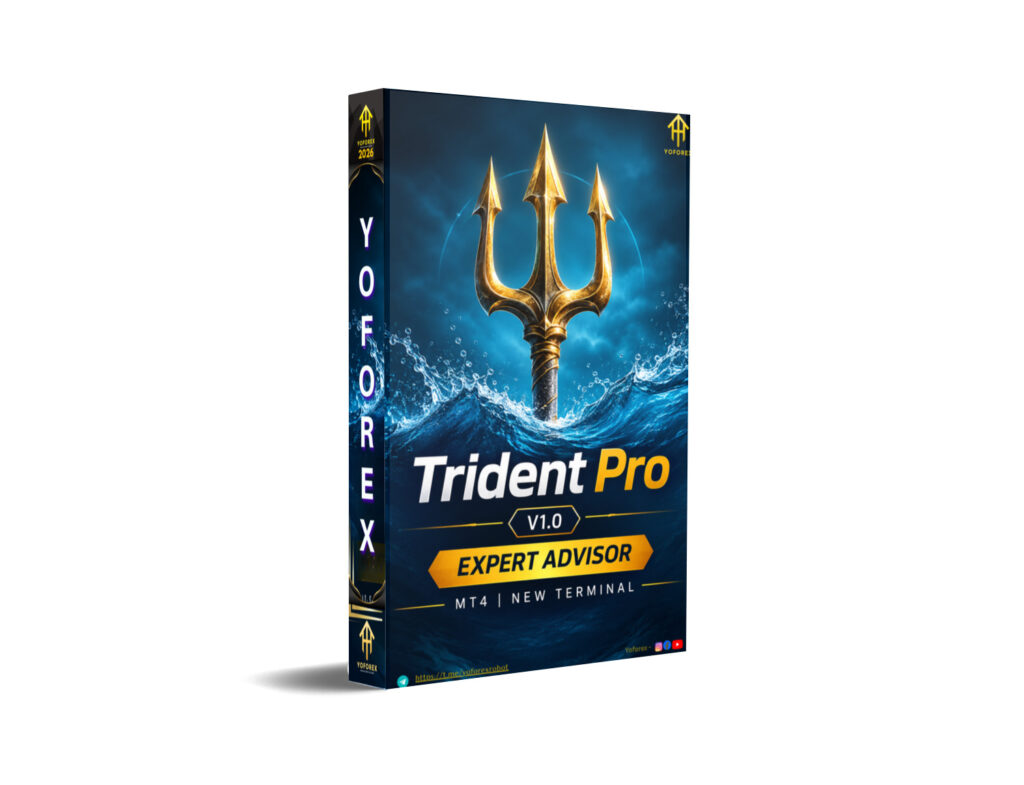
Trident Pro EA V1.0 MT4 is a multi-currency Expert Advisor for MetaTrader 4. It trades AUDCAD, NZDCAD and AUDNZD. You attach it to one chart and it manages all three pairs under a single magic number. The EA looks for price moves away from a defined channel and opens positions in the direction of a potential return. It then manages the series with adaptive averaging steps, individual take profits, and several risk filters until price returns to the calculated level or protective rules trigger.
A MetaTrader 5 version is also available. The MT4 version behaves the same way in live trading: one chart controls all listed pairs.
How Does Trident Pro EA Work?
The process follows a clear sequence:
- Signal – The EA monitors a channel (Bollinger or Keltner) on the selected signal timeframe. When price moves beyond the channel border, a return-oriented entry becomes possible.
- Entry – A starting order is opened in the direction of the expected return, subject to spread, session, currency-exposure and deposit-load checks.
- Position management – If price continues against the position, averaging orders can be added. The step between orders adapts to volatility (ATR-based option) and can expand. Averaging is limited to no more than one order per bar of the chosen timeframe and only after a bar that closed in the direction of the position.
- Exit – Each order has its own take profit. The series is closed when price returns to the calculated level. An optional trailing stop protects profit on single-order series; after it triggers, a new entry is allowed only at a better price.
- Risk management – Before every order the EA checks net position in AUD, NZD and CAD plus overall deposit load. Orders can be reduced or skipped if limits are exceeded. If account margin level falls below a set threshold, all of the EA’s orders are closed.
These controls are designed to prevent uncontrolled growth of volume on any single currency or excessive margin use.
Trident Pro EA Strategy Explained
The core idea is mean-reversion around a channel on three correlated pairs. Price is allowed to move away from the channel; the EA then builds a series aimed at capturing the return. The step between averaging orders is not fixed in a rigid grid style—it can widen with volatility so the series is spread over a larger distance. Currency-net and deposit-load filters act as additional brakes so that simultaneous positions on the three pairs do not create excessive one-sided exposure.
Because the pairs share AUD, NZD and CAD, the exposure check is especially relevant: the EA will not freely double a directional bet on one currency through different pairs.
Key Features
- Three pairs managed from one chart with one magic number
- Adaptive grid step based on volatility (ATR option) with minimum-step floor
- Averaging limited to one order per bar and only after a confirming close
- Net position control per currency (AUD, NZD, CAD)
- Deposit-load limit and margin-level protection that can close all EA orders
- Optional trailing stop for single-order series with re-entry only at better price
- Spread filter and optional Asian-session filter
- Adaptive on-chart information panel that shows status, per-pair state, spread and reasons orders are delayed
Quick Specifications
| Feature | Details |
|---|---|
| Platform | MetaTrader 4 (MT5 version also available) |
| Strategy | Channel mean-reversion with adaptive averaging |
| Trading Style | Multi-pair series management |
| Instruments/Pairs | AUDCAD, NZDCAD, AUDNZD (suffixes supported) |
| Timeframe | Any chart; EA uses its own signal & averaging TFs |
| Risk Management | Currency exposure, deposit load, margin level, drawdown block |
| Automation | Full order and series management |
| VPS | Recommended for continuous operation |
| Best For | Traders wanting automated multi-pair exposure with built-in currency and load controls |
Main Benefits
- One chart controls three related pairs, reducing the need to monitor multiple windows.
- Adaptive step and confirming-bar rule aim to space averaging orders instead of filling them densely.
- Currency-net and deposit-load checks provide systematic limits that manual traders often apply inconsistently.
- Clear panel feedback shows why an order is postponed (spread, session, exposure, load, better-price wait, etc.).
- Settings allow fixed or risk-based lot sizing, maximum trades per pair, and optional trailing.
Limitations & Risks
- Averaging systems can increase drawdown when price trends strongly against the series.
- Multi-currency correlation means simultaneous series can still produce larger combined exposure than a single pair.
- MT4 Strategy Tester can only test one symbol at a time; true multi-pair behaviour is visible only in live trading or on the MT5 version.
- Results depend heavily on broker spreads, execution quality, and correct symbol names (including suffixes).
- Incorrect risk or step settings can lead to denser series or skipped trades.
- VPS or stable connection is needed; interruptions can leave positions unmanaged.
- Past backtests (even on individual pairs) do not guarantee future results. Market regimes change.
Who Is Trident Pro EA For?
Traders who:
- Want automated handling of AUDCAD, NZDCAD and AUDNZD from one chart
- Prefer systematic mean-reversion with volatility-adjusted spacing over pure fixed-grid systems
- Value built-in currency-exposure and deposit-load limits
- Are comfortable reviewing and adjusting risk parameters
- Can run the EA on a reliable VPS and monitor the panel and overall account metrics
Who Should Avoid It?
- Traders seeking a pure trend-following or single-pair system
- Those who cannot accept the drawdown characteristics of averaging series
- Beginners who have not yet tested multi-pair risk on a demo account
- Anyone expecting guaranteed profits or “set-and-forget” with zero monitoring
- Accounts with very limited free margin relative to the planned lot size and series depth
Trident Pro EA vs Manual Trading
| Aspect | Trident Pro EA | Manual Trading |
|---|---|---|
| Execution | Rules-based, continuous | Subject to attention and emotion |
| Screen time | Low once configured | High for three pairs |
| Consistency | Same logic every signal | Varies with trader state |
| Emotional interference | Minimal | Can be significant |
| Speed | Instant reaction to conditions | Depends on trader presence |
| Flexibility | Limited to coded rules and settings | Full discretionary control |
| Monitoring | Panel + account checks | Constant chart watching |
| Risk management | Pre-coded exposure and load limits | Depends on trader discipline |
The EA removes the need to watch three charts continuously but also removes discretionary overrides. Manual trading retains flexibility at the cost of consistency and time.
What To Check Before Buying
- Confirm the strategy (channel + adaptive averaging + multi-currency exposure control) matches your preferred style
- Review risk parameters: MaxRisk or fixed lot, max trades per pair, currency exposure limit, deposit-load %, margin-level close
- Verify MT4 compatibility and that your broker’s symbol names (with any suffix) can be entered in Work Pairs
- Plan for a VPS if you want 24/5 operation
- Understand that MT4 backtests are single-pair only; use the MT5 version or live/demo for full multi-pair behaviour
- Check current pricing, licensing terms and support channels on the seller’s page
- Test thoroughly on demo with realistic spreads and your intended settings before any live capital
Trident Pro EA Settings
Key groups available (exact defaults should be verified on the product page):
- Work Pairs – Comma-separated list (AUDCAD, NZDCAD, AUDNZD or broker equivalents)
- Lot settings – MaxRisk % of free margin or fixed lot; maximum starting lot
- TP & SL – Take profit and stop loss in points; optional profit % of balance close; drawdown % to block new orders
- Risk limits – Max net exposure per currency (in full series), max deposit load %, margin level close threshold
- Averaging – Minimum step, ATR-based step option, step expansion multiplier, lot multiplier, max trades per pair, one-order-per-bar with confirming close
- Trailing – Optional for single-order series (start and distance in ATR)
- Session & filters – Asian session on/off with GMT hours, max spread
- Channel – Bollinger or Keltner, signal TF, period, deviation/multiplier, applied prices
- Panel & identification – Show panel, size, font, magic number, comment, slippage
Always start with conservative values and increase only after observing behaviour on demo.
Trident Pro EA Backtesting & Performance
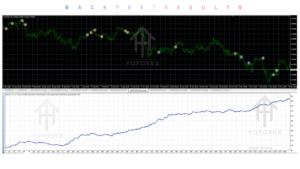
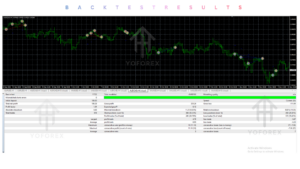
No specific backtest statistics, equity curves or live results are provided in the product description. On MT4 the tester is limited to the single symbol of the chart, so each pair must be tested separately. The developer notes that the MT5 version allows simultaneous multi-pair testing. Any historical results (backtest or forward) should be treated as illustrative only; they do not guarantee future performance. Live results will vary with broker conditions, settings and market regime.
How To Get Started
- Confirm your broker offers the three pairs with acceptable spreads and that symbol names match (or can be entered with suffixes).
- Review the full settings list and decide on risk parameters (lot method, max trades, exposure and load limits).
- Install the EA on an MT4 chart of one of the working pairs.
- Run extensive demo testing, preferably on a VPS, watching the panel for status and reasons orders are delayed.
- Monitor overall account equity, margin level and per-currency exposure.
- Only consider live use after you understand the series behaviour and drawdown characteristics under your chosen settings.
Never risk money you cannot afford to lose.
Is Trident Pro EA Worth Buying?
It depends on whether the combination of multi-pair channel mean-reversion, adaptive averaging and the specific currency/load controls matches your requirements. Strengths include single-chart management of three related pairs and the systematic exposure checks. Limitations include the inherent risks of averaging systems, the MT4 testing restriction, and dependence on broker execution quality. If you already trade or want exposure to AUDCAD–NZDCAD–AUDNZD and prefer coded rules over pure discretion, the EA is worth evaluating on demo. If you need pure trend systems, single-pair simplicity, or cannot accept series drawdowns, look elsewhere.
FAQs
What is Trident Pro EA?
A multi-currency MT4 Expert Advisor that trades AUDCAD, NZDCAD and AUDNZD from one chart using a channel-based mean-reversion approach with adaptive averaging and currency-exposure controls.
Is it MT4 or MT5?
The version described is for MetaTrader 4. An MT5 version exists and supports simultaneous multi-pair testing.
How does it work?
It opens positions when price moves beyond a channel and manages a series aimed at the return, with volatility-adjusted steps, per-order take profits, and filters for spread, session, currency net position and deposit load.
What strategy does it use?
Channel mean-reversion (Bollinger or Keltner) with adaptive averaging on three correlated pairs, plus net-currency and load limits.
Can it be backtested?
On MT4 only the chart’s symbol is tested. Full multi-pair behaviour requires the MT5 version or live/demo observation.
Is it suitable for beginners?
Only if the trader is willing to learn the settings thoroughly and test extensively on demo first. Averaging systems require understanding of potential drawdown.
What broker is required?
Any MT4 broker that offers the three pairs with reasonable spreads. Symbol names with suffixes can be entered in the Work Pairs setting.
How do I buy or install it?
Purchase through the seller’s listing (Yoforexea / Yoforexorg or the linked MQL5 product page for the MT5 version), install the .ex4/.mq4 file into the Experts folder, and attach it to a chart of one working pair.
Conclusion
Trident Pro EA V1.0 MT4 offers a structured way to automate three related CAD-cross pairs from a single MT4 chart, with explicit controls on currency exposure and deposit load that many multi-pair systems lack. Its adaptive step and confirming-bar rules aim to avoid overly dense averaging. The main considerations remain the typical risks of series-based mean-reversion, the single-symbol limitation of the MT4 tester, and the need for careful risk-parameter selection and reliable infrastructure.
If the strategy and risk profile fit your approach, the next practical step is to review the current product page, verify settings and pricing, and run a proper demo evaluation.
Support & Disclaimer
Support:
If you need help installing or configuring your EA, or face any kind of bug, feel free to reach out on:
Telegram Group: Join our community
Disclaimer:
Forex and gold trading involve risk. Past performance doesn’t guarantee future results. Always test robots on demo before live trading and use proper risk management.
REFERRAL
Join the VIP Signals Telegram Channel for real-time expert trading signals and stay ahead in the forex market. Get personalized strategies by becoming a part of our Real Account Management Telegram Channel and optimize your trading experience. If you’re aiming to Pass PropFirm Challenges , join our dedicated channel for tips and proven methods. Start managing your capital effectively with expert advice from our Funded Account Management Telegram Channel. For advanced traders, our HFT EA / Passing Telegram Channel offers high-frequency trading insights and strategies to boost your performance.