
Introduction
Traders often face a common problem when trading breakouts: identifying important price levels, waiting for confirmation and entering at the right moment. Manual breakout trading also requires constant chart monitoring, especially when markets move quickly.
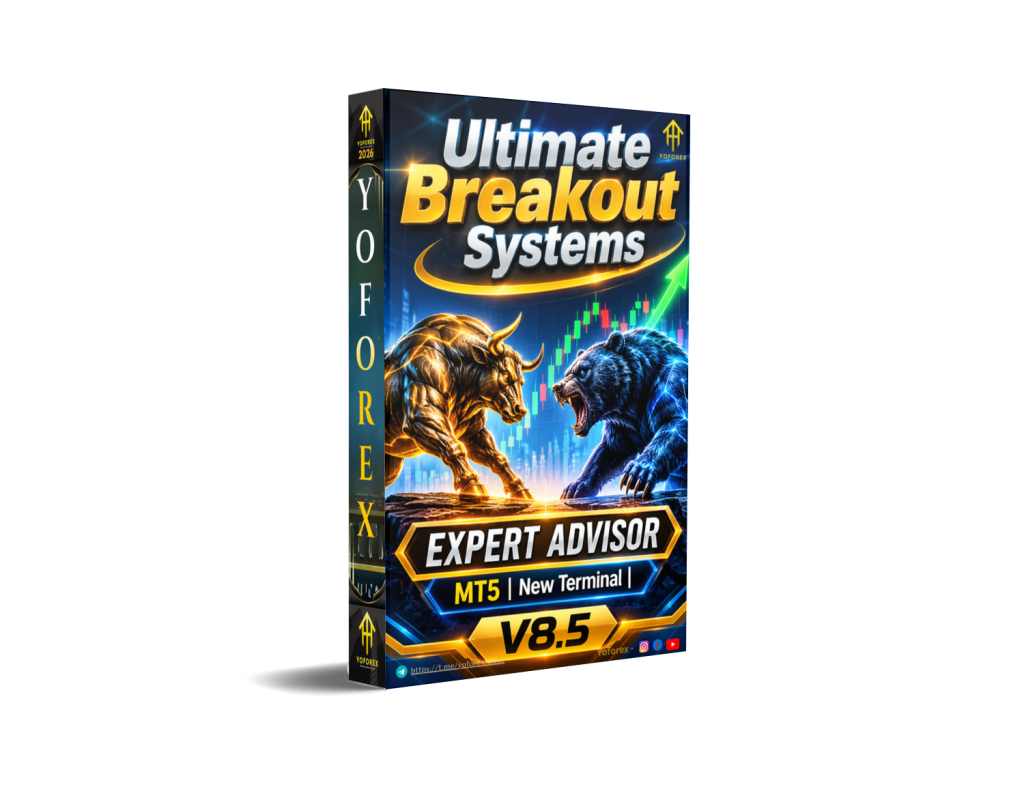
Ultimate Breakout Systems EA v8.5 MT5 is positioned as a MetaTrader 5 breakout trading Expert Advisor. The publicly documented Ultimate Breakout System offers a configurable approach to breakout trading, allowing traders to work with different entry models and strategy configurations.
Its central appeal is the ability to automate breakout execution rather than manually monitor every potential price-level break. However, traders should distinguish the documented features of the current public product from the exact specifications of the v8.5 package before purchasing.
What Is Ultimate Breakout Systems EA?
Ultimate Breakout Systems EA v8.5 MT5 is a MetaTrader 5 Expert Advisor designed around automated breakout trading.
A breakout strategy looks for situations where the market moves beyond an established price level, such as resistance or support. Traders use these movements to identify possible opportunities when price begins moving outside a previous trading range.
The publicly documented Ultimate Breakout System provides three entry models:
-
Support and Resistance Breakout
-
Volatility Breakout
-
Opening Range Breakout
These models provide different ways of identifying potential breakout opportunities.
Unlike a basic single-strategy trading robot, the documented system is presented as a configurable breakout framework. Traders can select different strategy configurations and adjust trading parameters.
The exact availability of these models in version 8.5 should be confirmed against its supplied manual and product files.
How Does Ultimate Breakout Systems EA Work?
The general breakout trading process follows a sequence of identifying a price level, preparing an entry and managing the resulting position.
Based on the publicly documented system, its operation can be understood through the following stages.
1. Signal Identification
The selected breakout model identifies the relevant market conditions or price levels.
For example, a support and resistance model identifies potential breakout levels, while a volatility model focuses on price expansion following consolidation.
2. Trade Entry
The documented support and resistance model uses pending orders around identified levels.
-
Buy Stop orders can be placed above resistance.
-
Sell Stop orders can be placed below support.
This approach allows the system to prepare entries around potential breakout movements.
3. Position Management
After an order becomes a market position, trade management settings determine how the position is handled.
4. Exit Management
The documented system includes configurable stop-loss, take-profit and trailing mechanisms.
5. Risk Management
Risk settings and trade protection parameters should be reviewed before enabling automated execution. Their exact configuration and availability must be checked in the v8.5 package.
Ultimate Breakout Systems EA Strategy Explained
The main documented strategy is breakout trading.
The system’s public documentation describes three different entry approaches.
Support and Resistance Breakout
This approach identifies important support and resistance levels and prepares pending orders around them.
It aims to participate when price moves beyond an established market level.
Volatility Breakout
Volatility breakout trading focuses on periods of market consolidation followed by increased price movement.
The documented model identifies consolidation conditions and looks for breakouts accompanied by rising volatility.
Opening Range Breakout
Opening range breakout trading uses the high and low of a defined opening period.
A trader can configure a session opening range or another custom time window. Potential trades are identified when price moves beyond the selected range.
These approaches provide different ways to participate in market breakouts. They do not eliminate false breakouts or guarantee that price will continue moving after an entry.
Key Features
The following features are described in the public documentation of the similarly named Ultimate Breakout System. Confirm their availability in v8.5 before relying on them.
-
Multiple breakout entry models.
-
Support and resistance breakout trading.
-
Volatility-based breakout identification.
-
Opening range breakout configuration.
-
Pending stop-order execution.
-
Configurable stop-loss and take-profit options.
-
Multiple trailing stop mechanisms.
-
Trailing take-profit functionality.
-
Strategy configuration through external parameters.
-
Supplied strategy set files in the documented product package.
-
Backtesting and optimization guidance.
Quick Specifications
| Feature | Details |
|---|---|
| Product Name | Ultimate Breakout Systems EA v8.5 |
| Platform | MetaTrader 5 |
| Product Type | Expert Advisor |
| Main Strategy | Breakout trading (documented system) |
| Entry Models | Support/Resistance, Volatility, Opening Range (documented system) |
| Trading Style | Configurable breakout trading |
| Instruments/Pairs | Verify v8.5 compatibility |
| Timeframe | Verify v8.5 compatibility |
| Risk Management | Exact v8.5 settings to be confirmed |
| Automation | Automated trading |
| VPS | Optional operational consideration |
| Best For | Traders interested in systematic breakout trading |
Main Benefits
Automated Breakout Execution
Automating breakout entries can reduce the need to watch every price movement manually. It also allows configured entry conditions to be followed systematically.
Multiple Strategy Approaches
The documented system offers different breakout entry models. This gives traders more flexibility than relying on a single breakout approach.
Structured Position Management
Configurable stop-loss, take-profit and trailing mechanisms provide different ways to manage open positions.
Strategy Testing Opportunities
The documented package includes set files and educational resources for testing and optimization. These can help users compare different configurations before selecting one.
Reduced Manual Monitoring
Once correctly configured and running, an EA can monitor trading conditions automatically. Traders still need to supervise execution, account exposure and system connectivity.
Limitations & Risks
Breakout trading has several risks that buyers should understand before purchasing an automated system.
False Breakouts: Price can temporarily move beyond support or resistance before reversing. This can trigger losing trades.
Market Conditions: Breakout systems may behave differently during strong trends, sideways markets and periods of low volatility.
Spread and Slippage: Wider spreads and delayed execution can affect entry prices and trading costs.
Broker Compatibility: Differences in symbol specifications, minimum stop distances, execution policies and trading conditions can influence performance.
Incorrect Settings: An unsuitable configuration can increase exposure or produce unexpected trading behaviour.
VPS and Connectivity: Interruptions can affect continuous automated operation and trade management.
Backtesting Limitations: Historical testing cannot guarantee future results. Real execution conditions may differ from simulated conditions.
Who Is Ultimate Breakout Systems EA For?
This type of Expert Advisor may interest:
-
MT5 traders who prefer automated breakout execution.
-
Traders who understand support and resistance.
-
Users interested in testing different breakout configurations.
-
Traders who want to reduce manual entry monitoring.
-
Experienced algorithmic traders who evaluate strategies through backtesting.
Users who enjoy developing and comparing trading configurations may find a configurable breakout framework particularly interesting.
Who Should Avoid It?
Ultimate Breakout Systems EA may not be suitable for:
-
Traders expecting guaranteed profits.
-
Beginners who do not understand pending orders or breakout risks.
-
Users unwilling to test settings before live trading.
-
Traders who cannot monitor automated positions.
-
Buyers who require verified performance evidence before purchasing but cannot obtain the relevant reports.
A breakout EA is still exposed to market risk, regardless of how much of the trading process is automated.
Ultimate Breakout Systems EA vs Manual Trading
| Comparison | Expert Advisor | Manual Trading |
|---|---|---|
| Execution | Automated | Trader-controlled |
| Screen Time | Reduced monitoring | Regular monitoring |
| Consistency | Follows programmed rules | Depends on discipline |
| Emotional Interference | Reduced during execution | Can influence decisions |
| Speed | Automated order handling | Depends on trader response |
| Flexibility | Depends on available settings | High discretionary flexibility |
| Monitoring | Still required | Direct trader supervision |
| Risk Management | Configured rules | Trader-managed rules |
Neither approach is automatically better. The choice depends on trading experience, preferred workflow and ability to manage risk.
What To Check Before Buying
Before purchasing Ultimate Breakout Systems EA v8.5 MT5, review these points:
-
Strategy: Confirm which breakout entry models are included in v8.5.
-
Risk: Understand the stop-loss, position sizing and exposure settings.
-
Compatibility: Confirm that the supplied file is designed for MetaTrader 5.
-
Broker: Check symbol specifications, execution conditions and minimum order requirements.
-
VPS: Consider stable hosting if continuous operation is required.
-
Settings: Review the supplied configuration files and recommended parameters.
-
Backtesting: Request or inspect complete historical test reports.
-
Support: Check what technical assistance is included.
-
License: Confirm activation limits, ownership and usage conditions.
-
Pricing: Check the current price and package contents before checkout.
Ultimate Breakout Systems EA Settings
The exact recommended settings for v8.5 have not been established from the available version-specific documentation.
However, traders should pay particular attention to:
-
Selected breakout entry model.
-
Support and resistance detection parameters.
-
Volatility filters.
-
Opening range configuration.
-
Pending order placement and expiration.
-
Stop-loss and take-profit values.
-
Trailing stop settings.
-
Position sizing and maximum exposure.
Avoid copying settings from another EA version without checking compatibility. Even a small parameter difference can change trading frequency and risk exposure.
Ultimate Breakout Systems EA Backtesting & Performance
Backtesting is an important part of evaluating any automated breakout strategy.
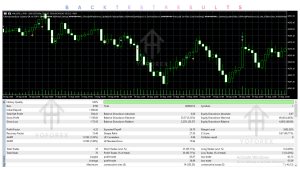
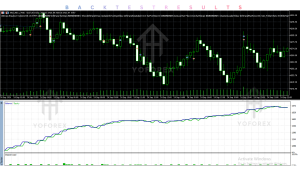
The public documentation for the similarly named system describes using MetaTrader Strategy Tester with supplied set files and recommends real-tick testing for scalping configurations.
However, no verified v8.5-specific backtest report or independently confirmed performance figures are available in the information reviewed for this article.
Before using the EA on a live account, examine:
-
Total net profit and gross loss.
-
Maximum balance and equity drawdown.
-
Profit factor.
-
Total number of trades.
-
Average winning and losing trade.
-
Consecutive losing trades.
-
Performance across different market conditions.
-
Spread, commission and slippage assumptions.
It is also important to distinguish three types of results:
Backtest: Simulated historical performance using past market data.
Forward Test: Performance observed on a demo or test account using current market conditions.
Live Results: Actual trading results from a funded brokerage account.
Historical testing is useful for evaluating a strategy, but it cannot predict future performance with certainty.
How To Get Started
Follow a controlled setup process before using the EA on a live account.
-
Check Compatibility: Confirm the v8.5 file works with your MetaTrader 5 installation.
-
Review Settings: Understand the breakout model, entry parameters and risk controls.
-
Install the EA: Follow the installation instructions supplied with the product.
-
Configure the Chart: Select a supported instrument and timeframe.
-
Run a Backtest: Evaluate the configuration using suitable historical data.
-
Demo Test: Observe order placement, execution and position management.
-
Monitor Performance: Review trading activity and account exposure regularly.
-
Consider Live Use: Only consider live deployment after understanding the strategy and its risks.
Is Ultimate Breakout Systems EA Worth Buying?
Ultimate Breakout Systems EA is an interesting product category for traders looking to automate breakout-based trading on MetaTrader 5.
The publicly documented Ultimate Breakout System offers multiple entry approaches, pending-order execution and configurable trade exits. These features provide a useful framework for traders who want to explore different breakout configurations.
However, buyers considering version 8.5 should first establish whether its available features match the newer public documentation. The version difference matters when evaluating set files, compatibility, settings and performance.
The buying decision should ultimately depend on the exact package contents, testing evidence, available risk controls, licensing and support.
For traders who value configurable breakout strategies, it may be worth investigating further. Those who require verified v8.5 performance evidence should obtain and review the relevant reports before purchasing.
FAQs
1. What is Ultimate Breakout Systems EA?
Ultimate Breakout Systems EA is an automated trading Expert Advisor associated with breakout trading. The publicly documented system supports different breakout entry approaches.
2. Is Ultimate Breakout Systems EA compatible with MT4 or MT5?
The product specified in this review is the MT5 version. Confirm that the supplied v8.5 file is compatible with your MetaTrader 5 terminal.
3. What strategy does Ultimate Breakout Systems EA use?
The public documentation describes support and resistance, volatility and opening range breakout strategies. Exact v8.5 functionality should be checked separately.
4. Can Ultimate Breakout Systems EA be backtested?
MetaTrader 5 provides a Strategy Tester for evaluating compatible Expert Advisors using historical data. Use the correct configuration and realistic execution assumptions.
5. Is Ultimate Breakout Systems EA suitable for beginners?
Beginners can study automated breakout trading with an EA, but they should first understand pending orders, stop-loss settings, drawdown and false breakouts.
6. Does Ultimate Breakout Systems EA require a VPS?
A VPS can help maintain continuous MT5 operation when the trader cannot keep a local computer running. It is an operational choice rather than proof of better trading performance.
7. Which broker is required?
A specific broker requirement has not been confirmed for v8.5. Check MT5 compatibility, symbol availability, spreads, execution and account conditions.
8. How can I buy and install Ultimate Breakout Systems EA?
Check the available product listing on YoForex EA for package details and purchasing options. After obtaining the correct file, follow its installation instructions and test it on a demo account before live use.
Conclusion
Ultimate Breakout Systems EA v8.5 MT5 is a product worth investigating for traders interested in automated breakout strategies.
The main attraction of the publicly documented Ultimate Breakout System is its configurable breakout framework, which covers different approaches to identifying price movements beyond important levels.
Its potential usefulness depends on the actual v8.5 features, the selected configuration, broker execution and risk management.
Before making a purchase, compare the supplied documentation, verify the version, inspect backtesting evidence and understand the available licensing and support arrangements.
Automated execution can make a trading process more systematic, but it does not remove the possibility of losses.
Support & Disclaimer
Support:
If you need help installing or Downloading or configuring your EA , or face any kind of bug, feel free to reach out on:
Telegram Group: Join our community
Disclaimer:
Forex and gold trading involve risk. Past performance doesn’t guarantee future results. Always test robots on demo before live trading and use proper risk management.
REFERRAL
Join the VIP Signals Telegram Channel for real-time expert trading signals and stay ahead in the forex market. Get personalized strategies by becoming a part of our Real Account Management Telegram Channel and optimize your trading experience. If you’re aiming to Pass PropFirm Challenges, join our dedicated channel for tips and proven methods. Start managing your capital effectively with expert advice from our Funded Account Management Telegram Channel. For advanced traders, our HFT EA / Passing Telegram Channel offers high-frequency trading insights and strategies to boost your performance