Introduction
The retail forex world is full of shiny promises: “never-losing systems,” “100% win rate robots,” and “double your account in a week” schemes. Anyone who has traded for more than a few months knows that most of these are either scams or over-optimized strategies that collapse in real markets. This is exactly why a disciplined, logic-driven Expert Advisor like Vega Bot EA stands out.
Instead of chasing hype, Vega Bot EA is designed as a professional-style automated strategy for MetaTrader 5 (MT5). It focuses on controlled risk, high-probability setups, and a stable equity curve rather than lottery-style spikes followed by account-blowing drawdowns. The idea is simple but powerful: let the algorithm do the repetitive, emotion-sensitive tasks while you focus on risk, capital allocation, and the bigger picture.
In this detailed guide, we will explore how Vega Bot EA works, the type of strategy it uses, which pairs and timeframes it fits best, how to install and configure it, and how to manage risk so that it can serve as a long-term component of your trading portfolio. Whether you are a new trader exploring automation or an experienced trader looking for a disciplined system that fits prop-firm rules, this breakdown will help you understand what Vega Bot EA can realistically deliver.
What Is Vega Bot EA V1.0 MT5?
Vega Bot EA V1.0 MT5 is an automated trading system created for MetaTrader 5 that executes trades based on pre-programmed rules. Once attached to a chart, the EA constantly scans the market, identifies trade setups, and opens and manages positions without needing manual intervention.
Rather than relying on a single indicator or a basic crossover, Vega Bot EA typically combines several key components:
- Trend Structure: The EA evaluates the dominant directional bias using price action, moving averages, or structural highs and lows.
- Volatility Filters: It avoids extremely quiet markets where spreads and random noise can kill profitability.
- Session Logic: Vega Bot EA focuses on high-liquidity sessions such as London and New York to capture cleaner moves.
- Smart Exits: Trade exits are based on risk-reward logic, volatility, and real-time market behavior instead of fixed, blind levels.
- Built-in Risk Control: Lot size, stop-loss, daily loss limits, and other safety parameters are part of the core design.
The goal is not to win every single trade but to build a long-term edge. Vega Bot EA aims to behave like a disciplined trader who follows a plan with zero emotional interference – no revenge trades, no FOMO, and no panic exits.
The Trading Philosophy Behind Vega Bot EA
A good EA is more than just code; it reflects a clear trading philosophy. This system is generally built around three guiding principles:
- Trade in the Direction of Market Flow: Instead of guessing tops and bottoms, the EA prefers to align with the dominant trend or intraday directional bias. This significantly improves the probability that price will continue moving in the trade’s favor after entry.
- Wait for Clear, Confirmed Setups: Random entries lead to random results. The EA waits for price to move into pre-defined zones (such as support/resistance, dynamic moving-average bands, or volatility pockets) and then looks for confirmation candles or momentum signals before executing a trade.
- Respect Risk at All Times: The EA’s structure focuses on consistent risk per trade, realistic take-profit targets, and controlled drawdowns. It is designed to keep you in the game long enough for the statistical edge to play out.
This philosophy makes the EA suitable for traders who value stability and longevity more than short-term gambling.
How the EA Analyzes the Market
While the exact code logic stays private, the typical behavior of the EA can be broken down into stages:
1. Trend and Structure Analysis
The EA first identifies whether the market is trending or ranging. It may examine:
- Recent swing highs and lows.
- Slope and alignment of key moving averages.
- Price position relative to a mid-range or equilibrium zone.
In clear trends, the EA prioritizes trades in the trend direction. In sideways conditions, it may either stand aside or switch to more conservative logic, depending on configuration.
2. Volatility and Session Filters
Not all price movement offers good opportunity. Low-volatility periods can result in whipsaw, while spread widening during illiquid hours can erode profits. The EA checks:
- Average True Range (ATR) or similar volatility measures.
- Current spread against a maximum allowed spread setting.
- Session time (for example, avoiding the last hour of Friday or pre-rollover periods).
Only when conditions meet quality thresholds does the EA prepare to open a position.
3. Entry Triggers
Once the environment is favorable, the Vega Bot EA looks for a technical trigger. This might include:
- Breakout from a structure level in the direction of trend.
- Rejection candle from a key support or resistance zone.
- Momentum confirmation using candle size or velocity of price movement.
The EA does not “hope” price will move – it acts only when the rules align.
4. Stop-Loss and Take-Profit Logic
Risk per trade is determined ahead of time. The EA usually sets stops based on:
- Recent swing high/low.
- ATR-based volatility buffers.
- Pre-configured risk percentage per trade.
Take-profit targets may be fixed multiples of risk (like 1:1.5 or 1:2), or adaptive targets based on market structure. In some modes, the EA can let winners run with a trailing stop, locking in profit as price moves favorably.
5. Trade Management and Smart Exits
After entry, the EA actively manages the trade:
- Moving stop-loss to breakeven after a certain profit threshold.
- Partial closure at intermediate targets.
- Dynamic trailing according to volatility.
- Early exit if market conditions deteriorate or the setup invalidates.
This multi-step process allows the EA to capture reasonable profits while protecting capital when the market turns.
Recommended Pairs, Timeframes, and Brokers
One of the biggest mistakes traders make is running an EA on random pairs and timeframes that were never tested. This system should be used on instruments and chart periods where its logic has been optimized and validated.
While exact recommendations can vary by version and strategy set, a typical profile is:
- Pairs: Major forex pairs such as EURUSD, GBPUSD, USDJPY, and XAUUSD (gold).
- Timeframes: M15, M30, or H1, offering a balance between trade frequency and noise filtering.
- Broker Type: ECN/RAW spread accounts with fast execution and competitive commissions.
- Leverage: 1:100–1:500, used sensibly with modest lot sizing.
If you plan to use the EA on gold, make sure your broker provides:
- Stable, low spreads during active sessions.
- No extreme widening around normal news events.
- Reliable execution with limited slippage.
Risk Management & Money Management
No matter how good an EA is, poor risk management can destroy its potential. This robot gives you the tools to control risk, but you must use them wisely.
1. Choose Realistic Risk per Trade: For long-term survival, professional traders rarely risk more than 1–2% per position. With this EA, start around 0.5–1% risk per trade and only increase gradually after several months of stable performance.
2. Use Adequate Account Size: While cent accounts or very small balances can be used for experimentation, the EA performs best when lot size steps are meaningful but not oversized. For standard accounts:
- For major pairs: a starting balance of $200–$500 or more is reasonable.
- For gold: consider $500–$1,000 or more, especially if you want tighter risk per trade.
3. Control Overall Exposure: If the EA trades multiple correlated pairs, you could unknowingly be overexposed to one directional move (for example, USD strength). To manage this:
- Limit the number of correlated instruments running at the same time.
- Set a maximum number of open trades globally.
- Use equity or daily drawdown limits in the EA settings if available.
4. Run on a Stable VPS: Because the EA manages trades continuously, interruptions in power or internet can cause missed exits or unmanaged positions. A reliable VPS close to your broker’s server reduces latency and disconnections.
5. Withdraw Profits Strategically: Even with a robust system like Vega Bot EA, locking in profits is wise. Decide in advance how you will take money out (for example, 20–30% of new equity highs) so that trading results translate into real financial progress.
Backtesting, Optimization, and Forward Testing
Backtesting helps you understand how the EA behaved on historical data, but it must be done correctly.
1. High-Quality Data: Use quality tick data or at least high-modeling-quality M1 data when backtesting. Poor data leads to misleading results, especially for intraday or scalping strategies.
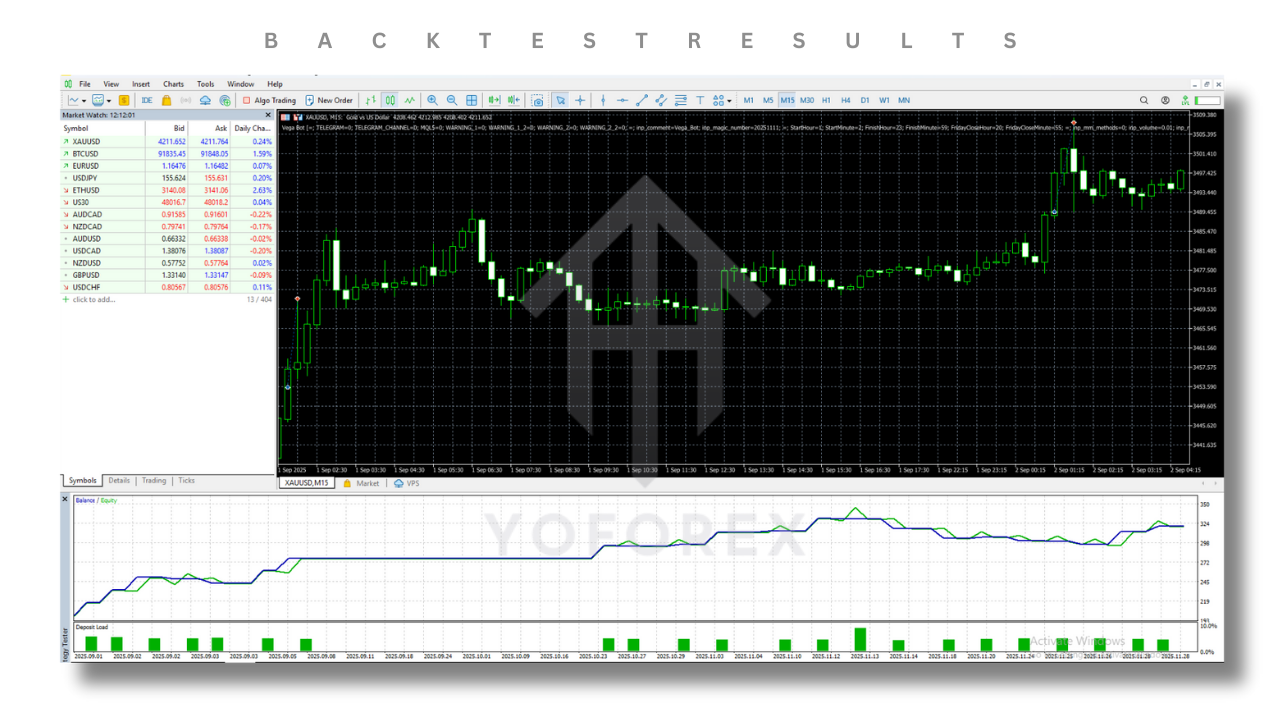
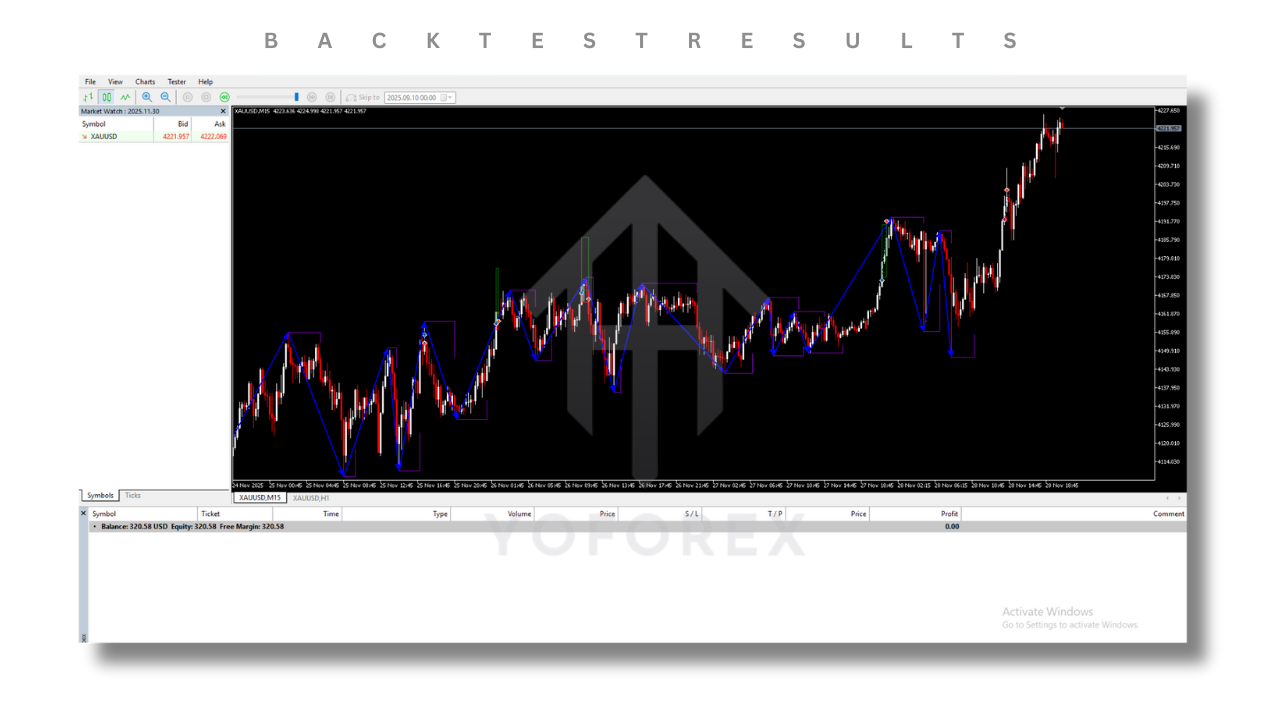
2. Multi-Year Testing: Run tests across several years, including both trending and ranging phases, crisis periods, and quiet markets. You want to see:
- A generally rising equity curve with natural pullbacks.
- Acceptable maximum drawdown in percentage terms.
- Reasonable trade frequency without extreme clustering of losses.
3. Avoid Over-Optimization: It is tempting to tweak every parameter to fit the past perfectly. However, the EA is more valuable when used with stable, robust settings that perform decently across many time periods, not just one optimized stretch.
4. Forward Testing: After backtesting, forward test on a demo or micro account. Compare:
- Average monthly return.
- Maximum floating drawdown.
- Number of trades per week or month.
- Behavior around important news events.
Forward testing helps confirm that live behavior is similar to historical simulations.
Realistic Performance Expectations
One of the biggest advantages of Vega Bot EA is that it encourages realistic expectations. A sensible configuration might aim for:
- Monthly growth in the range of 3–10% depending on risk and market conditions.
- Maximum drawdown controlled under 20–30% in aggressive setups, and lower in conservative ones.
- Stable trade frequency that fits your broker’s execution profile.
Instead of chasing 100% per month, focus on consistency. With disciplined use of Vega Bot EA and compound growth, even moderate monthly returns can become impressive over a year or two.
Example Trading Scenario
To better understand how this robot behaves, imagine the following scenario on EURUSD M30:
- The London session opens and volatility increases.
- Price has been in a clear uptrend, with higher highs and higher lows.
- EURUSD pulls back into a dynamic support zone defined by moving averages and recent structure.
- Spread is low, ATR shows healthy volatility, and no high-impact news is imminent.
At this point:
- The EA detects that all conditions align: trend, zone, and volatility.
- An entry trigger fires when a bullish rejection candle forms from support.
- The EA opens a long position with a stop-loss below recent swing lows and a take-profit based on a 1:1.5 or 1:2 risk-reward ratio.
- As price moves in favor, the EA shifts stop-loss to breakeven and may trail the stop to lock in profits.
- If the trend continues, the trade hits take-profit or closes with the trailing stop in profit. If the market reverses, the pre-defined stop controls the loss.
Over hundreds of similar trades, the goal of Vega Bot EA is not perfection but positive expectancy.

Advanced Settings and Safety Features
Depending on the build and configuration, the EA can include several advanced options:
- News Filter: Automatically pause trading during high-impact economic news.
- Daily Loss Limit: Stop trading for the day if a certain percentage loss is reached.
- Max Trades per Day: Limit overtrading and protect accounts from unusual volatility.
- Equity Stop: Shut down trading if total drawdown reaches a critical level.
- Magic Numbers: Separate the EA’s positions from other EAs or manual trades.
These tools allow you to align this system with strict risk rules, including prop-firm challenge requirements.
Who Can Benefit Most from Vega Bot EA?
The robot can be a strong fit for multiple trader profiles:
- Busy Professionals: People with full-time jobs who want their strategy to run in the background.
- Prop-Firm Traders: Traders who must respect daily drawdown and maximum loss rules.
- Intermediate Traders: Those who understand forex basics but struggle with emotional control.
- Portfolio Builders: Traders who diversify across multiple systems and want an additional rule-based strategy.
If you want stability, disciplined logic, and a structured approach, Vega Bot EA is designed with exactly that in mind.
Common Mistakes Traders Make
Even a strong EA can be misused. Avoid these errors:
- Using extremely high lot sizes relative to account balance.
- Running the robot on every possible pair without understanding correlation.
- Turning the EA on and off emotionally after a few losing trades.
- Changing settings constantly without proper forward testing.
- Using poor-quality brokers with wide spreads and high slippage.
Treat Vega Bot EA like a professional strategy: define rules, stick to them, and make adjustments only after enough data is collected.
Frequently Asked Questions
Q1: Can Vega Bot EA guarantee profits?
No trading system can guarantee profits. The EA is built to create a statistical edge over many trades, but losses and drawdowns are still part of the process.
Q2: How many pairs should I run?
Start with one or two well-tested pairs. Once you are comfortable and the account shows stable performance, you can gradually add more instruments if your risk model supports it.
Q3: Can I use it for prop-firm challenges?
Yes, many traders use this kind of EA for prop-firm challenges, provided they configure conservative risk, daily loss limits, and appropriate lot sizes. Always test on a demo first.
Q4: How often should I update settings?
If the market environment changes dramatically, you may review settings every few months. Avoid changing parameters frequently based on short-term results.
Q5: Do I need technical expertise to run it?
Basic MT5 knowledge is enough. As long as you can attach EAs to charts, configure inputs, and monitor logs, you can operate Vega Bot EA comfortably.
Step-by-Step Installation Guide
Setting up Vega Bot EA V1.0 MT5 in MT5 is simple if you follow a clear sequence. Here is the full checklist:
1. Add the EA to Your MT5 Platform
- Open File > Open Data Folder in MetaTrader 5.
- Navigate to MQL5 > Experts.
- Copy the EA file (.ex5 or .mq5) into the Experts folder.
- Restart MT5 so that the EA appears in the Navigator under “Experts”.
2. Enable Algo Trading
- In the MT5 toolbar, click the “Algo Trading” button so that it is green.
- Without this, the EA will be unable to place or manage trades.
3. Attach the EA to a Chart
- Open the chart of your chosen pair and timeframe (for example, XAUUSD M15).
- Drag the Vega Bot EA from the Navigator onto the chart.
- In the properties window, ensure “Allow Algo Trading” or “Allow live trading” is checked.
4. Configure Inputs and Risk Parameters
This is the most important step. Review and set parameters like:
- Lot size mode (fixed lot or percentage of balance).
- Risk per trade as a percentage.
- Maximum allowed spread.
- Maximum number of open trades per pair.
- Trading hours and session filters.
- Magic number to distinguish these trades from other strategies.
5. Save Your Template
Once configured, save the chart as a template so you can quickly apply the same settings to other charts or after platform restarts.
Sample Configuration Templates for Vega Bot EA
To make things even more practical, here are three example configuration profiles you can consider when starting out. These are not fixed rules, but helpful starting points that you can adapt to your own account and risk tolerance.
1. Conservative Profile
This setup focuses on capital preservation and slow, steady growth.
- Risk per trade: 0.5% of account balance.
- Pairs: 1–2 major pairs, such as EURUSD and XAUUSD.
- Timeframe: H1 for smoother signals.
- Daily loss limit: 3–5% of equity.
- Max open trades: 2–3 at any time.
- News filter: Enabled for all high-impact events.
The conservative profile is ideal if you are using Vega Bot EA on a prop-firm account or a larger personal account where drawdown control is more important than aggressive profit.
2. Balanced Profile
This profile aims for a mix of growth and safety.
- Risk per trade: 1% of account balance.
- Pairs: 2–4 instruments, including at least one forex pair and possibly gold.
- Timeframe: M30 or H1, depending on your preferred frequency.
- Daily loss limit: 5–6% of equity.
- Max open trades: 4–6.
- News filter: Enabled for major events only.
The balanced profile is the most common way traders operate Vega Bot EA, especially when they want meaningful growth without taking extreme risks.
3. Aggressive Profile
This configuration pursues higher growth but must be used with caution.
- Risk per trade: 1.5–2% of account balance.
- Pairs: Up to 4–6, including volatile instruments like gold and GBP pairs.
- Timeframe: M15–M30 for more trade opportunities.
- Daily loss limit: 6–8% of equity.
- Max open trades: 6–10.
- News filter: Enabled only for the most critical announcements or fully disabled (high risk).
An aggressive profile can produce strong returns in favorable market phases, but it also increases drawdown. Always test this profile on demo first and use it only if you are fully comfortable with the additional risk the EA will be taking.
How to Fit the EA into a Complete Trading Plan
Many traders make the mistake of treating an EA as their entire trading plan. A professional approach sees Vega Bot EA as one component within a broader structure that defines risk limits, diversification, and personal goals.
Here are some ideas for integrating the robot into a complete plan:
- Capital Allocation: Decide what percentage of your total trading capital you want to assign to this EA and keep the rest for manual trading, other strategies, or long-term investments.
- Diversification: Use the EA on a few carefully chosen pairs, while other systems or discretionary trades focus on different markets such as indices or crypto.
- Risk Buckets: Separate low-risk and high-risk strategies. Vega Bot EA can sit in the low- to medium-risk bucket, depending on configuration.
- Review Schedule: Once a week or once a month, review performance, update your journal, and decide whether any adjustments are necessary.
- Psychological Rules: Commit not to interfere with trades emotionally. If the rules say “let the EA work,” allow it to do so.
By treating Vega Bot EA as part of a structured plan instead of a quick-profit shortcut, you give the algorithm the space it needs to deliver its statistical edge over time.
Pre-Launch Checklist Before Going Live
Before you switch the EA from demo to live, run through this quick checklist:
- ✅ You have backtested Vega Bot EA on quality data for multiple years.
- ✅ You have forward-tested it on demo or a small live account for at least a few weeks.
- ✅ You understand the typical drawdown range, average monthly return, and trade frequency.
- ✅ You have chosen a broker with tight spreads, fast execution, and a good reputation.
- ✅ You have a VPS set up and tested for stability.
- ✅ Your risk per trade and daily loss limits are clearly defined and configured inside the EA.
- ✅ You are psychologically prepared for losing streaks and have no unrealistic expectations.
If you can genuinely check off all these points, you will be in a much stronger position to let Vega Bot EA work on your live account with confidence and discipline.
Final Thoughts – Should You Trust Vega Bot EA with Your Capital?
In a trading world full of shortcuts and unrealistic claims, the real edge often comes from discipline, consistency, and robust risk management. Vega Bot EA V1.0 MT5 has been designed to bring those qualities into your trading in a structured, automated way.
Instead of acting on impulse, chasing social-media tips, or manually entering trades when you are tired or distracted, you can let Vega Bot EA execute its rules 24/5. Your role becomes that of a portfolio manager: choosing risk levels, monitoring performance, and deciding how this system fits within your broader financial goals.
No EA can eliminate risk or guarantee profits, but with correct setup, realistic expectations, and strong risk control, Vega Bot EA can serve as a powerful ally. Think long term, respect the process, and let the algorithm handle the heavy lifting while you stay focused on strategy, discipline, and growth.
Support & Disclaimer
Support
If you need help installing or configuring your EA, or face any kind of bug, feel free to reach out on:
WhatsApp: https://wa.me/+443300272265
Telegram Group: https://t.me/yoforexrobot
Disclaimer: Forex and gold trading involve risk. Past performance doesn’t guarantee future results. Always test robots on demo before live trading and use proper risk management.