Introduction
The forex market is moving faster than ever, and manual trading alone is often not enough to keep up with sharp price swings and institutional momentum. This is where smart Expert Advisors (EAs) come in.
Velocity Vector EA V2.0 MT4 is one such automated system that focuses on price velocity, directional strength, and vector-based analysis to identify high-probability trade setups on MetaTrader 4.
Version 2.0 of this EA is designed to be more refined, more selective with entries, and better optimized for trend-following opportunities. In this detailed guide, you will learn how Velocity Vector EA V2.0 works, what makes it different, how to configure it, and how to integrate it into a disciplined trading plan.
What Is Velocity Vector EA V2.0 MT4?
Velocity Vector EA V2.0 MT4 is an automated trading robot built for the MetaTrader 4 platform. Instead of relying only on basic indicators like moving averages or oscillators, the EA uses a more advanced logic based on:
- Price velocity (how fast the market is moving)
- Directional vectors (where the price is pushing consistently)
- Momentum confirmation across multiple timeframes
- Smart filters to avoid weak or choppy conditions
The core concept is simple: when the market shows clear, strong movement in a particular direction and the internal vector conditions align, the EA looks for precise entries and manages trades according to predefined risk and exit logic. This structure makes it suitable for traders who prefer momentum and trend-following strategies.
How the Velocity Vector Logic Works
The main strength of Velocity Vector EA lies in its analytical engine. Instead of just reacting to one candle or one indicator, it studies the speed and consistency of price movement over a defined period and converts this information into vectors.
1. Velocity Measurement
The EA assesses how fast price is moving between key points on the chart. If price is moving slowly and randomly, the system stays neutral. If price begins to accelerate with consistency, the EA interprets this as a potential trend or momentum phase.
2. Directional Vector Alignment
Velocity Vector EA does not open trades on every move. It checks whether:
- Short-term direction aligns with the mid-term trend
- Mid-term direction aligns with the larger price structure
- Momentum is strong enough to justify entering the market
Only when these internal vectors are in agreement does the EA consider a buy or sell position.
3. Acceleration and Strength Filters
The EA also looks at acceleration in price. A strong breakout or impulsive move that builds over time is often a sign of institutional activity. By combining velocity with acceleration filters, the system aims to avoid weak, sideways price action.
4. Additional Protection Filters
To improve quality of trades, Version 2.0 adds:
- ATR-based volatility checks
- Spread and slippage controls
- Session filters (optional, depending on settings)
These checks help the EA ignore bad conditions such as sudden spread widening, low liquidity, or extremely noisy price movement.
Key Features of Velocity Vector EA V2.0 MT4
Velocity Vector EA V2.0 is not just a basic EA. It comes with a detailed feature set designed for real-world market conditions.
Multi-Timeframe Confirmation
The EA can analyse different timeframes at once. For example:
- M5 or M15 for entry timing
- M30 or H1 for structural direction
This combination helps avoid entries that go against the broader trend.
Dynamic Lot Sizing and Risk Management
You can choose between:
- Fixed lot size for very controlled risk
- Risk-based lot size (for example, risk as a percentage of account balance)
- Equity-based scaling for traders who want gradual growth
Because risk is one of the most important aspects of automated trading, the EA allows you to tailor the lot sizing according to your comfort level and account size.
Smart Exit Modes
Entry is important, but exit logic often determines whether a strategy survives long term. Velocity Vector EA V2.0 offers several exit tools:
- Fixed Take Profit and Stop Loss levels
- Dynamic trailing stop that follows price when it moves in your favour
- Break-even protection, moving stop loss to entry once certain profit is reached
- Reversal vector exit, closing trades when internal vectors indicate loss of momentum
These functions help convert strong moves into booked profits while reducing the chance of winning trades turning into losses.
Risk Controls and Safety Settings
The EA includes several layers of protection:
- Maximum daily drawdown limit to stop trading after a bad day
- Max open trades control to avoid over-exposure
- Spread filter to block trades during bad liquidity
- Equity stop that shuts down trading once a loss threshold is hit
These safety features are essential for long-term survival in volatile conditions.
Recommended Pairs, Timeframes and Conditions
Velocity Vector EA V2.0 can be used on different forex pairs and instruments, but in general, it works best on assets with strong and clean movement.
Best Trading Instruments
- XAUUSD (Gold) – very popular for momentum trading
- GBPUSD – good volatility and trend behaviour
- EURUSD – stable, liquid and widely traded
- Some indices (like US30) depending on broker conditions
Best Timeframes
- M5 – for faster scalping style setups
- M15 – balanced between speed and noise
- M30 – more structured momentum swings
Minimum Deposit and Lot Size Guidance
Although the exact minimum deposit depends on your broker and leverage, a practical starting point is:
- $300 for 0.01 lot single pair trading
- $500 or more if you plan to run multiple pairs
As always, it is wise to start small and scale up only after understanding how the EA behaves with your specific broker setup.
Installation and Setup Guide
Setting up Velocity Vector EA V2.0 MT4 is straightforward if you follow the standard MT4 Expert Advisor process.
Step 1 – Copy the EA File
Place the EA file into:
MT4 > File > Open Data Folder > MQL4 > Experts
Step 2 – Restart or Refresh MetaTrader 4
Close and reopen MT4, or right-click in the Navigator window under “Expert Advisors” and click “Refresh”.
Step 3 – Attach the EA to a Chart
Choose your preferred pair and timeframe (for example, XAUUSD M15). Drag Velocity Vector EA V2.0 from the Navigator onto the chart.
Step 4 – Enable Algo Trading
Make sure “AutoTrading” is enabled at the top of the MT4 platform and that the EA shows a smiling face icon on the chart.
Step 5 – Configure Inputs
Adjust the inputs such as:
-
- Risk per trade (for example, 1–2% of balance)
- Lot mode (fixed or percentage)
- Maximum spread
- Take Profit and Stop Loss modes
- Trading sessions if your setup uses them
Once configured, let the EA run and monitor its behaviour, especially in the first few weeks.
Advantages of Using Velocity Vector EA V2.0
There are several reasons why traders are attracted to this style of EA.
1. Strong in Trending and Momentum Phases
Because the core idea is to capture velocity-based moves, the EA can perform well when the market is moving decisively in one direction. This is particularly useful on gold and volatile currency pairs.
2. Reduced Emotional Trading
The EA executes trades automatically based on its rules. This reduces emotional mistakes such as chasing price, over-trading, or closing trades too early.
3. Flexible Risk and Exit Management
Traders with conservative or aggressive styles can both use the EA by tuning:
- Risk percentage
- Lot size rules
- Exit methods (fixed TP or trailing logic)
This makes it adaptable to different account sizes and objectives.
4. Continuous Market Monitoring
Once installed on a VPS, Velocity Vector EA V2.0 can watch the market 24/7, scanning for high-quality setups even when you are away from your screen.
Limitations and Risks
No EA is perfect, and Velocity Vector EA V2.0 also has certain limitations that traders should respect.
1. Ranging Markets
Vector and momentum-based strategies can struggle in choppy conditions where price constantly reverses within a tight range. During such periods, the EA may take small losses or break-even trades.
2. Broker and Spread Sensitivity
High spreads and slow execution can negatively affect any automated strategy. It is important to use a broker with reasonable spreads and reliable execution, especially if you trade gold or fast pairs.
3. Need for VPS and Stable Connection
For best performance, the EA should run on a VPS so it can operate continuously without interruptions. Power cuts, internet drops or frequent platform restarts can affect order handling.
4. Market Changes Over Time
Markets evolve. No strategy works forever without review. It is good practice to periodically monitor performance, adjust risk, or re-optimise settings if behaviour changes.
Performance Expectations and Realistic Outlook
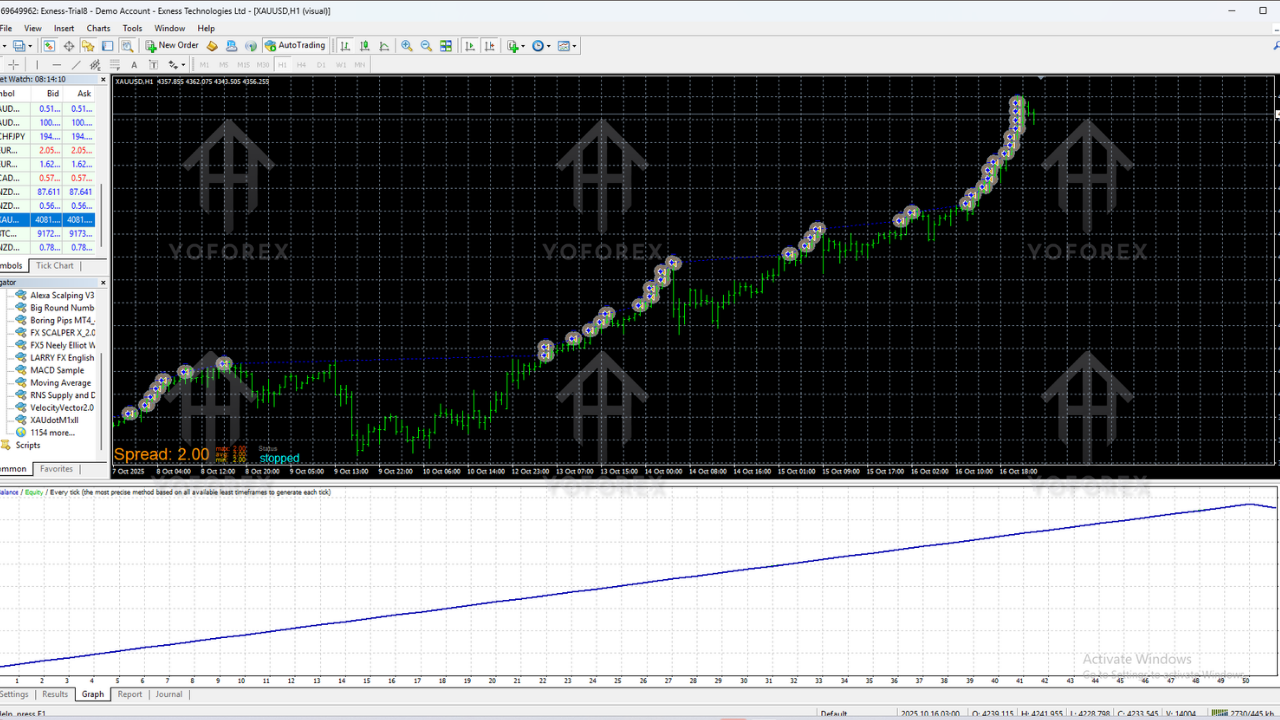
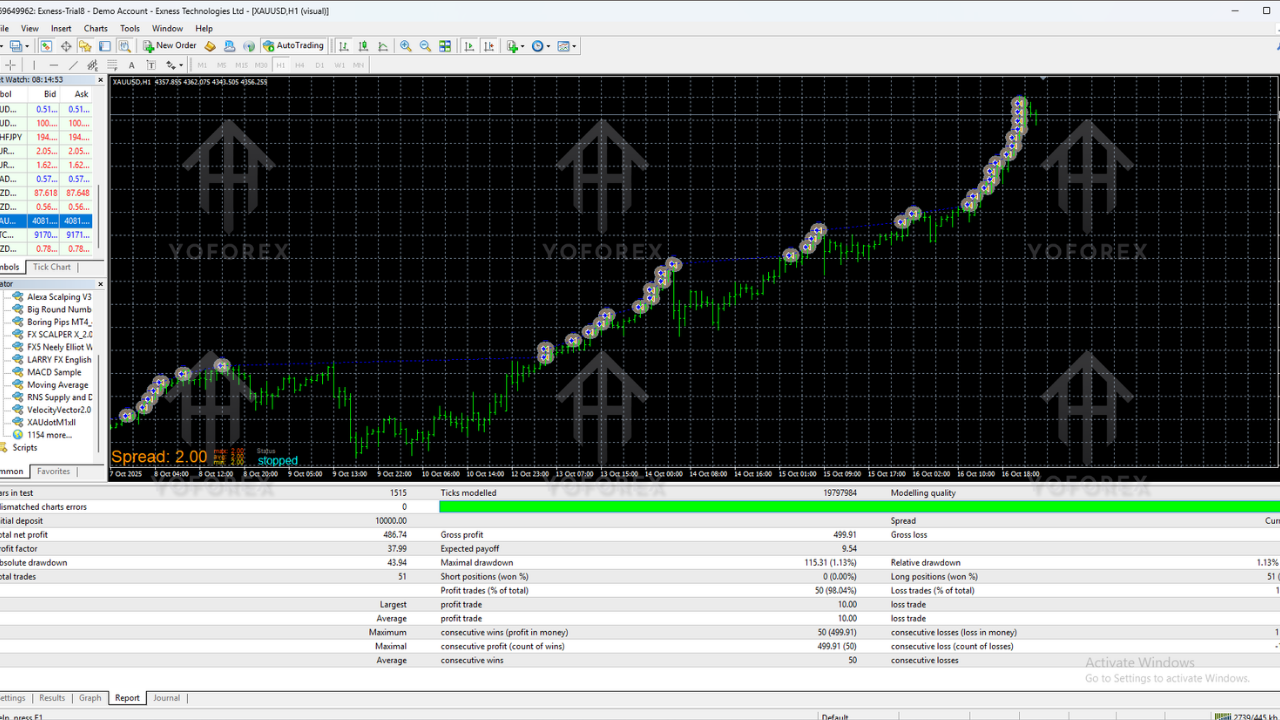
With sensible risk settings, the EA is typically used by traders aiming for consistent monthly returns rather than unrealistic “get rich quick” results. A realistic performance target with conservative settings could be:
- Single-digit to mid-double-digit monthly percentage growth in favourable conditions
- Controlled drawdown when risk is kept under 2% per trade
Results will vary from trader to trader depending on:
- Broker spreads and commissions
- Chosen timeframe and pairs
- VPS quality and platform uptime
- Risk settings and equity size
Backtesting and forward testing on a demo account are strongly recommended before going live.
Best Practices for Using Velocity Vector EA V2.0
- Start with a demo account to understand the EA behaviour
- Use low to moderate risk, especially in the beginning
- Avoid enabling the EA during major news events if your settings are not built for news trading
- Review trading logs weekly and check if performance matches your expectations
- Do not run too many high-risk EAs together on the same small account
Who Is Velocity Vector EA V2.0 MT4 Best Suited For?
This EA is suitable for:
- Traders who prefer trend and momentum strategies
- Users who want a semi-hands-off automated system
- Gold traders looking for structured, rule-based entries
- Beginners who want to learn how automated trading works while keeping risk controlled
- Intermediate traders who want to diversify their manual strategies with a mechanical system
Final Verdict – Is Velocity Vector EA V2.0 MT4 Worth Using?
Velocity Vector EA V2.0 MT4 offers a structured, logic-driven approach to trading momentum and directional moves. Its vector-based analysis, multi-timeframe confirmation, flexible risk controls, and advanced exit options make it a serious candidate for traders who want a disciplined automated system instead of emotional manual trading.
As with any EA, long-term success depends on:
- Using a reliable broker
- Maintaining realistic expectations
- Applying proper risk management
- Monitoring and adjusting settings when needed
For traders who respect these principles, Velocity Vector EA V2.0 MT4 can become a valuable part of a well-planned forex trading setup.