YMS PRO Indicator V1.0 MT4 – The All-In-One Trading Tool for Any Pair & Timeframe
In the world of forex trading, having the right tools at your fingertips can make the difference between consistent profits and frustrating losses. One such tool that’s gaining traction among traders is the YMS PRO Indicator V1.0 for MetaTrader 4 (MT4). Designed to provide clear, real-time trading signals, this indicator works seamlessly across all timeframes and currency pairs, making it an ideal choice for traders of all styles and experience levels.
In this article, we’ll explore everything you need to know about YMS PRO Indicator V1.0 — including its features, installation, usage tips, advantages, limitations, and how to integrate it into your trading strategy.
What is the YMS PRO Indicator V1.0?
The YMS PRO Indicator V1.0 is a custom indicator developed for the MT4 trading platform. Its primary function is to generate accurate buy and sell signals using a combination of trend-following and momentum-based algorithms. What sets it apart is its ability to function across any timeframe — from M1 (1-minute) for scalpers to D1 (daily) for swing and position traders. It is also compatible with any forex pair, as well as indices, commodities, and potentially even cryptocurrencies.
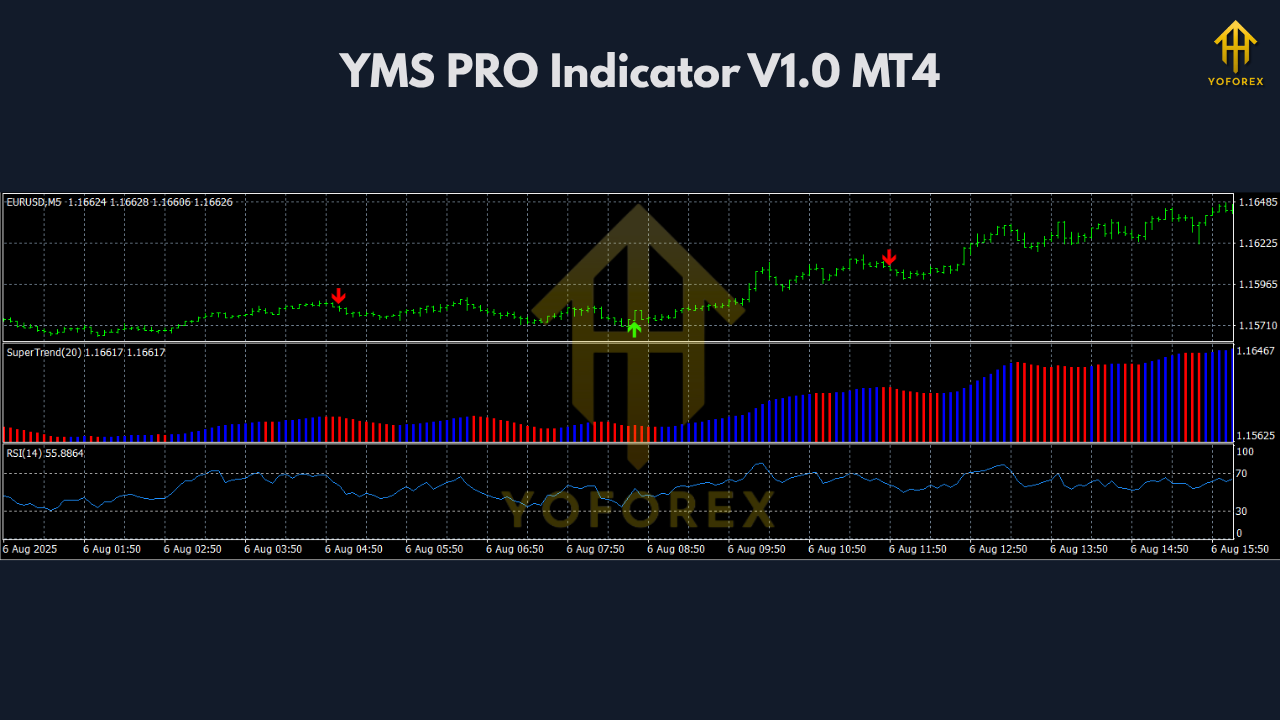
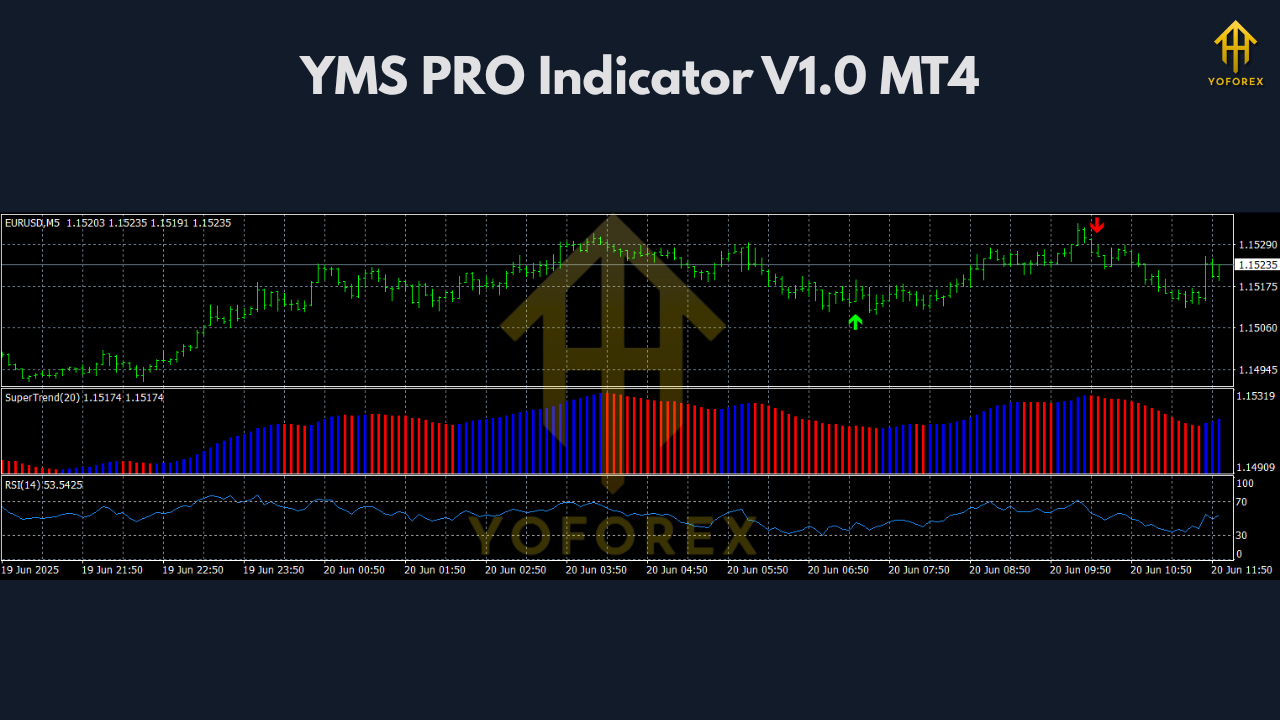
This indicator displays arrows or signals directly on the chart to indicate potential entry points. It also supports real-time alerts, allowing traders to be notified instantly when a new trading opportunity appears.
Key Features of YMS PRO Indicator V1.0
✅ Multi-Timeframe Compatibility
Whether you’re a scalper who works on the 1-minute chart or a swing trader who analyzes the daily chart, YMS PRO can adapt to your strategy. You can use it on M1, M5, M15, H1, H4, D1, or any custom timeframe.
✅ Works on Any Pair or Asset
YMS PRO isn’t limited to major currency pairs. You can apply it to minors, exotics, indices, metals, and even crypto CFDs. This versatility ensures you’re never restricted in your market choice.
✅ Accurate Buy/Sell Signals
The indicator uses an advanced logic that combines several technical tools to provide precise entry and exit points. It identifies trend direction, momentum shifts, and key breakout zones to generate timely arrows or markers.
✅ Visual and Audio Alerts
With YMS PRO, you don’t have to monitor your charts all day. You’ll receive alert notifications — via sound, popup, or message — when a new signal appears, helping you act quickly and efficiently.
✅ Bonus Tools and Add-ons
Depending on the version, the indicator may come with additional features like pip counters, symbol changers, RSI overlays, trend meters, or breakout filters — all of which enhance the core signal’s reliability.
✅ User-Friendly Interface
One of the most praised features of YMS PRO is its simplicity. Even beginner traders can understand and use it effectively. The clean chart layout with clear arrows makes trading decisions easier.
How to Install YMS PRO Indicator on MT4
Installing the YMS PRO Indicator V1.0 on MT4 is simple. Follow these steps:
-
Download the Indicator Files
Once you have access to the files, locate the.ex4or.mq4indicator files and the template file (if included). -
Open MT4 Data Folder
In your MT4 platform, go to File → Open Data Folder. -
Place the Indicator Files
Navigate to the MQL4 → Indicators folder. Copy and paste all the indicator files here. -
Add the Template (Optional)
If a.tpltemplate is included, paste it into the Templates folder in the root directory. -
Restart MT4
Close and reopen MT4 so the new indicator is recognized. -
Apply the Indicator
From the Navigator panel in MT4, find the indicator under “Custom Indicators,” then drag and drop it onto your chart. -
Load the Template
Right-click the chart, go to Templates → Load Template, and select the provided template to apply default settings.
How to Use YMS PRO for Effective Trading
To get the most from the YMS PRO Indicator, it’s essential to understand how to interpret its signals and combine them with smart trading practices.
1. Follow the Arrows
When the indicator displays a green (buy) arrow, it suggests an upward price move is likely. A red (sell) arrow signals a potential downward movement. Always wait for the candle to close before confirming the signal.
2. Confirm with Trend Direction
While YMS PRO is powerful, it’s smart to confirm signals with the overall trend. Use a moving average (such as 50 EMA or 200 EMA) to determine whether to follow only buy or only sell signals.
3. Avoid Ranging Markets
In sideways or choppy markets, indicators often generate false signals. Look for trending market conditions to maximize accuracy.
4. Combine with Support and Resistance
Use basic technical analysis to identify support and resistance zones. When a signal aligns with a breakout or bounce from these areas, it becomes much stronger.
5. Practice Risk Management
Use stop-loss orders just beyond recent highs/lows. Aim for a reward-to-risk ratio of at least 1.5:1 to stay consistently profitable over time.
6. Test First
Always test the indicator on a demo account or backtest it before going live. Understand how it behaves in different market conditions.
Advantages of YMS PRO Indicator
-
✅ No need for multiple indicators – it combines key signals in one tool.
-
✅ Saves time – with alerts and easy visual cues.
-
✅ Great for beginners – no complex settings or analysis needed.
-
✅ Suitable for all markets – from forex to gold, indices, and more.
-
✅ Boosts confidence – gives clear entry/exit suggestions.
Potential Drawbacks to Consider
-
⚠ Not 100% accurate – false signals can occur in flat or volatile markets.
-
⚠ Should not be used alone – best when combined with other analysis tools.
-
⚠ May require tuning – some settings might need adjustment depending on your trading style.
-
⚠ Over-reliance is risky – no indicator replaces proper money management.
Best Practices for Using YMS PRO
-
Use it during high-volume trading sessions (London or NY).
-
Avoid using during major news events unless you’re experienced with volatility.
-
Don’t overtrade – quality signals are better than quantity.
-
Keep your chart clean and avoid adding conflicting indicators.
Final Thoughts
The YMS PRO Indicator V1.0 for MT4 is a comprehensive, flexible trading tool designed to simplify your decision-making process. Whether you’re new to trading or looking to add more structure to your current strategy, YMS PRO offers a clear visual and audio-based approach to identifying profitable setups on any timeframe and any asset.
However, like all trading tools, it’s most effective when used wisely — with proper confirmation, strong discipline, and risk management. Treat it as a guide, not a guarantee, and always test before trading with real funds.
Join our Telegram for the latest updates and support