Unlocking Market Trends with the NonLagDot Indicator for MT4
In the fast-paced world of forex trading, identifying trend reversals and momentum shifts early is the holy grail for many traders. The NonLagDot Indicator for MetaTrader 4 (MT4) has emerged as a powerful tool to achieve this, offering a visual, lag-free approach to spotting trend changes. Whether you’re a scalper, day trader, or swing trader, this indicator simplifies decision-making by filtering out market noise. In this guide, we’ll explore how the NonLagDot works, its applications across any currency pair and timeframe, and strategies to integrate it into your trading arsenal.
What Is the NonLagDot Indicator?
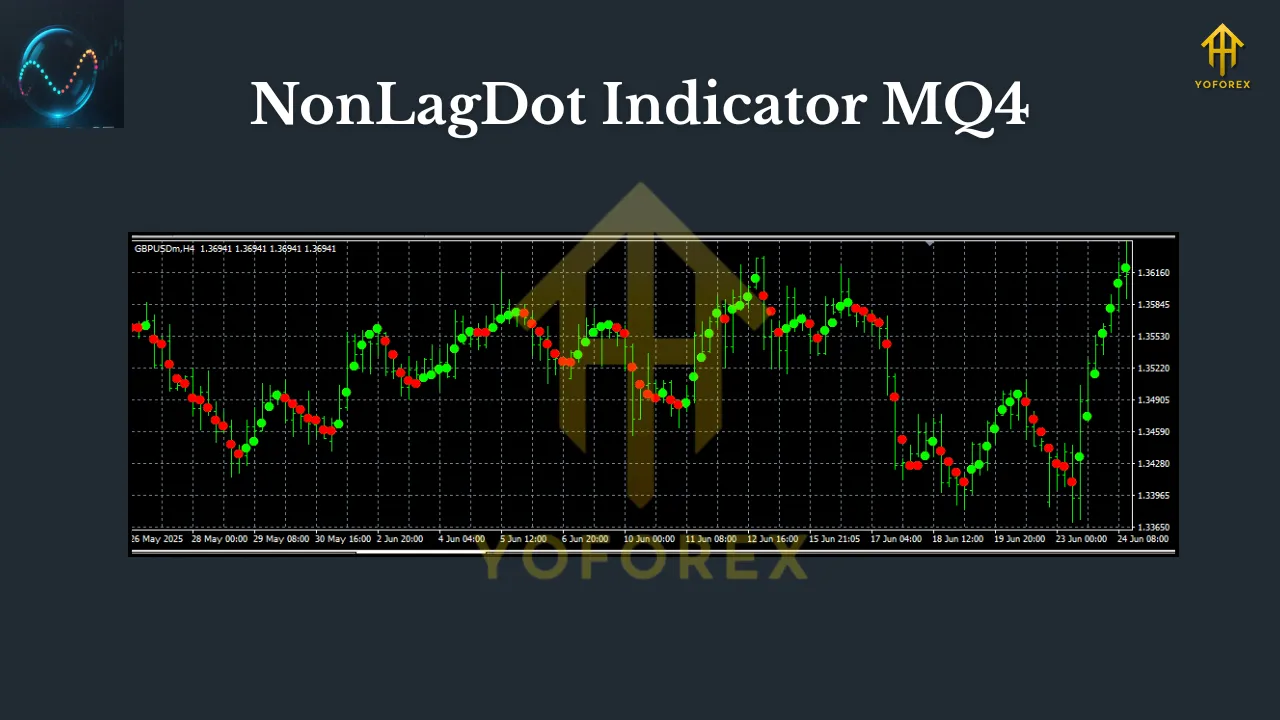
The NonLagDot is a custom technical indicator designed to plot dots above or below price bars, signaling potential trend reversals. Unlike traditional moving averages or oscillators (e.g., MACD or RSI), which often lag behind price action, the NonLagDot uses a proprietary algorithm to minimize delay. It dynamically adjusts to volatility, providing near real-time signals that help traders enter trends earlier and exit before reversals erode profits.
Key Features:
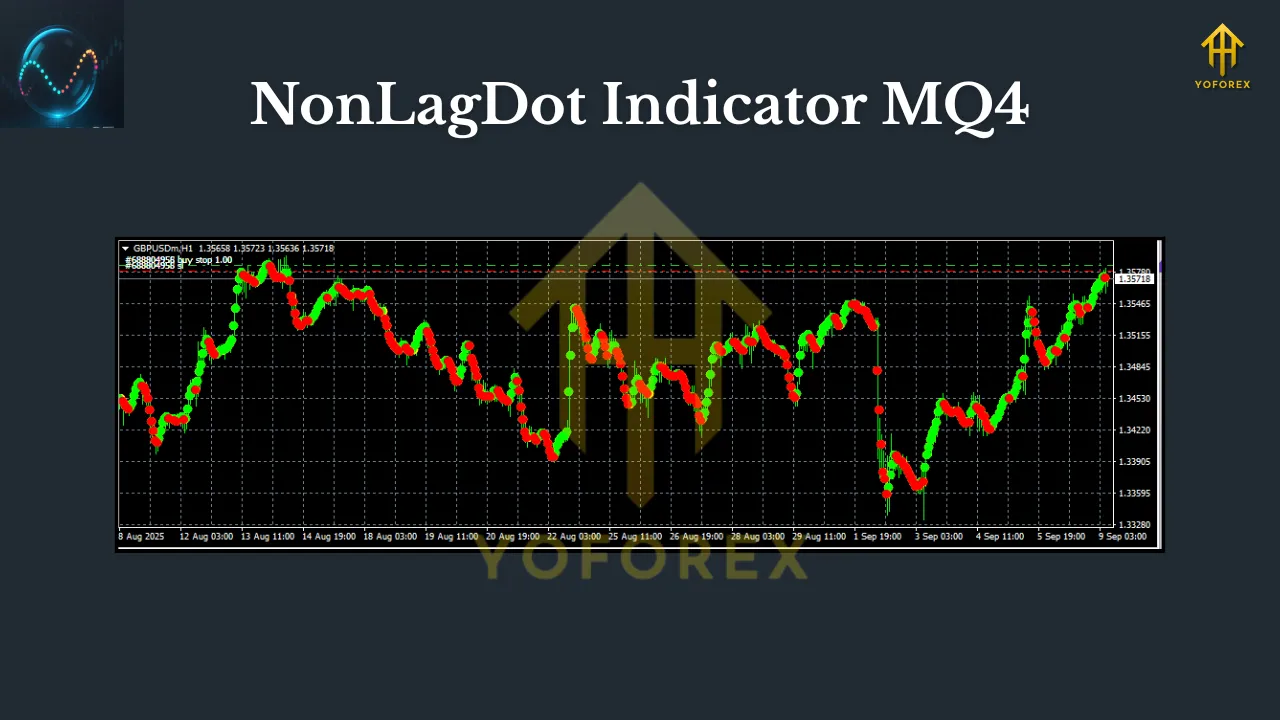
- Visual Simplicity: Dots change color (e.g., blue for bullish, red for bearish) based on trend direction.
- Versatility: Works on any currency pair (EUR/USD, GBP/JPY, etc.) and timeframe (M1 to MN1).
- Customizable Parameters: Adjust sensitivity to suit your trading style (e.g., aggressive scalping vs. conservative swing trading).
How Does the NonLagDot Work?
The indicator’s core logic revolves around smoothing price data while reducing lag. Here’s a simplified breakdown:
- Price Smoothing: It applies a weighted moving average to price (typically closing prices), but with a twist—it incorporates volatility adjustments. This ensures the dot reacts faster to sharp price moves.
- Trend Detection:
- Bullish Signal: A blue dot appears below the price bar when the indicator detects upward momentum.
- Bearish Signal: A red dot appears above the price bar when downward momentum is identified.
- Noise Filtering: By ignoring minor fluctuations, the NonLagDot focuses on significant trend shifts, reducing false signals.
How to Use the NonLagDot Indicator in Trading
The NonLagDot shines in trend-following and reversal strategies. Below are practical methods for any pair or timeframe:
1. Trend-Following Strategy
- Setup: Apply the NonLagDot to a chart (e.g., EUR/USD on H1).
- Entry Rules:
- Buy: When a blue dot appears below a price bar, and the dot sequence shifts from red to blue.
- Sell: When a red dot appears above a price bar, and the dot sequence shifts from blue to red.
- Exit: Close the trade when the dot color reverses (e.g., blue to red for a long position).
- Why It Works: This method captures trends early, as the dot reversal often precedes significant price moves.
2. Reversal Trading with Confluence
- Setup: Combine NonLagDot with support/resistance or Fibonacci levels.
- Entry Rules:
- Buy: A blue dot appears near a key support level (e.g., daily pivot).
- Sell: A red dot appears near resistance (e.g., weekly high).
- Risk Management: Place stops beyond the support/resistance zone.
- Example: On GBP/USD (M15), a red dot at R1 (resistance) could signal a short entry, especially if aligned with a bearish candlestick pattern.
3. Scalping on Lower Timeframes
- Setup: Use M1 or M5 charts with high-volatility pairs (e.g., GBP/JPY).
- Entry Rules:
- Enter on the first dot color change after a consolidation phase.
- Exit after 5–10 pips or when the dot reverses.
- Pro Tip: Pair with a volume indicator (e.g., Volume Weighted MA) to confirm momentum.
Advantages and Limitations
Pros:
Minimal Lag: Reacts faster than standard MAs or MACD.
User-Friendly: Color-coded dots simplify decision-making.
Adaptable: Effective in trending and ranging markets with parameter tweaks.
MT4 Compatibility: Easy installation and integration with other tools.
Cons:
False Signals in Choppy Markets: During low volatility, dots may flicker (use with a trend filter like ADX).
Repainting: Some versions repaint past signals (use “non-repainting” variants for backtesting).
Not Standalone: Requires confirmation from price action or other indicators.
Optimizing the NonLagDot for Your Style
- Parameters to Adjust:
- Length: Default is often 14. Lower values (e.g., 5) increase sensitivity for scalping; higher values (e.g., 30) suit swing trading.
- Deviation: Controls volatility weighting. Start with 0.5–1.0 and refine based on backtesting.
- Best Pairs & Timeframes:
- Pairs: Major pairs (EUR/USD, USD/JPY) for reliability; crosses (GBP/JPY) for volatility.
- Timeframes: H1/H4 for trend trading; M5/M15 for intraday.
Conclusion: A Valuable Tool in Your MT4 Toolkit
The NonLagDot Indicator stands out for its ability to cut through market noise and deliver timely signals. While no indicator is perfect, its lag-free design and visual clarity make it a favorite among traders seeking to enter trends early and exit efficiently. By combining it with robust risk management and complementary tools (e.g., RSI for divergence, Bollinger Bands for volatility), you can create a powerful trading system tailored to your goals.