Dynamic Filter Indicator V1.0 for MT5: Smart Filtering for Precision Trading
In today’s fast-moving financial markets, traders are constantly looking for tools that enhance accuracy, reduce noise, and deliver clear trade signals. The Dynamic Filter Indicator V1.0 for MetaTrader 5 (MT5) is one such tool—a precision-driven, intelligent filtering system that helps traders stay focused on high-quality setups while avoiding market noise.
Whether you’re a day trader, swing trader, or algorithmic enthusiast, the Dynamic Filter Indicator V1.0 is designed to improve your decision-making by applying adaptive filtering logic across various timeframes and trading styles.
In this in-depth blog post, we’ll cover:
-
What is the Dynamic Filter Indicator V1.0 MT5?
-
How it works
-
Key features
-
Best use cases
-
Recommended settings
-
Tips for integrating it into your trading strategy
-
Why it’s a must-have MT5 tool in 2025
📌 What is Dynamic Filter Indicator V1.0 for MT5?
Dynamic Filter Indicator V1.0 is a custom-built MetaTrader 5 indicator designed to filter out market noise and highlight only high-probability trading conditions. It doesn’t generate direct buy/sell signals—instead, it acts as a market condition filter, helping traders align their trades with cleaner, more reliable trends.
Whether you’re using trend indicators, price action, or other technical systems, Dynamic Filter serves as a companion tool, ensuring you only act on quality signals during optimal market conditions.
🧠 How Does It Work?
The Dynamic Filter Indicator uses a combination of:
-
Volatility analysis
-
Trend detection algorithms
-
Momentum-based filters
-
Smoothing techniques
These components work together to analyze current market behavior and filter out sideways movement, erratic volatility, and choppy price action.
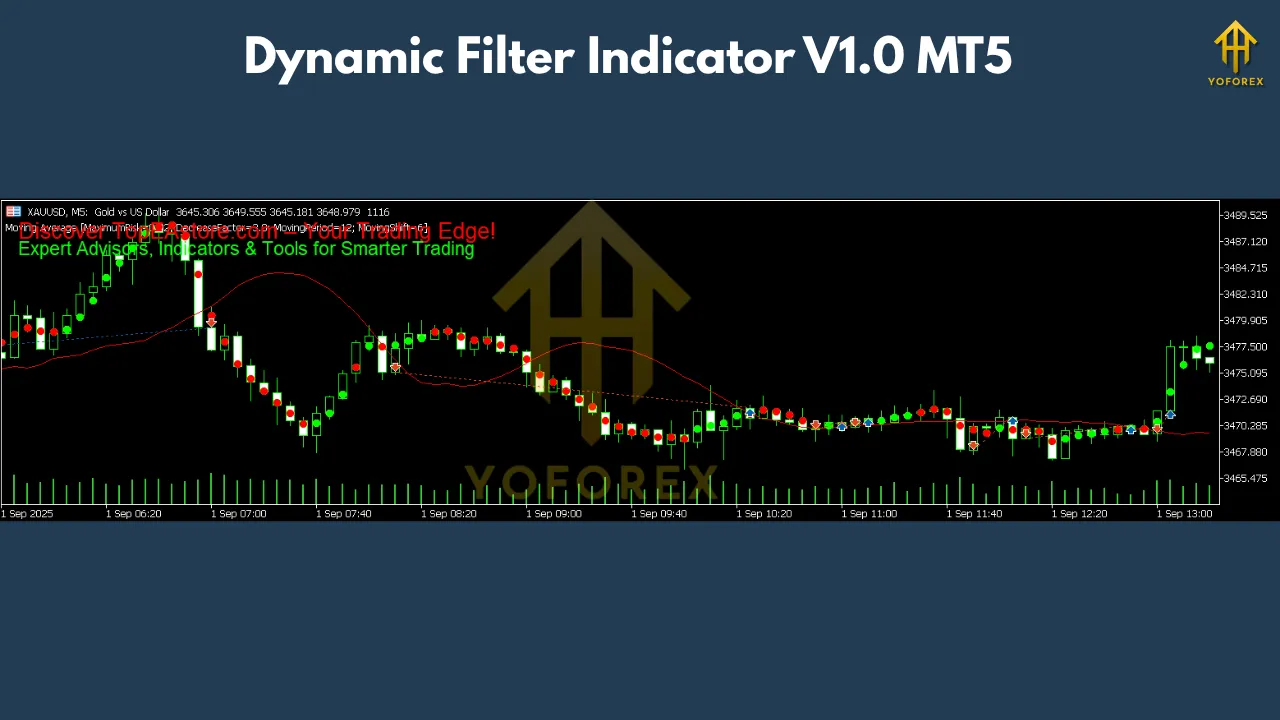
Once applied to a chart, the indicator visually highlights “favorable zones” where trading setups are statistically more reliable, while muting or dimming periods of excessive noise or low probability.
Think of it as a quality-control checkpoint for your trading strategy.
💡 Key Features of Dynamic Filter Indicator V1.0 MT5
✅ Multi-Asset Compatibility
This indicator works on all MT5-supported instruments, including:
-
Forex pairs (EUR/USD, GBP/JPY, etc.)
-
Commodities (Gold, Oil)
-
Indices (S&P 500, DAX, NASDAQ)
-
Cryptocurrencies (BTC/USD, ETH/USD)
-
Stocks (on brokers that support them via MT5)
✅ Any Timeframe Support
Dynamic Filter can be applied to any timeframe:
-
Scalpers can use it on M1, M5, M15
-
Swing traders will benefit from H1, H4, or D1
-
Position traders can deploy it on weekly/monthly charts
The indicator adapts to each timeframe’s characteristics using dynamic sensitivity levels.
✅ Non-Lagging Algorithm
Many indicators suffer from lag, making them ineffective in fast-moving markets. Dynamic Filter V1.0 is designed to react quickly to price changes without excessive delay, giving you timely visual feedback.
✅ Visual Clarity
The indicator outputs easy-to-read visual cues directly on your chart:
-
Green zones: favorable trading conditions (trend strength + low noise)
-
Red/Gray zones: high noise or unfavorable conditions
-
Dynamic bands or overlays depending on your chosen display mode
This visual system helps traders instantly assess market quality without analysis paralysis.
✅ Customization Options
You can fine-tune settings such as:
-
Filter sensitivity
-
Smoothing method (EMA, SMA, etc.)
-
Volatility threshold
-
Display mode (overlay, histogram, background shading)
This makes the Dynamic Filter flexible for any strategy or trader profile.
🔧 How to Use the Dynamic Filter Indicator in Your Strategy
Here are a few ways traders can use this indicator effectively:
1. Trade Confirmation
Use it to confirm signals from your primary strategy. For example:
-
Combine with RSI/MACD to confirm momentum
-
Confirm breakout signals only when the filter shows favorable conditions
2. Noise Reduction
Avoid trading during flat or sideways markets by only entering trades during green (clear) zones.
3. Trend Filtering
Use the indicator as a trend filter:
-
Only take long trades when the filter shows a bullish bias
-
Only take short trades when conditions are clearly bearish
4. Algorithmic Integration
If you’re building an MT5 Expert Advisor, you can call the indicator via iCustom() to use its filtered signals as trade conditions in your automated strategy.
⚙️ Suggested Settings (Example)
While the indicator comes with optimized default settings, here are a few suggested tweaks based on your trading style:
| Trading Style | Timeframe | Sensitivity | Smoothing | Filter Mode |
|---|---|---|---|---|
| Scalping | M1 – M15 | High (7-10) | EMA | Overlay |
| Day Trading | M15 – H1 | Medium (5-7) | EMA/SMA | Background |
| Swing Trading | H4 – D1 | Low (2-5) | LWMA | Histogram |
Make sure to backtest or forward-test on demo accounts to see how the settings respond to your asset of choice.
🧪 Performance and Benefits
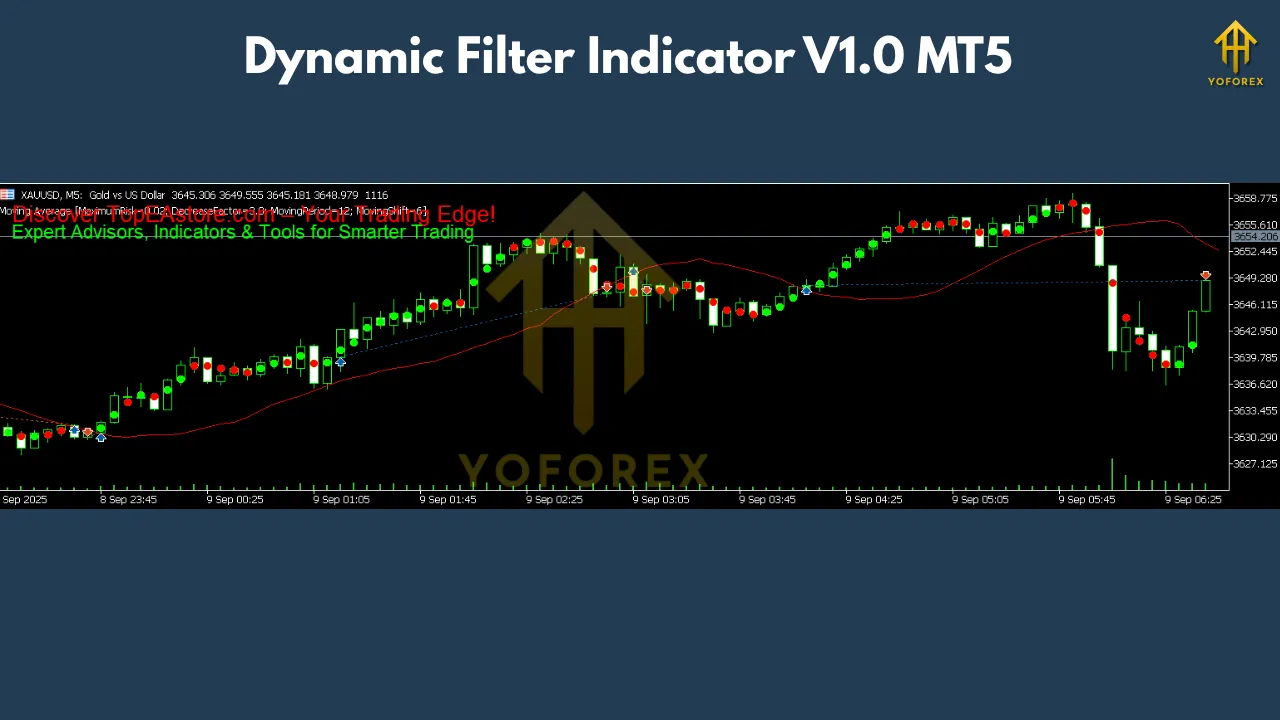
Based on user feedback and testing, traders using the Dynamic Filter Indicator have reported:
-
Fewer false signals in sideways markets
-
Improved win rate when used as a trend filter
-
Better confidence in entries and exits
-
Enhanced clarity when markets are volatile or choppy
The indicator doesn’t promise profits—it enhances your decision-making process, which is invaluable in high-speed trading.
🛠 Installation Guide
Installing Dynamic Filter Indicator V1.0 on MT5 is easy:
-
Download the
.ex5or.mq5indicator file -
Open your MetaTrader 5 platform
-
Go to File > Open Data Folder
-
Navigate to MQL5 > Indicators
-
Paste the file into the Indicators folder
-
Restart MT5
-
Open any chart, go to Navigator > Indicators, and drag Dynamic Filter V1.0 onto the chart
-
Adjust settings to match your strategy
👤 Who Should Use Dynamic Filter V1.0?
This indicator is perfect for:
-
Forex traders seeking better trade quality
-
Crypto and commodity traders managing volatility
-
Beginners needing clarity in market structure
-
Manual or semi-automated traders who want real-time filters
-
EA developers looking for filter logic in algorithmic systems
⚠️ Limitations
While Dynamic Filter is powerful, it’s not:
-
A signal generator (it doesn’t tell you when to buy/sell directly)
-
A replacement for risk management
-
Immune to market shocks (news, unexpected volatility)
It’s best used alongside other indicators or systems, not as a standalone trading method.
✅ Final Thoughts: Is Dynamic Filter Indicator V1.0 MT5 Worth It?
If you’re tired of being whipsawed by noise, entering false breakouts, or getting caught in ranging markets, the Dynamic Filter Indicator V1.0 for MT5 can become a crucial part of your trading toolkit.
By adding a layer of smart filtering to your existing strategy, you can reduce bad trades, improve entry precision, and ultimately trade with more confidence.
In 2025, as markets become faster and more unpredictable, tools that help you focus on quality over quantity are invaluable—and Dynamic Filter is exactly that.
Join our Telegram for the latest updates and support