Introduction
Many traders want consistent execution on major currency pairs without sitting in front of the charts all day. Manual trading often leads to missed entries, emotional exits, or inconsistent trailing. Cometex EA V1.0 MT4 is an automated Expert Advisor designed to handle entries, position management, and risk parameters systematically on the MetaTrader 4 platform.
This article explains what the bot actually does, how its known logic works, its main features and settings, the risks involved, and what you should check before deciding whether it fits your trading approach.
What Is Cometex EA V1.0 MT4?
Cometex EA V1.0 is an Expert Advisor for MetaTrader 4 that trades major currency pairs. It uses technical indicators to generate entry signals, applies trailing and stop management, and includes filters for trading hours, spread, and slippage. The EA is built with failure protection so that when a connection is restored it can continue processing existing orders. It is designed to run on both desktop terminals and VPS environments.
The core problem it addresses is the need for systematic, rules-based execution with adjustable risk controls and reduced screen time.
How Does Cometex EA Work?
From the available description, the workflow follows a clear sequence:
Signal generation
The EA monitors volatility channels and uses the Envelopes indicator (with adjustable timeframe, period, deviation, and retreat) together with a Moving Average and Average True Range (ATR) to identify potential entries. An “Engine” depth parameter and “Matching” noise filter influence signal reliability.
Entry
Trades are placed according to the filtered signals. Maximum spread and slippage limits help avoid poor execution conditions. A Magic number and open comment allow the EA to manage its own orders and work alongside other experts.
Position management
Once in a trade, the EA monitors volume, spread changes, and slippage. It applies trailing stop logic that can adjust based on commissions and current volatility. Trailing starts at a defined level, uses a base distance, a reduction coefficient, and a step.
Exit and risk control
Fixed Stop Loss and Take Profit levels are available. An automatic Stop Loss corrector can adjust the stop relative to volatility (can be set to 0 to disable). Trailing continues to protect profits as the market moves.
Risk and lot sizing
Fixed lot size can be used, or automatic money management (AutoMM) based on a percentage of the account. The EA is described as able to work with any deposit size, though position sizing still depends on the chosen settings and risk tolerance.
Trading can be restricted to defined hours (including separate Monday start and Friday end times) via the UseTime parameter.
Cometex EA Strategy Explained
The strategy relies on volatility-channel and indicator-based entries. Envelopes define a channel, Moving Average provides trend or mean context, and ATR influences volatility-aware calculations. The “Complex” filter and “Matching” noise filter are intended to reduce lower-quality signals. The “Engine” parameter controls analysis depth.
Exact entry rules (e.g., precise cross or breakout conditions) are not fully detailed in the public description, so users should treat the indicator set as the core of the logic and verify behavior on a demo account.
Key Features
- Failure protection that resumes order processing after connection loss
- Time-based trading windows (general + Monday/Friday specific)
- Envelopes + Moving Average + ATR signal framework
- Volatility-aware trailing that can adjust for commissions
- Spread and slippage monitoring
- Fixed or automatic lot sizing (AutoMM)
- Configurable Stop Loss with optional volatility corrector
- Magic number support for multi-EA setups
- Designed for major currency pairs and any deposit size
- Compatible with desktop MT4 and VPS
Quick Specifications
| Feature | Details |
|---|---|
| Platform | MetaTrader 4 |
| Strategy | Indicator-based (Envelopes, MA, ATR) with volatility filters |
| Trading Style | Automated with trailing and time filters |
| Instruments/Pairs | Major currency pairs |
| Timeframe | Configurable via indicator TFs (EnvelopesTf, eMaTf, AtrTf) |
| Risk Management | Fixed SL/TP, volatility-adjusted SL option, trailing, AutoMM or fixed lot, MaxSpread, Slippage |
| Automation | Full signal → entry → management → exit |
| VPS | Supported; failure protection aids reliability |
| Best For | Traders seeking systematic major-pair automation with adjustable risk and time controls |
Main Benefits
- Removes the need for constant chart watching once settings are configured
- Applies consistent trailing and stop logic without emotional interference
- Allows trading only during preferred hours
- Monitors spread and slippage to avoid poor conditions
- Supports both fixed and percentage-based position sizing
- Can continue managing positions after temporary disconnections
These benefits depend on correct settings, a stable environment, and suitable market conditions.
Limitations & Risks
No automated system is free of risk. Key points to consider:
- Drawdown is always possible; fixed or trailing stops do not eliminate it.
- Performance depends heavily on market regime (trending vs ranging, volatility levels).
- Spread and slippage still affect results even with filters.
- Broker execution quality and server conditions matter.
- Incorrect parameter values (especially lot size, StopLoss, or trailing settings) can increase risk.
- VPS or local connectivity issues can interrupt operation, although failure protection helps.
- Strategy-specific risk: indicator-based systems can generate clusters of signals or periods of inactivity.
- Backtest results (if available from the vendor) do not guarantee future live performance.
Always test thoroughly on a demo account with realistic spreads and latency before considering live use.
Who Is Cometex EA For?
- Traders who want automated execution on major pairs
- Users comfortable configuring MT4 Expert Advisors and monitoring results
- Those who prefer systematic rules over discretionary decisions
- Traders who can provide a reliable VPS or stable desktop connection
- Account holders who understand risk management and position sizing
Who Should Avoid It?
- Absolute beginners with no understanding of MT4, spreads, or risk
- Traders looking for a “set and forget forever” system with no monitoring
- Anyone who cannot accept drawdowns or who needs guaranteed results
- Users unwilling to test settings on demo first
- Those trading pairs or timeframes outside the EA’s designed scope without verification
Cometex EA vs Manual Trading
| Aspect | Cometex EA | Manual Trading |
|---|---|---|
| Execution | Rules-based, automatic | Discretionary |
| Screen time | Low once running | High |
| Consistency | High (same rules every time) | Variable |
| Emotional interference | Minimal | Common |
| Speed | Fast reaction to signals | Limited by human reaction |
| Flexibility | Limited to programmed logic | High (can adapt instantly) |
| Monitoring | Periodic checks + alerts | Continuous |
| Risk management | Pre-set SL, trailing, filters | Depends on trader discipline |
The EA wins on consistency and reduced emotional interference. Manual trading retains greater flexibility to adapt to unexpected news or regime shifts.
What To Check Before Buying
- Confirm the strategy logic matches your preferred approach
- Review risk parameters (StopLoss, AutoMM percentage, MaxSpread)
- Verify MT4 compatibility and that your broker allows EAs
- Plan for a reliable VPS if you will run it 24/5
- Study the full parameter list and default values
- Request or perform your own backtests and forward tests
- Check support availability and update policy
- Understand the license terms (one account, multiple, etc.)
- Compare the price against similar indicator-based EAs
Only proceed if the above points are clear and acceptable.
Cometex EA Settings
Key parameters provided by the vendor include:
- Time controls: UseTime, StartTrade, EndTrade, StartTradeMonday, EndTradeFriday
- Filters: Complex, Matching, MaxSpread, Slippage
- Indicators: EnvelopesTf/Period/Deviation/Retreat, eMaTf/Period/Deviation, AtrTf/Period/Index
- Analysis depth: Engine
- Risk: StopLoss, StopLossCorrector, TakeProfit, Fixed Lot, UseAutoMM, AutoMM
- Trailing: TrailingStart, TrailingStop, TrailingStopCoeff, TrailingStep
- Identification: Magic, OpenComment, UseLOGO
Start with conservative risk settings and the vendor’s recommended defaults, then adjust only after demo observation.
Cometex EA Backtesting & Performance
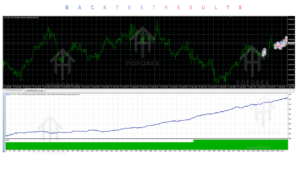
No verified public backtest statistics, forward-test results, or live performance figures are included in the provided product information. Any performance claims should be verified directly with the seller or through your own testing on historical data and a demo account. Historical results never guarantee future performance.
How To Get Started
- Confirm your broker supports MT4 Expert Advisors and has acceptable spreads/execution for major pairs.
- Review all parameters and decide on initial risk levels (lot size or AutoMM percentage, StopLoss, MaxSpread).
- Install the EA on a demo account (or VPS demo).
- Run it for a meaningful period under realistic conditions.
- Monitor trade logic, trailing behavior, and overall results.
- Only consider a live account with small risk once you are satisfied with the demo behavior.
Never risk money you cannot afford to lose.
Is Cometex EA Worth Buying?
Cometex EA V1.0 MT4 offers a structured, indicator-driven approach with solid risk-control options (volatility-adjusted stops, trailing, time filters, spread/slippage limits) and practical features such as failure protection and AutoMM. It is aimed at traders who want systematic automation on major pairs rather than discretionary chart watching.
Whether it is worth purchasing depends on:
- How well the Envelopes + MA + ATR logic matches your market view
- Your willingness to test and fine-tune settings
- The quality of the broker and VPS environment you will use
- The license terms, support, and price relative to similar products
It is not a plug-and-play guarantee of profits. Treat it as a tool that requires proper configuration, monitoring, and risk management.
FAQs
What is Cometex EA V1.0 MT4?
An automated Expert Advisor for MetaTrader 4 that trades major currency pairs using Envelopes, Moving Average, and ATR-based signals with trailing and risk controls.
Is it MT4 or MT5?
It is designed for MT4.
How does it work?
It generates signals from volatility channels and indicators, places trades within defined time windows and spread limits, then manages positions with trailing stops and optional volatility-adjusted stop loss.
What strategy does it use?
Indicator-based entries with Envelopes channel, Moving Average, and ATR, plus noise and complex filters.
Can it be backtested?
Yes, on MT4 Strategy Tester. Always use realistic spreads and test thoroughly.
Is it suitable for beginners?
Only if the beginner is willing to learn MT4, risk settings, and proper testing. Complete novices should gain basic knowledge first.
What broker is required?
Any MT4 broker that allows Expert Advisors and offers acceptable conditions on major pairs. Low-spread, reliable execution is preferable.
How do I buy and install it?
Purchase from the official source (Yoforexea / Yoforexorg), receive the .ex4 or .mq4 file, place it in the MT4 Experts folder, attach it to a chart, and configure the inputs.
Conclusion
Cometex EA V1.0 MT4 is a practical automated system for traders who want rules-based trading on major pairs with adjustable trailing, time filters, and risk controls. Its strengths lie in systematic execution, failure protection, and the ability to run on VPS or desktop. The main considerations are the need for careful parameter selection, realistic expectations about drawdowns, and thorough demo testing.
If you value consistent automation over discretionary flexibility and are prepared to manage risk properly, it is worth evaluating further.
Support & Disclaimer
Support:
If you need help installing or configuring your EA, or face any kind of bug, feel free to reach out on:
Telegram Group: Join our community
Disclaimer:
Forex and gold trading involve risk. Past performance doesn’t guarantee future results. Always test robots on demo before live trading and use proper risk management.
REFERRAL
Join the VIP Signals Telegram Channel for real-time expert trading signals and stay ahead in the forex market. Get personalized strategies by becoming a part of our Real Account Management Telegram Channel and optimize your trading experience. If you’re aiming to Pass PropFirm Challenges , join our dedicated channel for tips and proven methods. Start managing your capital effectively with expert advice from our Funded Account Management Telegram Channel. For advanced traders, our HFT EA / Passing Telegram Channel offers high-frequency trading insights and strategies to boost your performance.