
Introduction
Many traders reach a point where fixed-rule Expert Advisors feel limited. Markets shift, open positions need ongoing attention, and running multiple accounts or strategies creates coordination problems. Syna EA V8.40 MT5 is positioned as a response to that friction — an AI-driven system that aims to stay involved with trades after entry rather than handing control to static rules.
This article focuses on helping you understand the product, evaluate whether it fits your setup, and decide what to verify before purchasing.
What Is Syna EA V8.40 MT5?
Syna EA V8.40 MT5 is an Expert Advisor for MetaTrader 5 developed by William Brandon Autry. It functions as an autonomous AI trader, trading assistant, and position-management layer.
Unlike many conventional EAs that generate an entry and then rely on pre-set stop-loss/take-profit or trailing logic, Syna is designed to retain context, continue analyzing conditions after a position opens, and manage or adjust according to user-defined limits. It can operate standalone or as part of a Master and Agent network across multiple terminals and accounts.
The current version on the official MQL5 Market is 8.4 (closely matching the V8.40 designation used in some distributions). Yoforexea / Yoforexorg lists related versions of the product for traders researching MT5 automation options.
How Does Syna EA Work?
At a high level the flow is:
- Analysis — Evaluates current market conditions, volatility, news context (when enabled), open exposure, and the original reasoning behind a trade.
- Decision / Entry — Can generate its own autonomous trades or work with positions opened manually or by other EAs.
- Position Management — Continues monitoring after entry. Depending on the selected mode it may protect, modify, or close positions as conditions change.
- Exit / Risk Controls — User-configured limits, single-entry hard stops, active management, or optional recovery logic govern exits and exposure.
- Coordination (optional) — In Master-Agent mode one instance can act as the coordinating intelligence while others operate as Agents on additional terminals or accounts.
Full AI features require accounts with supported AI providers (OpenAI, Anthropic, Gemini, Grok, DeepSeek, Mistral and others have been referenced in updates). A stable connection and, for continuous operation, a VPS are recommended.
Exact internal decision logic is not publicly disclosed in full detail. Treat any third-party claims about specific entry filters or indicators as unverified unless confirmed by the developer.
Syna EA Strategy Explained
Syna is not locked to a single traditional strategy type. Official descriptions emphasize:
- Its own autonomous AI trading strategies
- Ability to manage positions from other EAs or manual trades
- Choice between strict single-entry (hard SL/TP, no recovery) and active AI position management
- Optional “Sacred Phi” recovery method that can be disabled
The core idea is persistent decision continuity — carrying forward the reasoning behind previous actions rather than treating every trade as an isolated event. Market regime awareness, news evaluation, and portfolio-level considerations across accounts are part of the design philosophy.
Specific pairs, timeframes, or fixed indicator sets are not rigidly prescribed on the official product page. Secondary sources sometimes list pairs such as AUDCAD, AUDNZD, NZDCAD or majors; these should be verified against current documentation or testing.
Key Features
- Dual-function design: automated trading + interactive AI assistant
- Persistent memory of trade reasoning, outcomes, and context across sessions
- Master and Agent architecture for multi-terminal / multi-account coordination
- Support for multiple AI providers via direct API access
- Ability to manage its own trades, other EAs, and manual positions
- Single-entry mode with hard stops or active AI position management
- Optional Sacred Phi recovery (can be turned off)
- News, volatility, and broader market-context evaluation when enabled
- Works across multiple symbols, strategies, and risk profiles under coordinated oversight
Quick Specifications
| Feature | Details |
|---|---|
| Platform | MetaTrader 5 |
| Strategy Style | AI-driven autonomous + position management |
| Trading Style | Flexible (standalone or coordinated) |
| Instruments/Pairs | Broker-supported symbols (verify current) |
| Timeframe | Not rigidly fixed (user/config dependent) |
| Risk Management | User limits, single-entry, active management, optional recovery |
| Automation Level | Full autonomous or hybrid/assistant modes |
| VPS | Recommended for continuous operation |
| Best For | Traders seeking AI oversight and multi-account coordination |
Main Benefits
The practical advantages center on reduced need for constant manual monitoring and more continuous intelligence around open risk:
- Automation of analysis and execution while retaining the ability to stay involved after entry
- Consistency of process compared with purely discretionary trading
- Ability to apply AI oversight across existing EAs or manual trades rather than replacing everything
- Coordination layer for traders running multiple accounts or terminals
- Flexible risk structures that can be tightened or expanded according to preference
These benefits depend heavily on correct configuration, API reliability, broker execution quality, and realistic risk parameters.
Limitations & Risks
Important considerations include:
- Drawdown and recovery risk — Optional recovery methods can increase exposure and floating drawdown.
- Market conditions — AI analysis does not eliminate losses in adverse or rapidly changing environments.
- Spread, slippage, and execution — Real results depend on broker conditions.
- API dependency — Full features require external AI provider accounts and stable connectivity. Costs and rate limits apply.
- Complexity — Master-Agent setups and multiple modes require understanding and careful testing.
- Settings sensitivity — Incorrect risk or mode selection can produce larger losses.
- VPS / connectivity — Interruptions affect continuous operation.
- Backtest vs live — Historical results (where available) do not guarantee future performance. Public tracked accounts show fluctuating equity and should be reviewed with that understanding.
- Cost — Official MQL5 pricing is premium (approximately $3,200 range at recent listing).
Always test thoroughly on demo and only risk capital you can afford to lose.
Who Is Syna EA For?
- Traders who want AI assistance that continues after entry rather than pure signal generation
- Users running multiple accounts or terminals who value coordinated intelligence
- Those comfortable managing API keys and external AI service costs
- Intermediate to advanced traders willing to invest time in configuration and monitoring
- Traders looking for a system that can operate standalone or integrate with existing EAs
Who Should Avoid It?
- Complete beginners seeking a simple “set and forget” bot with minimal setup
- Traders unwilling or unable to pay for AI API usage
- Anyone looking for guaranteed results or zero-drawdown systems
- Users who prefer fully transparent, rule-based logic they can fully reverse-engineer
- Those with very small accounts relative to the product’s premium positioning and complexity
Syna EA vs Manual Trading
| Aspect | Syna EA | Manual Trading |
|---|---|---|
| Execution | Automated / assisted | Fully discretionary |
| Screen time | Reduced once configured | High |
| Consistency | Process-driven | Variable (emotion & fatigue) |
| Emotional interference | Lower once running | High potential |
| Speed | Fast reaction to programmed logic | Limited by human response |
| Flexibility | High within configured modes | Maximum (any idea possible) |
| Monitoring | Continuous (with VPS) | Dependent on trader availability |
| Risk management | Configurable rules + AI layer | Dependent on trader discipline |
Neither approach is inherently superior. Syna reduces certain human limitations while introducing technology, configuration, and external-service dependencies.
What To Check Before Buying
- Confirm current version and changelog on the official source
- Review exact risk modes and whether Sacred Phi (or similar recovery) is required or optional
- Verify MT5 compatibility and any DLL or external requirements
- Test broker compatibility (execution, symbols, account type)
- Plan for VPS if running 24/7
- Understand API key setup and ongoing costs for chosen AI providers
- Examine any publicly tracked accounts with realistic expectations
- Clarify license terms, activations, and support channels
- Check pricing and update policy (official vs third-party distributions)
- Run your own demo tests before considering live capital
Syna EA Settings
Detailed public setting lists are limited because optimal configuration depends on risk preference, account size, and chosen mode (standalone vs Master-Agent, single-entry vs active management). Start with conservative risk parameters and the developer’s recommended defaults where provided. Always verify current inputs against the version you install.
Syna EA Backtesting & Performance
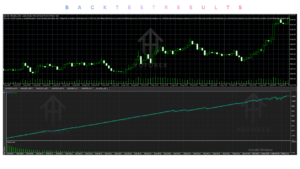
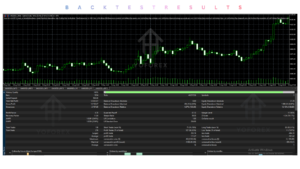
Official materials emphasize live tracked accounts across multiple Agents rather than presenting a single backtest as the primary evidence. Public figures change with open positions, deposits, and withdrawals. Any historical results — backtest, forward test, or live — are not guarantees of future performance. Independent verification and your own testing remain essential.
How To Get Started
- Confirm MT5 compatibility and obtain the correct version.
- Review documentation for modes, risk controls, and API requirements.
- Install on a demo account and configure conservatively.
- Test thoroughly under different market conditions.
- Monitor results, connectivity, and API behavior.
- Only consider live use with capital you can afford to lose after satisfactory demo performance.
Is Syna EA Worth Buying?
Syna EA V8.40 MT5 is a high-concept, premium-priced system aimed at traders who want persistent AI involvement and multi-account coordination rather than a simple fixed-strategy robot. Its strengths lie in architecture (Master-Agent, persistent context, flexible management modes) and the ability to act as an intelligence layer around existing activity.
Whether it is worth the cost depends on:
- Your need for the coordination and post-entry intelligence features
- Willingness to manage API costs and complexity
- Results from your own testing
- Comparison with simpler or lower-cost alternatives that may meet your actual requirements
It is not a universal solution and carries the normal risks of automated trading plus additional technology dependencies. Evaluate carefully against your goals, skill level, and risk tolerance.
FAQs
What is Syna EA V8.40 MT5?
An AI-powered MT5 Expert Advisor that combines autonomous trading, interactive assistance, and ongoing position management with optional Master-Agent coordination.
Is it MT4 or MT5?
MT5 only.
How does it work?
It analyzes conditions, can enter or manage positions, retains decision context, and continues evaluating after entry according to selected risk modes.
What strategy does it use?
AI-driven autonomous strategies plus flexible position management (single-entry or active). Exact internal logic is not fully public.
Can it be backtested?
Yes on MT5 Strategy Tester, though full AI/API features may have limitations in pure historical testing. Live/forward testing is more representative.
Is it suitable for beginners?
Generally better suited to intermediate/advanced users comfortable with configuration, APIs, and risk management.
What broker is required?
Any MT5 broker supporting the symbols and account type you intend to use. Execution quality matters.
How do I buy or install it?
Official source is the MQL5 Market. Third-party distributors including Yoforexorg list versions — always verify authenticity, license, and updates.
Conclusion
Syna EA V8.40 MT5 is built for traders who want an AI system that stays engaged with trades and can coordinate across accounts rather than a conventional single-strategy bot. Its main strengths are architectural flexibility, persistent context, and multi-role capability (trader, assistant, manager, coordinator).
Key considerations remain complexity, API dependency, premium pricing, and the usual risks of drawdown, execution, and changing market conditions. Thorough demo testing and realistic expectations are essential.
If the Master-Agent concept, ongoing AI management, and multi-account oversight match your needs, review the latest official details, run your own tests, and proceed only with capital you can afford to risk.
Next step: Visit the product page on Yoforexorg or the official MQL5 listing to check current version, pricing, documentation, and demo options, then evaluate compatibility with your setup before deciding.
Support & Disclaimer
Support:
If you need help installing or configuring your EA, or face any kind of bug, feel free to reach out on:
Telegram Group: Join our community
Disclaimer:
Forex and gold trading involve risk. Past performance doesn’t guarantee future results. Always test robots on demo before live trading and use proper risk management.
REFERRAL
Join the VIP Signals Telegram Channel for real-time expert trading signals and stay ahead in the forex market. Get personalized strategies by becoming a part of our Real Account Management Telegram Channel and optimize your trading experience. If you’re aiming to Pass PropFirm Challenges , join our dedicated channel for tips and proven methods. Start managing your capital effectively with expert advice from our Funded Account Management Telegram Channel. For advanced traders, our HFT EA / Passing Telegram Channel offers high-frequency trading insights and strategies to boost your performance.