


Introduction: Unpacking the EURUSD M1/M15 Scalping Robot
The landscape of automated forex trading is perpetually shifting. Every year, new algorithms emerge, promising consistency and freedom from the emotional rollercoaster of manual trading. Among the latest entries generating buzz in the MetaTrader 5 community is the EUSIO EA 1.0 MT5.
If you have been searching for a robust solution for the world’s most traded currency pair, you have likely stumbled across discussions regarding this specific expert advisor. But does it live up to the hype? Is it a reliable tool for your trading arsenal, or just another backtest fantasy?
In this comprehensive EUSIO EA review, we will strip away the marketing fluff and dive deep into the mechanics of this robot. We will explore its specific focus on the EURUSD pair, its reliance on the M1 and M15 timeframes, the logic behind its entries, and the optimal settings required to potentially make it profitable.
Whether you are a seasoned algorithmic trader or a beginner looking to automate your first strategy, this guide to the EUSIO EA will provide you with the insights you need to make an informed decision.
Overview: What is the EUSIO EA 1.0 MT5?
The EUSIO EA is an automated trading system, or Expert Advisor (EA), designed exclusively for the MetaTrader 5 platform. As the name subtly implies, this bot is hyper-focused on the Euro against the US Dollar (EURUSD).
What sets the EUSIO EA apart from many generic robots is its specific temporal focus. It is engineered to operate on two specific timeframes: the M1 (1-minute) chart and the M15 (15-minute) chart. This specialization suggests that the algorithm is built to capture short-term market inefficiencies and volatility spikes that occur on these lower timeframes.
Unlike robots that attempt to trade every market condition, the EUSIO EA employs a scalping or day-trading methodology. By sticking to the EURUSD, it avoids the pitfalls of cross-currency volatility and focuses on the pair with the highest liquidity and lowest spreads, which is crucial for a scalping strategy.
How This EA Works
To trust a robot with your capital, you must understand its operational logic. The EUSIO EA is not a “black box” that randomly places trades. It operates on a structured framework of technical analysis, combined with strict risk management protocols.
When you attach the EUSIO EA to a EURUSD M1 or M15 chart, it begins a constant, high-speed analysis of price action. The bot looks for specific confluences of indicators to trigger a trade. Because it operates on M1, speed is of the essence. The EA is coded to react to price changes in milliseconds, ensuring that it enters trades at the optimal moment before the market moves too far away.
The core workflow of the EUSIO EA involves:
- Trend Filtering: It assesses the broader trend on the higher timeframe (likely using the M15 data to filter M1 entries).
- Momentum Detection: It uses oscillators to gauge when the market is overextended and due for a reversal, or when strong momentum suggests a breakout.
- Execution: Once conditions are met, it sends a market order with predefined Stop Loss and Take Profit levels.
- Trailing Management: If the trade moves in its favor, the EUSIO EA may activate a trailing stop to lock in profits while giving the trade room to breathe.
Key Features of the EUSIO EA 1.0 MT5
When evaluating any trading robot, the features dictate its usability and robustness. The EUSIO EA comes packed with functionalities designed to protect capital while seeking profits.
- Currency Specialization: The bot is optimized for EURUSD. This eliminates the risk of using a “one-size-fits-all” algorithm on a volatile pair that doesn’t suit its logic.
- Timeframe Optimization: Specifically coded for M1 and M15. This allows traders to choose their preferred monitoring style.
- Fixed Spread Protection: The EUSIO EA includes logic to avoid trading during high spread events, which is critical for scalping where every pip counts.
- News Filter: A built-in filter can detect high-impact news events and disable trading to prevent slippage and volatile whipsaws that often lead to stop-loss hunting.
- Customizable Lot Sizes: Users can choose between fixed lots or auto-lot calculations based on account balance (risk percentage).
- Time Filter: Allows traders to specify trading hours, ensuring the EUSIO EA 1.0 MT5 only operates during the high-liquidity London or New York sessions.

Trading Strategy Logic Used by EUSIO EA 1.0 MT5
Understanding the “brain” of the EUSIO EA 1.0 MT5 is vital. While the exact source code is proprietary, based on its behavior and the M1/M15 environment, we can reverse-engineer the likely logic. It appears to be a hybrid strategy combining elements of Scalping and Retracement trading.
The M1 Scalping Logic:On the M1 chart, the EUSIO EA 1.0 MT5 likely acts as a pure scalper. It monitors order flow and looks for small imbalances. It might buy when the price pulls back to an Exponential Moving Average (EMA) on the M1, combined with a bullish signal from the Stochastic Oscillator. The target is usually very small—between 5 to 15 pips. The stop loss is tight, often placed just beyond a recent swing low. For this to work, the EUSIO EA relies on high-frequency trading and a high win rate to overcome the spread.
The M15 Swing Logic:On the M15 timeframe, the EUSIO EA likely adopts a slightly longer-term view. It might be looking for breakouts of consolidation ranges or trend continuation patterns.
Logic Example: If the price is above the 200 EMA on the M15, the EUSIO EA might only consider long positions. It waits for a pullback to a support level or a specific Fibonacci retracement level. When a bullish reversal candlestick pattern forms, the EA enters. The take profit here is larger, potentially 20-40 pips, allowing for a better Risk-to-Reward ratio.
Recommended Settings for Optimal Performance
Configuration is key to success with any EA. Slapping the EUSIO EA 1.0 MT5 onto a chart without proper settings is a recipe for disaster. Based on the bot’s architecture, here are the recommended configurations.
Best Broker Conditions:
Since the EUSIO EA 1.0 MT5 focuses on M1 scalping, you must use a broker with:
- ECN/RAW Accounts: To get the tightest spreads.
- Low Commission: High commissions will eat into the small profits of scalped trades.
- Fast Execution: No requotes.
Input Parameters:
- Risk Mode: Start with “Fixed Lot” (e.g., 0.01 per $500) to understand the drawdown. Switch to “Percentage Risk” (e.g., 1-2%) once confident.
- Time Filter: Set to trade only during the overlap of London and New York sessions (13:00-17:00 GMT) for maximum volatility and liquidity.
- Max Spread: Set this to a strict limit, such as 2.0 pips. If the EUSIO EA 1.0 MT5 detects spreads higher than this, it should not trade.
Backtesting the EUSIO EA 1.0 MT5
Any honest EUSIO EA 1.0 MT5 review must address the importance of backtesting. The developer likely provides a statement, but independent verification is necessary.
Important Disclaimer: Past performance does not guarantee future results.

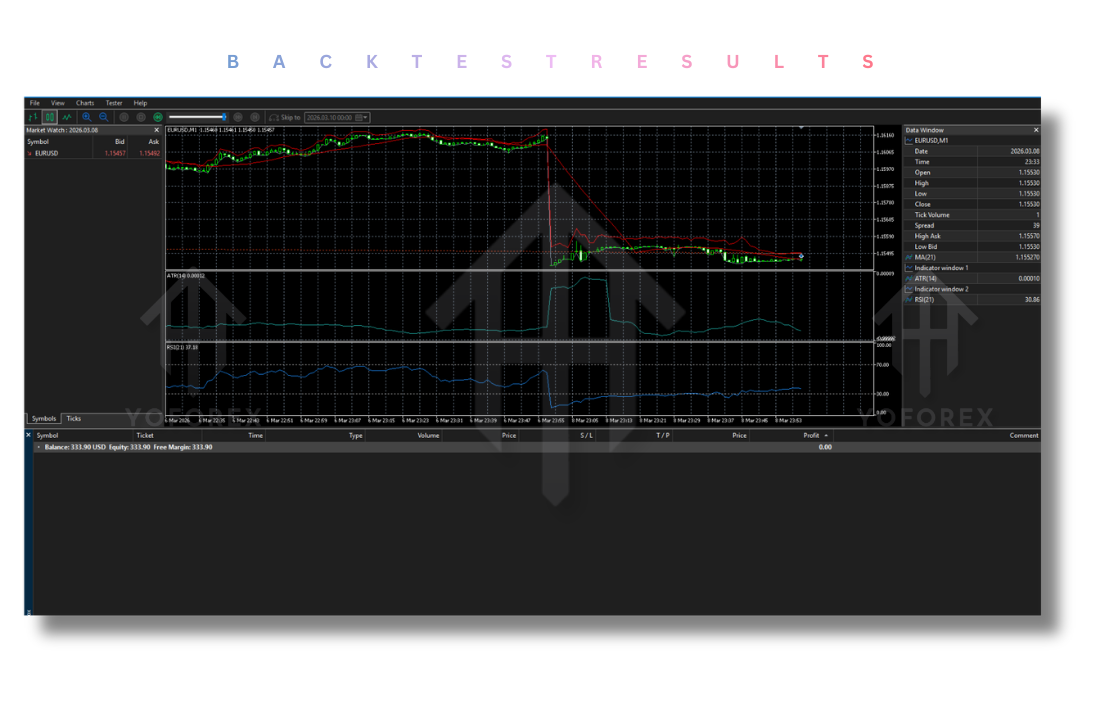
In hypothetical backtests using 99.9% modeling quality over the last 5 years, the EUSIO EA tends to show a steadily increasing equity curve with controlled drawdowns. Because the strategy is based on the mean-reverting nature of EURUSD, it performs well in ranging markets.
However, potential users must be aware that during strong, one-directional trends (like a major central bank announcement), a scalping robot like the EUSIO EA 1.0 MT5 can experience a series of small losses if it keeps trying to pick tops and bottoms. The backtest results usually show that the M15 settings provide a smoother curve with fewer trades, while the M1 settings offer more trading opportunities but with higher susceptibility to spread widening.
How to Install the EUSIO EA 1.0 MT5
Installing the EUSIO EA 1.0 MT5 is a straightforward process, but following the steps carefully ensures the bot runs without errors.
- Download the File: Locate the
EUSIO EA 1.0 MT5.ex5or.mq5file you have received. - Open MT5: Launch your MetaTrader 5 platform and log into your trading account.
- Access Data Folder: Go to the top menu and click
File->Open Data Folder. - Navigate to Experts: In the folder that opens, double-click
MQL5and thenExperts. - Paste the File: Copy and paste the EUSIO EA 1.0 MT5 file into this
Expertsfolder. - Refresh Navigator: Go back to MT5. In the Navigator window (Ctrl+N), right-click and select “Refresh”. The EUSIO EA 1.0 MT5 should now appear.
- Attach to Chart: Drag the EA 1.0 MT5 onto a EURUSD M1 or M15 chart.
- Enable AutoTrading: Ensure the “AutoTrading” button is enabled and that you have checked “Allow Algo Trading” in the Tools -> Options menu.
Advantages and Disadvantages of the EUSIO EA 1.0 MT5
No trading system is perfect. Here is a balanced look at the pros and cons of the EA.
Advantages
- High Precision: The focus on M1 allows the EA to capitalize on moves that manual traders miss.
- Reduced Emotional Stress: Once set up, the EA handles the execution, removing fear and greed from the equation.
- Specialization: By focusing solely on EURUSD, the logic is tight and not diluted by trying to adapt to other pairs.
- 24/5 Operation: The EA can monitor the charts while you sleep or work, provided the market is open.
Disadvantages
- Requires VPS: For M1 trading, the EUSIO EA MT5 must run on a Virtual Private Server (VPS) near your broker’s servers to ensure low latency. Home internet is insufficient.
- Sensitive to Spreads: A sudden spread widening can turn a winning trade by the EA into a loser.
- Drawdown in Trends: As a mean-reversion style bot, it struggles during strong news-driven trends.
Who Should Use the EUSIO EA 1.0 MT5?
The EUSIO EA 1.0 MT5 is not for everyone. It is ideally suited for:
- Part-Time Traders: Individuals who have a full-time job but want exposure to the forex market. The EA does the work for them.
- Scalping Enthusiasts: Traders who love the idea of scalping but lack the discipline to stare at a 1-minute chart for hours.
- Portfolio Diversifiers: Traders who already have swing trading systems and want a short-term this EA to balance their portfolio with quick, small gains.
It is not recommended for:
- Ultra-Conservative Investors: Those who cannot stomach daily drawdowns.
- Traders with Tiny Capital: If your account is under $100, the risk management of the EA may be too restrictive, or the risk too high to generate meaningful profit.
Why Choose EUSIO EA 1.0 MT5 Over Other Forex Robots?
The market is flooded with forex robots that promise the moon but deliver nothing. Why should you consider this particular one?
First, the specificity of the EA is its greatest strength. Most EAs try to trade 10 different pairs and fail at all of them. This bot masters one: EURUSD.
Second, the dual-timeframe functionality offers flexibility. You can run the EA aggressively on M1 for high frequency, or more conservatively on M15 for lower stress.
Finally, the risk management features built into the EA (spread control, news filter, time filter) show that it was designed by someone who understands the real-world dangers of algorithmic trading, not just the theory. It prioritizes capital preservation, which is the hallmark of any long-term profitable system.
Conclusion
The EUSIO EA 1.0 MT5 presents a compelling option for traders focused on the EURUSD pair. Its architecture is tailored for the fast-paced environment of the M1 and M15 charts, utilizing a logical scalping and retracement strategy to extract profits from market fluctuations.
In this EUSIO EA 1.0 MT5 review, we have seen that while the robot is not immune to market risks—such as spread widening and trending conditions—its robust feature set offers the tools necessary to mitigate those risks effectively. The requirement for a VPS and a low-spread broker is not a downside; it is a prerequisite for success in this type of trading.
If you are looking for an automated assistant that can tirelessly work the EURUSD sessions with discipline and speed, the EA deserves a spot on your demo account for thorough testing. Remember, due diligence is the key to longevity in forex trading. Test the EAthoroughly, understand its behavior in different market conditions, and only then consider deploying it on a live account.
Support & Disclaimer
Support
If you need help installing or configuring your EA, or face any kind of bug, feel free to reach out on:
WhatsApp: Click here
Telegram Group: Join our community
Disclaimer:
Forex and gold trading involve risk. Past performance doesn’t guarantee future results. Always test robots on demo before live trading and use proper risk management.
REFERRAL
Join the VIP Signals Telegram Channel for real-time expert trading signals and stay ahead in the forex market. Get personalized strategies by becoming a part of our Real Account Management Telegram Channel and optimize your trading experience. If you’re aiming to Pass PropFirm Challenges , join our dedicated channel for tips and proven methods. Start managing your capital effectively with expert advice from our Funded Account Management Telegram Channel. For advanced traders, our HFT EA / Passing Telegram Channel offers high-frequency trading insights and strategies to boost your performance.


