FX LAB V2.0 INDICATOR MT4: A Comprehensive Guide to Optimizing Your Trading Strategy
In the fast-paced world of forex trading, having the right tools to aid decision-making can be the key to success. FX LAB V2.0 Indicator for MetaTrader 4 (MT4) is one such advanced tool that empowers traders to make data-driven decisions. Designed for scalping, day trading, and swing trading, this indicator offers a unique way to approach forex trading by leveraging intelligent algorithms to identify high-probability trades. In this blog post, we will explore how FX LAB 2.0 can become an essential part of your trading strategy.
Overview of FX LAB V2.0 Indicator
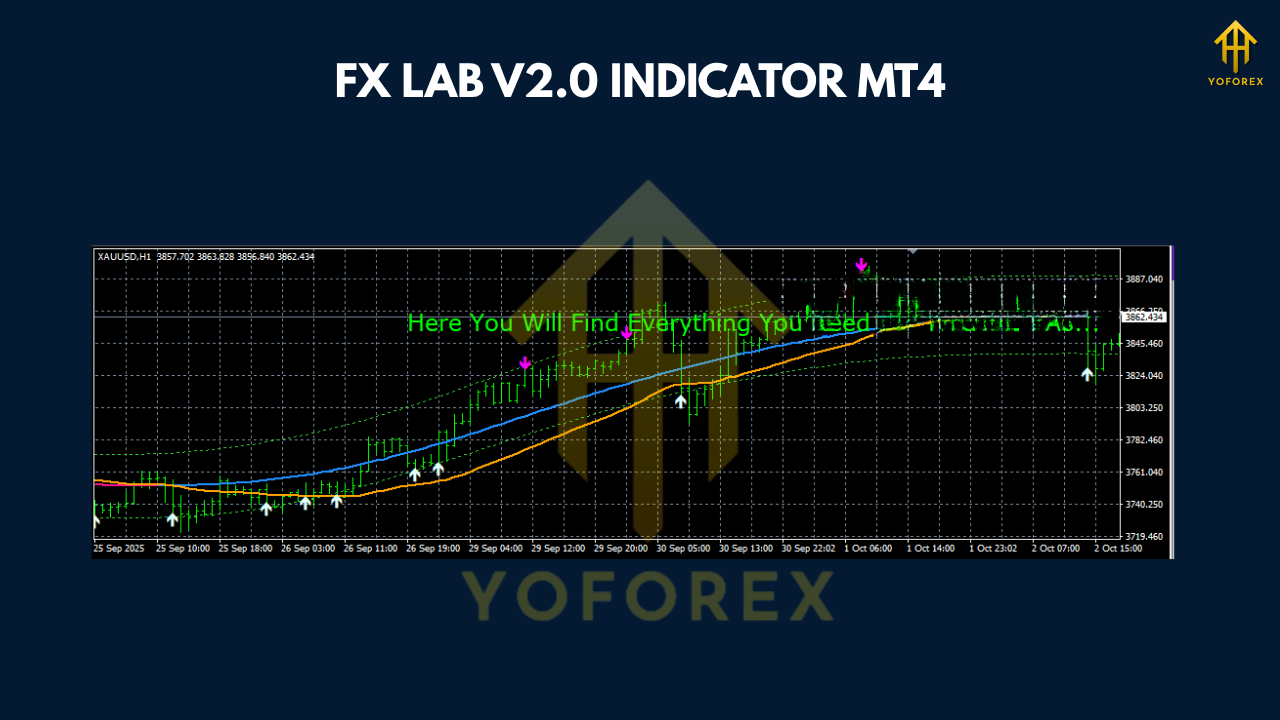
FX LAB V2.0 is an advanced trading indicator designed to work seamlessly with the MT4 platform, which is one of the most widely used platforms among forex traders. The indicator is built to help traders spot entry and exit points with greater accuracy and confidence. It achieves this by generating snake signals—a unique feature that sets it apart from other indicators.
The tool incorporates several key features that make it versatile for different types of trading strategies, including scalping, day trading, and swing trading. Its intuitive interface allows traders of all experience levels to integrate it into their workflow, providing crucial support during the trading process.
Key Features of FX LAB V2.0 Indicator
-
Snake Signals:
The FX LAB V2.0 Indicator generates snake signals, which are highly accurate market trend signals. These signals help traders identify both short and long entry points based on the algorithm’s analysis of market movements. The snake signals are designed to help reduce market noise and enhance decision-making. -
Scalping and Day Trading Compatibility:
With its rapid and precise signal generation, FX LAB V2.0 is an excellent tool for scalpers and day traders who need quick entries and exits. The M1 and M5 timeframes allow traders to capture smaller price movements, crucial for short-term strategies. -
Take Profit and Stop Loss Targets:
One of the standout features of the FX LAB V2.0 is the ability to display predefined take profit (TP) and stop loss (SL) targets directly on the chart. These levels are calculated based on the indicator’s analysis and are tailored to ensure optimal risk-reward ratios. -
Trade Confirmation Dashboard:
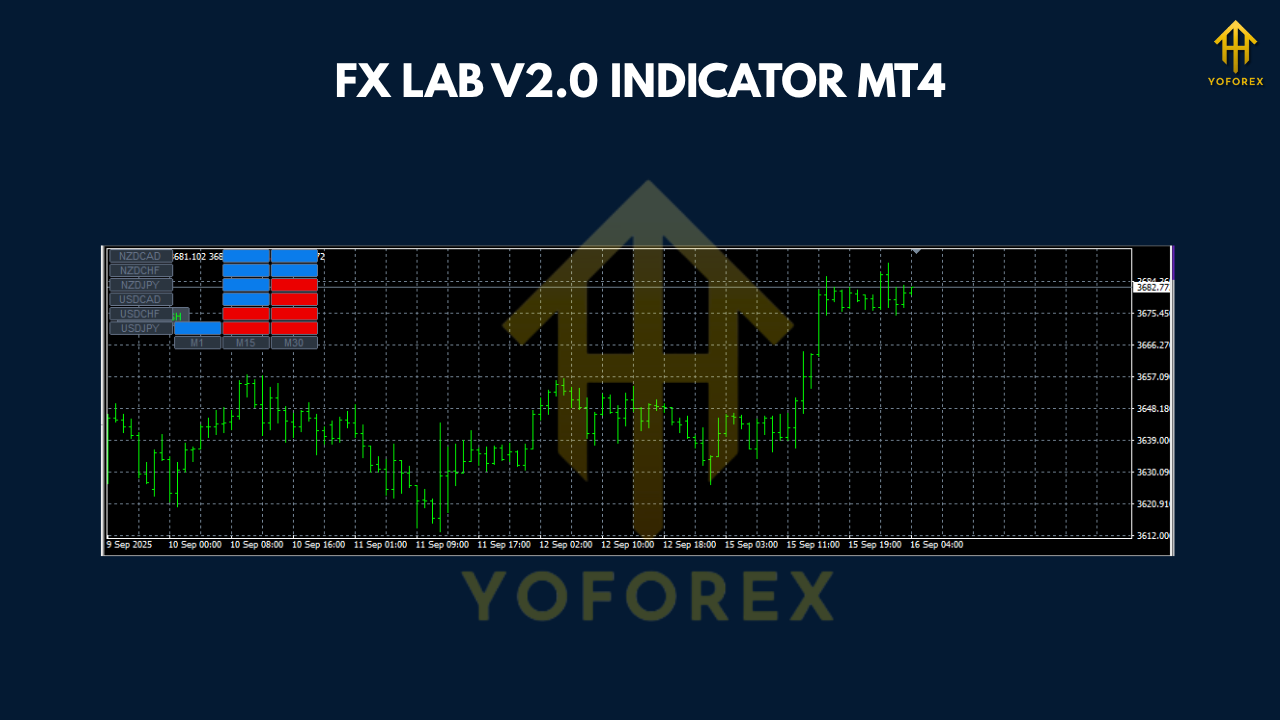
The indicator includes an intuitive dashboard that offers live trade confirmations, ensuring that you’re always aware of the trade’s status. The dashboard also shows whether the current market conditions align with the strategy’s criteria, helping you make better-informed decisions. -
Suitable for All Currency Pairs:
FX LAB V2.0 works with any currency pair, making it a versatile tool for a wide range of trading options. Whether you are trading major pairs like EURUSD, GBPUSD, or exotic pairs, FX LAB 2.0 can be applied to any market conditions.
How FX LAB V2.0 Helps Traders
FX LAB V2.0 helps traders by automating complex calculations that are usually time-consuming and challenging to perform manually. The snake signals simplify the process of identifying trends, while the automated risk management tools (such as TP and SL levels) ensure that traders follow proper trading discipline.
Additionally, the trade confirmation dashboard reduces the guesswork involved in entering or exiting a trade. By showing whether the current market conditions align with the preset criteria, traders can avoid emotional trading and follow a more structured approach.
How to Use FX LAB V2.0 Indicator
Installation
To get started with FX LAB V2.0 on MT4, you’ll need to follow these simple steps:
-
Download and Install the Indicator:
Once you’ve purchased or obtained FX LAB V2.0, download the EX4 file. Copy it into theExpertsfolder in your MT4 directory. Then, restart your MT4 platform to activate the indicator. -
Add the Indicator to Your Chart:
After restarting MT4, navigate to the ‘Navigator’ panel and locate FX LAB V2.0 in the ‘Indicators’ section. Drag the indicator onto your chosen chart (preferably M1 or M5 timeframes). -
Adjust Settings:
FX LAB V2.0 allows you to adjust various settings, including risk parameters, TP and SL settings, and the strength of the snake signals. Tweak these based on your trading preferences and risk appetite.
Using the Dashboard
The dashboard displays the trade confirmation along with calculated TP and SL levels. Once the indicator signals a valid entry, you’ll see a green or red confirmation on the dashboard. If the market conditions match the strategy’s criteria, a trade can be placed with minimal analysis required.
Advantages of Using FX LAB V2.0
-
Automated Trading Decisions:
FX LAB V2.0 simplifies trading decisions by automating the analysis of market conditions and trade management. It ensures that your entries and exits are based on sound technical analysis rather than emotional decisions. -
Reduced Market Noise:
The snake signals cut through market noise by filtering out irrelevant price movements. This helps traders focus on significant trends and avoid making trades based on temporary fluctuations. -
Enhanced Risk Management:
The built-in TP and SL levels are invaluable for ensuring that your trades adhere to solid risk management principles. With automated calculations, traders don’t have to manually set their risk parameters, which minimizes human error. -
Suitable for Traders of All Levels:
Whether you’re a beginner just starting out or an experienced trader looking to optimize your strategy, FX LAB V2.0 provides an intuitive platform to make informed, data-backed trading decisions.
Who Should Use FX LAB V2.0?
FX LAB V2.0 is suitable for traders across various skill levels:
-
Scalpers and Day Traders: FX LAB V2.0’s fast signal generation and precision make it perfect for scalping and day trading, where timing is everything.
-
Swing Traders: While FX LAB V2.0 is optimized for shorter timeframes, its intelligent algorithm and signal analysis can be useful for swing traders looking for accurate entry and exit points.
-
Beginners: The user-friendly interface and trade confirmation dashboard make it easy for beginners to understand market trends and manage risk effectively.
Performance and Backtesting
Before integrating FX LAB V2.0 into your live trading strategy, it’s important to test the indicator using historical data. Conducting backtesting on various currency pairs and timeframes helps verify its performance. You can easily backtest the indicator’s signals by using MT4’s strategy tester.
Conclusion
FX LAB V2.0 Indicator is an exceptional tool for traders looking to enhance their trading strategies with an advanced, intelligent approach. Whether you’re a scalper, day trader, or swing trader, this indicator offers powerful insights through its unique snake signals, trade confirmation dashboard, and automated risk management features.