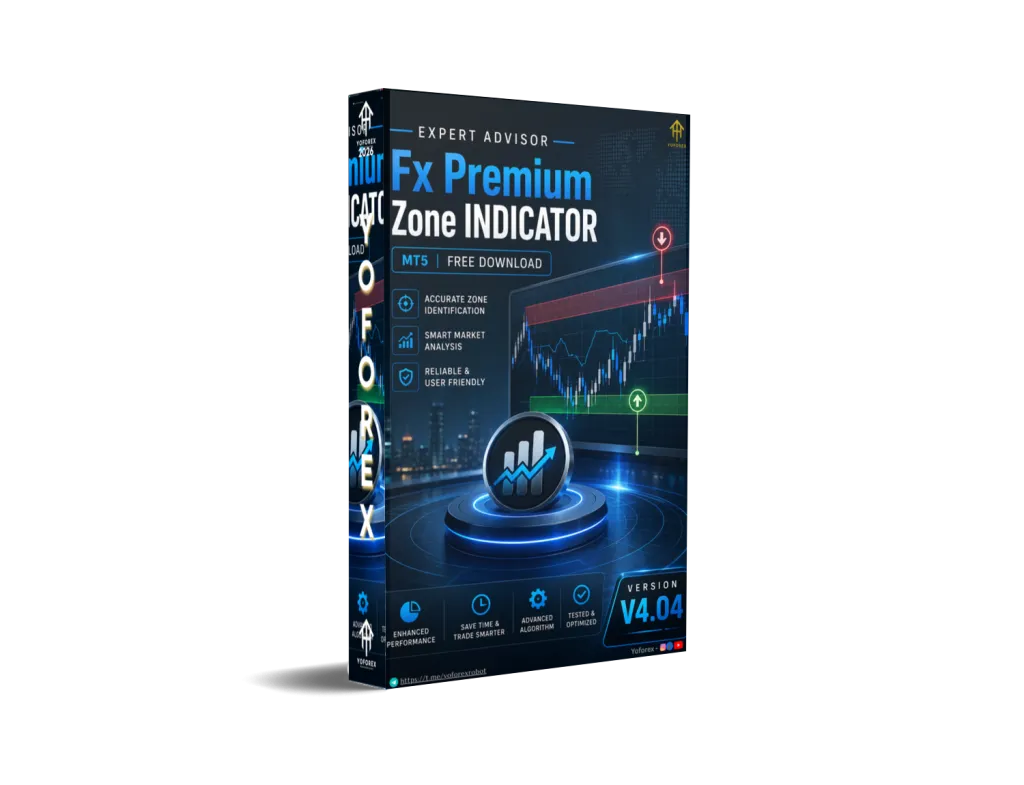
Fx Premium Zone INDICATOR V4.04 MT5 – Clear Zones for Smarter Entries
Many traders spend hours drawing support and resistance or guessing where price looks “expensive” or “cheap.” In fast markets this manual work is slow, inconsistent and easy to get wrong. The result is late entries, missed setups or trades taken in the middle of a range.
Fx Premium Zone INDICATOR V4.04 MT5 is designed to reduce that friction. It is a MetaTrader 5 indicator focused on highlighting premium and discount zones so traders can see where price is relatively high or low within recent structure. Available through Yoforex, it aims to give a cleaner visual framework for zone-based decisions.
What Is Fx Premium Zone INDICATOR V4.04 MT5?
Fx Premium Zone INDICATOR V4.04 MT5 is a custom technical indicator built for the MetaTrader 5 platform. Its core purpose is to identify and display premium and discount zones on the chart.
In simple terms:
- Premium zones show areas where price is trading toward the higher side of a recent range or swing.
- Discount zones show areas where price is trading toward the lower side.
These concepts are widely used in ICT and Smart Money Concepts approaches. Traders often look to sell or take profits in premium and buy or look for longs in discount, always in the context of higher-timeframe structure and confirmation.
Version 4.04 indicates an updated release, but exact technical changes are not publicly detailed beyond the name and platform.
How Does Fx Premium Zone INDICATOR V4.04 MT5 Work?
The indicator analyses recent price swings or ranges on the chart you attach it to. It then marks the upper portion of that structure as premium and the lower portion as discount, typically with an equilibrium (mid) area in between.
A typical workflow looks like this:
- Attach the indicator to an MT5 chart.
- It calculates zones based on recent highs, lows or swing structure.
- Colored zones or labels appear so you can see whether current price sits in premium, discount or equilibrium.
- You combine the zones with your own analysis (market structure, order blocks, candlestick confirmation, higher-timeframe bias, etc.) to decide whether to enter, wait or stay out.
It does not open or close trades automatically. It is a visual analysis tool. Final decisions and risk management remain with the trader.
Key Features
Because detailed technical specifications for version 4.04 are limited, the following points stay within what the product name and category reasonably support:
- Designed specifically for MetaTrader 5
- Focuses on premium and discount zone identification
- Visual chart overlays for quick reference
- Intended to support ICT / Smart Money style analysis
- Can be used alongside other tools or price-action methods
- Version 4.04 suggests ongoing development
Quick Features Table
| Feature | Details |
|---|---|
| Platform | MetaTrader 5 (MT5) |
| Strategy | Premium / Discount zone mapping |
| Trading Style | Manual / discretionary |
| Pairs | Not specified |
| Timeframe | Not specified |
| Risk Management | User-defined |
| Automation | Indicator only (no auto-trading) |
| Best For | Zone-based and ICT-style traders |
Main Benefits
- Faster zone recognition – Reduces time spent manually calculating or drawing premium and discount areas.
- Visual consistency – Provides a uniform way to see relative value on the chart.
- Supports structured decision-making – Helps traders stay disciplined about buying in discount and selling in premium when the broader context aligns.
- Useful for busy traders – Once loaded, the zones update with price action so you spend less time on repetitive chart work.
- Complementary tool – Works as part of a larger process rather than a complete system on its own.
These benefits depend on correct use, proper risk management and realistic expectations. No indicator removes market risk.
Who Is Fx Premium Zone INDICATOR V4.04 MT5 For?
- Traders who already use or want to learn ICT / Smart Money Concepts
- MT5 users looking for a dedicated premium/discount zone tool
- Intermediate traders who understand market structure and want cleaner visuals
- Discretionary traders who prefer manual entries with better zone context
- Swing or intraday traders who value relative value areas
- Anyone comparing zone indicators available via Yoforex
Who Should Avoid It?
- Complete beginners who have not yet learned basic price action or risk management
- Traders seeking fully automated Expert Advisors that open and manage trades
- Anyone expecting guaranteed results or a “set-and-forget” system
- Users who only trade MT4 (this version is specified for MT5)
- Traders unwilling to combine the indicator with their own confirmation and money management
Fx Premium Zone INDICATOR V4.04 MT5 vs Manual Trading
| Aspect | Manual Zone Drawing | Fx Premium Zone INDICATOR V4.04 MT5 |
|---|---|---|
| Speed | Slow, especially multi-pair | Faster visual identification |
| Consistency | Varies by trader skill and fatigue | More uniform zone presentation |
| Subjectivity | High | Reduced for the zone calculation itself |
| Learning curve | Requires practice | Still requires understanding of concepts |
| Trade execution | Fully manual | Fully manual (indicator only) |
| Best combined with | Structure, confirmation, risk rules | Same – structure, confirmation, risk |
What To Check Before Buying
Before purchasing from Yoforex or any source, review these practical points:
- Strategy fit – Confirm the indicator’s zone logic matches the way you trade (ICT, pure price action, etc.).
- Risk rules – Decide your own stop-loss, position size and maximum risk per trade. The indicator does not manage risk for you.
- Drawdown awareness – Zone tools can produce false reactions in strong trends or news events. Plan for losing trades.
- MT5 compatibility – Verify it runs on your broker’s MT5 build.
- Broker compatibility – Test on a demo account with your broker’s symbols and spreads.
- VPS – Not required for an indicator, but useful if you keep charts open long-term.
- Settings – Check available inputs (lookback, colors, sensitivity) and whether they suit your style.
- Support – Note how updates and assistance are handled by the seller.
- Testing – Always forward-test on demo first. Never risk real capital until you understand behaviour across different market conditions.
How To Get Started
- Obtain the indicator file from the official Yoforex source.
- Open MetaTrader 5 → File → Open Data Folder → MQL5 → Indicators.
- Copy the .ex5 (or .mq5) file into the Indicators folder.
- Restart MT5 or refresh the Navigator.
- Drag Fx Premium Zone INDICATOR V4.04 onto a chart.
- Adjust any available settings and save a template if desired.
- Practice on a demo account. Observe how zones form and react in trending, ranging and high-volatility conditions.
- Combine with your existing checklist (structure, confirmation, risk) before considering live use.
FAQs
What is Fx Premium Zone INDICATOR V4.04 MT5?
It is an MT5 indicator that highlights premium and discount zones to help traders see relative value areas on the chart.
Does it trade automatically?
No. It is an analysis indicator only. You remain responsible for all entries, exits and risk management.
Can beginners use it?
Beginners can load it, but they should first understand basic market structure and risk management. The zones are most useful when you know how to interpret them in context.
Which pairs and timeframes does it work on?
Specific recommendations are not detailed in available information. Test across the instruments and timeframes you normally trade.
Is it suitable for scalping or swing trading?
It can support both styles depending on the timeframe you apply it to and how you combine it with other analysis.
Do I need a VPS?
Not required for an indicator, though some traders keep charts running on a VPS for convenience.
Where can I get it?
It is offered through Yoforex. Always download from the official source to avoid modified or unsafe files.
What should I expect realistically?
The indicator helps visualise zones more quickly and consistently. Results still depend on your overall strategy, risk control and market conditions. Losses remain possible.
CONCLUSION
Fx Premium Zone INDICATOR V4.04 MT5 addresses a real practical problem: the time and inconsistency involved in manually identifying premium and discount areas. By displaying these zones on the MT5 chart it gives traders a clearer visual reference for ICT-style or zone-based decisions.
It is not a complete trading system and does not remove risk. Used thoughtfully—with proper confirmation, position sizing and realistic expectations—it can become a useful part of a disciplined process.
If the concept of trading relative value areas fits your approach, review the product details on the Yoforex site, test thoroughly on demo, and decide whether it belongs in your toolkit.
Support & Disclaimer
Support
If you need help installing or configuring your EA, or face any kind of bug, feel free to reach out on:
WhatsApp: Click here
Telegram Group: Join our community
Disclaimer:
Forex and gold trading involve risk. Past performance doesn’t guarantee future results. Always test robots on demo before live trading and use proper risk management.
REFERRAL
Join the VIP Signals Telegram Channel for real-time expert trading signals and stay ahead in the forex market. Get personalized strategies by becoming a part of our Real Account Management Telegram Channel and optimize your trading experience. If you’re aiming to Pass PropFirm Challenges , join our dedicated channel for tips and proven methods. Start managing your capital effectively with expert advice from our Funded Account Management Telegram Channel. For advanced traders, our HFT EA / Passing Telegram Channel offers high-frequency trading insights and strategies to boost your performance.