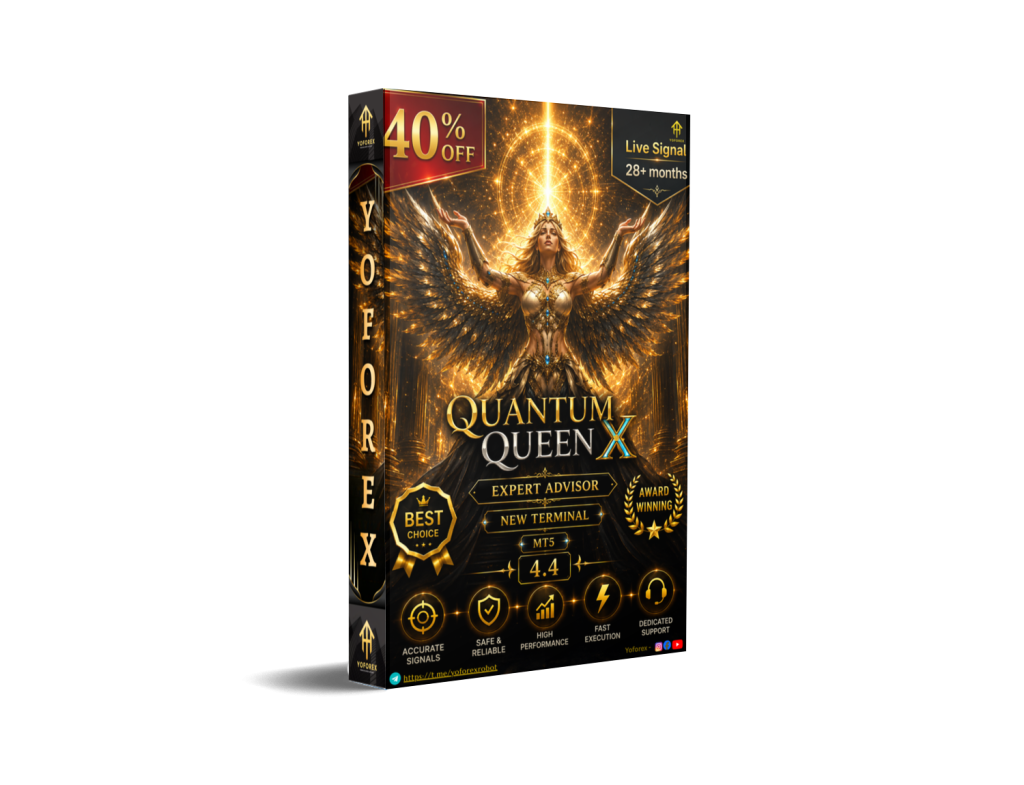
Traders looking for automated XAUUSD execution often face the same decision: which Expert Advisor actually fits their account type, risk tolerance, broker conditions, and monitoring capacity? Quantum Queen X EA V4.4 MT5 is a specialized gold grid system available on the MQL5 Market. Before purchasing, you need clear answers on what it does, who it suits, what configuration it demands, and what risks it carries.
This guide focuses strictly on the buying decision. It draws only from verified product details so you can judge suitability for your own setup.
What Is Quantum Queen X EA V4.4 MT5?
Quantum Queen X EA V4.4 is a fully automated Expert Advisor built exclusively for MetaTrader 5 and the XAUUSD (gold) symbol. It is the successor to the earlier Quantum Queen system and is developed by Bogdan Ion Puscasu of Incredible Traders.
The core is described as a trend-following grid that builds positions. It incorporates 12 optimized built-in strategies. A Custom Mode lets you enable or disable individual strategies. The default preset runs nine of them. Four pre-configured set files are supplied for specific broker environments: VT Markets / IC Markets RAW (medium risk), VT Markets / IC Markets RAW (low risk), RoboForex ECN, and Fusion Markets Zero.
It is designed for hedging accounts and requires gold priced with two decimal places. Three-decimal gold quotes are explicitly incompatible. The EA can run on any chart timeframe because strategy logic is internal.
Yoforex traders evaluating automated gold systems will find these constraints especially relevant when matching the EA to their existing broker and account.
Who Is Looking for a Bot Like Quantum Queen X EA?
This product attracts traders who:
- Want fully automated XAUUSD execution without constant chart monitoring
- Prefer multi-strategy gold systems with the ability to toggle modules
- Already use or plan to use MT5 hedging accounts at brokers such as IC Markets, VT Markets, RoboForex, or Fusion Markets
- Accept grid-style position building and the associated capital and margin requirements
- Seek a plug-and-play starting point with broker-specific sets plus deeper customization options
It is less relevant for traders focused on multiple currency pairs, non-hedging accounts, or three-decimal gold pricing.
How Quantum Queen X EA Works
The EA continuously analyzes XAUUSD and deploys selected strategies from its 12-module engine. In Custom Mode you choose which strategies run. Pre-built sets activate specific combinations tailored to particular brokers and risk preferences.
Position sizing supports automatic risk levels (Very Low through higher settings) based on account balance. Spread and slippage filters are available. The system is intended for continuous operation, which is why a VPS is strongly recommended.
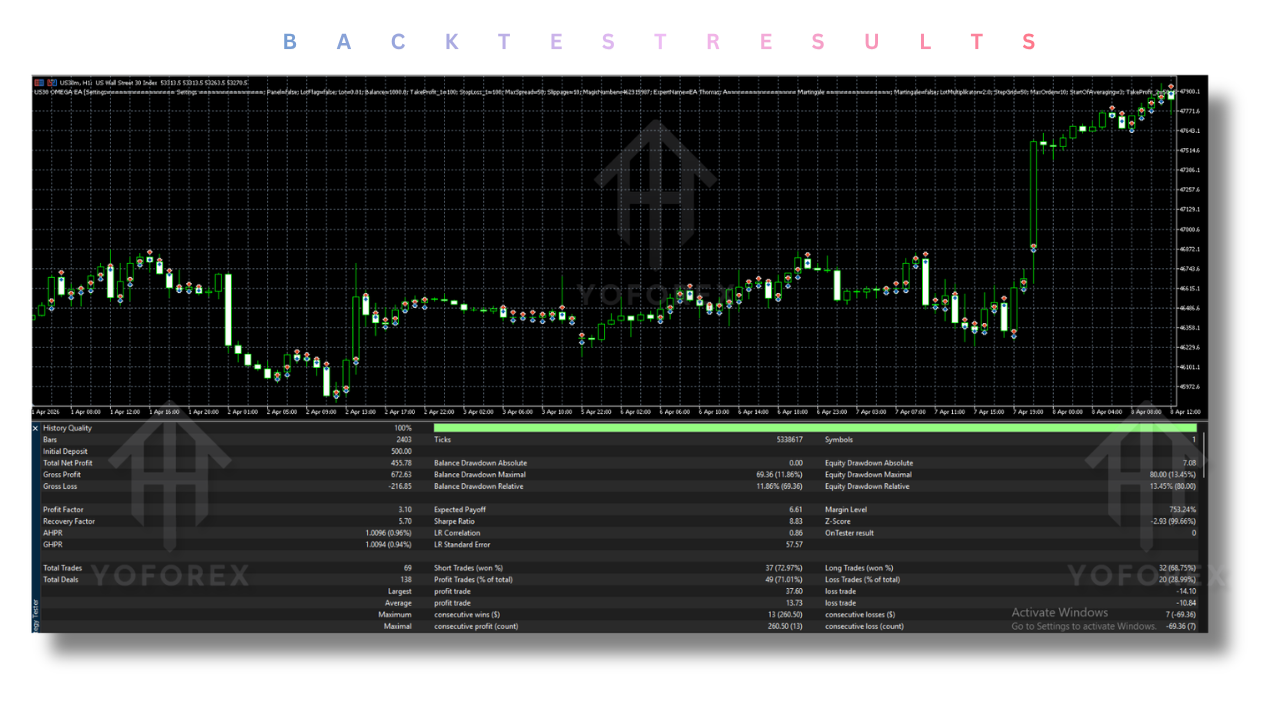
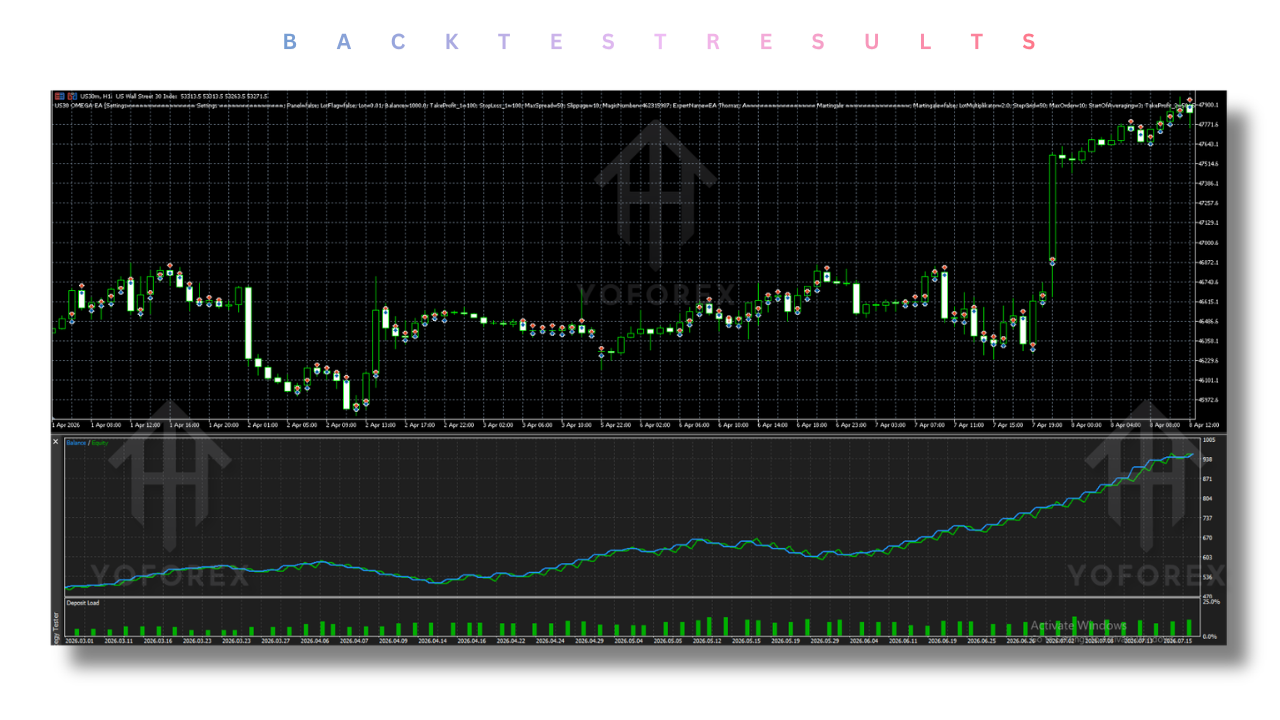
Exact internal entry and exit rules of each strategy module are not publicly detailed beyond the grid and multi-strategy description. Independent verification through the free demo and your own backtests remains essential.
Quick Buyer Snapshot
| Factor | Details |
|---|---|
| Platform | MetaTrader 5 only |
| Strategy | Trend-following multi-strategy grid |
| Trading Style | Automated XAUUSD grid |
| Currency Pairs | XAUUSD (Gold) only |
| Timeframe | Any (internal logic) |
| Risk Management | Automatic lot sizing by risk level; spread/slippage filters |
| Automation | Full; Custom Mode + 4 broker sets |
| Best For | Experienced gold traders with matching broker setup |
| Experience Level | Intermediate to advanced preferred |
Key Features Buyers Should Know
Custom Mode Lets you switch individual strategies on or off from the 12 available. Why it matters: You can reduce or increase activity and risk exposure. What to verify: Test every combination you plan to use; more strategies do not automatically equal better results.
Four Broker-Specific Sets Ready presets for VT/IC Markets RAW (medium and low risk), RoboForex ECN, and Fusion Zero. Why it matters: Faster initial setup if your broker matches. What to verify: Your exact account type, spreads, and execution quality still need live or demo confirmation.
Automatic Money Management Multiple risk levels that scale lot size to balance. Why it matters: Removes some manual lot calculation. What to verify: The resulting exposure and maximum drawdown under your chosen level on historical and forward data.
Hedging Account + 2-Decimal Gold Requirement Mandatory hedging account; incompatible with 3-decimal gold quotes. Why it matters: Many brokers will simply not work. What to verify: Check your broker’s gold pricing format and account type before purchase.
VPS Recommendation Required for reliable 24/5 operation. Why it matters: Local PC downtime or connectivity issues will interrupt the grid. What to verify: Low-latency VPS location relative to your broker’s servers.
Why Traders May Consider Quantum Queen X EA
Practical reasons include consistent automated execution on XAUUSD, time savings from reduced chart watching, the ability to run multiple refined strategies together, and configurability through Custom Mode and risk levels. The pre-built sets lower the barrier to initial deployment for compatible brokers.
None of these points guarantee profits. Grid systems can accumulate significant exposure during adverse moves. Capital, leverage, and risk settings must be sized accordingly.
Who Is Quantum Queen X EA Best For?
- Intermediate and experienced traders comfortable with gold volatility and grid dynamics
- Users already trading or planning to trade on compatible MT5 hedging accounts
- Traders who can run a dedicated VPS and monitor overall equity regularly
- Those willing to spend time on demo testing and strategy selection
Beginners can use it only after thorough education on grid risk, drawdown, and proper account sizing. It is not a “set and forget” solution for new traders.
Who Should Avoid Quantum Queen X EA?
- Anyone seeking guaranteed returns or zero drawdown
- Traders whose broker offers only 3-decimal gold or non-hedging accounts
- Users unwilling or unable to run a stable VPS
- Traders looking for multi-pair or non-gold strategies
- Anyone who will not thoroughly test on demo first
- Accounts with insufficient capital relative to the chosen risk level (vendor guidance starts at $500 minimum, $1,000 recommended)
Quantum Queen X EA vs Manual Trading
| Factor | Quantum Queen X EA | Manual Trading |
|---|---|---|
| Execution | Fully automated | Trader-dependent |
| Monitoring | Continuous via EA + VPS | Requires active presence |
| Consistency | Rules-based once configured | Varies with emotion and attention |
| Speed | Instant once signals trigger | Limited by reaction time |
| Human Emotion | Removed from individual decisions | Present |
| Flexibility | Configurable via Custom Mode | Unlimited but requires skill |
| Setup Required | Installation, sets, risk settings, VPS | Chart analysis and order placement |
The EA removes emotional execution but introduces configuration and infrastructure requirements. Manual trading offers more discretionary control at the cost of time and consistency.
Buyer Checklist Before Purchasing Quantum Queen X EA V4.4 MT5
- Confirm the EA is MT5 only and matches your platform.
- Verify your broker offers XAUUSD with exactly two decimal places.
- Ensure you have (or can open) a hedging account.
- Check leverage availability (1:100 minimum, 1:500 often preferred).
- Confirm minimum and recommended deposit levels against your capital.
- Review the four set files and decide whether Custom Mode will be used.
- Plan VPS hosting for continuous operation.
- Download the free demo and run it on your exact broker conditions.
- Backtest multiple strategy combinations and risk levels.
- Examine historical drawdown behavior under stress scenarios.
- Clarify support channels and update policy with the seller.
- Confirm number of activations included (currently listed as 10).
- Understand that past performance of related products is not a guarantee for this version.
Complete every item before spending money.
How to Get Started
- Confirm MT5 platform and broker compatibility (2-decimal gold, hedging).
- Review the strategy modules and available sets.
- Purchase or obtain the EA through official channels.
- Install according to the provided manual.
- Load a suitable set or configure Custom Mode.
- Set risk level and filters appropriate to your capital.
- Run extended demo testing under realistic spreads and latency.
- Monitor equity, open positions, and overall exposure.
- Only consider live trading once results and risk parameters are fully understood and accepted.
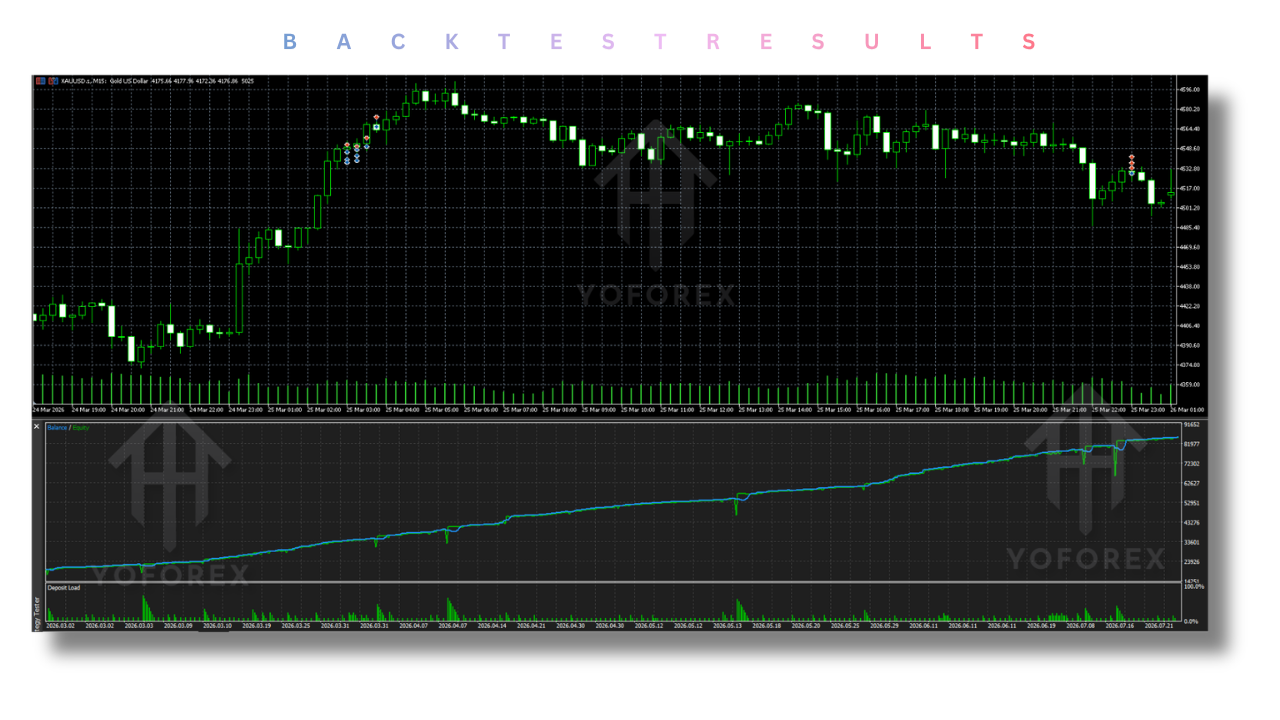
Never skip demo validation.
FAQs
Is Quantum Queen X EA V4.4 compatible with MT4?
No. It is built for MetaTrader 5 only.
Is Quantum Queen X EA suitable for beginners?
It is better suited to intermediate and experienced traders who understand grid risk. Beginners should only proceed after substantial education and demo testing.
What should I check before buying Quantum Queen X EA?
Broker gold pricing format, account type (hedging), capital adequacy, VPS readiness, and full demo performance under your intended settings.
Does Quantum Queen X EA require a VPS?
Yes. Continuous 24/5 operation is expected; a reliable VPS is strongly recommended.
Can Quantum Queen X EA be tested on a demo account?
Yes. A free demo is available on the MQL5 Market listing.
What risks should buyers consider?
Grid systems can experience large equity drawdowns when price moves against open positions. Capital, leverage, and risk level selection are critical. Independent verification of current version behavior is essential.
Can the settings be customized?
Yes. Custom Mode allows individual strategy selection, and multiple automatic risk levels plus spread/slippage filters are available.
Where can I get Quantum Queen X EA V4.4 MT5?
It is listed on the official MQL5 Market. Always purchase from the authorized source to receive legitimate activations and updates.
Conclusion
If your broker, account type, capital, and risk tolerance align with the documented requirements, Quantum Queen X EA V4.4 MT5 is worth a structured evaluation. Download the free demo, test the exact configuration you intend to run, and verify every compatibility point yourself.
YoForex EA offers access to various Expert Advisors; use the product page to confirm every detail before committing.
Review the current MQL5 product page for the latest version notes, set files, and installation guidance. Only move forward when the data from your own testing supports the decision. Automated trading remains risky; proper preparation is non-negotiable.
Support & Disclaimer
Support
If you need help installing or configuring your EA, or face any kind of bug, feel free to reach out on:
WhatsApp: Click here
Telegram Group: Join our community
Disclaimer:
Forex and gold trading involve risk. Past performance doesn’t guarantee future results. Always test robots on demo before live trading and use proper risk management.
REFERRAL
Join the VIP Signals Telegram Channel for real-time expert trading signals and stay ahead in the forex market. Get personalized strategies by becoming a part of our Real Account Management Telegram Channel and optimize your trading experience. If you’re aiming to Pass PropFirm Challenges , join our dedicated channel for tips and proven methods. Start managing your capital effectively with expert advice from our Funded Account Management Telegram Channel. For advanced traders, our HFT EA / Passing Telegram Channel offers high-frequency trading insights and strategies to boost your performance.