In the fast-paced world of forex trading, automation plays a crucial role in maximizing profits and minimizing risks. One such tool that stands out is the Venom Crown EA V1.1 MT4. This Expert Advisor (EA) is designed to provide traders with a semi-aggressive grid strategy that can help them navigate volatile market conditions. Whether you are a seasoned trader or just starting out, Venom Crown EA offers a combination of powerful features that can enhance your trading experience.
Overview of Venom Crown EA V1.1 MT4
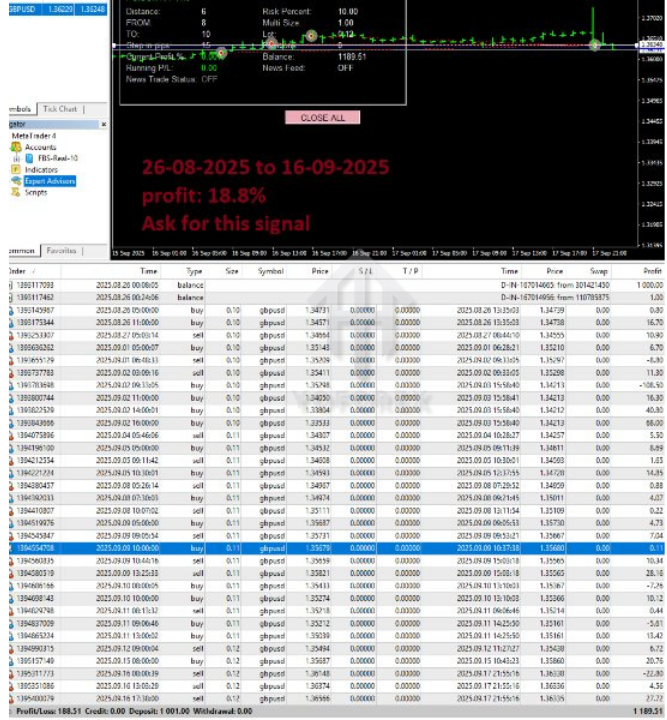
Venom Crown EA V1.1 is a cutting-edge Expert Advisor for MetaTrader 4, created with an emphasis on grid trading and martingale principles. This EA is designed to trade on major currency pairs such as GBPUSD and USDJPY on the H1 timeframe. The strategy behind this EA incorporates a semi-aggressive grid approach combined with a smart profit-lock mechanism, ensuring that you can adapt to changing market conditions while managing risk effectively.
One of the standout features of the Venom Crown EA is its dynamic news filter, which takes into account economic events and high-impact news that could affect the forex market. This feature ensures that the EA avoids trading during major news events, which could lead to high volatility and unpredictable market movements. This built-in news filter can help prevent losses during volatile market periods and provide better risk management.
Key Features of Venom Crown EA V1.1
-
Grid Trading with Fibonacci Lot Size
Venom Crown EA employs a semi-aggressive grid trading strategy, placing orders at intervals (default: 30 pips) and using a Fibonacci-based lot size progression. This allows the EA to manage risk dynamically, adjusting the lot size based on the distance between trades, increasing the chances of recovering from losing positions without exposing the account to excessive risk. -
Take Profit & Risk Management
The EA is designed with a take-profit target of 15 pips per trade, ensuring consistent small profits while maintaining a high win rate. The profit lock feature further enhances risk management by automatically securing a portion of the profits once a specific threshold is met, minimizing the chances of drawdowns. -
Dynamic News Filter
One of the key features of the Venom Crown EA is its dynamic news filter, which is integrated with news sources like Forex Factory and DailyFX. This filter helps the EA avoid trading during high-impact news events, thus preventing large drawdowns caused by unexpected market volatility. By trading only during low or medium-impact news periods, this EA can provide more stable performance. -
Advanced Backtesting Capabilities
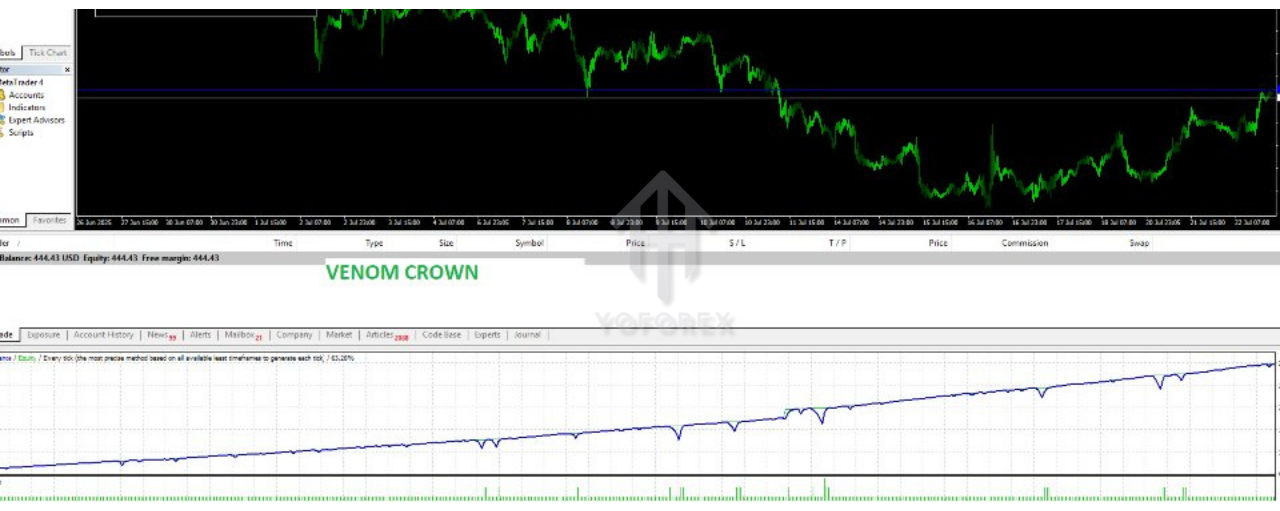
Venom Crown EA comes with an extensive historical backtesting feature, enabling traders to test the EA’s performance using historical data from 2019 to 2025. This is a valuable tool for assessing the EA’s performance under different market conditions and adjusting the settings accordingly. -
Easy to Set Up & Use
Setting up the Venom Crown EA is simple and straightforward. Traders only need to copy the EA’s.ex4file into the Experts folder of their MetaTrader 4 platform and load the provided.setfile for optimal settings. The EA comes with a set of predefined settings that are ideal for most trading scenarios, but you can also customize the parameters to fit your specific trading style and risk tolerance.
Recommended Settings for Venom Crown EA V1.1 MT4
To make the most of the Venom Crown EA, here are the recommended settings:
-
Timeframe: H1 (Ideal for GBPUSD and USDJPY)
-
Grid Size: 30 pips
-
Take Profit: 15 pips
-
Lot Sizing: Fibonacci-based progression
-
News Filter: Enabled (avoid high-impact news)
-
Magic Number: 93793 (Unique identifier for EA trades)
-
Minimum Lot: 0.1 lots
-
Maximum Drawdown: Adjustable based on your risk preference
These settings are optimized for stable performance, but you can experiment with them to tailor the EA to your personal risk management preferences.
Pros and Cons of Venom Crown EA V1.1 MT4
Pros:
-
Automated Grid Trading: Fully automated trading system that can operate without constant monitoring.
-
Smart Risk Management: Fibonacci-based lot sizing and profit-locking feature help reduce risk while enhancing profitability.
-
Dynamic News Filter: Avoids trading during major news events to minimize exposure to high volatility.
-
Extensive Backtesting Data: 5+ years of historical data available for thorough backtesting and strategy optimization.
-
Easy to Use: Simple installation process and pre-configured settings make it accessible even for beginners.
Cons:
-
Aggressive Grid Strategy: The grid strategy can lead to larger drawdowns in certain market conditions, especially if risk management is not properly configured.
-
Requires Optimal Broker: Works best with ECN or low-spread brokers to minimize slippage and ensure effective execution.
How to Install Venom Crown EA V1.1 MT4
-
Download the EA: After purchasing Venom Crown EA V1.1, download the
.ex4file and any related configuration files. -
Install the EA: Copy the
.ex4file into the MQL4/Experts folder on your MetaTrader 4 platform. -
Load the EA: Open MetaTrader 4, go to the Navigator panel, find Venom Crown EA under “Expert Advisors”, and drag it onto a chart.
-
Configure Settings: You can use the provided
.setfile for optimized settings, or customize the parameters based on your trading preferences. -
Start Trading: Enable auto-trading and let the EA manage your trades.
Conclusion
The Venom Crown EA V1.1 MT4 is an ideal tool for traders looking to automate their trading strategy while maintaining a high level of risk control. With its advanced grid trading system, Fibonacci lot sizing, dynamic news filter, and robust backtesting capabilities, this EA provides a balanced approach to forex trading. While it offers significant potential for profit, traders must manage their risk carefully, especially when using the martingale strategy.