Introduction
Choosing an automated trading bot is not simply about finding software that opens and closes trades. Traders also need to understand how positions are managed, how the EA responds to changing market conditions, and how much account exposure can build up during an unfavorable market movement.
Waka Waka EA V1.20 MT5 is the product name being evaluated here. Public documentation for the established Waka Waka EA describes a multi-currency grid trading system with technical indicator filters and configurable money management. However, the exact V1.20 build still needs to be matched against that documentation before its specifications can be confirmed.
For traders researching this EA through YoForex EA, understanding its trading approach, compatibility and potential grid exposure is an important step before considering a purchase.
What Is Waka Waka EA?
Waka Waka EA is an automated Forex Expert Advisor associated with MetaTrader trading. The publicly documented MT5 product is designed to manage positions across multiple currency pairs using a grid-based trading framework.
Its documented approach combines:
Bollinger Bands for calculating market price boundaries.
RSI for filtering potential trade entries.
Grid trading for managing additional positions.
Configurable lot sizing and exposure controls.
Automated take-profit and stop-loss management.
The published MT5 listing identifies AUDCAD, AUDNZD and NZDCAD as supported currency pairs and recommends the M15 timeframe.
How Does Waka Waka EA Work?
The documented EA follows an automated trading workflow involving market analysis, entry conditions and position management.
1. Market Analysis
The system uses technical indicators, including Bollinger Bands and RSI, to evaluate market conditions.
2. Trade Entry
The EA evaluates its configured entry conditions before opening an initial position. The precise entry rules for V1.20 have not been independently verified.
3. Position Management
If the market moves against an existing position, the grid mechanism can open additional trades at configured distances. This is a form of averaging.
4. Trade Exit
The documented system supports initial-trade take profit and grid-level take-profit management, including weighted take-profit settings.
5. Risk Management
Available documented controls include lot-sizing methods, maximum lot limits, grid stop-loss settings and a maximum drawdown percentage.
Waka Waka EA Strategy Explained
The established Waka Waka MT5 product is described as a grid-based, indicator-filtered trading system.
Its main strategy components are:
Grid Trading: Additional positions can be opened when price moves against existing positions.
Bollinger Bands: Used to calculate upper and lower market boundaries.
RSI Filter: Helps filter potential entries.
Multi-Currency Trading: The published version supports selected AUD and NZD cross pairs.
Smart Distance: A configurable feature that adjusts grid spacing according to market volatility.
This approach is associated with mean-reversion trading, where the system seeks to benefit when prices move back towards a reference area after moving away from it.
However, grid strategies have an important limitation: when a market continues moving in one direction, multiple positions can accumulate and floating drawdown can increase.
The exact strategy implementation in V1.20 should be checked against its actual EA file and documentation.
Key Features
The publicly documented Waka Waka MT5 version includes:
Automated multi-currency trading.
Bollinger Bands market analysis.
RSI-based entry filtering.
Grid position management.
Adjustable grid trading distance.
Smart Distance functionality.
Configurable lot-sizing methods.
Maximum lot restrictions.
Initial and grid take-profit options.
Grid stop-loss configuration.
Maximum drawdown protection.
Maximum spread and slippage settings.
Trading direction and hedging controls.
Trading schedule and holiday filters.
These are documented product-family features. Their availability in V1.20 requires confirmation.
Quick Specifications
| Feature | Details |
|---|---|
| Product | Waka Waka EA V1.20 |
| Platform | MetaTrader 5 (as supplied) |
| Strategy | Grid-based, indicator-filtered (documented family) |
| Trading Style | Automated grid trading |
| Instruments | AUDCAD, AUDNZD, NZDCAD (published version) |
| Timeframe | M15 (published version) |
| Indicators | Bollinger Bands, RSI |
| Risk Management | Configurable controls in published version |
| Automation | Expert Advisor |
| VPS | Continuous VPS operation recommended for published version |
| Best For | Traders familiar with grid trading and account exposure |
Main Benefits
Automated execution: An Expert Advisor can monitor configured market conditions and execute trades without requiring the trader to place every order manually.
Multi-currency functionality: The published version supports multiple currency pairs, providing a broader trading setup than a single-pair EA.
Configurable position management: Grid distance, lot sizing and trade limits allow users to configure how the system manages positions.
Reduced manual monitoring: Automated execution can reduce the need to watch charts continuously, although account monitoring remains important.
Systematic trading: The EA follows programmed conditions rather than relying on spontaneous manual decisions.
These are operational benefits, not evidence of profitable performance.
Limitations & Risks
Before considering Waka Waka EA, buyers should understand the following risks.
Grid exposure: Multiple positions can accumulate when the market moves against the strategy.
Drawdown: Floating losses may increase significantly during prolonged directional movements.
Market conditions: A mean-reversion approach may struggle when strong trends continue.
Spread and slippage: Real execution conditions can differ from historical testing.
Broker compatibility: Symbol suffixes, account type, leverage and trading conditions can affect operation.
Incorrect settings: Aggressive lot sizing or unsuitable grid distances can increase account exposure.
VPS connectivity: Interruptions can affect automated operation and monitoring.
Backtest limitations: Historical performance does not guarantee future results.
One particularly important point is that the published product requires a hedging account and recommends continuous VPS operation. These requirements should be verified for the V1.20 build.
Who Is Waka Waka EA For?
The documented strategy may interest:
MT5 traders exploring automated grid trading.
Traders interested in indicator-filtered entries.
Users who want to automate multiple currency pairs.
Experienced traders comfortable evaluating floating drawdown.
Traders who understand lot sizing, leverage and margin requirements.
Who Should Avoid It?
Waka Waka EA may not be suitable for:
Traders expecting guaranteed returns.
Users who cannot tolerate significant floating drawdown.
Beginners who do not understand grid exposure.
Traders who prefer strict, isolated risk per trade.
Users unable to monitor automated positions.
Traders with accounts that do not support the required trading configuration.
Waka Waka EA vs Manual Trading
| Factor | Waka Waka EA | Manual Trading |
|---|---|---|
| Execution | Automated | Trader-controlled |
| Screen Time | Lower routine involvement | Usually higher |
| Consistency | Follows programmed rules | Depends on discipline |
| Emotional Interference | Reduced during execution | Can be significant |
| Speed | Automated execution | Depends on trader |
| Flexibility | Limited by programming | Highly adaptable |
| Monitoring | Still required | Required |
| Risk Management | Configured EA controls | Trader-managed |
Neither approach is automatically safer or more profitable. Results depend on strategy, execution and risk management.
What To Check Before Buying
Use this checklist before purchasing Waka Waka EA V1.20 MT5:
Waka Waka EA Settings
The exact default settings for V1.20 are not verified.
The established MT5 product provides configurable parameters in several areas:
Trading parameters
Currency symbols
Bollinger Bands period
RSI period
RSI filter value
Grid parameters
Trade distance
Smart Distance
Trade multipliers
Maximum trades
Money management
Fixed lot sizing
Dynamic lot sizing
Deposit-load percentage
Maximum lot
Exit management
Initial take profit
Grid take profit
Grid stop loss
Weighted take profit
Avoid copying settings from another release without checking compatibility. The correct configuration depends on the broker, account balance, leverage and acceptable risk.
Waka Waka EA Backtesting & Performance
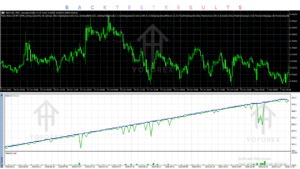
Backtesting is an important part of evaluating an automated trading system, particularly one that uses grid-based position management.
Before using Waka Waka EA V1.20, traders should examine:
Historical trading results across different market conditions.
Maximum balance and equity drawdown.
Total number of trades and grid positions.
Maximum floating loss.
Margin requirements during adverse movements.
Performance across the supported currency pairs.
Stability when using different spreads and execution conditions.
The established MQL5 listing advertises historical and live trading performance, but those claims should not be treated as independently verified performance for V1.20.
Important distinction:
Backtest: Historical simulation using past market data.
Forward test: Testing on a demo account with current market conditions.
Live test: Actual trading using real funds and broker execution.
No verified V1.20 backtest report or live performance statistics were supplied for this review.
How To Get Started
Traders considering Waka Waka EA should follow a structured installation and testing process.
Check Compatibility: Confirm the EA supports your MetaTrader 5 terminal and broker.
Review Settings: Understand the trading parameters, lot sizing and grid configuration.
Install the EA: Place the compatible EA file in the appropriate MT5 Experts directory.
Enable Automated Trading: Configure the terminal permissions and attach the EA as instructed.
Demo Test: Observe entries, additional grid positions and exits.
Monitor Performance: Review equity drawdown, margin usage and execution.
Consider Live Use: Only consider live deployment after understanding the strategy and testing its suitability.
For additional guidance, explore relevant YoForex EA resources covering MT5 Expert Advisors and automated trading tools.
Is Waka Waka EA Worth Buying?
Waka Waka EA presents an interesting automated trading approach for users researching grid-based Forex systems.
Its documented MT5 version combines indicator-based filtering, multi-currency functionality, adjustable grid distances and configurable position management.
However, the purchase decision should depend on more than the feature list.
Consider these points:
Does the V1.20 version contain the documented strategy?
Are the trading parameters clearly explained?
Can the EA operate with your broker?
Are the grid and drawdown risks acceptable?
Is there sufficient testing evidence?
Are the licence and support conditions transparent?
My assessment: Waka Waka EA is worth investigating for traders interested in automated grid trading. However, I would not recommend purchasing V1.20 until its version identity, documentation, testing evidence and licensing details have been confirmed.
Frequently Asked Questions
1. What is Waka Waka EA?
Waka Waka EA is an automated Forex trading system associated with MetaTrader. Its publicly documented MT5 version uses indicator filters and grid-based position management.
2. Is Waka Waka EA compatible with MT5?
The established Waka Waka EA is available for MetaTrader 5. However, buyers should verify that their specific V1.20 file is compatible.
3. What strategy does Waka Waka EA use?
The documented version uses a grid-based approach with Bollinger Bands and RSI indicators. Its approach is associated with mean-reversion trading.
4. Which currency pairs does Waka Waka EA trade?
The published MT5 version identifies AUDCAD, AUDNZD and NZDCAD. Confirm the supported symbols in the V1.20 documentation.
5. Can Waka Waka EA be backtested?
An MT5 Expert Advisor can be evaluated using Strategy Tester if the supplied build supports the required testing conditions. Backtesting should include realistic spread, commission and execution assumptions.
6. Is Waka Waka EA suitable for beginners?
Beginners can learn about the EA, but grid trading requires an understanding of leverage, margin, floating drawdown and position accumulation. Demo testing is recommended.
7. Does Waka Waka EA require a VPS?
The established product recommends continuous VPS operation. Confirm the requirement for V1.20 and use a reliable hosting environment if continuous operation is needed.
8. How can I buy and install Waka Waka EA?
Check the product’s verified seller, version, licence and installation documentation before purchasing. Once obtained, follow the supplied MT5 installation instructions and test the EA on a demo account.
Conclusion
Waka Waka EA V1.20 MT5 is an interesting option to investigate if you are researching automated Forex grid trading on MetaTrader 5.
The documented product offers a combination of Bollinger Bands, RSI filtering, grid management, multiple currency pairs and configurable money management.
Its main consideration is grid exposure. Multiple positions can accumulate during unfavorable market conditions, making appropriate risk controls and margin management essential.
For buyers evaluating Waka Waka EA V1.20 MT5, verifying the exact version and obtaining reliable testing evidence should come before making a purchase decision.
Support & Disclaimer
Support:
If you need help installing or configuring your EA, or face any kind of bug, feel free to reach out on:
Telegram Group: Join our community
Disclaimer:
Forex and gold trading involve risk. Past performance doesn’t guarantee future results. Always test robots on demo before live trading and use proper risk management.
REFERRAL
Join the VIP Signals Telegram Channel for real-time expert trading signals and stay ahead in the forex market. Get personalized strategies by becoming a part of our Real Account Management Telegram Channel and optimize your trading experience. If you’re aiming to Pass PropFirm Challenges , join our dedicated channel for tips and proven methods. Start managing your capital effectively with expert advice from our Funded Account Management Telegram Channel. For advanced traders, our HFT EA / Passing Telegram Channel offers high-frequency trading insights and strategies to boost your performance.