Momentum Hunter EA V2.0 for MT5 — Your Ultimate Momentum Trading Expert Advisor for Major Forex Pairs
In the dynamic and fast-moving forex market, leveraging automated trading solutions can significantly improve your trading efficiency and consistency. The Momentum Hunter EA V2.0 for MetaTrader 5 (MT5) is one such tool designed to expertly navigate momentum-driven price moves across major forex pairs on any timeframe. Whether you are a scalper, intraday trader, or swing trader, this EA offers an adaptable and intelligent approach to automated trading.
In this comprehensive guide, we’ll cover what makes Momentum Hunter EA V2.0 a must-have for MT5 users, its key features, installation and setup, trading strategy insights, and tips to maximize your profits.
What is Momentum Hunter EA V2.0 MT5?
Momentum Hunter EA V2.0 is an advanced forex expert advisor built specifically for the MT5 platform. It is designed to identify strong price momentum in major currency pairs such as EUR/USD, GBP/USD, USD/JPY, USD/CHF, AUD/USD, and NZD/USD. Using cutting-edge algorithms, it spots high-probability momentum shifts, automatically opens trades in the direction of the trend, and manages those trades to optimize profitability.
Unlike many expert advisors that are limited to specific timeframes or pairs, Momentum Hunter EA V2.0 offers the flexibility to trade any timeframe — from one-minute charts (M1) all the way up to daily (D1) and beyond — allowing traders to customize their approach based on individual style and risk appetite.
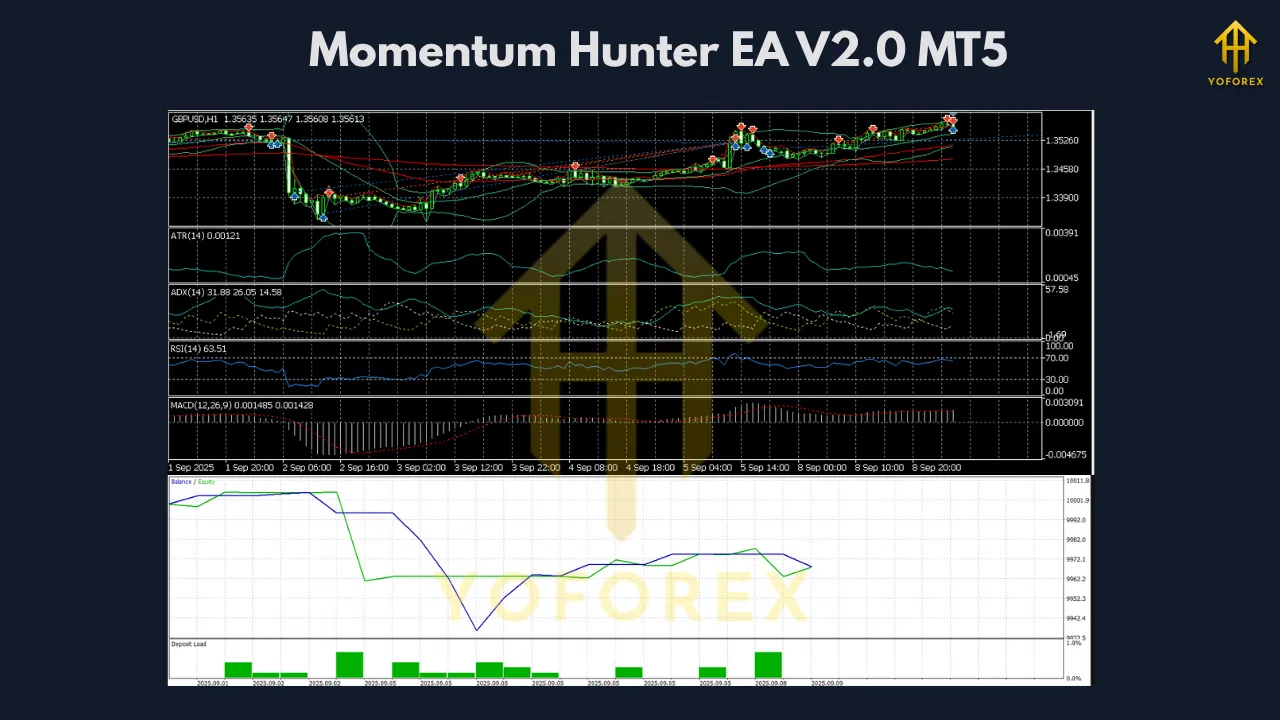
Why Trade Major Forex Pairs with Momentum Hunter EA?
Major forex pairs dominate global trading volumes, which brings several advantages:
-
Superior Liquidity: High liquidity reduces slippage and ensures your trades execute swiftly.
-
Tighter Spreads: Lower transaction costs are crucial for automated strategies that may trade frequently.
-
More Predictable Trends: Majors often exhibit clearer trending behavior, making momentum strategies more effective.
-
Robust Historical Data: Extensive past price data improves backtesting accuracy and optimization.
Focusing on major pairs with Momentum Hunter EA gives you the best chance for consistent results in forex automation.
Key Features of Momentum Hunter EA V2.0 for MT5
✅ Advanced Momentum Detection
The EA continuously scans for sudden shifts in price acceleration using a combination of technical indicators and price action rules. This helps it identify strong trending moves early and enter trades with optimal timing.
✅ Fully Automated & Adaptable
Once deployed on your MT5 platform, Momentum Hunter EA manages trade execution, including opening, modifying stop loss and take profit levels, trailing stops, and closing trades without any manual input.
✅ Any Timeframe, Any Strategy
Designed for versatility, the EA performs well across all timeframes — from ultra-short scalping intervals to longer swing trades — letting you tailor the frequency and style of your trading.
✅ Major Forex Pairs Optimized
The algorithm is fine-tuned to work best with major pairs, harnessing their consistent volatility and trend dynamics.
✅ Smart Money Management
The EA includes built-in risk controls such as dynamic lot sizing based on account balance, max open trades, maximum drawdown limits, and configurable stop losses to protect your capital.
✅ Configurable Settings
You can customize key parameters like entry sensitivity, trade duration, lot size, take profit, stop loss, trailing stop, and trading session filters to fit your personal preferences and risk profile.
✅ Real-Time Monitoring & Reporting
Momentum Hunter EA offers detailed logs and trade history reports within MT5, enabling you to track performance and make informed adjustments.
How Does Momentum Hunter EA V2.0 Work?
The expert advisor continuously analyzes price movement patterns to detect increasing momentum. When the EA identifies a strong directional move — typically confirmed through momentum indicators, volume, and breakout detection logic — it initiates a trade aligned with the trend.
After opening a position, the EA actively manages the trade by:
-
Applying predefined stop loss and take profit levels
-
Utilizing trailing stops to maximize gains during extended trends
-
Avoiding trades during low volatility or ranging periods
-
Respecting user-configured trading hours to avoid illiquid sessions
This disciplined, rule-based approach removes emotional bias and ensures systematic trading execution.
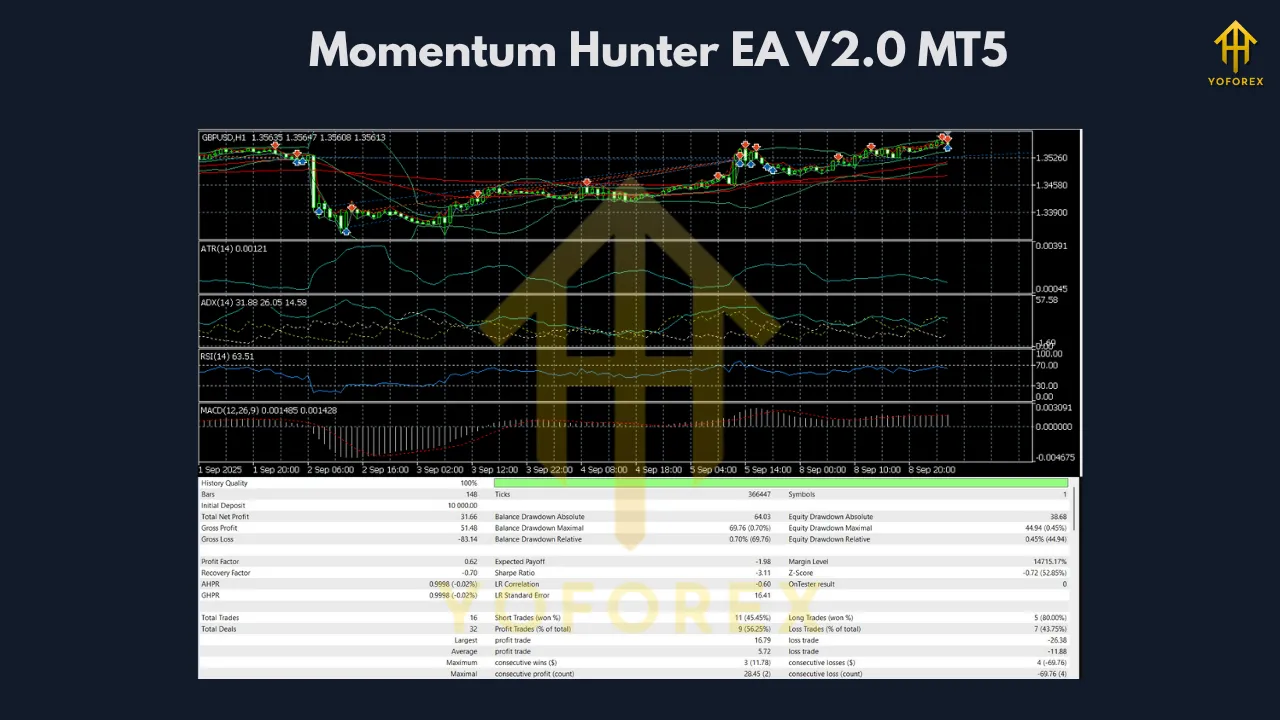
Installation & Setup Guide for Momentum Hunter EA on MT5
-
Download the EA File
Get the.ex5expert advisor file for Momentum Hunter EA V2.0. -
Open MT5 Data Folder
In MT5, click File → Open Data Folder. -
Copy the EA
Paste the.ex5file into the MQL5 → Experts directory. -
Restart MT5
Close and reopen MT5 to refresh the Navigator panel. -
Attach the EA to a Chart
Open a chart for a major forex pair and your desired timeframe, then drag and drop Momentum Hunter EA from the Navigator under Expert Advisors. -
Configure Inputs
Set your risk parameters, trading session times, lot size, and other preferences through the input panel. -
Enable Auto Trading
Ensure the AutoTrading button on the MT5 toolbar is activated.
Best Practices for Using Momentum Hunter EA V2.0
1. Select the Right Timeframes
For scalping, consider M1 to M15 charts. For intraday and swing trades, H1 and H4 timeframes are often effective.
2. Trade During High Liquidity Hours
Schedule the EA to trade during London and New York sessions when volatility and volume peak.
3. Avoid Major News Releases
Volatility spikes during economic announcements can disrupt automated strategies. Temporarily disabling the EA during these periods reduces risk.
4. Use Complementary Technical Tools
Confirm momentum signals with trend indicators like moving averages or oscillators to increase accuracy.
5. Manage Risk Carefully
Set stop losses and use dynamic lot sizing to protect your trading capital from unexpected market moves.
6. Backtest and Demo Test
Before deploying with real money, backtest the EA across your preferred pairs and timeframes, then trade on a demo account to ensure it fits your style.
Advantages & Potential Limitations
Advantages
-
Automates trading, reducing manual stress and errors
-
Highly flexible for all major pairs and timeframes
-
Integrates risk management for safer trading
-
Easy to install and configure on MT5
-
Suitable for different trader profiles (scalpers, swing traders, etc.)
Limitations
-
No EA guarantees profits — losses and false signals are possible
-
Performance may decline in sideways or low-volatility markets
-
Requires regular monitoring and occasional parameter tuning
-
Dependent on broker execution quality and spreads
Who Should Consider Using Momentum Hunter EA V2.0?
-
Forex traders seeking to automate momentum-based strategies
-
Traders preferring flexible, multi-timeframe trading systems
-
Those focused on major pairs for liquidity and reliability
-
Beginners interested in learning automated trading with a user-friendly EA
-
Experienced traders looking for a complement to manual strategies
Final Thoughts
The Momentum Hunter EA V2.0 for MT5 offers a powerful, flexible, and intelligent solution for automating momentum trading on major forex pairs. Its ability to trade any timeframe combined with smart money management makes it a valuable tool for traders aiming to harness the power of price momentum without the need for constant screen monitoring.
As with any automated system, successful trading with Momentum Hunter EA requires discipline, continuous evaluation, and sound risk management. If you’re ready to embrace automation and optimize your momentum trading strategy on MT5, Momentum Hunter EA V2.0 is a compelling choice.
Join our Telegram for the latest updates and support