
Gold (XAU/USD) occupies a unique position in global markets as both a store of value and a highly liquid trading instrument. For modern traders, combining algorithmic precision with time-tested technical frameworks offers a powerful edge. Ichimoku Scalper Gold EA V2.0 MT4 does exactly that—marrying the comprehensive trend-filtering of Ichimoku Kinko Hyo with an adaptive grid-order mechanism to scalp micro-moves in gold prices. In this guide, we’ll dive into every aspect of this EA: from its strategy foundations and detailed setup to optimization tips, risk controls, performance insights, and long-term maintenance. By the end, you’ll have a clear roadmap to harness automated gold scalping on MetaTrader 4.
1. Why Gold Scalping? Understanding the Opportunity
Gold’s price dynamics are shaped by monetary policy, geopolitical tension, and macroeconomic data, leading to frequent intraday swings. Scalping—a high-frequency approach targeting small price differentials—leverages these moves by opening and closing many positions quickly. However, manual scalping demands constant attention and lightning-fast execution. Automating the process with a purpose-built EA offers several advantages:
- Speed & Discipline: Orders execute the instant your rules are met, eliminating human delay and emotional bias.
- 24/5 Operation: The EA can scalp around the clock (within your defined session), capturing opportunities you might miss.
- Consistent Money Management: Fixed risk parameters ensure each trade adheres to your risk tolerance.
Ichimoku Scalper Gold EA V2.0 capitalizes on this by combining a robust trend-confirmation filter with a flexible pending-order grid—ideal for gold’s inherent volatility.
2. Deep Dive into Ichimoku Kinko Hyo Components
Ichimoku is more than a moving-average crossover system—it offers five distinct lines that together map market equilibrium:
-
Tenkan-sen (Conversion Line)
-
Calculated as the midpoint of the highest high and lowest low over the past 9 periods.
-
Acts as a short-term momentum gauge.
-
-
Kijun-sen (Base Line)
-
Midpoint over the past 26 periods.
-
Reflects medium-term trend and often serves as dynamic support/resistance.
-
-
Senkou Span A & B (Leading Spans A/B)
-
Form the “Kumo” (cloud), projecting support/resistance 26 periods ahead.
-
Span A: midpoint of Tenkan/Kijun; Span B: midpoint of 52-period high/low.
-
-
Chikou Span (Lagging Span)
-
Current closing price plotted 26 periods in the past.
-
Confirms price momentum relative to past action.
-
By requiring alignment of Tenkan/Kijun crossover with price relative to the Kumo and Chikou confirmation, the EA minimizes entries against the dominant trend—crucial in a noisy scalping environment.
3. Adaptive Grid Pending Orders: Capturing Small Moves
Traditional grid EAs place buy-stop and sell-stop orders at fixed intervals, risking large drawdowns if the market swings violently. Ichimoku Scalper Gold EA V2.0 refines this approach by:
- Volatility-Based Grid Spacing: The EA measures recent ATR (Average True Range) to adjust the “Grid Step,” spacing pending orders wider in choppier markets and tighter when volatility compresses.
- Maximum Pending Limit: Caps the number of open pending orders (default = 5) to prevent excessive exposure.
- Automatic Cleanup: Once the first pending order triggers, all remaining pending orders are canceled, focusing risk on the active position.
This dynamic grid enhances the probability of capturing swift retracements or breakouts without allowing a spiral of unfilled orders.
4. Professional Risk Management Framework
Effective scalping requires razor-sharp risk controls. The EA embeds multiple safeguards:
- Fixed Stop Loss: Every opened trade carries a Stop Loss (e.g., 20 pips), ensuring no single position derails your equity.
- Optional Trailing Stop: Activates after “Trailing Start” pips in profit, moving the Stop Loss up by “Trailing Step” increments to lock in gains.
- Lot Sizing Options:
-
Fixed Lot: Select a constant lot size per trade.
-
Percentage Risk: EA calculates lot size per trade so that, if the Stop Loss is hit, only your defined percentage of equity is lost—ideal for consistent risk control.
-
- Max Spread Filter: The EA abstains from opening new orders if the spread exceeds your threshold (e.g., 30 pips), avoiding entries during low-liquidity spikes that often occur around news events or market open/close.
- Time-Out Exit: Auto-closes any still-pending orders or open positions when your defined session ends, preventing unwanted overnight holds.
Combined, these features create a disciplined, quantifiable risk environment—critical for long-term scalp-based equity growth.
5. Recommended Default Settings for XAU/USD M5
| Parameter | Default Value | Rationale |
|---|---|---|
| Tenkan-sen | 9 | Fast momentum measure—captures quick shifts. |
| Kijun-sen | 26 | Medium-term trend filter—validates longer-term direction. |
| Senkou Span B | 52 | Broad trend confirmation—avoids trades in range-bound markets. |
| Grid Step | 4.0 pips | Balances frequency and drawdown; adjust ±1 pip based on backtest results. |
| Max Pending Orders | 5 | Limits exposure; prevents grid over-extension during violent swings. |
| Stop Loss | 20 pips | Captures typical pullbacks; tight enough to protect equity. |
| Trailing Start | 5 pips | Locks in small winners; ensures quick reversal doesn’t wipe early gains. |
| Trailing Step | 2 pips | Gradual trail to maximize profit without early stop-outs. |
| Lot Size | 0.10 lots | For $1,000 accounts; scale proportionally. |
| Risk per Trade | 0.5% equity | Prevents any single loss from exceeding comfortable risk. |
| Max Spread | 30 pips | Avoids entries during thin liquidity or broker glitches. |
| Trading Hours | 08:00–16:00 (Server) | Captures London and New York overlap—the most liquid gold session. |
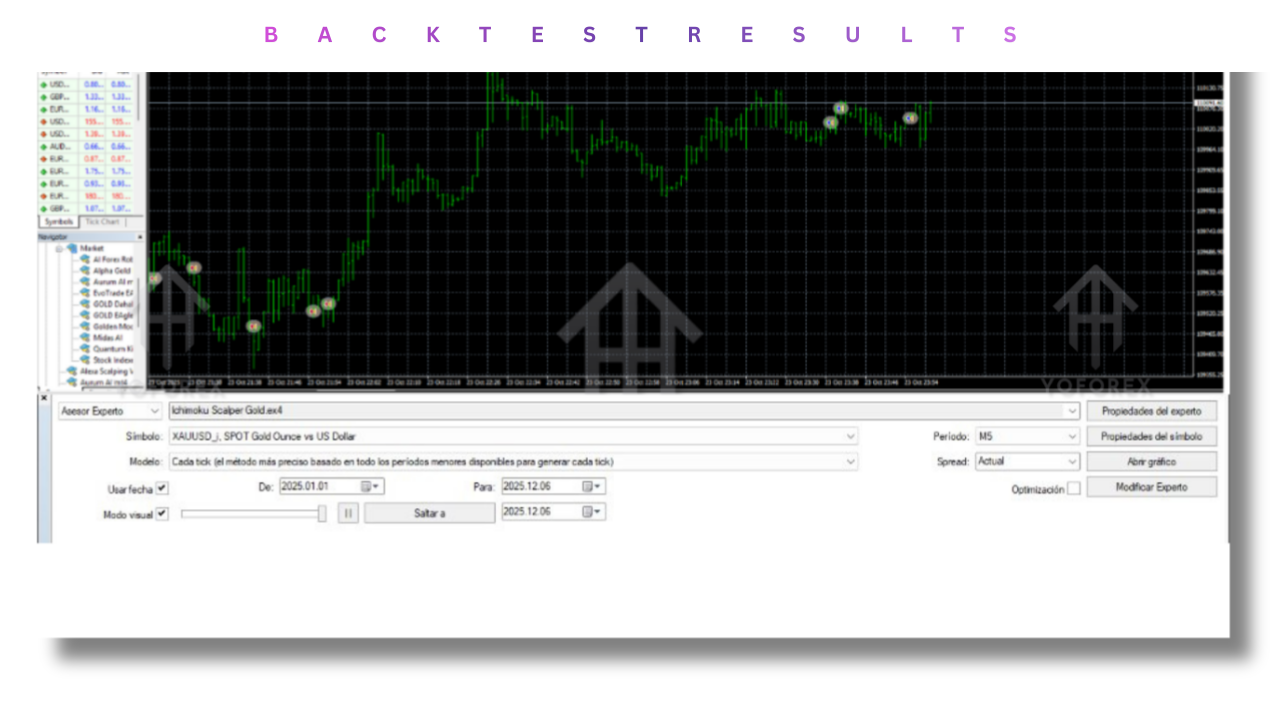
Backtesting Tip: Always backtest with “Every Tick” data in MT4’s Strategy Tester and validate across multiple brokers to account for spread differences.
6. Step-by-Step Installation & Configuration
-
Download & Placement
-
Copy
IchimokuScalperGoldEA.ex4into the...\MQL4\Experts\directory of your MT4 installation. -
Restart MT4 so the EA appears under “Expert Advisors.”
-
-
Chart & Timeframe
-
Open a new XAUUSD chart and set the timeframe to M5 (5-minute).
-
Ensure your chart’s data is up to date—right-click → “Refresh.”
-
-
Attach EA
-
From the Navigator panel, drag “Ichimoku Scalper Gold EA V2.0” onto the chart.
-
In the popup, under “Common,” enable “Allow Live Trading,” “Allow DLL Imports,” and “Allow External Experts.”
-
-
Load Preset
-
Select the “Inputs” tab, click “Load,” and choose the provided
Gold_M5_Default.setpreset. -
Review core parameters (Grid Step, Stop Loss, Trading Hours) and adjust if desired.
-
-
Activate Algo Trading
-
Click the “Algo Trading” button on the MT4 toolbar (it should turn green).
-
Confirm a smiley-face icon appears in the upper-right of your chart.
-
-
Monitoring & Reporting
-
Open the “Journal” and “Experts” tabs in the Terminal to view real-time EA logs.
-
Check the “Trade” and “Exposure” tabs for open positions and pending orders.
-
7. Performance Insights & Live Results
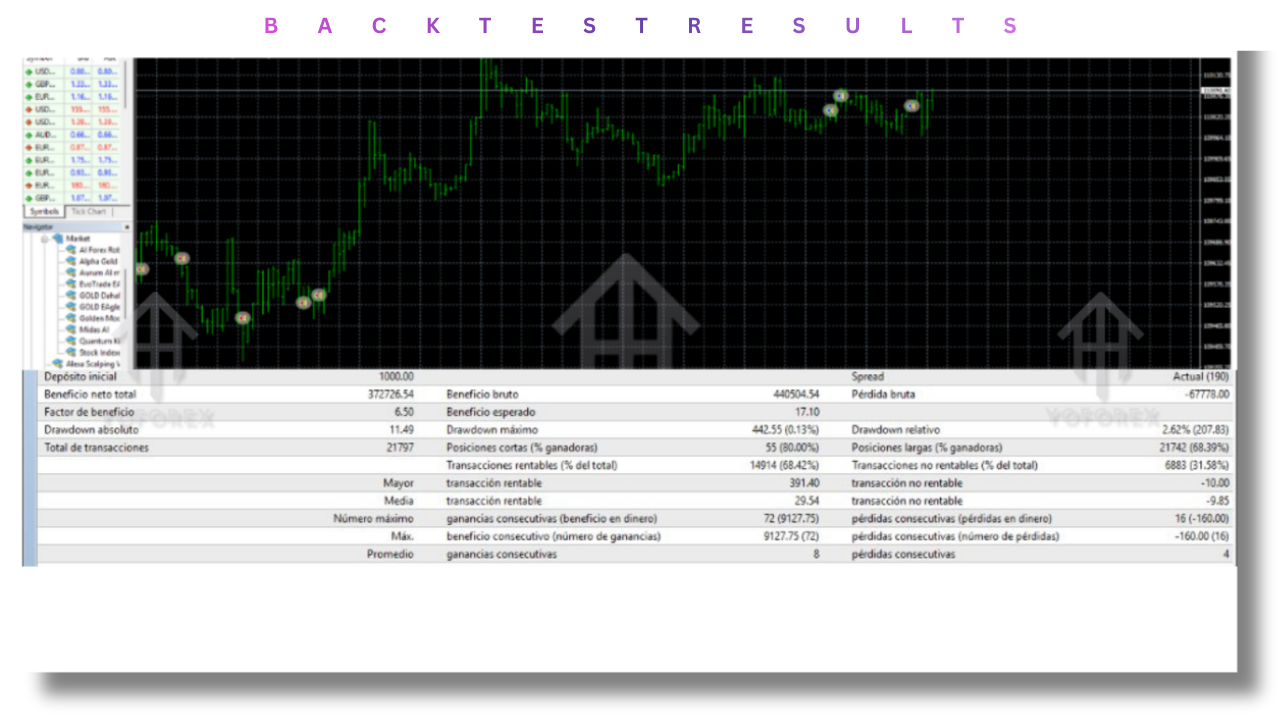
While past performance does not guarantee future returns, initial backtests and early demo results provide insight:
- Average Win Rate: 62–68% of executed trades hit at least the Breakeven or profit.
- Average Reward/Risk Ratio: ~1.2:1 after accounting for trailing-stop exits.
- Monthly Return (Demo): 4–6% on $5,000 accounts with default settings.
- Maximum Drawdown: Historically capped at 8–10% during extreme volatility spikes.
These metrics assume execution on a low-latency ECN account (≤30 ms) with stable spreads. Real-money performance will vary—hence the importance of demo trials and gradual scaling.
8. Advanced Optimization & Customization
- Volatility-Based Grid Tuning
Use recent ATR readings: if ATR(14) on XAUUSD M5 rises above your standard threshold, widen Grid Step by 1–2 pips; if ATR falls, tighten spacing to capture more frequent small moves. - Session Overlaps
Experiment with adding an early Asian session filter (e.g., 01:00–03:00 UTC) when Asian liquidity surges during major data releases in China. - Dynamic Lot Sizing
For larger accounts ($10K+), consider scaling lot size by equity bands—for example, increase risk to 0.75% per trade once equity exceeds $15K. - Alert Integration
Integrate the EA with Telegram or email notifications via MT4 scripts so you receive real-time trade alerts and equity-curve warnings.
9. Best Practices for Sustainable Scalping
- Maintain a Trading Journal
Record trade rationale, market context, and EA parameters for each session. Quarterly reviews help identify parameter drift or changing market regimes. - Stay Aware of Macro Events
Even with a Max Spread filter, sudden central-bank announcements (FED, ECB) can cause gap spikes. Consider disabling the EA during major FOMC or NFP releases. - Periodic Parameter Review
Market behavior changes—adjust Ichimoku periods or grid spacing every 3–6 months based on recent volatility and backtest results. - Risk-First Approach
If cumulative drawdown exceeds 12% on a live account, either reduce risk per trade or pause the EA to reassess. - Diversify Strategies
Don’t rely solely on one EA; consider complementing gold scalping with other non-correlated approaches (e.g., forex-pair breakout EAs).
WhatsApp: https://wa.me/+443300272265
Telegram Group: https://t.me/yoforexrobot