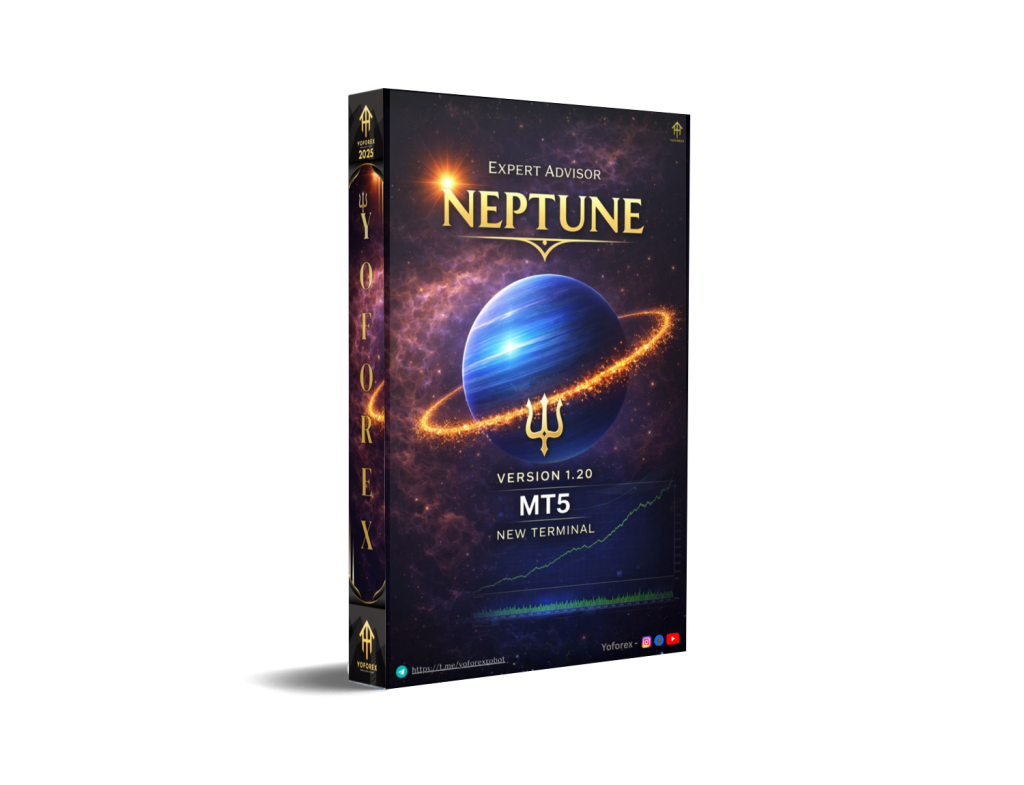
Gold trading has always been one of the most challenging segments of the financial markets. Unlike traditional forex pairs, XAUUSD reacts sharply to macroeconomic data, interest rate expectations, geopolitical tensions, and sudden liquidity shifts. These characteristics make manual trading emotionally demanding and technically complex, especially for beginners.
This is where automated systems like Neptune EA V1.20 MT5 come into focus. Designed specifically for gold trading on the MetaTrader 5 platform, Neptune EA aims to simplify decision-making by following a structured, rule-based trading logic. Instead of aggressive recovery techniques or overtrading, the EA emphasizes controlled risk, limited exposure, and selective entries.
In this detailed review, we will break down how Neptune EA V1.20 MT5 works, its trading philosophy, configuration approach, strengths, limitations, and whether it is suitable for beginner and intermediate traders looking to trade gold with discipline rather than emotion.
Overview of Neptune EA V1.20 MT5
Neptune EA V1.20 MT5 is an automated trading robot developed exclusively for XAUUSD. It is built to operate on a single chart while internally analyzing multiple timeframes. This structure allows the EA to detect broader market direction while timing entries with precision.
Unlike many gold robots that rely on scalping, grid systems, or martingale recovery, Neptune EA follows a conservative trend-based methodology. The EA is designed to open a limited number of trades, usually no more than one trade per day, with predefined stop loss protection.
Version 1.20 represents a significant refinement in the product’s lifecycle. The update focuses on stability, conservative defaults, and clearer user control, reducing unnecessary complexity while improving execution reliability.
Trading Philosophy and Strategy Logic
At its core, Neptune EA is a trend-following Expert Advisor. It attempts to align trades with the dominant market direction rather than anticipating reversals or counter-trend movements.
The EA evaluates several internal conditions before opening a trade, including:
- Directional trend confirmation
- Momentum validation
- Market structure alignment
- Volatility suitability
Only when these conditions are met does Neptune EA allow a trade to be placed. This filtering process is intentionally strict, which explains the relatively low trade frequency. The goal is quality over quantity.
A key design choice is the avoidance of high-risk trading methods. Neptune EA does not use grid strategies, martingale lot progression, or averaging techniques. Each trade stands independently, with a fixed stop loss and adaptive profit management.
Key Features of Neptune EA V1.20 MT5
Neptune EA V1.20 MT5 includes several features aimed at maintaining risk discipline and execution consistency:
- Dedicated gold trading logic optimized for XAUUSD behavior
- One-trade-per-day limitation to prevent overexposure
- Fixed stop loss applied to every trade
- Dynamic take profit management based on price behavior
- Trailing stop logic to protect floating profits
- Internal multi-timeframe analysis while running on a single chart
- Optional sell trade logic with daily sell limits
- Built-in equity protection to restrict trading after excessive drawdown
- Conservative default risk parameters suitable for long-term testing
These features make Neptune EA more aligned with professional trading principles rather than short-term speculation.
Recommended Trading Settings
Neptune EA V1.20 MT5 is designed to work out of the box with its default configuration. Unlike earlier versions, preset files have been removed to simplify the setup process and reduce misuse.
For most users, the following general guidelines are recommended:
- Use only one chart per account
- Trade exclusively on XAUUSD
- Start with the default risk level (approximately 1% per trade)
- Avoid increasing lot size aggressively during early testing
- Run the EA on a stable VPS to ensure uninterrupted execution
- Do not modify advanced settings unless you fully understand their impact
Because gold trading involves wider spreads and higher volatility, conservative settings are essential, especially for beginner traders.
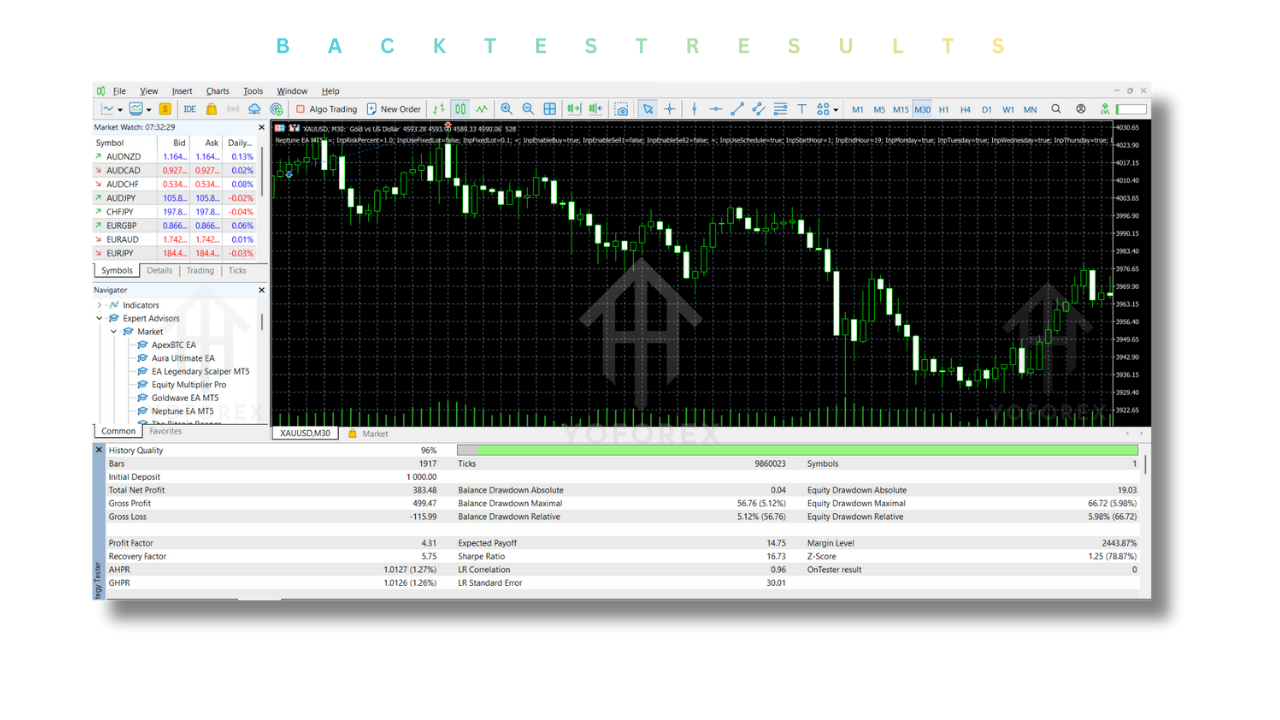
Backtesting Performance Perspective
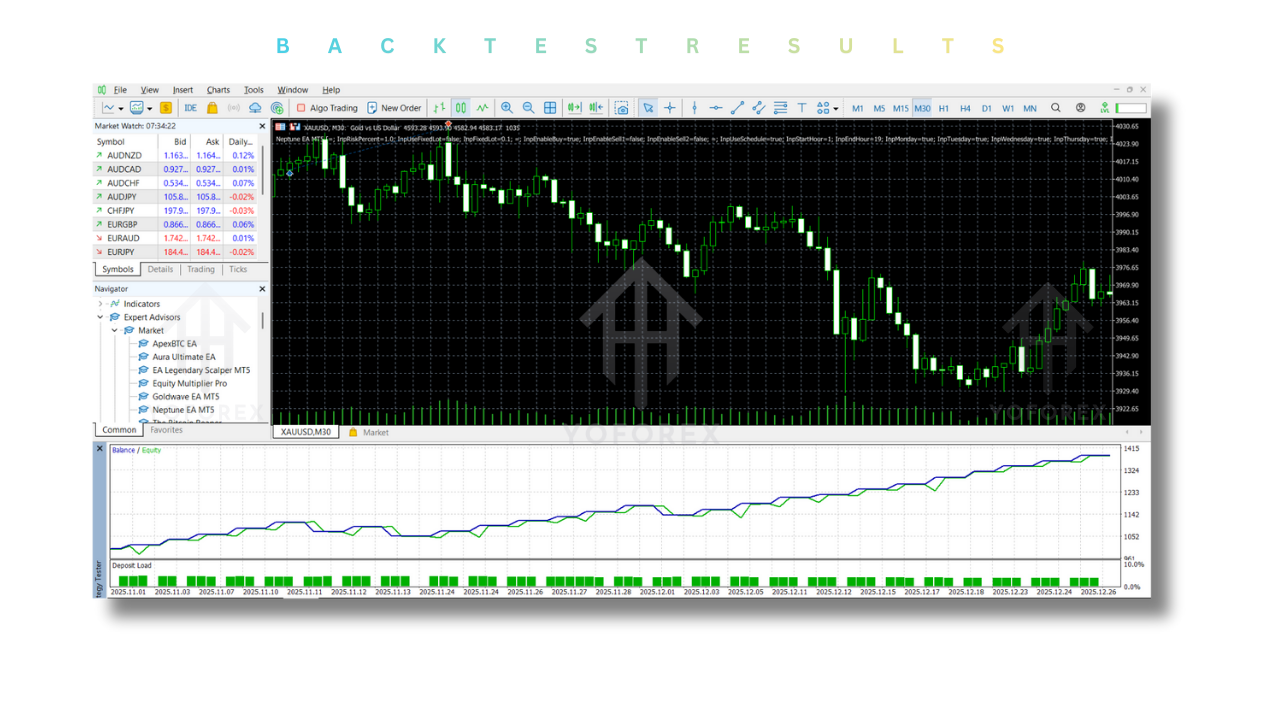
Historical backtesting plays an important role in evaluating any Expert Advisor, but it should always be interpreted carefully. Neptune EA V1.20 MT5 has been tested on historical gold data to assess its behavior across different market phases.
The backtests indicate:
- Stable equity growth during trending market conditions
- Controlled drawdowns due to fixed stop loss usage
- Limited trade frequency, reducing exposure during choppy markets
- Strong profit factor when trends are sustained
However, like all trend-following systems, Neptune EA may experience slower growth or flat periods during extended consolidation phases in gold. This is not a flaw but a natural characteristic of disciplined trend systems.
Forward testing on demo accounts is strongly recommended before deploying the EA on live capital.
Installation Guide (Short and Clear)
Installing Neptune EA V1.20 MT5 is straightforward:
- Download the EA file and open MetaTrader 5
- Go to File → Open Data Folder
- Navigate to MQL5 → Experts
- Copy the EA file into the Experts folder
- Restart MetaTrader 5
- Attach the EA to an XAUUSD chart
- Enable Algo Trading and allow automated trading
Always ensure there are no conflicting EAs running on the same account.
Advantages of Neptune EA V1.20 MT5
Neptune EA offers several advantages, especially for traders who value risk control:
- No grid or martingale exposure
- Clear and disciplined trading structure
- Suitable for beginners who want structured automation
- Reduced emotional decision-making
- Conservative defaults that prioritize account safety
- Clean execution logic without excessive trade stacking
These strengths make Neptune EA appealing for traders seeking long-term consistency rather than rapid gains.
Disadvantages and Limitations
Despite its strengths, Neptune EA is not without limitations:
- Lower trade frequency may feel slow for aggressive traders
- Performance depends heavily on trending market conditions
- Not designed for scalping or high-frequency strategies
- Requires patience during sideways gold markets
- Results vary depending on broker conditions and spreads
Understanding these limitations is essential to setting realistic expectations.
Who Should Use Neptune EA?
Neptune EA V1.20 MT5 is best suited for:
- Beginner traders learning automated gold trading
- Traders who prefer conservative risk management
- Investors seeking long-term account stability
- Users who want to avoid high-risk recovery systems
It may not be ideal for traders looking for fast, aggressive growth or constant daily trading activity.
Final Conclusion
Neptune EA V1.20 MT5 represents a disciplined approach to automated gold trading. Instead of relying on risky strategies, it focuses on controlled exposure, selective entries, and professional risk management principles.
While it does not promise instant profits or constant trading activity, it offers a structured framework that aligns well with long-term trading sustainability. For traders willing to test patiently, manage expectations, and respect risk, Neptune EA can serve as a valuable tool in the gold trading space.
As with any Expert Advisor, proper testing, realistic capital allocation, and disciplined usage are key to achieving consistent results.
Support & Disclaimer
Support
If you need help installing or configuring your EA, or face any kind of bug, feel free to reach out on:
WhatsApp: Click here
Telegram Group: Join our community
Disclaimer: Forex and gold trading involve risk. Past performance doesn’t guarantee future results. Always test robots on demo before live trading and use proper risk management.
Refferal
Join the VIP Signals Telegram Channel for real-time expert trading signals and stay ahead in the forex market. Get personalized strategies by becoming a part of our Real Account Management Telegram Channel and optimize your trading experience. If you’re aiming to Pass PropFirm Challenges, join our dedicated channel for tips and proven methods. Start managing your capital effectively with expert advice from our Funded Account Management Telegram Channel. For advanced traders, our HFT EA / Passing Telegram Channel offers high-frequency trading insights and strategies to boost your performance.
Happy Trading