Introduction
Automated trading systems have transformed how retail traders engage with the gold market. Among these systems, XAUminer EA V3.91 MT4 stands out as a specialized Expert Advisor designed to trade XAU/USD with a hybrid grid and martingale framework. Version 3.91 introduces refined entry filters, adaptive grid spacing, and expanded risk controls—features that address the limitations of earlier releases. In this comprehensive guide, you will learn how XAUminer works, examine its real-world performance, master the installation process, and apply best practices to manage risk and optimize profitability.
What’s New in Version 3.91
Since the initial release, the developer has focused on three key areas: precision entries, dynamic grid management, and robust news filtering. Highlights of the 3.91 update include:
-
Advanced Trend Confirmation: Before placing any trades, the EA evaluates a combination of moving averages and volatility indicators to ensure the market is moving in a clear direction.
-
Dynamic ATR-Based Grid: Instead of fixed pip intervals, grid levels now adjust according to the Average True Range (ATR) measured over recent bars, aligning order spacing with current volatility.
-
Moderated Martingale Scaling: The lot multiplier sequence has been capped to prevent exponential position sizes during extended drawdown phases.
-
Extended News Coverage: A built-in economic calendar filter now pauses trading not only for major releases but also for secondary events that historically trigger gold price spikes.
These enhancements collectively aim to reduce the frequency of deep drawdowns while preserving the ability of the grid system to recover losses when the market reverses.
How XAUminer EA Works
At its core, XAUminer V3.91 operates through two intertwined mechanisms:
-
Grid Averaging
When the EA opens its initial order in the identified trend direction, it simultaneously sets a series of pending orders at intervals determined by the ATR-based grid step. If the market moves against the initial position, subsequent grid orders accumulate, lowering the overall average entry price. -
Controlled Martingale
To accelerate recovery, each new grid order increases lot size by a predefined multiplier. In V3.91, this multiplier is capped and can be configured to follow a conservative or aggressive sequence. Once price retraces and hits the take-profit level on any grid line, all open trades within the grid close individually at profit.
A suite of safety parameters complements these primary functions:
-
Equity Stop: Automatically disables new trades if account equity falls below a user-set percentage.
-
Session Filter: Restricts operation to the most liquid trading hours, reducing the impact of overnight gaps.
-
Maximum Trades: Limits the total number of grid layers to avoid excessive exposure.
-
News Filter: Reads an internal event schedule to suspend trading during high-impact announcements.
Real-World Performance Analysis
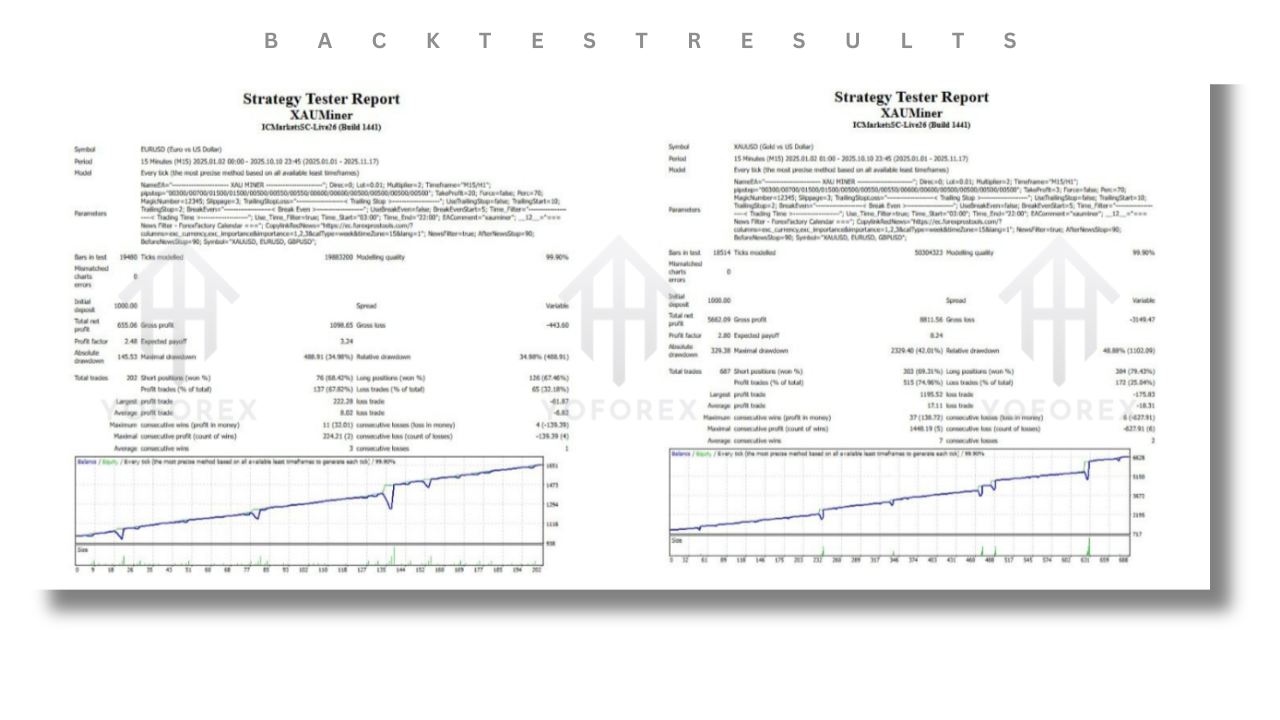
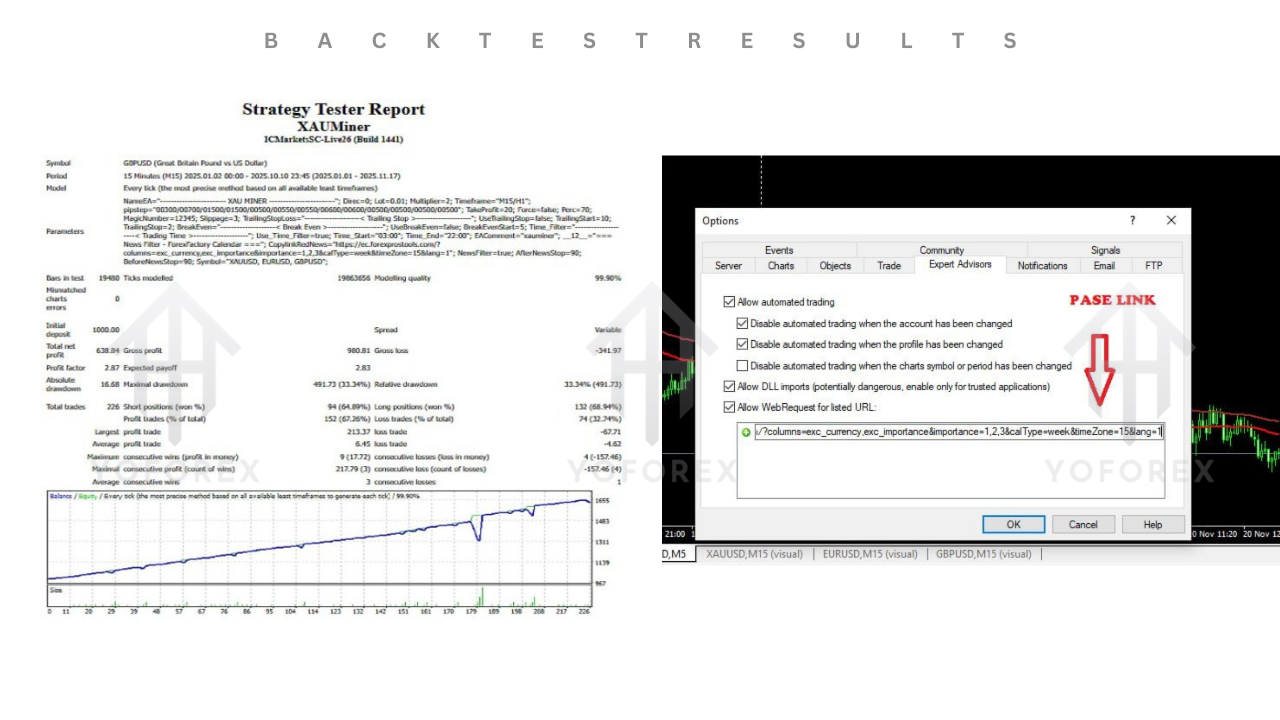
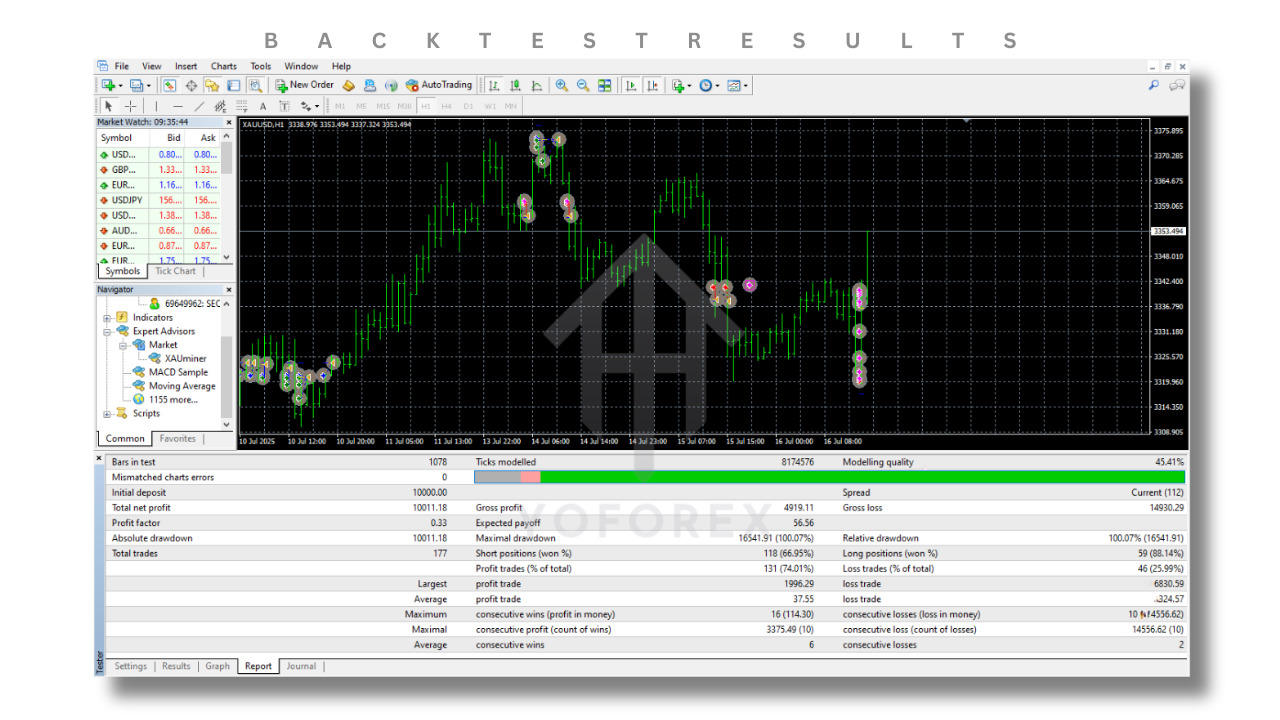
Independent tracking of XAUminer V3 (which shares the same core logic as 3.91) on a live demonstration account reveals the following summary over six months of continuous operation:
- Win Percentage: Approximately 78% of total trades closed in profit.
- Profit Factor: Roughly 1.7, indicating that gross profits exceed gross losses by 70%.
- Net Gain: Over 160% cumulative return on starting capital.
- Maximum Drawdown: Near 48% of peak equity—reflecting the inherent volatility of grid-martingale systems.
- Average Trade Duration: Between 18 and 30 hours, with some grid sequences lasting multiple days before a reversal.
These results underscore two realities: XAUminer can generate rapid gains in trending phases, but it also requires a substantial equity buffer to withstand extended retracements.
Setting Up XAUminer EA V3.91
Deploying XAUminer on your MetaTrader 4 platform involves a few straightforward steps:
-
Installation
-
Place the
XAUminer_V3.91.ex4file into theMQL4/Expertsdirectory of your MT4 data folder. -
Restart or refresh the Navigator window to reveal the EA under the Experts list.
-
-
Chart Configuration
-
Open an XAU/USD chart and select an H1 or M30 timeframe, balancing signal clarity and trade frequency according to your preference.
-
Drag and drop the EA onto the chart.
-
-
Input Parameters
-
Initial_Lot: Base lot size for the first trade.
-
Grid_Step_ATR_Multiplier: Factor applied to ATR value to calculate spacing between grid orders.
-
Lot_Multiplier: Multiplier for successive grid orders (capped by Max_Multiplier).
-
Max_Grid_Orders: Upper limit on pending grid layers.
-
Equity_Stop_Percent: Account equity threshold to disable new trades.
-
Session_Start/End: Define active trading window, e.g., 08:00–17:00 server time.
-
News_Filter_Level: Choose between major events only or full calendar coverage.
-
-
Presets and Set-Files
-
Use one of the four built-in set-files—Low-Risk, Medium-Risk, High-Risk, or Scalper Mode—as a starting point.
-
Save your customized settings to a new set-file for future reuse.
-
-
AutoTrading
-
Ensure the AutoTrading button on the MT4 toolbar is enabled.
-
In the EA’s Common tab, check “Allow live trading” and “Allow DLL imports.”
-
Recommended Input Ranges
Fine-tuning XAUminer to your account and risk appetite is vital. These sample ranges have proven effective in practice:
- Initial_Lot: 0.01 per $1,000 of capital
- Grid_Step_ATR_Multiplier: 0.5 to 1.0 (half to full ATR value)
- Lot_Multiplier: 1.5 to 2.5 (capped at a maximum multiplier of 4)
- Max_Grid_Orders: 5 to 8 layers
- Equity_Stop_Percent: 25% to 35%
- Session Window: Align with London-New York overlap for peak liquidity
Always start at the conservative end of each range and gradually adjust based on live performance data.
Risk Management Practices
Grid and martingale systems can magnify both gains and losses. Adopt these risk controls:
- Strict Equity Cap: Stop opening new trades once equity drawdown reaches your tolerance level.
- Manual Intervention Plan: Schedule daily or weekly reviews to decide if prolonged drawdowns warrant manual closure.
- Diversification: Run XAUminer alongside non-grid EAs or manual strategies to smooth overall portfolio equity curves.
- Account Sizing: Allocate no more than 20–30% of your total capital to XAUminer to limit portfolio risk.
Selecting the Right Broker
Execution quality directly impacts grid strategies. Seek a broker that offers:
- Raw Spreads: The tighter, the better—ideally sub-20 points on XAU/USD.
- Low Latency: VPS hosting near the broker’s data center can reduce order slippage.
- Minimal Commission: Low per-lot fees to preserve profit margins when multiple orders execute.
- Reliable Order Filling: True market execution rather than fixed price feeds ensures grid levels trigger accurately.
Test each broker’s conditions on a demo server for at least two weeks before moving to a live account.
Backtesting and Forward Testing Strategies
Prior to live deployment, validate your configuration through a two-phase process:
-
Historical Backtests
-
Use high-quality tick data spanning several years to capture varying market regimes.
-
Optimize one parameter at a time—grid spacing, lot multiplier, or equity stop—avoiding curve-fitting across multiple variables simultaneously.
-
-
Demo Forward Testing
-
Run the EA on your broker’s demo environment for a minimum of 30 calendar days.
-
Compare demo results to backtest projections, noting disparities caused by live spreads and latency.
-
Successful alignment of backtest and demo outcomes increases confidence that live performance will follow.
Community Tips and Best Practices
Experienced users have shared several valuable insights:
- Adaptive Grid Phases: Manually widen grid steps during strong trends to prevent excessive layering.
- Drawdown Alerts: Configure email or push notifications when equity drawdown exceeds a threshold, enabling faster intervention.
- Periodic Preset Updates: The developer may release minor patches; always check for new set-files or parameter tweaks.
- Trade Journaling: Document each grid sequence’s entry and exit prices to identify patterns and refine your risk settings.
Conclusion
XAUminer EA V3.91 MT4 offers a sophisticated automated framework for gold trading, blending trend validation, dynamic grid spacing, and moderated martingale scaling. While historical performance highlights its potential for rapid profit accumulation, the strategy demands rigorous risk management, broker selection, and testing protocols to avoid large equity drawdowns. By following the installation steps, configuring recommended inputs, and applying proven best practices, you can harness XAUminer’s automation to enhance your trading portfolio and capture sustained gains in the XAU/USD market.