ZZ Algo EA V1.0 MT5 – An Automated Trading Solution for Major Currency Pairs
In the competitive world of Forex trading, automation is no longer a luxury—it’s a necessity for many traders looking to eliminate emotional biases and improve consistency. ZZ Algo EA V1.0 is a smart, automated trading system developed for the MetaTrader 5 (MT5) platform. Tailored for use on major currency pairs and suitable for small trading accounts with as little as $100 to $500, this expert advisor brings precision and discipline to your trading routine.
Whether you’re a beginner venturing into Forex or an experienced trader looking to automate part of your strategy, ZZ Algo EA V1.0 offers a reliable path to systematic trading.
What is ZZ Algo EA V1.0?
ZZ Algo EA V1.0 is a fully automated expert advisor that runs on MT5. It is engineered to analyze the market, identify high-probability trading setups, and execute trades without manual intervention. Designed specifically for major currency pairs, the EA uses a combination of technical indicators, price action logic, and trend filters to enter and exit trades with calculated precision.
One of its most attractive features is its accessibility. It does not require a large trading balance to get started. With a minimum deposit requirement between $100 and $500, this EA is ideal for traders who want to grow their accounts gradually and safely.
Why Focus on Major Currency Pairs?
Major currency pairs like EUR/USD, GBP/USD, USD/JPY, and USD/CHF are among the most liquid and widely traded instruments in the Forex market. These pairs offer:
-
Tight spreads
-
High liquidity
-
Stable volatility
-
Reliable technical patterns
Because of these characteristics, major pairs are ideal for automated strategies like ZZ Algo EA V1.0. The EA is optimized to take advantage of predictable price behavior and technical structure within these pairs, providing higher accuracy in trade entries and exits.
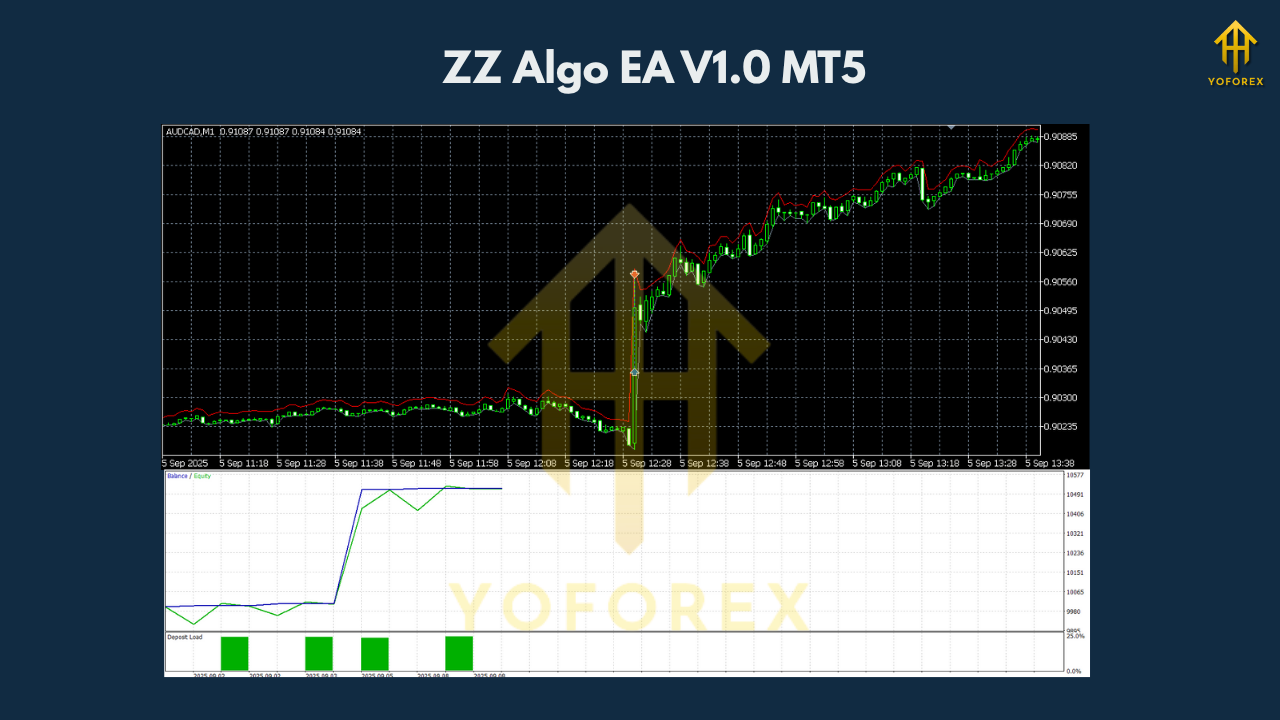
Core Features of ZZ Algo EA V1.0
1. Fully Automated Trading
Once set up, ZZ Algo EA handles everything from analysis to order execution. It identifies entry points, sets stop-loss and take-profit levels, manages risk, and can close trades based on predefined exit rules.
2. Optimized for Small Accounts
Many expert advisors require large balances to manage position sizing and survive market volatility. ZZ Algo EA V1.0, on the other hand, is designed to work efficiently with smaller capital, starting from as low as $100.
3. Smart Trade Filtering
The EA incorporates filters to avoid poor trading conditions. These filters help it stay out of the market during periods of low liquidity, high news volatility, or unclear price direction.
4. Adaptive Risk Management
Traders can set custom lot sizes, risk percentages, and trade limits. This gives full control over exposure and helps preserve capital during drawdown phases.
5. No Martingale or Grid Strategy
The EA does not rely on high-risk tactics like martingale or grid trading. It follows a logic-based trading strategy with clearly defined stops and targets, focusing on long-term sustainability.
6. Compatible with All Major Brokers
ZZ Algo EA V1.0 can be deployed on any broker that supports the MT5 platform. It works best with brokers offering tight spreads and fast execution, especially on major currency pairs.
Recommended Settings
While the EA can be customized, here are general recommendations for getting started:
-
Currency Pairs: EUR/USD, GBP/USD, USD/JPY, USD/CHF, AUD/USD
-
Timeframe: M15 or H1
-
Initial Deposit: $100–$500
-
Leverage: 1:100 to 1:500
-
Risk per Trade: 1% to 2% (adjustable)
Starting with default or conservative settings is advisable, especially for new users.
How to Install ZZ Algo EA V1.0 on MT5
Installation is straightforward and user-friendly. Follow these steps to get started:
-
Place the EA File
-
Copy the
.ex5file into theExpertsfolder inside your MT5 directory.
-
-
Restart MetaTrader 5
-
Close and reopen the platform to recognize the newly installed EA.
-
-
Attach the EA to a Chart
-
Open a chart for a supported major pair, select your preferred timeframe (M15 or H1), and drag the EA onto the chart.
-
-
Configure Input Settings
-
Adjust your risk preferences, lot size, and trading filters.
-
-
Enable AutoTrading
-
Ensure that the AutoTrading feature is turned on within the MT5 platform.
-
-
Start Monitoring
-
Once active, monitor the EA’s performance periodically to ensure optimal results.
-
Performance Expectations
While performance depends on market conditions and broker execution, the EA generally aims for consistent monthly returns rather than aggressive, high-risk profits. Traders can expect:
-
Average Monthly ROI: 5% to 15% (based on conservative risk settings)
-
Low Drawdown: Typically under 20%
-
Trade Frequency: Moderate – quality over quantity
-
Risk-to-Reward Ratio: Optimized for high probability setups
It’s essential to understand that no EA guarantees profits. Performance may vary based on execution quality, spread, and volatility.
Best Practices for Using ZZ Algo EA V1.0
To maximize the EA’s potential, follow these best practices:
1. Use a Reliable VPS
For uninterrupted operation, especially when running multiple pairs, a Forex VPS is highly recommended. This ensures the EA functions even if your personal computer shuts down.
2. Avoid High-Impact News Events
Although the EA has filters, consider disabling it during major economic releases to avoid slippage and sudden volatility.
3. Monitor Performance Regularly
Even though the EA is automated, checking the account daily or weekly helps ensure everything is running smoothly and as expected.
4. Withdraw Profits Periodically
If you grow your account over time, consider withdrawing a portion of profits regularly. This helps protect your capital and locks in gains.
5. Use Demo Testing First
Before running the EA live, test it on a demo account using your preferred broker and settings. This helps you build confidence and understand how the EA behaves.
Who Should Use ZZ Algo EA V1.0?
This expert advisor is best suited for:
-
Beginners who are exploring automated Forex trading
-
Part-time traders with limited screen time
-
Traders with small accounts (under $500)
-
Those focusing on major pairs and avoiding exotic or illiquid markets
-
Risk-averse traders who prefer steady growth over fast, risky gains
It may not be ideal for traders who prefer high-frequency scalping, news trading, or exotic currency pairs.
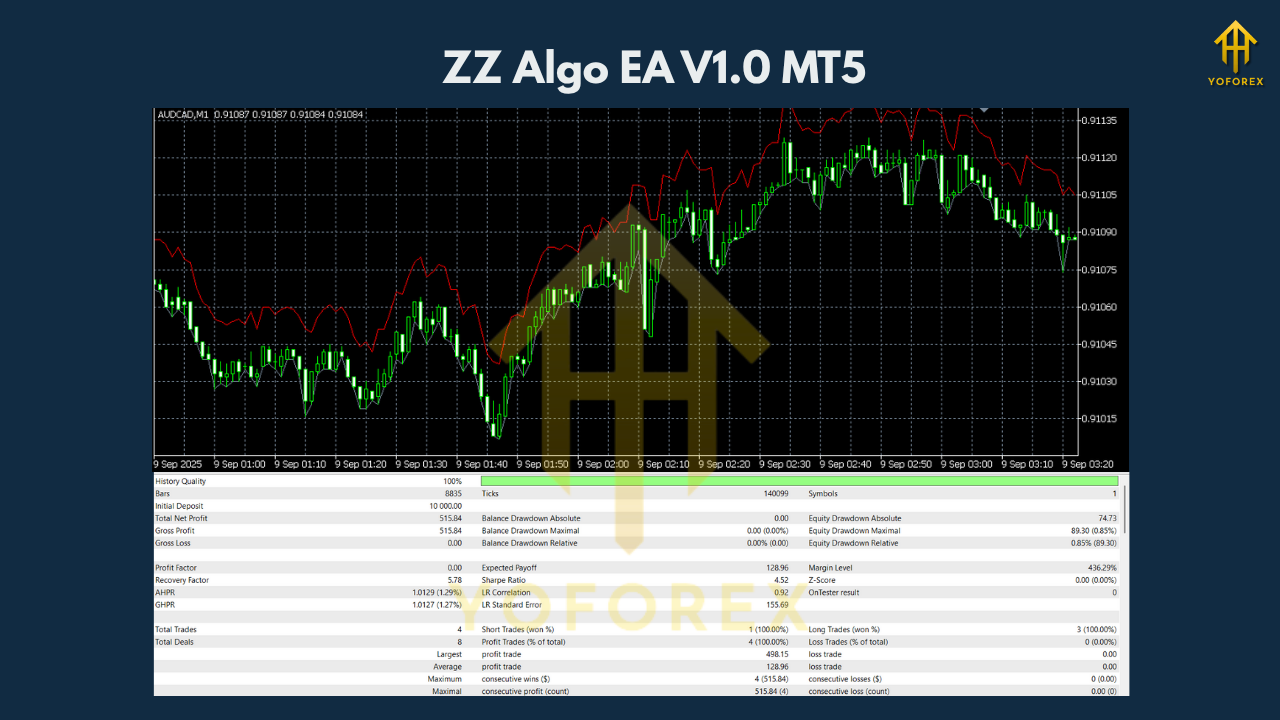
Pros and Cons
Pros:
-
Works with small balances
-
Designed for major currency pairs
-
Fully automated and easy to set up
-
No martingale or grid system
-
Customizable risk settings
-
Compatible with all MT5 brokers
Cons:
-
Moderate trade frequency; not ideal for scalping
-
Performance can vary with broker conditions
-
Still requires monitoring and periodic adjustments
SEO Tips and Target Keywords
To help this content rank well in search engines, it uses important SEO keywords such as:
-
“ZZ Algo EA V1.0 MT5”
-
“Forex EA for major pairs”
-
“Expert advisor for $100 account”
-
“Low deposit MT5 robot”
-
“Best MT5 EA for beginners”
-
“Automated trading MT5 low balance”
These keywords are designed to attract traders looking for reliable, beginner-friendly expert advisors on MetaTrader 5.
Final Thoughts
ZZ Algo EA V1.0 MT5 is a practical and user-friendly expert advisor built for traders who want to start small, trade major currency pairs, and scale up over time. It combines simplicity with smart automation, making it a valuable tool for traders at any experience level.
With the right setup, risk management, and consistent use, this EA can help build long-term consistency in your Forex journey. Always start with a demo, use proper risk controls, and let the system work for you — calmly, confidently, and systematically.
Join our Telegram for the latest updates and support