2 Bar Reversal Indicator V1.0 MT4 — Complete Guide, Settings & Strategies
If you love clean, price-action entries, the 2 Bar Reversal Indicator V1.0 for MetaTrader 4 will feel like home. Built to detect the classic two-bar reversal (also called a “two-candle reversal”), this non-repaint indicator highlights moments when momentum flips and a trend reversal is likely. Instead of drowning in lagging filters, it reads the story told by candles and marks buy/sell signals directly on the chart, helping you catch early turns with disciplined risk.
What is a 2-Bar Reversal?
A 2-bar reversal is a simple but powerful candlestick formation:
-
Bullish 2-bar reversal (potential long):
-
Candle 1 is bearish, closing near its low.
-
Candle 2 opens below/near Candle 1’s close and closes above Candle 1’s high, engulfing it or decisively rejecting lows.
-
Context: often forms after a downswing or near support.
-
-
Bearish 2-bar reversal (potential short):
-
Candle 1 is bullish, closing near its high.
-
Candle 2 opens above/near Candle 1’s close and closes below Candle 1’s low, engulfing it or decisively rejecting highs.
-
Context: often forms after an upswing or near resistance.
-
This pattern signals shifted control (from sellers to buyers, or vice-versa) and can precede a trend turn or at least a meaningful corrective move.
How the Indicator Works in MT4
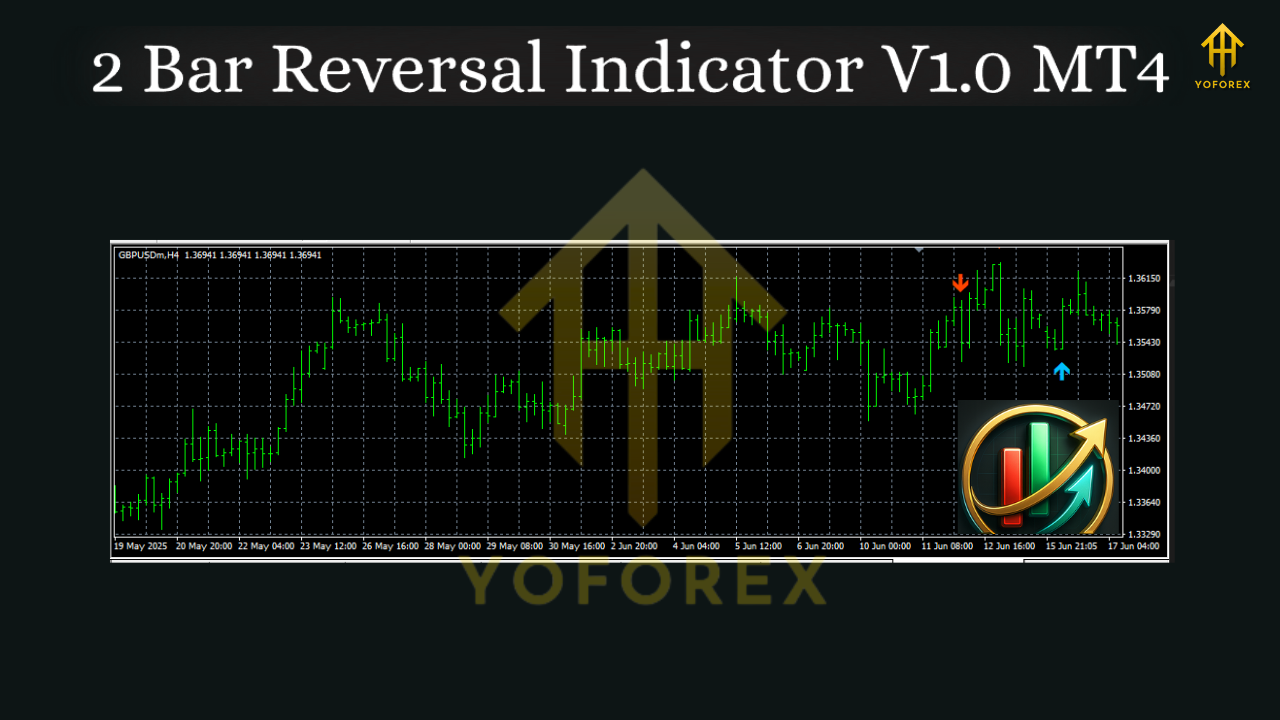
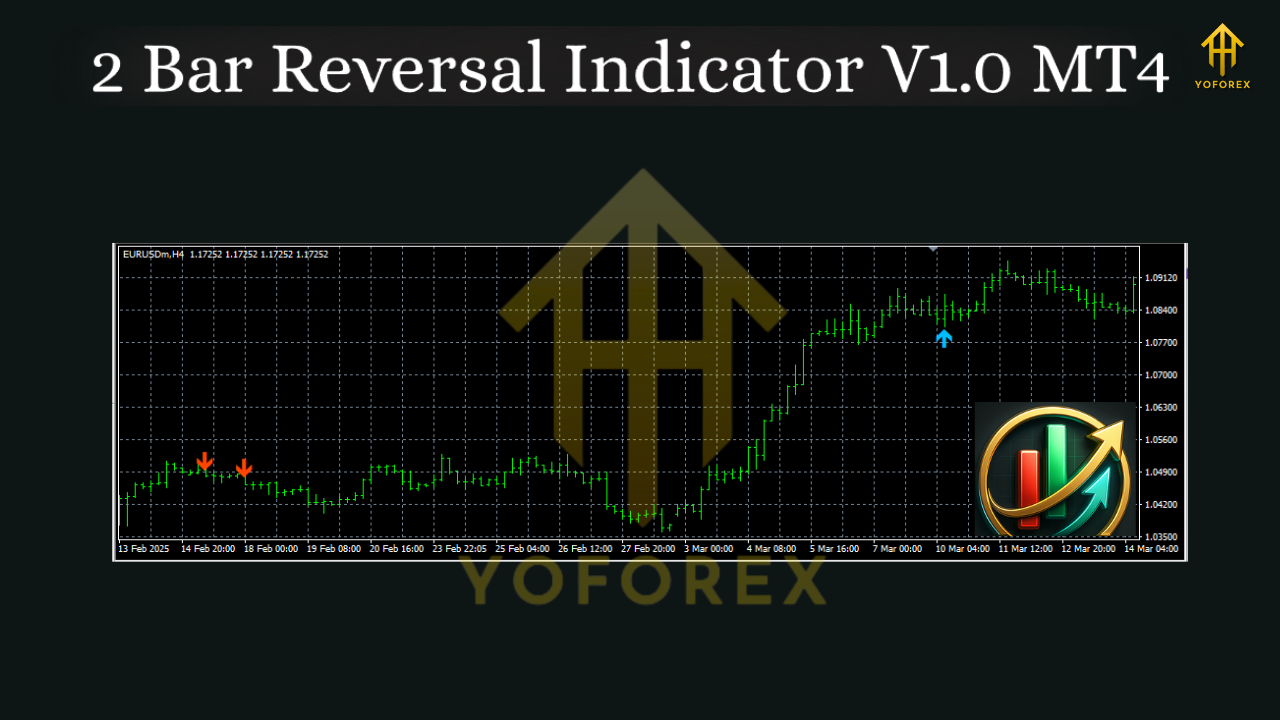
The 2 Bar Reversal Indicator V1.0 scans every completed candle for the formation and, when found, plots:
-
Up arrows / Buy labels on bullish setups
-
Down arrows / Sell labels on bearish setups
Because signals are generated on closed candles, the tool is designed to be non-repaint—the arrows stay where they appear once the bar closes, preventing “disappearing signals” that can ruin trust and backtests.
Optional alerts (popup, sound, email/push if enabled in MT4) notify you in real time, so you don’t need to stare at the screen.
Key Features at a Glance
-
🎯 Non-repaint logic on bar close
-
🔔 Alert suite: on-screen, sound, push/email (MT4 must be configured)
-
⚙️ Flexible filters (enable/disable engulfing requirement, wick sensitivity, minimum body size)
-
🕒 Multi-timeframe compatibility: M1–D1 and beyond
-
📈 Clean visuals: minimal clutter, easy to read arrows/labels
-
🧪 Backtest-friendly: stable signals that match live behavior
Suggested Settings (Starter Template)
Every market is unique, so treat these as a baseline to refine:
-
Engulfing Required:
true(start strict; loosen later) -
Min Body % of Range:
35–45%(avoid weak doji-like bars) -
Max Upper/Lower Wick %:
60%(control for excessive wickiness) -
Signal on Bar Close:
true(keeps logic non-repaint) -
Alert Mode:
Popup + Push(optional email) -
Show Historical Markers:
true(useful for study and journaling)
Tip: On lower timeframes (M1–M5) for gold or crypto CFDs, consider raising the minimum body percentage to filter noise. On H1–H4, you can relax filters a bit.
Entry, Stop-Loss & Take-Profit Rules
Long Setup (bullish pattern):
-
Wait for the up arrow at candle close.
-
Entry: Market on next bar open or place a buy stop a few points above the signal candle’s high.
-
Stop-Loss: Below the pattern’s low (the lower of the two bars), plus a small buffer (e.g., 0.5–1× ATR(14) on your timeframe).
-
Take-Profit (choose one):
-
Fixed R-Multiple: TP at 2R or 3R (popular and simple).
-
Structure-Based: Next swing high or a key resistance.
-
ATR Trail: Trail by ATR(14) × 1.5–2.0 for trend captures.
-
Short Setup (bearish pattern):
-
Wait for the down arrow at candle close.
-
Entry: Market on next bar open or sell stop below signal candle’s low.
-
Stop-Loss: Above the pattern’s high (higher of the two bars) + buffer.
-
Take-Profit: Same options as above (R-multiple, structure, or ATR trail).
Three Proven Strategy Variations
-
Reversal at Key Levels (High-Probability)
-
Add Support/Resistance + Round Numbers (e.g., 1.0900).
-
Only take patterns that reject a level.
-
Works best on M15–H4.
-
-
Trend Pullback Re-Entry (Conservative)
-
Use 200 EMA (or 50/100 EMA) as trend filter.
-
In an uptrend (price above EMA), only take bullish 2-bar reversals after pullbacks.
-
In a downtrend, only take bearish.
-
This reduces counter-trend trades and increases win rate.
-
-
Momentum Confirmation (Balanced)
-
Add RSI(14) or MACD as a momentum check.
-
For longs: RSI > 50 or MACD histogram turning up.
-
For shorts: RSI < 50 or MACD turning down.
-
Fewer trades, but cleaner quality.
-
Best Markets & Timeframes
-
Forex Majors (EURUSD, GBPUSD, USDJPY): M15–H4
-
Gold (XAUUSD): M5–H1 (filter more strictly on low TF due to volatility)
-
Indices (US30/US100/GER40): M15–H1
-
Crypto CFDs: M5–H1 (use wider SL and ATR filters)
General rule: The higher the timeframe, the cleaner the signal; the lower the timeframe, the more filters you should apply.
Backtesting & Forward Testing Tips
-
Test one pair + one timeframe at a time for 6–12 months of data.
-
Disable any “signal on open” behavior; keep bar close logic for realism.
-
Log trades: date, pair, TF, SL/TP, R-multiple, reason for entry (level, trend filter, momentum).
-
Move to a small demo forward test for 2–4 weeks before live.
Trade Management & Risk
-
Risk 0.5%–1% per trade; avoid stacking multiple correlated pairs in the same direction.
-
Consider partial profits at 1.5R–2R and trail the rest to ride trends.
-
If a strong reversal bar forms against your position, don’t hesitate to reduce size or exit—price action is your edge.
Common Mistakes to Avoid
-
Chasing mid-range signals far from any level or trend context.
-
Ignoring spread/slippage on low timeframes (especially during news).
-
Over-optimizing wick/body thresholds until past data looks “perfect.”
-
Taking every arrow without a basic filter (trend, S/R, or momentum).
Installation (MT4)
-
In MT4, go to File → Open Data Folder.
-
Open MQL4 → Indicators and copy the ex4/mq4 file there.
-
Restart MT4 (or right-click Indicators → Refresh in Navigator).
-
Drag 2 Bar Reversal Indicator V1.0 onto your chart, adjust inputs, and enable alerts if desired.
Final Thoughts
The 2 Bar Reversal Indicator V1.0 MT4 keeps trading simple, visual, and disciplined. By focusing on a time-tested candlestick structure, it delivers clear arrows where the order-flow appears to flip. Combine it with smart context (trend + levels), apply strict risk management, and journal your trades. Whether you swing on H1/H4 or scalp on M5 with tighter filters, this tool can become a reliable price-action companion.