
Monetree EA V1.0 MT4: Your Gateway to Automated Forex & Index Trading
In the fast-paced world of financial markets, staying ahead requires precision, discipline, and tools that work tirelessly on your behalf. Enter Monetree EA V1.0 for MT4 – a cutting-edge Expert Advisor designed to automate trading across Forex pairs and indices. Built for traders seeking efficiency without sacrificing strategy, Monetree EA combines algorithmic intelligence with user-friendly operation. Let’s explore how this EA can transform your trading journey.
What is Monetree EA V1.0?
Monetree EA V1.0 is a fully automated trading solution developed for MetaTrader 4 (MT4), the industry’s most trusted platform. It executes trades based on predefined algorithms, eliminating emotional decision-making and ensuring 24/5 market monitoring. Whether you’re a novice trader or a seasoned investor, Monetree EA simplifies complex market dynamics into actionable trades.
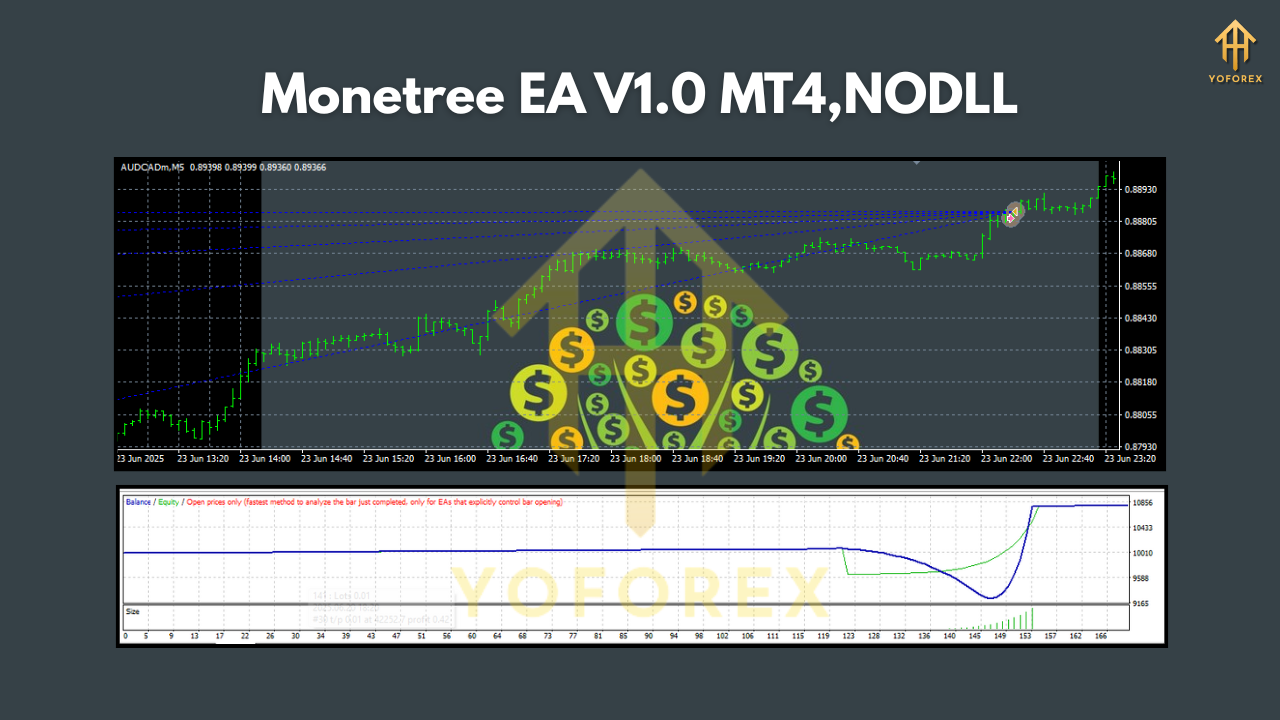
Key Features & Specifications
1. Versatile Currency Pairs & Indices
Monetree EA is optimized for five high-liquidity instruments:
- Forex Pairs: GBPUSD, EURUSD, AUDCAD, USDJPY
- Index: US30 (Dow Jones Industrial Average)
This diverse selection balances volatility and stability, allowing the EA to capitalize on trends across major economies. GBPUSD and EURUSD offer tight spreads and high volume, while AUDCAD provides unique commodity-driven opportunities. USDJPY reacts to Asian market sentiment, and US30 captures equity market momentum.
2. Timeframe Flexibility
Unlike rigid EAs confined to specific timeframes, Monetree EA V1.0 adapts to any chart timeframe (M1 to MN1). This flexibility allows traders to:
- Align with their preferred trading style (scalping, swing, or position trading).
- Optimize performance based on market conditions (e.g., shorter timeframes for volatility, longer for trends).
- Backtest strategies across multiple timeframes for robustness.
3. Low Entry Barrier
With a minimum deposit of $500, Monetree EA democratizes automated trading. This accessibility ensures:
- Retail traders can participate without significant capital.
- Risk management is prioritized through position sizing proportional to account balance.
- New users can test the EA with minimal exposure.
How Monetree EA Works
Monetree EA employs a multi-layered strategy combining technical indicators, price action, and risk management protocols. Here’s a simplified breakdown:
Strategy Core
- Trend Identification: Uses moving averages and ADX to detect directional trends.
- Momentum Confirmation: RSI and Stochastic Oscillator validate entry/exit points.
- Volatility Analysis: ATR (Average True Range) adjusts stop-loss and take-profit levels dynamically.
Trade Execution
- Entry Logic: Triggers trades when indicators align (e.g., GBPUSD breakout confirmed by RSI oversold bounce).
- Risk Controls: Fixed stop-loss (e.g., 20 pips) and trailing stops lock profits.
- Lot Sizing: Calculates position size based on account equity (e.g., 0.01 lots per $500).
Diversification Advantage
By trading five uncorrelated assets, Monetree EA reduces portfolio risk. For example:
- A loss in EURUSD might be offset by gains in US30.
- AUDCAD’s commodity correlation hedges against USD-centric volatility.
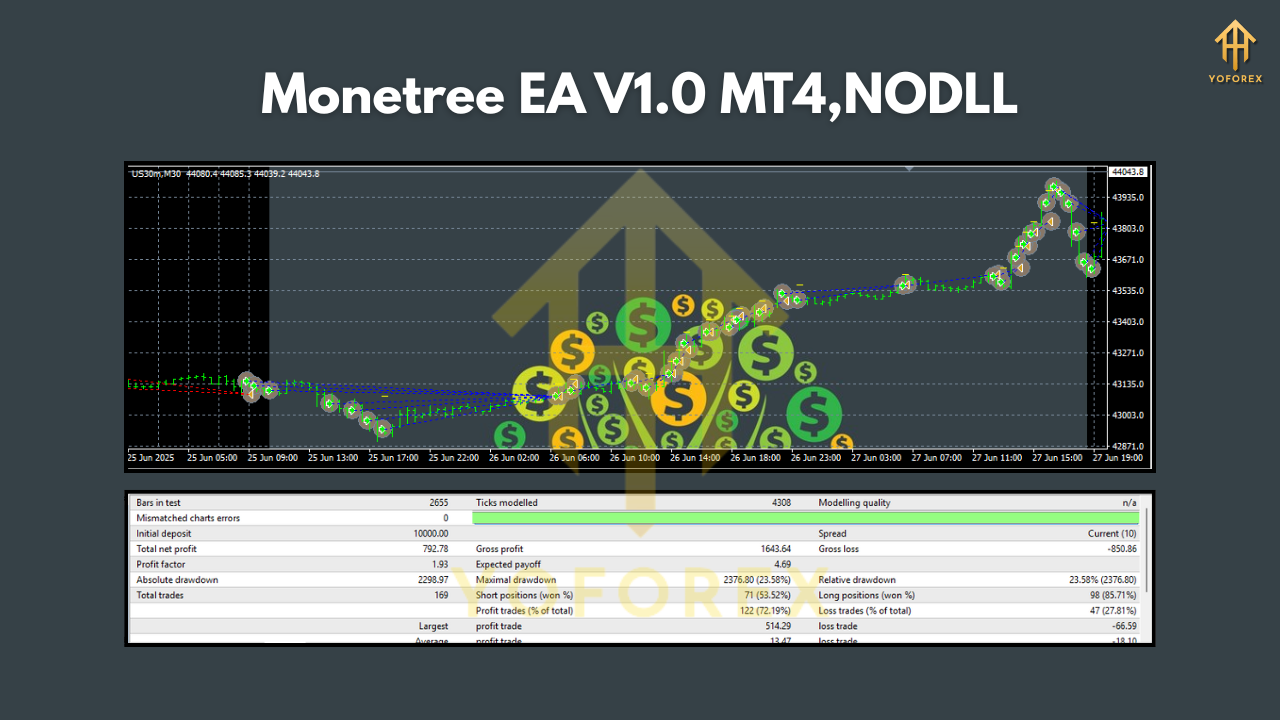
Benefits of Using Monetree EA V1.0
- Emotion-Free Trading: Removes fear and greed from decisions.
- Time Efficiency: Monitors markets 24/5; no manual screening needed.
- Backtested Reliability: Algorithms validated on historical data for consistent performance.
- Customizable Settings: Adjust risk parameters (e.g., lot size, max trades) via MT4 inputs.
- Low Maintenance: Set and forget; ideal for busy traders.
Who Should Use Monetree EA?
- Beginners: Learn automated trading without coding knowledge.
- Part-Time Traders: Leverage automation while managing other commitments.
- Portfolio Diversifiers: Add systematic strategies to existing manual trades.
- Risk-Averse Investors: Benefit from built-in risk controls and low capital entry.
Getting Started: A Quick Guide
- Install MT4: Download from your broker.
- Purchase Monetree EA: Buy from the official vendor.
- Attach to Charts: Drag the EA onto GBPUSD, EURUSD, AUDCAD, USDJPY, and US30 charts.
- Configure Settings:
- Set initial deposit ($500+).
- Adjust risk percentage (default: 1-2% per trade).
- Enable timeframes (e.g., H1 for balance).
- Activate: Enable “AutoTrading” in MT4. Monitor performance via the terminal tab.
Pro Tip: Start with a demo account to familiarize yourself with the EA’s behavior before going live.
Conclusion: Elevate Your Trading with Monetree EA V1.0
Monetree EA V1.0 isn’t just another automated tool; it’s a strategic partner engineered for the modern trader. By harnessing the power of GBPUSD, EURUSD, AUDCAD, USDJPY, and US30 across any timeframe, it offers unparalleled flexibility and opportunity. With a modest $500 deposit, you gain access to a disciplined, data-driven system that works relentlessly to capture market movements.