GORT EA V1.0 MT4 – A Complete User Guide for Forex Traders
The Forex market continues to evolve as traders move from manual chart reading to fully automated systems designed to perform faster and more efficiently. Among the growing list of algorithmic tools available today, GORT EA V1.0 MT4 stands out for traders who want a structured, disciplined, and adaptable trading assistant. Built exclusively for MetaTrader 4, this Expert Advisor aims to simplify decision-making, enhance consistency, and generate reliable trading signals across trending and ranging markets.
GORT EA focuses on three critical components of profitable trading: timely entries, controlled risk, and steady account growth. Using well-tested rules and dynamic logic, it scans the markets, detects patterns, and executes trades without emotional interference. Whether you are a beginner looking to automate your first strategy or an experienced trader searching for a robust intraday tool, GORT EA offers a clean balance of simplicity and performance.
What Makes GORT EA V1.0 MT4 Different?
There are countless EAs in the market, but many struggle with over-optimization, poor money management, or unstable performance during volatile phases. GORT EA attempts to solve these problems through:
-
A controlled entry system based on real market behavior
-
Optimized performance for EURUSD, GBPUSD, and USDJPY
-
Compatibility with M15 and H1 timeframes
-
A minimum capital requirement of $100, making it accessible to small account traders
-
Transparent, rule-based logic instead of “black-box” algorithms
The EA does not rely on dangerous methods like high-risk martingale or untested grid stacking. Instead, it focuses on balanced position execution, making it suitable for both small and medium-sized accounts.
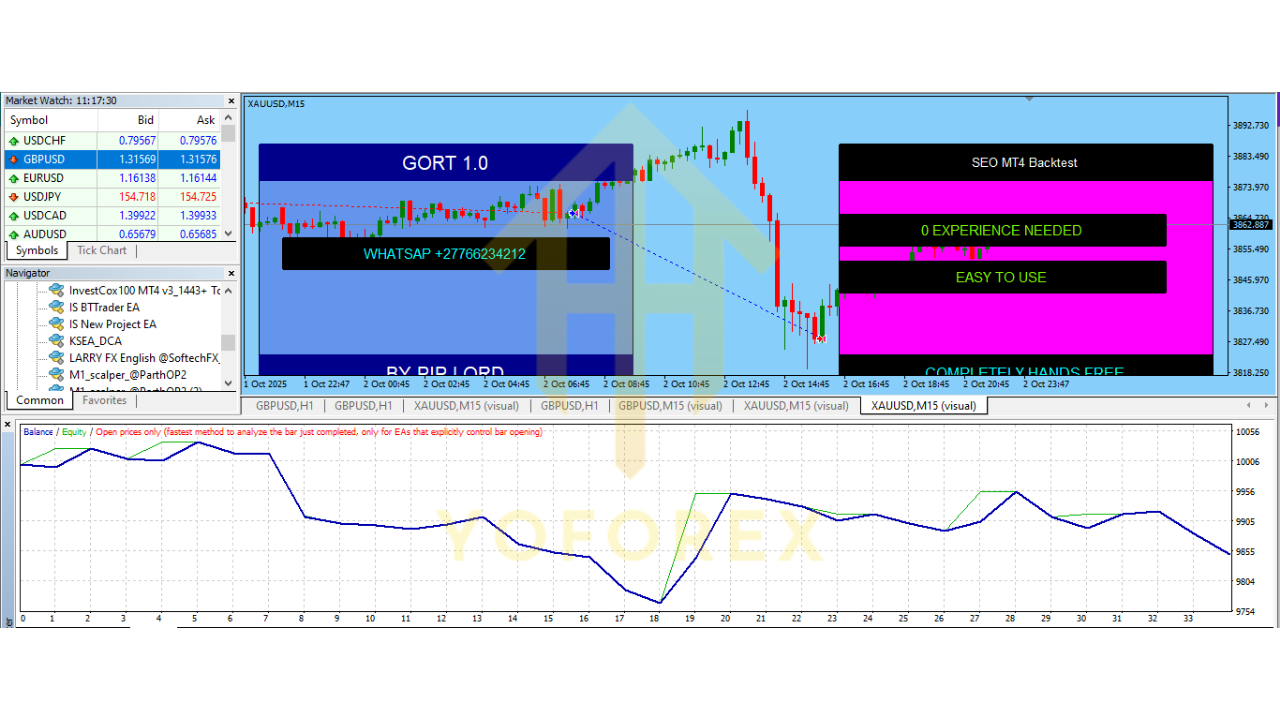
Minimum Deposit, Timeframes, and Supported Pairs
Before diving into the technical journey of this EA, here are the recommended settings:
-
Minimum Deposit: $100
-
Timeframes: M15, H1
-
Currency Pairs: EURUSD, GBPUSD, USDJPY
The combination of these three pairs provides strong volatility, stable spreads, and predictable movement patterns, which supports the EA’s logic and performance metrics.
Core Trading Logic of GORT EA
GORT EA V1.0 operates on a strategy built around market structure and price action. The algorithm monitors four major components:
1. Trend Identification
The EA uses a combination of short-term and mid-term directional filters to detect ongoing trends. This allows it to avoid counter-trend entries during high momentum phases, reducing unnecessary losses.
2. Pullback Entry Mechanism
Instead of entering trades at extreme points, GORT EA waits for a healthy pullback within valid trend conditions. This method improves risk-to-reward ratios and ensures entries are placed during value-driven zones.
3. Volatility-Based Risk Adjustment
Volatility plays a key role in determining stops and targets. When volatility is low, the EA contracts its risk exposure. When volatility expands, it widens its protection range to avoid premature stop-outs.
4. Smart Exit Management
Using dynamic trailing logic and time-based closures, the EA secures profits without letting the market retrace too deeply. This balanced exit approach prevents the common issue of trades being closed too early.
Key Features of GORT EA V1.0 MT4
1. Fully Automated Decision Framework
Once configured, GORT EA handles the entire process — chart scanning, entry placement, stop loss calculation, trailing adjustments, and exit management.
2. Low Capital Requirement
The EA is optimized for accounts starting with $100, making it ideal for beginners, small traders, or prop-firm challenge takers.
3. Non-Martingale and Non-Grid Logic
The EA avoids extremely risky strategies that can wipe accounts during news-based spikes. Its logic is strictly rule-based and risk-first.
4. Suitable for Both Ranging and Trending Markets
GORT EA is versatile and adjusts to changing market conditions, making it useful throughout different sessions.
5. Minimal Need for Manual Input
You don’t have to constantly monitor charts or adjust settings. The EA is designed to function independently.
6. Stable Performance Across Three Major Pairs
EURUSD, GBPUSD, and USDJPY provide a balance of volatility and liquidity — the perfect environment for this EA’s patterns.
7. Works on M15 or H1 Timeframes
These timeframes reduce noise while still providing enough opportunities for daily and intraday trades.
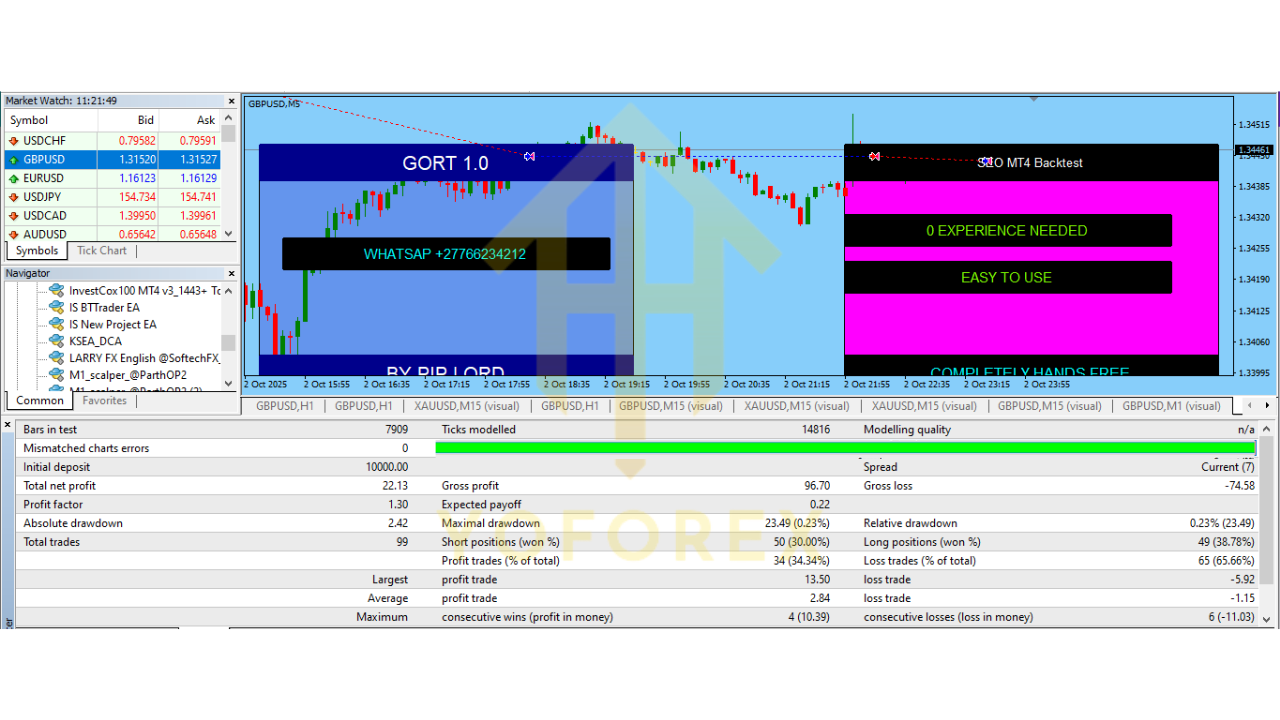
Performance Overview and Expected Outcomes
While performance can vary depending on the broker, market conditions, and spread environment, GORT EA aims to deliver:
-
Moderate risk exposure
-
Consistent monthly returns
-
Low drawdown
-
Balanced trade frequency
The EA avoids rapid-fire entries and focuses instead on quality positions. Traders who prefer slow but consistent growth will appreciate this approach.
During trending sessions, the EA tends to perform strongly because its entry logic works harmoniously with momentum. During ranging conditions, it switches to a more conservative mode, avoiding false breakouts.
Risk Management and Safety Features
GORT EA V1.0 incorporates several safety layers that help protect trader accounts:
1. Fixed Stop Loss and Take Profit
Every trade is entered with predefined SL and TP based on volatility and market direction.
2. Trailing Stop Feature
As trades move into profit, the EA dynamically adjusts the stop loss to lock in gains.
3. Max Spread Protection
If spreads widen too much during news or low-liquidity hours, the EA automatically avoids entering trades.
4. Equity Protection
Optional equity stop features can limit losses during sudden volatility periods.
These functions make GORT EA a strong choice for traders who value long-term account safety.
Installation Guide for GORT EA MT4
Here is a step-by-step walkthrough to help you install and run the EA without confusion:
Step 1: Download the EA File
After obtaining the EA, save it to your device.
Step 2: Open MT4 and Navigate to the Data Folder
Go to:
File → Open Data Folder
Step 3: Copy the EA File
Paste the EA file into:
MQL4 → Experts
Step 4: Restart MT4
Restarting refreshes the system and loads the new EA into the Navigator panel.
Step 5: Attach the EA to the Chart
-
Open EURUSD, GBPUSD, or USDJPY
-
Select M15 or H1 timeframe
-
Drag and drop GORT EA onto the chart
Step 6: Enable AutoTrading
Make sure the AutoTrading button is activated.
Once these steps are completed, the EA will begin monitoring the chart and executing trades based on its programmed logic.
Best Practices for Using GORT EA V1.0
To achieve better performance and account stability, keep these suggestions in mind:
-
Choose a broker with tight spreads
-
Use VPS for stable 24/7 execution
-
Avoid manual interference unless necessary
-
Stick to recommended pairs and timeframes
-
Use moderate lot sizes for long-term results
-
Run backtests to understand the EA’s behavior
Following these practices ensures you get the best results from the EA across different market phases.
Final Verdict
GORT EA V1.0 MT4 is a well-structured Expert Advisor that delivers disciplined entries, controlled risk exposure, and consistent long-term performance for beginners and intermediate traders. Its adaptability and stability across three major forex pairs make it a reliable addition to any automated trading setup. With its support for low-capital accounts, non-martingale logic, and flexible market adaptation, GORT EA is positioned as a valuable tool for traders who want simple, repeatable, and sustainable results.