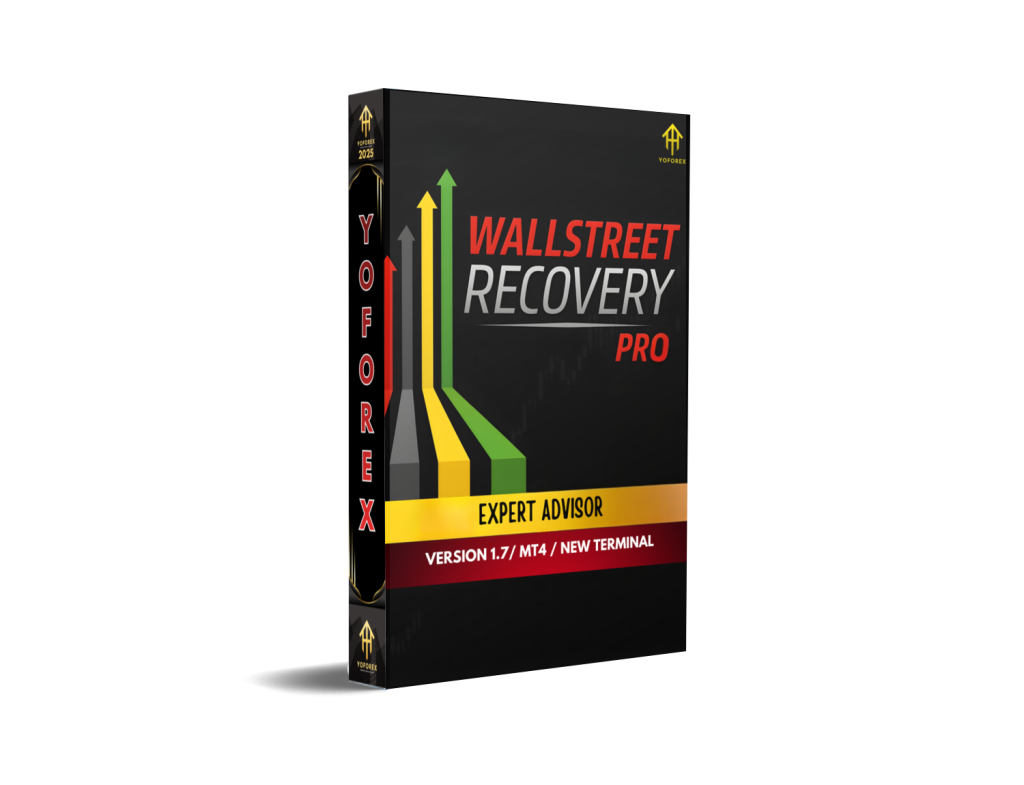
WallStreet Recovery PRO EA V1.7 MT4 – Advanced Automated Trading With Smart Recovery Logic
Introduction
WallStreet Recovery PRO EA V1.7 MT4 is a fully automated trading system designed for MetaTrader 4 traders who want consistent, hands-free execution combined with intelligent drawdown recovery logic. Developed by well-known EA developer Lachezar Krastev, this system is built on the proven foundation of the legendary WallStreet Forex Robot, enhanced with a sophisticated Advanced Recovery System.
In today’s fast-moving forex market, manual trading often fails due to emotional decisions, delayed execution, and poor risk control. WallStreet Recovery PRO EA V1.7 MT4 aims to eliminate those weaknesses by offering a plug-and-play automated solution that handles trade entries, exits, risk management, and recovery strategies automatically.
This expert advisor is especially appealing to traders seeking a low entry barrier, as it supports a minimum deposit of just $100 and works with any leverage. With support for seven major currency pairs and optimized performance on the M15 timeframe, WallStreet Recovery PRO EA V1.7 MT4 positions itself as a balanced solution for both beginners and experienced traders.
What Is WallStreet Recovery PRO EA V1.7 MT4?
WallStreet Recovery PRO EA V1.7 MT4 is an algorithmic trading robot that executes trades automatically based on proprietary market logic derived from the original WallStreet trading framework. What differentiates this version is its built-in Advanced Recovery System, which is designed to intelligently manage losing trades and reduce drawdowns over time rather than closing positions prematurely.
Instead of relying on aggressive martingale behavior, the recovery logic focuses on controlled position management, smart trade timing, and optimized exits. This allows the system to adapt during temporary market fluctuations while protecting the trading account from extreme exposure.
Once attached to a supported chart, WallStreet Recovery PRO EA V1.7 MT4 requires minimal user intervention, making it ideal for traders who prefer automated execution without constant monitoring.
Supported Trading Conditions
WallStreet Recovery PRO EA V1.7 MT4 has been optimized for stability and flexibility across common retail trading environments.
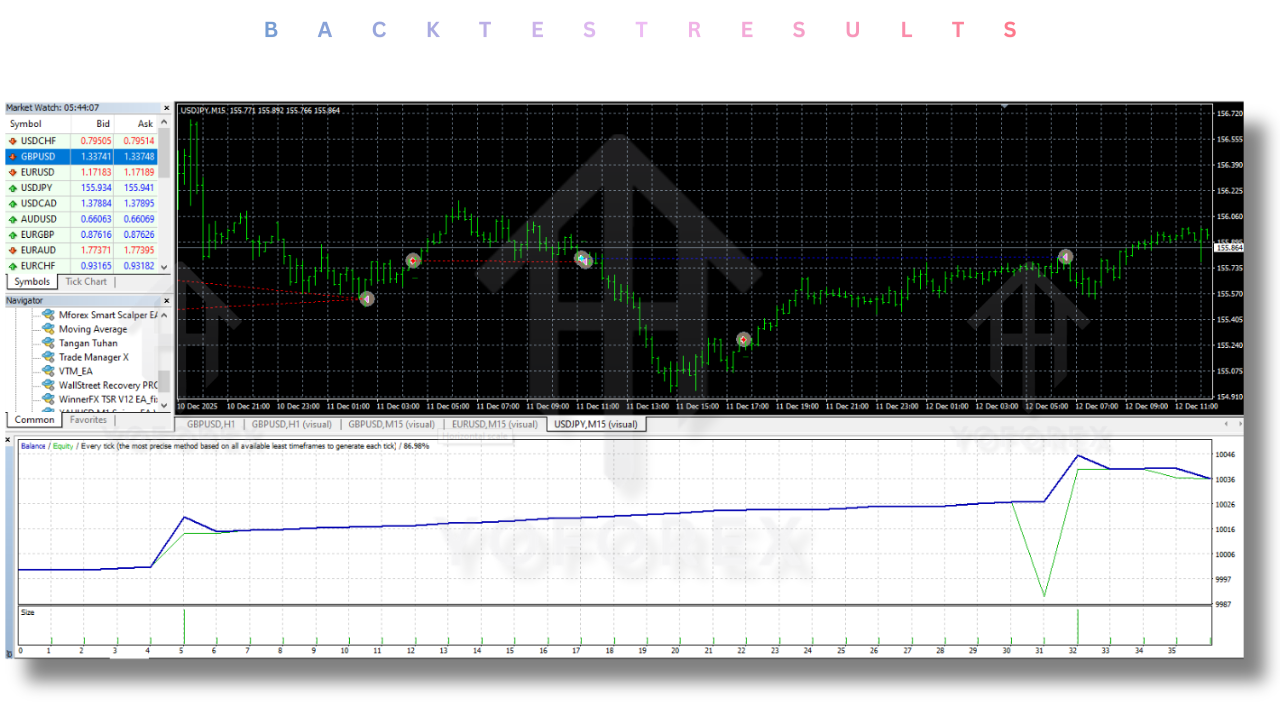
The expert advisor operates best on the M15 timeframe, where it balances trade frequency with signal reliability. It supports the following major currency pairs:
EURUSD
GBPUSD
USDJPY
AUDUSD
USDCHF
USDCAD
NZDUSD
The system supports any leverage, allowing traders to use it across different broker conditions. The minimum recommended deposit is $100, making it accessible for small account traders while still scalable for larger portfolios.
Core Trading Logic and Strategy Framework
The strategy behind WallStreet Recovery PRO EA V1.7 MT4 is rooted in short-term price behavior, volatility filtering, and market timing algorithms. Trades are initiated only when specific internal conditions align, reducing unnecessary market exposure.
The EA evaluates multiple parameters before entering a trade, including spread conditions, volatility thresholds, and market momentum filters. This selective approach helps avoid overtrading and protects capital during unfavorable market conditions.
Trade exits are managed automatically through dynamic profit targets, stop loss logic, and the Advanced Recovery System, which plays a crucial role during periods of drawdown.
Advanced Recovery System Explained
One of the defining features of WallStreet Recovery PRO EA V1.7 MT4 is its Advanced Recovery System. This system is designed to address temporary drawdowns caused by market retracements, news volatility, or short-term trend shifts.
Rather than closing trades at a loss immediately, the recovery logic attempts to manage positions intelligently by adjusting trade handling and exit conditions. This approach allows the EA to capitalize on market corrections while maintaining controlled risk exposure.
The recovery system is carefully structured to avoid reckless lot scaling, making it safer than traditional grid or martingale-based strategies. This makes WallStreet Recovery PRO EA V1.7 MT4 suitable for traders who prioritize account longevity over aggressive profit chasing.
Risk Management and Capital Protection
Risk management is a core pillar of WallStreet Recovery PRO EA V1.7 MT4. The system incorporates built-in safeguards to protect trading capital, including trade filtering, drawdown control mechanisms, and exposure limits.
The EA is designed to operate efficiently on smaller accounts without pushing margin limits. While it does not guarantee profits, its structured approach aims to minimize emotional trading errors and reduce long-term risk.
Traders are still encouraged to use proper account settings, reasonable leverage, and conservative lot sizes to achieve the best performance.
Ease of Use and Installation
WallStreet Recovery PRO EA V1.7 MT4 is designed as a plug-and-play solution. Installation follows standard MetaTrader 4 procedures, and once attached to the appropriate chart, the EA begins operating automatically.
Default settings are optimized for general use, making it suitable for beginners who may not have extensive experience with EA customization. Advanced users can fine-tune parameters to align with their individual risk tolerance and trading preferences.
The user-friendly setup process makes WallStreet Recovery PRO EA V1.7 MT4 accessible to a wide range of traders.
Who Should Use WallStreet Recovery PRO EA V1.7 MT4?
This expert advisor is ideal for traders who want automated trading without complex configuration requirements. It suits beginners who are new to algorithmic trading as well as experienced traders looking to diversify their strategies.
Small account traders will appreciate the low minimum deposit requirement, while professional traders can integrate the EA into larger portfolios as a risk-controlled automated component.
WallStreet Recovery PRO EA V1.7 MT4 is particularly suitable for traders who value stability, disciplined execution, and recovery-focused logic rather than high-risk strategies.
Performance Expectations and Realistic Outlook
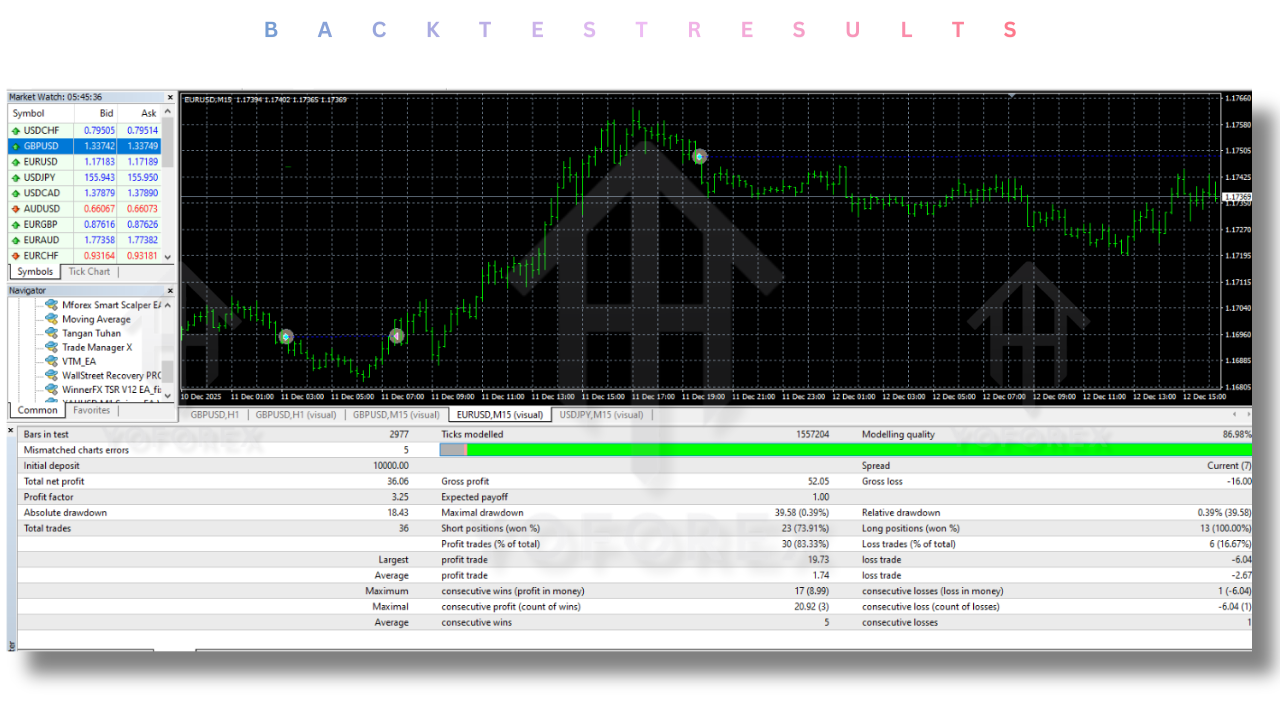
It is important to approach any automated trading system with realistic expectations. WallStreet Recovery PRO EA V1.7 MT4 does not promise guaranteed profits, nor does it claim to eliminate risk entirely.
Market conditions change, and no EA performs optimally at all times. However, the strength of this system lies in its disciplined structure, recovery logic, and long-term trading philosophy.
When used responsibly, WallStreet Recovery PRO EA V1.7 MT4 can serve as a reliable automated assistant in a trader’s overall strategy.
Final Verdict
WallStreet Recovery PRO EA V1.7 MT4 stands out as a well-structured automated trading solution built on a trusted trading framework. Its Advanced Recovery System, multi-pair support, and low entry requirements make it an attractive option for traders seeking automation with controlled risk.
While no trading robot can guarantee success, WallStreet Recovery PRO EA V1.7 MT4 offers a balanced combination of intelligent execution, recovery-focused logic, and user-friendly design. For traders looking to reduce emotional trading and automate their forex strategy, this EA is worth serious consideration.